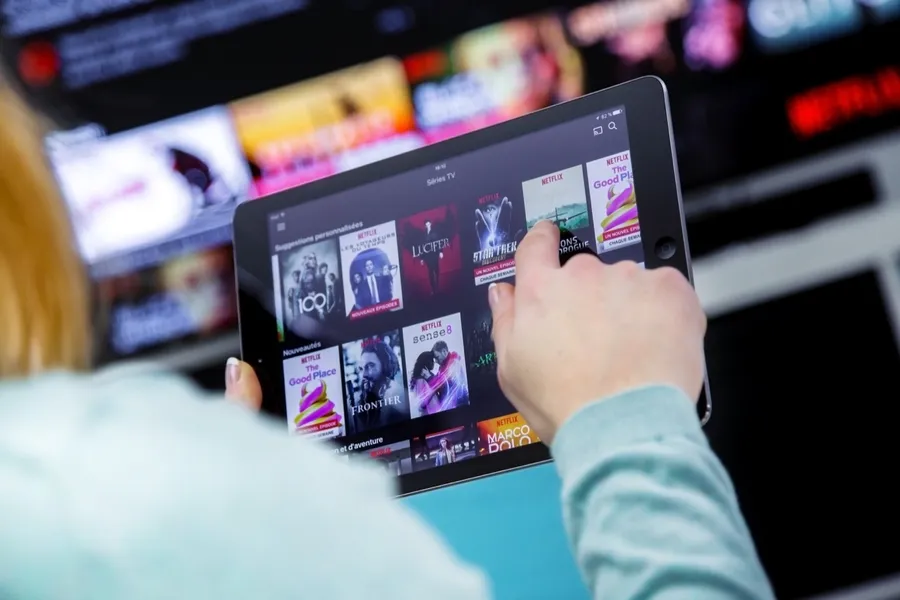
SPlayer is a video playback application that provides a smooth video viewing experience without format restrictions or complicated operations. It supports almost all video files on your phone, whether local or directly connected, ensuring smooth playback. SPlayer offers a picture-in-picture mode, allowing you to play games and watch movies simultaneously – a double dose of fun! Furthermore, SPlayer supports multiple subtitles, making it easy to watch movies without subtitles!
Open SPlayer and grant storage and network permissions when prompted, then wait for your media library to load.
Browse local videos or click the "Add" option to paste a direct URL for streaming playback.
To play a torrent file, select "Open," paste the magnet link or select the torrent file, wait a moment for the initial data to load, and then press the play button.
If you need subtitles, import them from a file or URL and use the synchronization control to correct the time while watching.
To cast, connect to a Chromecast device and cast a local file or MP4 torrent stream; otherwise, continue on your device and use picture-in-picture or background playback as needed.

1. Lightning-fast Playback: First and foremost, speed is paramount for media players. Say goodbye to annoying loading times with Splayer. This app uses advanced technology to ensure videos play instantly, without a second's delay.
2. User-friendly Interface: Nobody likes complicated menus or incomprehensible buttons! Splayer's clean design and easy-to-use interface are its highlights. Whether you're young or old, tech-savvy or not, using this app is a breeze.
3. Multi-format Support: Have you ever tried to play a video only to find your player doesn't support the format? Frustrating, right?! The good news is—with Splayer, compatibility issues are solved! It supports multiple file formats, ensuring perfect playback for every type of video.
4. High-quality Playback: We all love crisp picture and clear sound when watching our favorite online shows or videos—no pixelation here! This is again thanks to Splayer's powerful features, which guarantee top-notch playback quality, making everything crisp and sharp.
5. Subtitle Support: If subtitles are crucial for enjoying movies from around the world, don't worry, because Slayer also provides subtitle functionality!

Pros: Simple and intuitive user interface
Built-in BT client
Live-time torrent video preview
Cons: No option to resume interrupted downloads
What is SPlayer?
SPlayer is an Android video player application designed to play local files, online streaming media, and torrent videos, supporting a variety of video and subtitle formats.
Is SPlayer free to use?
Yes, SPlayer can be downloaded and used for free, but some features may depend on device support and system permissions.
Can SPlayer play torrent videos without a complete download?
Yes, SPlayer supports direct streaming playback via torrents and magnet links, and supports progress bar dragging during playback.
Does SPlayer support subtitles?
SPlayer supports multiple subtitle formats and allows users to adjust font style, size, color, and timing, or load subtitles from a URL.
Who should use SPlayer?
SPlayer is suitable for users who watch various video formats, rely on subtitles, frequently watch streaming content, or want to use advanced playback features on Android.
SPlayer is suitable for users who enjoy watching various video formats, rely on subtitles, or prefer flexible playback options. It's ideal for commuters, language learners, and those managing large video libraries. It's especially useful when storage space is limited or watching online is more convenient than downloading.
Size:85..1MB Version:1.3.7
Requirements:Android Votes:415


A truly outstanding movie is not just about an engaging plot-it also requires seamless transitions between scenes. When these transitions are natural and fluid, they help the audience stay immersed in the story without feeling disconnected. The same principle applies to video games. Games that ensure smooth, uninterrupted gameplay, whether through well-designed animations, intuitive controls, or seamless scene changes, create a more immersive and enjoyable experience for players. A game that flows effortlessly from one moment to the next demonstrates a level of craftsmanship that deserves recognition and admiration.
Video Player is a software application or hardware device designed to decode and display digital video content. Modern video players are highly versatile, capable of handling both locally stored files and real-time streaming media from online platforms. Over time, technological advancements have transformed video players from basic format-specific tools into sophisticated systems supporting a wide range of codecs, resolutions, and playback features. Today’s players offer enhanced functionality such as subtitle synchronization, playback customization, and adaptive streaming, ensuring a seamless and user-friendly viewing experience across various devices.
The software boasts a sleek, user-friendly interface designed for effortless navigation, enabling seamless browsing and quick searches across a diverse range of video content. Its extensive library is continuously updated with the newest releases, including blockbuster movies, trending TV series, entertaining variety shows, captivating animations, and insightful documentaries. With this ever-expanding collection, users can enjoy high-quality, up-to-date entertainment anytime and anywhere, catering to all tastes and preferences.
About us | Contact us | Privacy policy| DMCA
Copyright © 2026 Xiaohei All rights reserved.