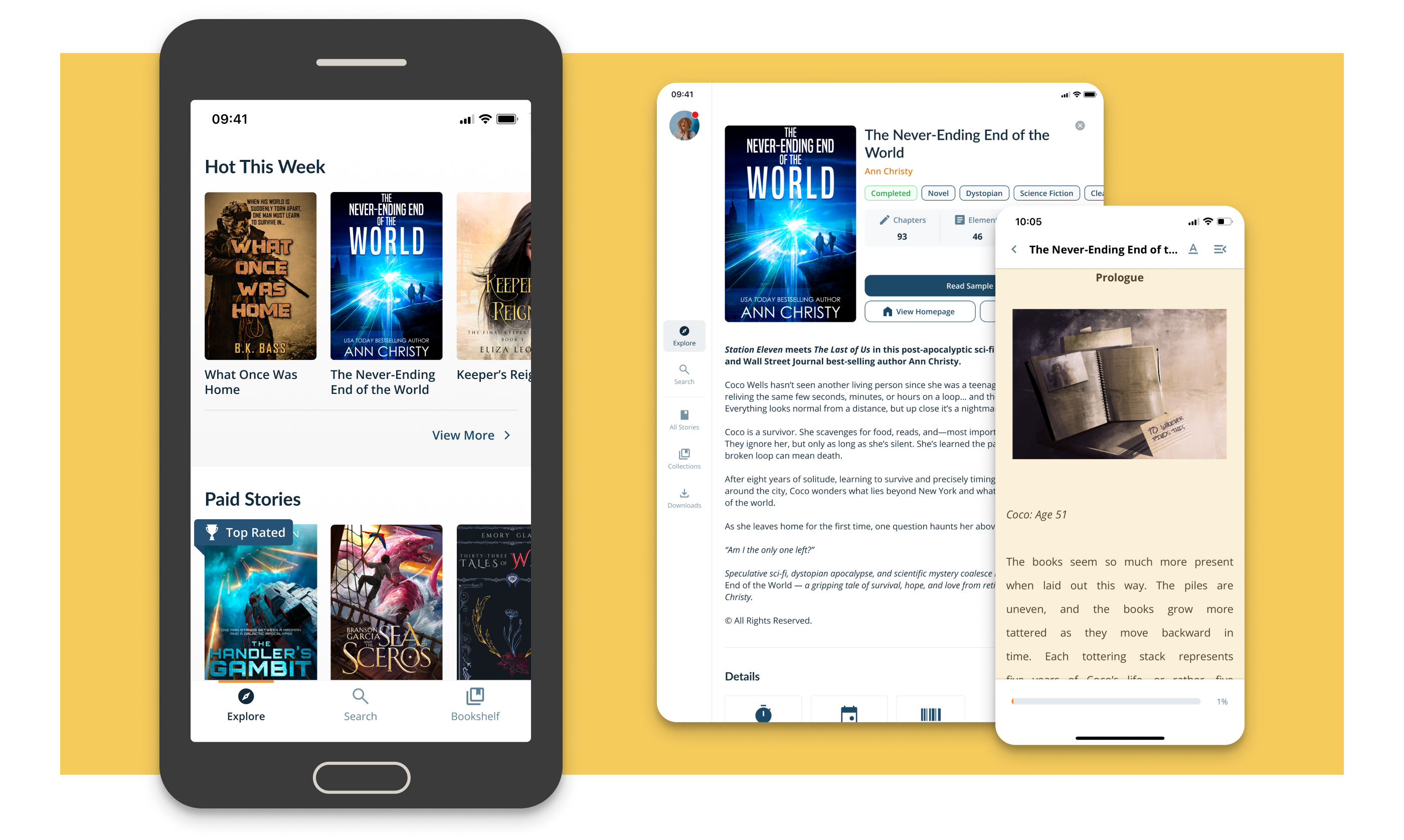
Moon+ Reader Pro This is a comprehensive e-reader. It supports multiple formats, including epub and pdf, providing convenience for users. The software is ad-free for a superior experience and offers a 30-day money-back guarantee, giving users multiple options. It boasts numerous personalized features such as reading mode, eye protection options, custom themes, and multi-touch support, creating a personalized reading experience. Furthermore, the application supports cloud backup and synchronization, making it easy for users to manage their ebooks.

Read tens of thousands of books for free, supports multiple online book sites.
Read local books for nice experience with real-time smooth scroll and tons of innovation functions.
Support txt, html, epub, pdf, djvu, mobi, azw/azw3, fb2, prc, docx, odt, rtf, umd, chm, cbr, cbz, md(MarkDown), mht/mhtml, webp, rar, zip or OPDS
Full visual options: line space, font scale, bold, italic, shadow, alpha colors, fading edge etc.
10+ themes embedded, includes Day & Night mode switcher.
Various types of paging: touch screen, volume keys or even camera, search or back keys.
24 customized operations (screen click, swipe gesture, hardware keys), apply to 15 customized events: search, bookmark, themes, navigation, font size and more.
5 auto-scroll modes: rolling blind mode; by pixel, by line or by page. Real-time speed control.
Adjust the brightness by sliding your finger along the left edge of the screen, gesture commands supported.
Intelligent paragraph; indent paragraph; trim unwanted blank spaces and lines options.
“Keep your eyes health” options for long-time reading.
Real page turning effect with customized speed/color/transparent; 5 page flip animations;
My Bookshelf design: Favorites, Downloads, Authors, Tags; self bookcover, search, import supported.
Justified text alignment, hyphenation mode supported.
Turn off softkey backlight in night mode option.
Backup/Restore options to cloud via DropBox/WebDav, sync reading positions, bookmarks, highlights and notes between phones and tablets.
Highlight, Annotation, Dictionary (Offline or Online, support Google, ColorDict, etc.), Translation, Share functions all in moon+ ebook reader.
Reading statistics function, know your reading time and reading speed for each book.
Localized in 46 languages.

CUSTOMIZE YOUR READING
Some people read books to relax, and some read to gain knowledge, so they need to record important information boldly. With other applications, it only allows users to zoom in and out, but with Moon+ Reader Pro, you can also write, overwrite or highlight important passages. There are also up to 24 operations such as swipe, tap, two-finger tap, and more to make reading more convenient. Not only that, but you can even adjust the text size, line spacing, and indentation.
SOME OTHER UNIQUE FEATURES
The purpose of Moon+ Reader Pro is to help users get the best reading experience and make it accessible to anyone. So the application has supported more than 40 languages , including English, Japanese, Chinese, Spanish, Italian, Vietnamese to French, and many more. However, thanks to that, you have the opportunity to expand your knowledge and learn more languages in addition to your mother tongue. And the audiobook feature will be suitable for long trips, or it is not convenient to read, plug in a headset and enjoy.

What is Moon+ Reader Pro?
Moon+ Reader Pro Mis an Android reading app for ebooks, PDFs, comics, and text files. It focuses on file support, reading customization, notes, and smooth offline reading.
What is Moon+ Reader Pro used for?
It is used to open and manage digital books and documents in one place. People use it for reading novels, studying PDFs, checking notes, and listening through text-to-speech.
Which file formats does Moon+ Reader Pro support?
It supports many popular formats such as EPUB, PDF, MOBI, AZW3, FB2, TXT, HTML, DOCX, CBZ, CBR, ZIP, and more, which makes it useful for mixed libraries.
Does Moon+ Reader Pro have PDF editing features?
It includes PDF tools such as highlighting, annotations, handwriting, and form filling. These features are useful for study material, work files, and saved documents.

I use it every day, its the best reader you can get, its the actual only reason I havent switched from android to apple. unfortunately there are some... math? code logic? issues. for example, if I read 25% of a book in 3 hours you would expect it to say 9-10 hours left in the book. but it will say 52 hours left. I cannot fathom where that number comes from. the calendar can mess up. reading words per minute is not very accurate. - as a place to read, its still the best
I have been using Moon+ Reader Pro for many years (since the early 2000s) & it is without a doubt the very best eBook reader available on any platform. I use it to read my large collection of PDF books, comics and magazines. I love the shelf feature where I can browse through my collection and see all the covers in full detail. And also I love the way it can automatically detect the table of contents and allow me to jump to the story I want to read.
I've used this app for a long time, and I used to love it and recommend it to everyone. The latest update has changed this. I can no longer access my books on my Google drive as the permissions have changed. You can only access files that were uploaded from the app, and most of my books weren't. This means I now have to go to Google Drive, download my book, and then open it with Moon+ reader. Update: I still love the app, but I am annoyed at Google Drive for changing their permissions

There are still a few drawbacks. The feature list is dense, so first-time users may need a little time to learn where everything is. Too many controls can feel messy if you only want a very basic reader. Some advanced tools also make more sense for heavy readers than casual users who open one book every few weeks. This app fits students, office users, researchers, comic readers, and regular book lovers who want deep control over reading instead of a plain tap-and-scroll setup.
Size:55.6MB Version:10.6
Requirements:Android Votes:503
Welcome to Light Novel World, your ultimate destination for free online light novels! Explore a vast collection of captivating stories across genres like fantasy, romance, sci-fi, and more-all available to read at no cost. Whether you're a fan of isekai adventures, heartwarming romances, or thrilling action, our library has something for every reader. Enjoy regular updates, easy navigation, and a seamless reading experience. Dive into your next favorite story today!
The best free ebook reader software is great for when you need to get serious reading done. We like to read casually on phone, but often we need more. We need tools at hand for taking notes. We need a bigger display and power to search. When we need more for reading, we turn to an ebook reader on our computer. Thankfully, some of the best software for reading ebooks is free. When we look for ebook software, we look for good organization, easy note taking, and synchronization across devices. We can find all of that in our top picks.
Discover the best tools to enhance your fiction-reading experience in 2024! This curated collection features top-tier e-reader apps, audiobook platforms, and digital library services, designed for book lovers of all kinds. Whether you prefer immersive e-books, hands-free audiobooks, or customizable reading interfaces, our selection covers every need-from offline reading to AI-powered recommendations. Dive into your next literary adventure with the perfect software tailored for fiction enthusiasts!
About us | Contact us | Privacy policy| DMCA
Copyright © 2026 Xiaohei All rights reserved.