VLC is a comprehensive media player software. This application boasts a clean and user-friendly interface and perfectly synchronized subtitles, supports all file formats, and allows users to fully enjoy their favorite movies and TV shows. With VLC, you can browse by folder, album, artist, or genre, easily finding and playing the content you need anytime, anywhere. The application also offers unique gesture control options; simply swipe or tap the screen to easily adjust volume and brightness, and quickly browse videos. Furthermore, the application provides personalization options; you can change the player's appearance with skins, and even create your own skins using the skin editor.
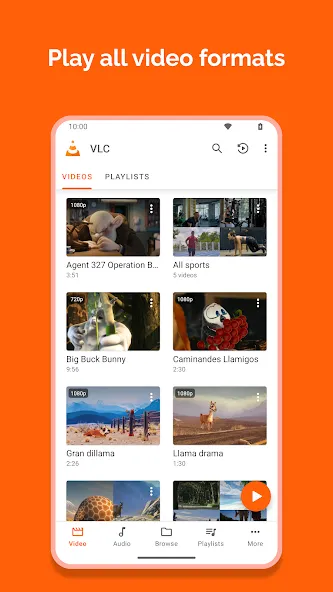
VLC plays most local video and audio files, as well as network streams (including adaptive streaming), DVD ISOs, like the desktop version of VLC. It also support disk shares.
All formats are supported, including MKV, MP4, AVI, MOV, Ogg, FLAC, TS, M2TS, Wv and AAC. All codecs are included with no separate downloads. It supports subtitles, Teletext and Closed Captions.
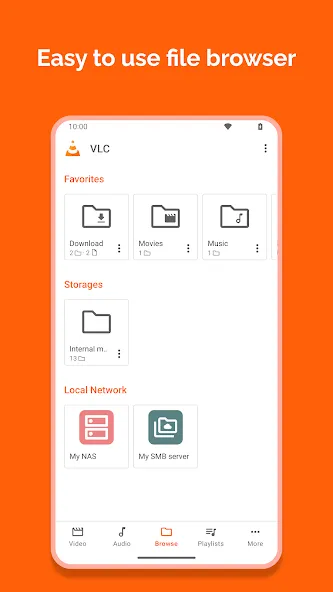
VLC has a media library for audio and video files, and allows to browse folders directly.
VLC has support for multi-track audio and subtitles. It supports auto-rotation, aspect-ratio adjustments and gestures to control volume, brightness and seeking.
It also includes a widget for audio control, supports audio headsets control, cover art and a complete audio media library.
Plays all files, in all formats, like the classic VLC.
Audio and video media library, with full search and history.
Support for network streams, including HLS and Dash.
Support for NAS and shared drives browsing.
Supports Android Version 2.2 (platform-8) or later for older versions.
Supports Android Version 4.2 (platform-14) or later for current version.
Supports ARMv7, ARMv8 / AArch64, MIPS and x86.
Support Android TV.
Support Chromebooks.
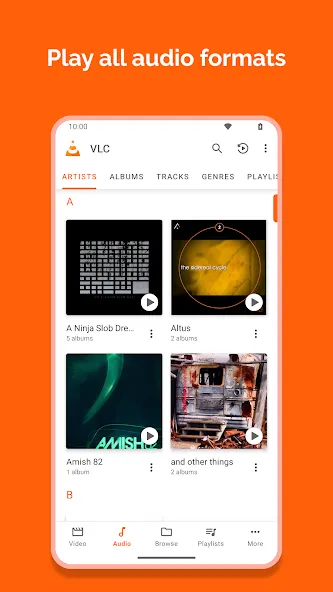
Plays most formats with built in codecs
VLC Media Player opens common and niche formats without extra downloads. You can play MKV, MP4, AVI, MOV, Ogg, FLAC, TS, M2TS, Wv, AAC, and more using the codecs included in the app. This helps you avoid hunting for plugins and keeps setup simple. Files stored locally or on removable storage open the same way, so playback starts quickly.
Network streaming and home shares
For network playback, you can open HLS and DASH links directly from the app. VLC Media Player also browses network shares and drives, which makes it easy to reach media on a NAS or a home server. It plays DVD ISO images without conversion, so archived discs remain accessible on your phone or tablet. This approach works well for both quick links and long term libraries.
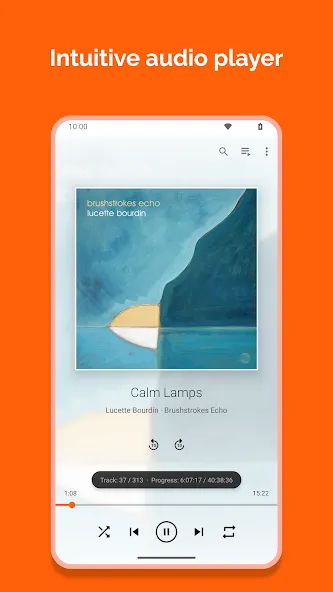
Full audio player with library and controls
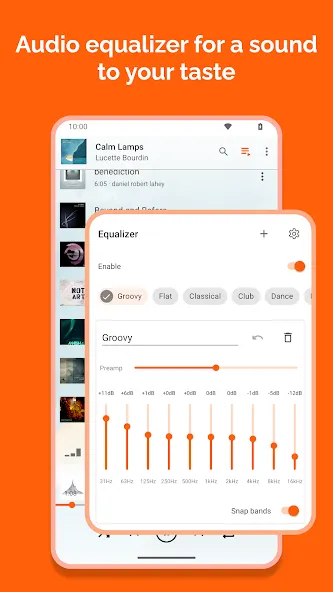
Beyond video, the VLC player app manages your music with a built in media library and cover art. You can fine tune sound with a ten band equalizer and audio filters, then control playback from headset buttons or an audio widget on your home screen. This keeps common actions within reach while you are on the go. Playlists and library browsing keep longer sessions organized.
Subtitles and multiple tracks
When captions are needed, VLC Media Player supports subtitles, Closed Captions, and Teletext. You can switch between multiple audio and subtitle tracks during playback, including tracks from external files. This is useful for multilingual videos or alternate commentary. Loading a local SRT file or choosing an embedded track takes only a few taps.
* Equalizer fixes
* Remote access: allow playing audio media in the browser
* Add back the deletion for multiple file sin the browser
* Update the remote access OTP code length
* Improve the feedback UI
* Add more size options for the subtitle size
* Crash fixes
Finally, you find advanced features you can turn on or off. For example, you can enable hardware acceleration so that the videos you play consume less battery power. You can also deactivate it if you want greater stability or have problems playing any particular content. If you're looking for a simple and complete player for Android, downloading the VLC APK is one of the best options.
Size:45.8MB Version:3.7.1
Requirements:Android Votes:279
Package Name:org.videolan.vlc Signature:eefbc981428343bbddfff6b23b6bd8717351410c
In our fast-paced world, internet access isn’t always available-whether you're on a flight, a high-speed train, in a low-connectivity zone, or simply off the grid. That’s where offline games shine! These hassle-free entertainment options let you dive into immersive gameplay without relying on a connection. No lag, no interruptions-just pure, uninterrupted fun wherever you are. Perfect for travelers, commuters, or anyone seeking a reliable escape, offline games ensure the excitement never stops!
Dive into this comprehensive hub of music applications designed for every type of listener. Stream global hits, craft custom playlists tailored to your mood, or uncover hidden gems across diverse genres-all with intuitive, high-quality platforms. Discover both industry-leading streaming services and specialized apps offering exclusive features like AI-powered recommendations, social sharing, or advanced audio customization. Whatever your musical preference, find the ideal app to enhance your listening journey with effortless discovery and premium sound.
Video Player is a software application or hardware device designed to decode and display digital video content. Modern video players are highly versatile, capable of handling both locally stored files and real-time streaming media from online platforms. Over time, technological advancements have transformed video players from basic format-specific tools into sophisticated systems supporting a wide range of codecs, resolutions, and playback features. Today’s players offer enhanced functionality such as subtitle synchronization, playback customization, and adaptive streaming, ensuring a seamless and user-friendly viewing experience across various devices.
About us | Contact us | Privacy policy| DMCA
Copyright © 2026 Xiaohei All rights reserved.