4K Video Downloader is a user-friendly video downloader that allows users to download videos of varying resolutions from major video platforms to their devices for convenient viewing and review anytime. The software allows users to quickly obtain video download links, copy the links into the software, select the appropriate format, and begin downloading. Download speeds are extremely fast, and users can pause the download at any time. The software also features a built-in search function, allowing users to quickly find relevant videos using keywords. Batch processing of videos is also supported to meet diverse user needs.
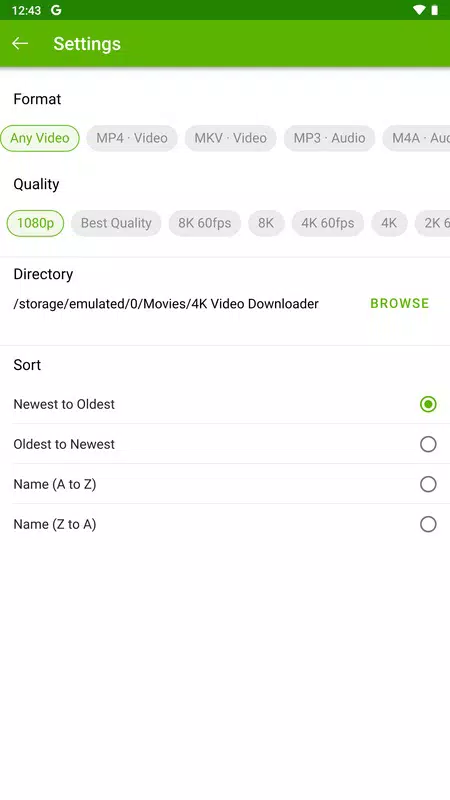
Video and audio formats: 4K Video Downloader lets you convert downloads into MP4 or MKV for video. For audio only, you can export to MP3 or M4A. This keeps files compatible with common players on most devices.
Flexible video quality: You can set resolution for each video. Options range from 240p up to 2160p 4K when available. From 720p and above, the app can fetch 60 FPS if the source includes it. If not, it uses the highest frame rate provided for that video.
Adjustable audio quality: Choose the bitrate that fits your needs. Available levels include 320 kbps for best, 256 kbps for high, 192 kbps for medium, and 128 kbps for low. This helps balance file size and sound quality.
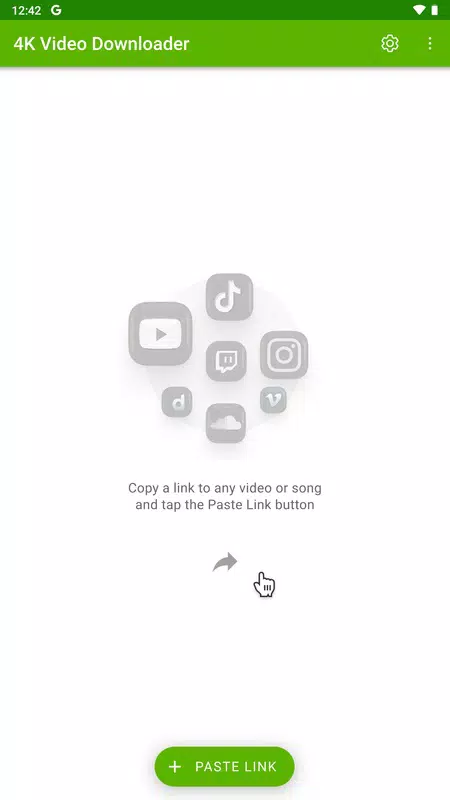
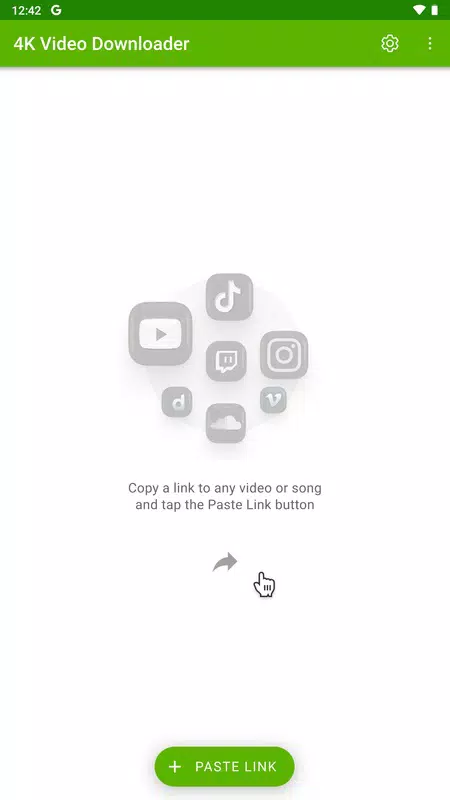
Paste link and choose destination: To start a download, paste the video URL into the app. 4K Video Downloader processes the link with your selected format and quality, then saves it to the folder you choose. For reliable performance, install the 4K Video Downloader latest version before fetching new links.
New breakthrough YouTube bypass. We’re one step ahead again: it beats “403: Forbidden” and restores login-protected links & formats. Parsing after consent.youtube.com redirects and YouTube link-type detection are also fixed. Slow parsing will be addressed in the next release.
New built-in browser. This update improves site compatibility and stability. Logins now work reliably on Google, Twitch, Vimeo, Facebook, and TikTok. Blank pages on macOS ARM are gone, and TikTok videos now display at full height. You need to sign in to your accounts again to continue accessing private and login-protected content.
New core libraries. The update improves compatibility, security, and stability, raising minimum OS requirements to Windows 10 64-bit and macOS 12. On macOS it also eliminates garbled text, fixes Control Panel scrolling with trackpad/Magic Mouse, and ensures the app removes its Dock icon on quit.
New main menu. Redesigned on Windows & Linux — it now always stays within the app window, even on multi-monitor setups, and is fully accessible via keyboard and screen readers.
Easier to use. “Clear All” is back in the Control Panel. In Smart Mode, the subtitle list now groups regional variants by language, and items that failed without login reanalyze automatically after you sign in.
Consistent logic and behavior. Language choices now persist with Smart Mode off (audio: All tracks / Original / Default; subtitles: Default / None). Dubbed audio preference in subscriptions now persists. Improved keyboard & screen-reader navigation in the download list. Batch parse errors now show Reload, not Resume. Control Panel item selection works better. Batch actions no longer open the built-in browser. Tooltips now stay inside the window.
Improved stability. Playlists with apostrophes now restore correctly and show their covers. Improved reliability of future in-app updates. Fixed several crashes. Occasional long DB error messages shortened.
Reliable parsing. Fixed parsing of TikTok embedded videos, Rumble and Xvideos links.

App does exactly as it says! Yeah, you gotta watch a 30 second to a minute ad when you download a video, but that's just the free version. If you truly hate ads and wanna support them, then you can pay for it and not have to deal with ads anymore.
It works great for downloading from bitchute. Each time I download, I need to watch an ad or two, but I'm not a smelly, commie, so I'm fine with that.
I've used 4K Video Downloader for years. It's helped me mine videos for personal and business purposes. I don't know what I'd do without it.
is excellent and fast Bowser and has first time what is going well with my self and send me a good picture of the rest of the message.
I respect the fact that they comply with Cyber Policies. Although, I may not be able to download videos from youtube due to legal restrictions even if for personal and educational use, I rate this app high for their hard work.
Which video resolutions and formats does it support?
4K Video Downloader Plus supports all common resolutions including 720p, 1080p, 4K UHD, and even 8K UHD. Supported video formats include MP4 and MKV, with MKV recommended for longer, high-quality videos. Audio extraction is available in MP3, M4A, and OGG formats.
Does it download private videos and playlists?
Yes, 4K Video Downloader Plus can download private videos and playlists, but you must have the necessary access rights. In order to download private content from platforms like YouTube, you will need to log in to your account within the app.Once authenticated, you can easily download any private videos or playlists you have access to, just as you would with public content. Note that private content download is a premium feature.
Can I download entire YouTube playlists and channels?
Yes, 4K Video Downloader Plus enables one-click downloading of entire playlists and channels, saving significant time for users who need bulk video downloads.
Can I download videos that are region-restricted?
Yes, with built-in proxy support, 4K Video Downloader Plus allows bypassing geo-blocks, so you can download content unavailable in your region without needing third-party VPNs.
How do I use Smart Mode in 4K Video Downloader Plus?
Smart Mode lets you pre-configure download preferences such as format, quality, subtitles, and destination folder. In order to enable it, locate the bulb icon on the toolbar at the top of the app window and toggle it on. Once enabled, these settings will automatically apply to all subsequent downloads, saving time and simplifying batch download tasks without requiring manual input for each video.
If you want to download videos and music or save the songs from clips in audio format, you just need a link and to download 4K Video Downloader APK. Its simplicity and versatility make this app one of the best options.
Size:126.3MB Version:26.2.1.0379
Requirements:Android Votes:213
Package Name:com.openmedia.om4kVideoDownloader Signature:d164a2ac4e451ba952dc9f05bc2cd075a48609e9

Media player with multimedia capabilities is one of the important features in today’s smartphones. Most of the video content is consumed on smart devices and viewers continue their tasks like sending emails, surfing apps keeping the video playback on through Picture-in-Picture mode. Playing audio/video on an Android app has become a basic function with android video players becoming more and more customizable. Some of the best video players for Android offer multi format support, easy customizations, hardware acceleration, subtitle support and much more. In this blog, we have compared the best video player for Android based on speed, battery consumption, streaming capabilities, resource usage and more.
A truly outstanding movie is not just about an engaging plot-it also requires seamless transitions between scenes. When these transitions are natural and fluid, they help the audience stay immersed in the story without feeling disconnected. The same principle applies to video games. Games that ensure smooth, uninterrupted gameplay, whether through well-designed animations, intuitive controls, or seamless scene changes, create a more immersive and enjoyable experience for players. A game that flows effortlessly from one moment to the next demonstrates a level of craftsmanship that deserves recognition and admiration.
Video Player is a software application or hardware device designed to decode and display digital video content. Modern video players are highly versatile, capable of handling both locally stored files and real-time streaming media from online platforms. Over time, technological advancements have transformed video players from basic format-specific tools into sophisticated systems supporting a wide range of codecs, resolutions, and playback features. Today’s players offer enhanced functionality such as subtitle synchronization, playback customization, and adaptive streaming, ensuring a seamless and user-friendly viewing experience across various devices.
About us | Contact us | Privacy policy| DMCA
Copyright © 2026 Xiaohei All rights reserved.