Unlock-r is a Google online authenticator software that can perform two-factor authentication on some applications by scanning. It allows for the creation of an unlimited number of accounts and features a real-time verification code that refreshes every minute. Once an app or business is bound to this verification lock, it requires verification, significantly enhancing the security and reliability of the app. It does not allow third-party access and does not require root access, providing maximum protection for your phone and funds, making it suitable for users to securely store their data.
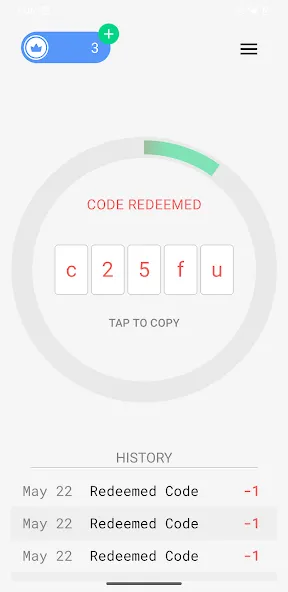
Fast Setup with QR Scanning
Getting started takes only a few taps. You can add accounts by scanning a QR code provided during two-factor setup on your email, banking, or social platforms. This avoids manual entry and reduces mistakes.
Open the app, choose to add an account, and point your camera at the QR code on your screen. The entry saves with a label, so you can quickly find it later. The Unlock-r app supports multiple services, making it practical if you manage several logins across your daily apps and work tools.
Biometric Protection on Your Device
Face ID or Touch ID can lock access to your codes, adding a layer of protection if your phone is shared or misplaced. Only someone who can pass the biometric check can see the codes.
You can turn this on in settings to keep your list closed until you authenticate. It is helpful in busy environments where you might hand your device to someone or leave it unattended briefly. The Unlock-r app relies on your device’s biometric features, so availability depends on your phone’s hardware and settings.
Full Version: Unlimited Accounts and Cloud Backup
The Full Version removes account limits, disables ads, and offers cloud backup to preserve your authenticator entries. This is useful when you have many services to secure or plan to change phones and want your entries saved.
After upgrading, you can enable backup to protect your setup from accidental loss. Some users may notice differences in pricing or plan terms across sources, so check the in-app details before paying. The Unlock-r app keeps backup optional so privacy-focused users who prefer local-only storage can stay offline and ad-free in the Full Version.
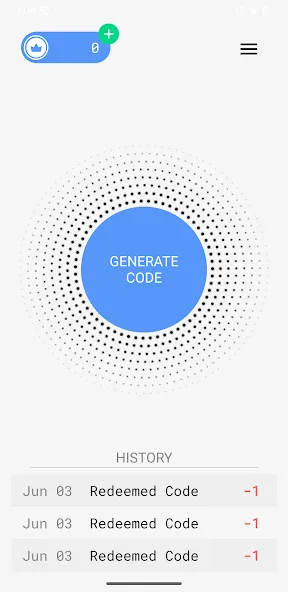
App for generating unique access codes for each added account.
Centralized management of authentications from a technical, well-organized interface.
Focus on data privacy with no third-party access.
Ability to operate offline using previously generated temporary codes.
Integration with multiple web services compatible with authentication codes.
Subscription required for unlimited access to codes and advanced features.
Pros
Easy installation
No root required
Opens many hidden Android features
Lightweight and fast
Improves performance
Cons
Some features may confuse new users
Incorrect settings could cause instability
Not available on official app stores
What is Unlock-r?
Unlock-r is a mobile utility app for Android that generates secure access codes,helping users protect online accounts with private, time-sensitive codes.
How does Unlock-r keep my data private?
Unlock-r keeps all sensitive info locked on your device, avoids third-party datasharing, and uses local encryption to keep your codes safe and secure.
Is Unlock-r only for tech experts?
Nope! Unlock-r is built for everyone. Its interface is super intuitive, so even if you're
not a cybersecurity pro, you'll feel right at home managing codes.
Can Unlock-r work offline?
Yes, Unlock-r lets you access your stored codes anytime, even if you're offline orswitching between different devices or locations.
What features come with an Unlock-r subscription?
A subscription gives you unlimited code generation, full privacy controls, zero ads,
and reliable support for all your authentication needs.
Managing your online accounts can be a headache, especially when it comes to juggling all those security codes. That’s where Unlock-r comes in. This Tools app from RoadPass Trading LTD. is all about making your digital life safer—without making things complicated. Whether you need quick access for your work or you’re just looking for some peace of mind, Unlock-r handles the tricky stuff behind the scenes.
Size:12.14MB Version:1.2.9
Requirements:Android Votes:352
Package Name:me.tito.unlocker Signature:4a26ef1b5a13f43cd3c3f0c2e8d7268c
Looking for more newly added Android apps and games? BrowseAPKBA Latest Android APK Downloads for recently updated APK pages with version details, package names, safety notes, and download pages.
Stay updated with the latest and hottest apps in one place! Our carefully curated ranking features the most trending, high-rated, and must-have apps across various categories, including entertainment, productivity, social media, and more. Whether you're looking for new tools, fun games, or innovative utilities, this list ensures you never miss out on top-performing apps. Explore the most downloaded and highly recommended applications, all available for instant download. Discover, download, and enjoy the best apps today!
About us | Contact us | Privacy policy| DMCA
Copyright © 2026 Xiaohei All rights reserved.