FileSynced is a file management tool that can download files by parsing code. It allows cross-platform access to user files anytime, anywhere, features automatic backup so users don't have to worry about losing files, and has advanced search and organization functions. Its concise and clear interface makes it easy for users to navigate and quickly understand. If you're struggling with having too many files, making them disorganized, and unsure how to organize them, you can try this file management tool.
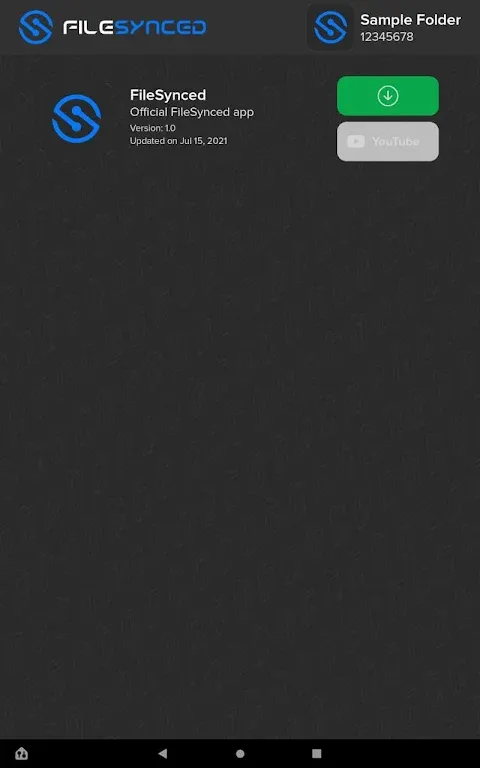
Cross-Platform Synchronization: Access your files anywhere and anytime. FileSynced supports synchronization across various platforms, ensuring that your documents, photos, and media are always up-to-date and accessible from any device. Synchronize between your smartphones, tablets, and PC for a truly integrated experience.
User-Friendly Interface: Experience a clean, intuitive, and easy-to-navigate interface designed for all users. Whether you're a tech-savvy individual or someone who's not as familiar with digital tools, FileSynced’s straightforward layout makes file management simple and hassle-free.
Fast and Secure File Sharing: Share your files with colleagues, friends, or family securely and quickly. With FileSynced, you can generate shareable links and control access permissions, ensuring that your sensitive information remains protected while still being easily deliverable to the intended recipients.
Automatic Backups: Never worry about losing your important files again. FileSynced offers automatic backup options that allow you to schedule regular backups of your files to the cloud. This functionality ensures that your data remains safe and recoverable in case of device loss or accidental deletion.
Advanced Search and Organization Tools: Quickly locate any file with advanced search functionality and powerful organizational tools. Create folders, tag files, and utilize powerful filtering features to keep your digital workspace organized and efficient.
Collaborative Features: Enhance teamwork and collaboration with FileSynced’s shared folders, where multiple users can access and edit documents in real-time. Ideal for group projects or team assignments, this feature fosters productivity and ensures that everyone is on the same page.
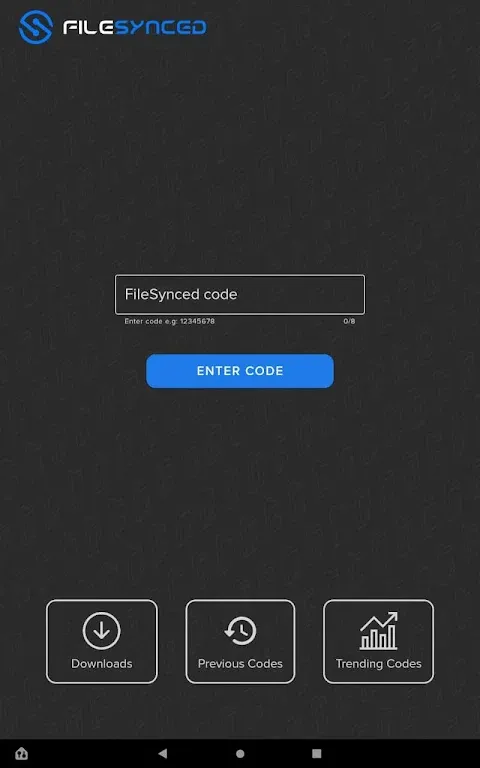
Access to Third-Party Apps: Install apps that are not available on the Google Play Store or Amazon App Store.
Easy Navigation: The platforms user friendly interface makes it simple to use.
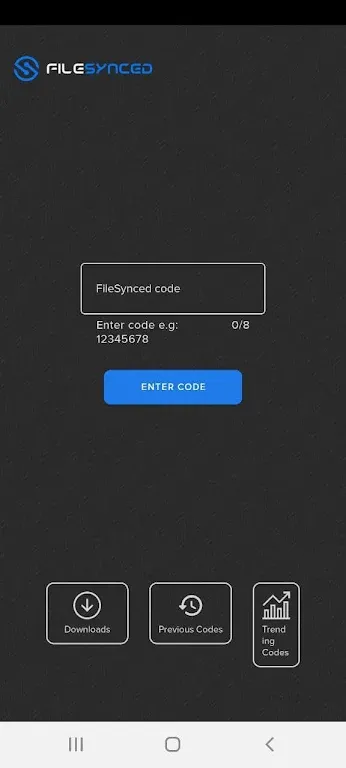
Code Sharing: Share and access files or apps using unique codes.
Regular Updates: Developers frequently update the app with new features and improved performance.
1. Is filesynced safe to use?
Yes, the filesynced application is safe to use as long as the apps you are installing are available on public domains.
2. Can I create my own store using File synced?
Yes, anyone can create their own store and upload the application to access them on various devices.
3. Can I install File synced on iOS devices?
No, file synced is available for Android devices only. Because it is an Android application.
4. Are the apps on Filesynced stores secure?
File synced does not host any application on their servers. It is a sharing platform. So, users should scan each and every file before they install it.
5. Can I install File Synced on Mi Box?
Users can install the application on all the devices that are running on the Android operating system.
Pros
Encryption for created libraries
Cons
Content of libraries could pose risks
If you can find a safe, working version of FileLinked and already have a trusted code, it can still work for you — but proceed with caution. For most users, UnLinked or FileSynced offer a smarter, safer alternative. Even though FileLinked is no longer active, it’s still remembered as the app that made downloading feel like magic.
Size:4.23MB Version:3.5
Requirements:Android Votes:228
Package Name:com.filesynced.app Signature:ec6e6abd1f84a1c13fd2ae088943202c
Discover our File Management Apps hub! Here, you can explore essential tools like Google Drive for cloud storage, Dropbox for simple file sharing, and File Commander for managing files directly on your device. Easily organize and access your files across your phone, or tablet. Our platform is designed to help you quickly find reliable apps to streamline your digital file management.
File Manager offers both graphical and command-line interfaces, allowing users to efficiently organize and control files and directories on their phone. With a file manager, users can perform a wide range of tasks, including creating, renaming, moving, copying, and deleting files and folders. Additionally, it enables users to view file properties, access content, and modify file permissions as needed. Advanced features may also include cloud storage integration, file compression, and secure encryption, enhancing file accessibility and management on mobile devices.
About us | Contact us | Privacy policy| DMCA
Copyright © 2026 Xiaohei All rights reserved.