Easeus Mobisaver is a file management tool that can quickly recover deleted files. It scans your device within minutes, finds deleted data, and lists the found files. It offers various filtering modes for easy file selection. The user interface is simple and easy to use; just select the files, click "Recover," and the operation is complete. It ensures user data security. Multiple recovery modes are available, including those for recovering data from SD cards. It is more flexible than similar tools and allows for quick pause of the recovery process.
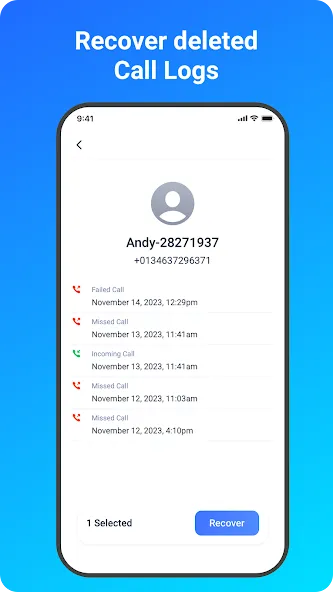
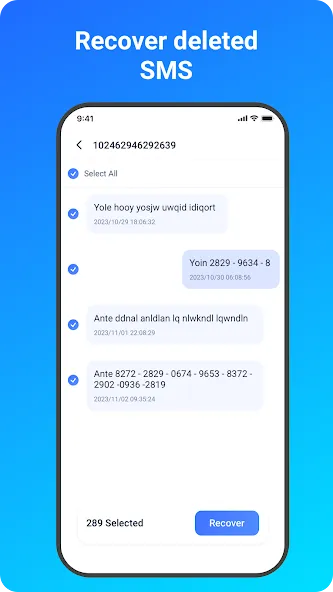
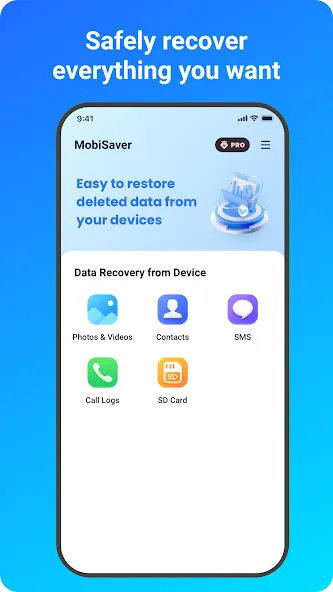
Choose a recovery mode among Photo & Video, SMS, Contacts, Call Logs, SD Card. Now, let's start.
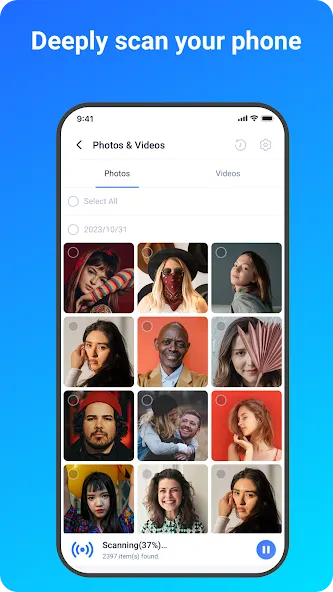
★ Scan - The app is very fast to scan your device for deleted photos, videos, contacts in a few minutes.
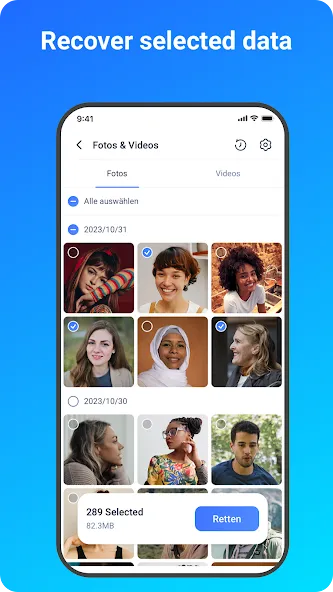
★ Display - Files that have been found will be listed and allow for preview during the scanning process.
Pictures and photos are shown in thumbnails with file format and file size.
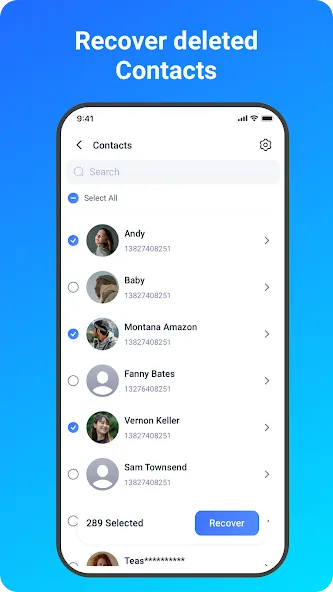
Contacts are shown in detail with the exact person name and phone number.
★ Filter - After the scan process or even midway, you can filter files in a straightforward way in order to find your desired data precisely.
For pictures and videos, there are 3 options available in Settings: filter the files by size, file types and date.
★ Recover - Choose files and tap on Recover.
Data Security
* We value your privacy as much as you do. Your data is encrypted from start to finish, no more worries about data recovery and data transfer from mobile devices.
* In order to recover deleted data as much as possible,please allow access to manage all files.Otherwise the App can not scan and restore any data on the device.
Multiple Recovery Modes:
The app offers specialized recovery options, letting users target Photos & Videos, SMS, Contacts, Call Logs, or the SD Card. This focused approach streamlines the process and reduces time spent scanning unnecessary data.
Preview and Filter Functions:
During scans, found files are listed as thumbnails with details like format and file size, or as contact-specific information for messages and contacts. The filtering options help users narrow down results by file type, size, or date, making it easier to locate the items that need restoring.
Pause and Resume Scans:
A standout convenience is the ability to pause and resume scans. This feature can save time and resources, especially for users with large storage volumes, and offers more flexibility than many comparable recovery tools.
Pros
Supports recovery for photos, videos, contacts, SMS, and call logs
Works with both internal storage and SD cards
Ability to preview files before recovery
Pause and resume scanning functionality
User-friendly interface with specialized recovery modes
Cons
Some recovery features require in-app purchases
Recovered files may include irrelevant system images
Tried half a dozen different apps attempting to recover some videos I mistakenly deleted. A few apps showed the thumbnail of the videos I was looking for but required a pricey subscription before I could even try to recover the videos. Other apps were free but could not find the videos that I deleted less than an hour before. This app found and recovered the videos for free. Another feature I like is that you can pause the file scan unlike other apps that waste time scanning your entire phone.
I honestly was very skeptical when I downloaded the app. I had already tried two other apps and those didn't even work right off the back. I had accidentally deleted almost 1000 pictures off my sd. I was freaking out. The moment I opened this app, I was able to recover my pictures right away without even having to sign up for anything. Seriously, I can't tell you how much I appreciate this app. Thank you so much!
I was trying to recover an accidentally deleted video since couple of days. Tried many apps from the play store including EaseUS, but without root, these softwares couldn't do much. After rooting, I tried disk digger, but it could just recovery few seconds of the video, the rest was black screen. I lost all hopes. But I decided to give another try and give another app a try. EaseUS was able to recover my full video! I couldn't believe it for a while. This is an amazing app, five stars from me.
EaseUS MobiSaver is an app that will allow you to recover any file, photo, video or data deleted by mistake. This tool is the ultimate solution to get back any valuable data deleted by mistake from your Android device.
Size:8.99MB Version:ENGLISHTOOLPROV1
Requirements:Android Votes:85
Package Name:easeus.mobisaver.recover.video.photo.and.contacts.tool.english.app.diskdigger Signature:179bbf0abcbf418b18b23ccac24623da
Discover our File Management Apps hub! Here, you can explore essential tools like Google Drive for cloud storage, Dropbox for simple file sharing, and File Commander for managing files directly on your device. Easily organize and access your files across your phone, or tablet. Our platform is designed to help you quickly find reliable apps to streamline your digital file management.
File Manager offers both graphical and command-line interfaces, allowing users to efficiently organize and control files and directories on their phone. With a file manager, users can perform a wide range of tasks, including creating, renaming, moving, copying, and deleting files and folders. Additionally, it enables users to view file properties, access content, and modify file permissions as needed. Advanced features may also include cloud storage integration, file compression, and secure encryption, enhancing file accessibility and management on mobile devices.
About us | Contact us | Privacy policy| DMCA
Copyright © 2026 Xiaohei All rights reserved.