Terabox is a smart cloud storage tool. It can automatically back up photos, videos, and documents to cloud storage. It also features a built-in AI browser that can discover trending topics and the latest movies. It supports AI image editing and creation, as well as speech-to-text conversion. It can quickly scan PDF files, automatically recognize text, and clean up digital files. It offers 1240GB of free storage space, providing users with the best free cloud storage solution. If your phone's storage is running low, it will offer you options.
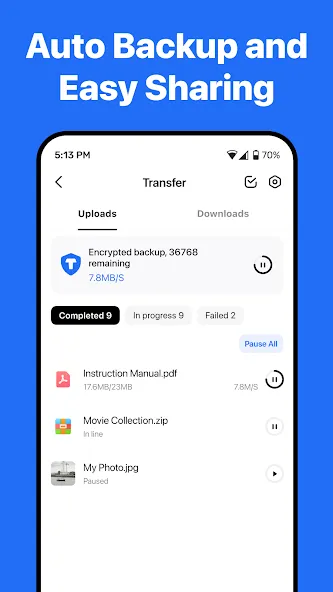
Automatic Data Backup
Automatically back up your photos, videos, documents and even folders to TeraBox cloud storage. Keep everything synchronized and accessible from any mobile device or computer — wherever you are.
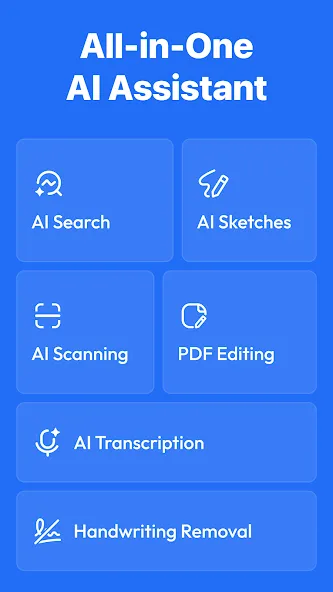
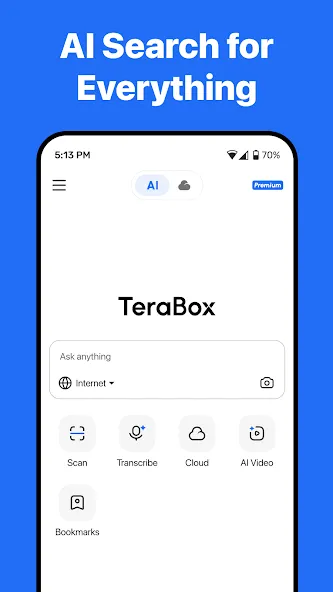
[NEW] AI-Powered Search
Built-in AI browser lets you search smarter instantly. Quickly find what you need, watch trending videos, discover the latest movies, or follow hot topics—all within TeraBox. Search, browse, and watch, all in one place.
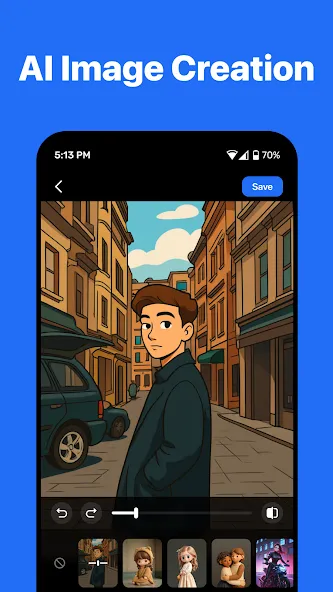
[NEW] AI Image Creation & Editing
Transform your photos into AI art with just one tap. Try creative AI styles like Snoopy, Miyazaki, or Cyberpunk, or enhance your portraits with built-in beauty effects.
[NEW] AI Transcription
Convert voice to text. Upload any audio or video file (or record live), and get highly accurate, readable transcripts with key points summarized automatically — saving you hours of manual note-taking.
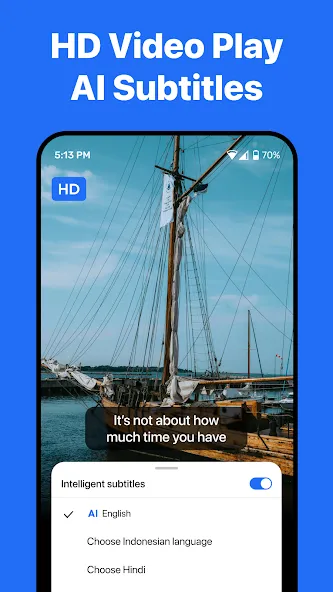
HD Video Player + AI Subtitles
Enjoy smooth, high-definition video playback within TeraBox. Our AI automatically generates accurate subtitles for lectures, foreign films, or personal videos, making it easier to follow and understand every word.
AI Scanning & PDF Document Management
Quickly scan multiple documents and edit your PDFs easily. TeraBox automatically recognizes text, helping you organize and clean up digital files.
Other Advanced AI Tools
Explore more built-in AI features such as AI Sketch, handwriting removal, translation, and image compression. TeraBox is your smart toolbox for every creative and practical need.
1024GB Free Storage: Back up millions of photos, videos, and documents.
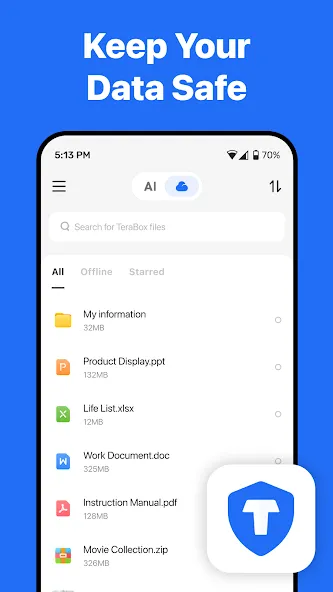
Secure Backup: Safely back up files from your phone.
Privacy Protection: Advanced encryption keeps your files safe.
Secure File Sharing: Transfer large files quickly via links or email.
Multi-Device Sync: Access and sync all your files from any computer, tablet, or mobile phone.
Intelligent Albums: Auto-categorize your photos for quick and easy browsing.
Advantages
Advanced features are offered free of charge.
updates its servers daily for better results.
Unlimited smart storage, allowing customers to store thousands of files.
The application is developed in multiple languages. This is beneficial for those who don't understand English. They can choose their own language.
Disadvantages
The application does not provide information about data protection.
Terabox Downloader's (TeraboxDL) privacy system may be insecure because it is a login-free application.
TeraBox is honestly one of the best free cloud storage options, especially considering the huge amount of storage it offers. The app is well-designed, easy to use, and the overall experience is smooth. The main downside is the number of ads on the free plan, which can be annoying. Privacy is another concern, as I’m not sure how uploaded files are managed. For sensitive files, encrypt them before uploading. Overall, I’ve had a great experience.
1. Use a genuine device: Emulators are not allowed. Avoid using VPNs or proxies to ensure accurate location tracking and the best user experience. 2. Stick with one device and location: Completing tasks on the same device and location helps track your progress. 3. Time limit: Most offers have a 30-day completion window unless stated otherwise, but also pay attention to specified time limits for offer completion. 4. New users: If you're new you will be able to enjoy the offers. Existing users
I actually have a change of heart. It's actually great for a free 1TB of cloud storage. it does take getting used to and it does have ads but to be honest it's better then paying for storage per month or until you can use a hard drive to store it. You can get premium for an additional 1 TB but it's best to stick with the free version
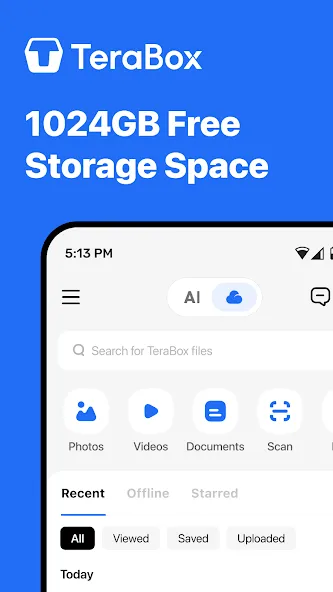
The TeraBox app is a smart cloud storage app. Are you worried about your device's storage? Your device is running out of storage space, and you want to download unlimited files. Then you can get an amazing Smart Storage app for your device. That's the name of the Terabox APK. It can be offered as an excellent option for storing unlimited files on your device. Don't worry about your device's storage. This is a smart memory solution with ample storage. You can download unlimited files without worrying about running out of storage space. In this app, you can access many media player features.
Size:238.46MB Version:4.24.0
Requirements:Android Votes:60
Package Name:com.dubox.drive Signature:96cde924346fb426fe1abaa1d65d55b1
Discover our File Management Apps hub! Here, you can explore essential tools like Google Drive for cloud storage, Dropbox for simple file sharing, and File Commander for managing files directly on your device. Easily organize and access your files across your phone, or tablet. Our platform is designed to help you quickly find reliable apps to streamline your digital file management.
File Manager offers both graphical and command-line interfaces, allowing users to efficiently organize and control files and directories on their phone. With a file manager, users can perform a wide range of tasks, including creating, renaming, moving, copying, and deleting files and folders. Additionally, it enables users to view file properties, access content, and modify file permissions as needed. Advanced features may also include cloud storage integration, file compression, and secure encryption, enhancing file accessibility and management on mobile devices.
About us | Contact us | Privacy policy| DMCA
Copyright © 2026 Xiaohei All rights reserved.