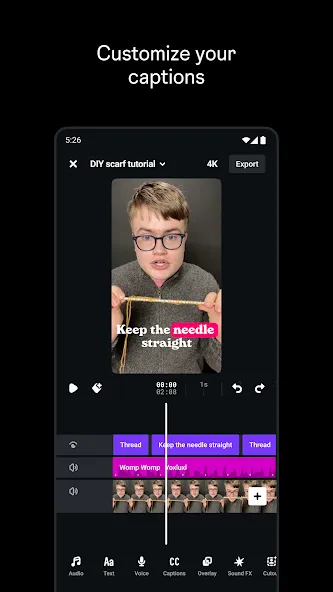
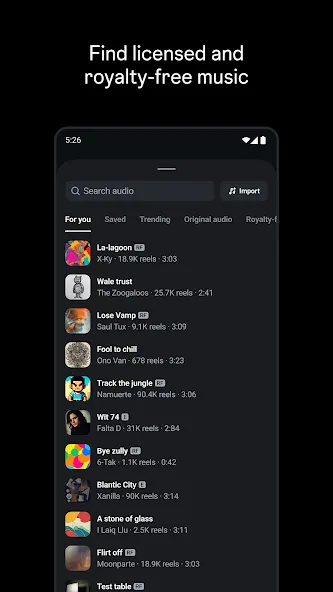
Instagram Edits is a video editing tool based on the Instagram design. This application offers a powerful suite of tools that integrates the recording, editing, and publishing workflow into a single application, simplifying the video creation process and making it easier and more convenient for users to create videos. With Instagram Edits, users can create stunning videos with frame-by-frame timeline precision using clip-level editing, automatic enhancers, and a wide range of innovative filters and effects. Furthermore, you can choose your favorite Reels from the public library to add to your videos and remix them to create your own unique works.
Explore trending content and audio through browsing features to inspire new ideas.
Maintain an organized collection of ideas and potential content projects until ready for production.
Monitor the performance of your reels via a real-time insights dashboard, providing valuable audience engagement metrics.
Analyze factors influencing engagement to optimize future content strategies.
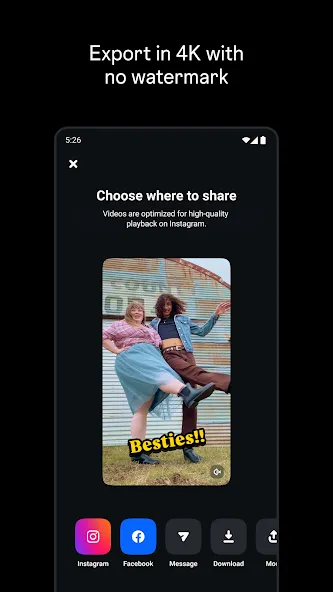
High-quality video editing without watermarks.
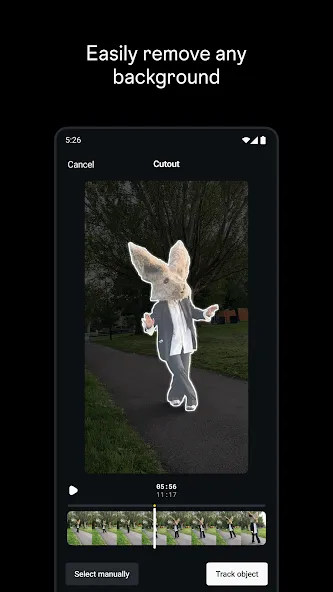
Advanced tools like green screen and AI-generated animations.
Direct integration with Instagram for easy content sharing.
Sections dedicated to inspiration and project management.
Sticikers, GIFs, and other elements to add to clips.
Detailed analysis of video performance.
Notes function to jot down ideas.
Pros
Powerful AI-driven video creating and editing tool
Integrated with Instagram
Simple to use interface
Support real-time collaboration
Offers ready-made templates
Huge collection of text styles with a combination of fonts, colors.
Free to use
Cons
Reliable only for Instagram creators
Advanced tools are limited
What's new
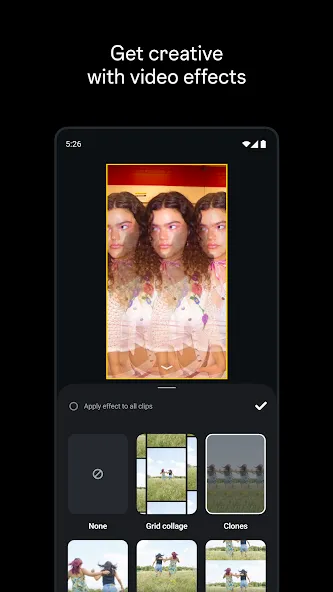
Busy July. More video sizes, effects, and a whole new way to search for them.
ADDED
• Video effects search. Find effects by name instead of scrolling.
• Effects customization. Adjust intensity, timing, and style on your effects.
• Multiple aspect ratio now available. Not just vertical.
IMPROVED
• Better stability and performance across the board. Fewer crashes and smoother exports.
Performance data is accessible without opening separate analytics tools or platforms. As videos generate views and engagement, creators can review how audiences respond, including engagement levels and audience size. This real-time monitoring of audience response allows creators to inform subsequent decisions about content approach, editing style, and posting frequency based on performance patterns.
Size:123.36MB Version:442.0.0.30.79
Requirements:Android Votes:370
Package Name:com.instagram.basel Signature:417adfac01f9b21fbd17d79ee1e6c9a6
Streaming software allows you to broadcast your content live across the internet. It processes the raw feed that comes from your camera and converts it into a digital format that is suitable for internet streaming, in real-time. In 2024, 41% of internet users have already watched at least one live stream in their lifetime. And 27.6% of them are expected to watch at least one live broadcast every week. Hence, it is needless to say that the live streaming market is seeing a massive boom. As the market is growing, the number of live streaming software is also increasing. And it is becoming extremely difficult to choose one. In this guide, we will tell you what are the parameters to decide the best live streaming software, like what features they should have and what factors you need to consider. And finally, we will tell you about the top 10 live-streaming software that our experts have handpicked for you! So, let’s get started.
Transform your smartphone into a powerful editing studio with the best video editing apps for Android! Whether you're a content creator, social media enthusiast, or just looking to polish personal videos, these apps offer professional-grade tools right at your fingertips. Enjoy intuitive interfaces, advanced features like multi-track editing and filters, and seamless exporting options - all optimized for mobile devices. Download now and start creating stunning videos anytime, anywhere!
Mobile video editing tools are highly popular, with complete functions and professional tools that provide a strong atmosphere for various materials. Rich video templates can be operated with just one click, saving time and without too high a threshold. So what are the free versions of mobile video editing software? Editing software should have high popularity, but most of them require membership. Next, I recommend several platforms that can be used for free.
About us | Contact us | Privacy policy| DMCA
Copyright © 2026 Xiaohei All rights reserved.