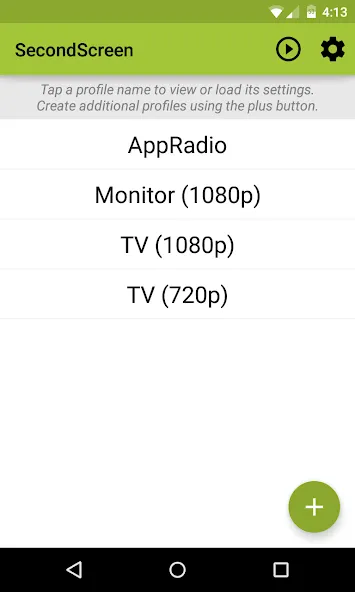
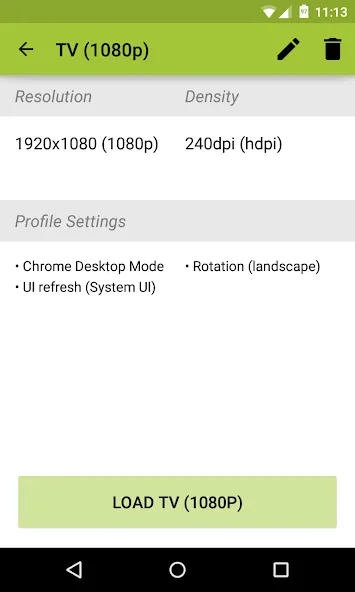
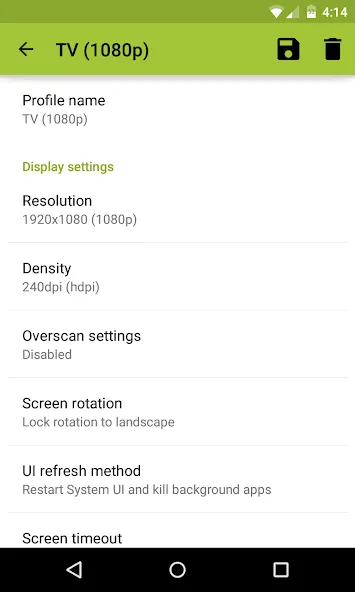
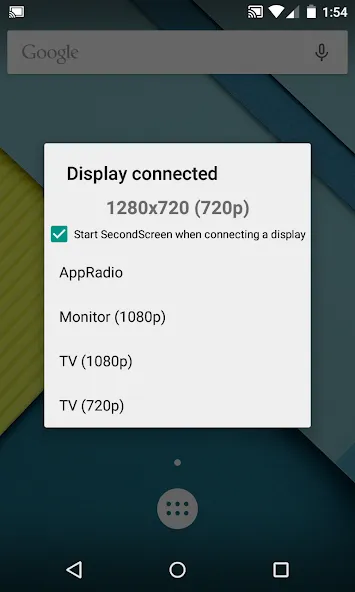
SecondScreen is a powerful utility application that allows users to use their Android phone as a second screen, multitasking and handling various tasks simultaneously, enabling them to use their devices in entirely new ways. With SecondScreen, users can create profiles for specific applications and content, providing seamless interoperability and an optimal viewing experience. It works by allowing you to customize the display resolution and DPI to better suit the specific TV or monitor you connect to. In addition, quick actions and home screen shortcuts allow you to launch profiles with just one tap, which is very convenient.
Automatically enable Bluetooth and Wi-Fi - quickly connect a keyboard, mouse, and/or game controller
Automatically enable Daydreams
Show desktop sites in Chrome by default - browse the real Web, on your TV!
Lock screen orientation to landscape
Overscan support for older TVs (Android 4.3+)
System-wide immersive mode (Android 5.0+)
Disable device backlight and/or vibration - save battery while your device is connected (not compatible with all devices)
Easily change resolution and density (DPI) - take full advantage of the resolution of your external display, and show the Android tablet interface if you're using a phone
Simple profile-based interface - easy to enable/disable different profiles for different types of displays
Full integration with Tasker
Load profiles automatically when a display is connected
Quick Actions - quickly and easily run SecondScreen features without creating or editing profiles
Homescreen shortcuts - launch a profile with one tap, without entering the app
Pros
Intuitive to use
Works with different mirroring apps
Plenty of handy extra features and options
Cons
Requires special permissions
• Maintenance release targeting the latest versions of Android
• Fix issue where orientation would stay locked after turning off profile
To facilitate interaction, a Bluetooth keyboard and mouse are strongly recommended, as using the touchscreen might present challenges due to smaller UI elements. For enhancing productivity and entertainment when connecting an Android device to an external display, this app stands as the perfect choice.
Size:2.1MB Version:2.9.4
Requirements:Android Votes:473
Package Name:com.farmerbb.secondscreen.free Signature:02ef441df7ecd156faad63c64a620e6aedb68f51
With more and more of our lives happening online, smartphones have become an essential component of our daily routines. Whether you’re shopping, banking, or socializing – everything can be tracked online, even on Androids. This information can then be used by third-parties profiting off your data or your ISP to slow down your internet speed. An easy way to increase online privacy and security of your Android smartphone is to start using a VPN. At Cybernews, we have over 5 years of experience testing VPN services, so we know what makes a great VPN app. To make your search for a reliable VPN easier, together with our research team, I tested both free and paid Android VPN apps, and summarized the results of our research below.
With the development of mobile hardware and software, many practical tool software have emerged, covering a wide range of aspects and becoming a good helper for everyone in work and life. Today, the editor provides you with a list of useful tool software downloads. These tools are not particularly complex types, and after reading them, everyone can quickly learn how to use them. Proper use can bring great convenience to life and work.
About us | Contact us | Privacy policy| DMCA
Copyright © 2026 Xiaohei All rights reserved.