Apex Launcher is a personalization theme application. It can quickly customize your phone's icons, wallpaper, and other personalization features. It also allows for fast and convenient swiping of the dOcK bar after setup, and boasts cool effects. It can generate preview styles and backgrounds based on different files. It supports locking the desktop to prevent changes. It allows users to create various gestures and assign custom actions, improving work efficiency with gestures. It also features efficient backup and restore, enabling seamless data transfer when switching phones without needing to back up the data again.
Personalized Themes & Icon Pack Center
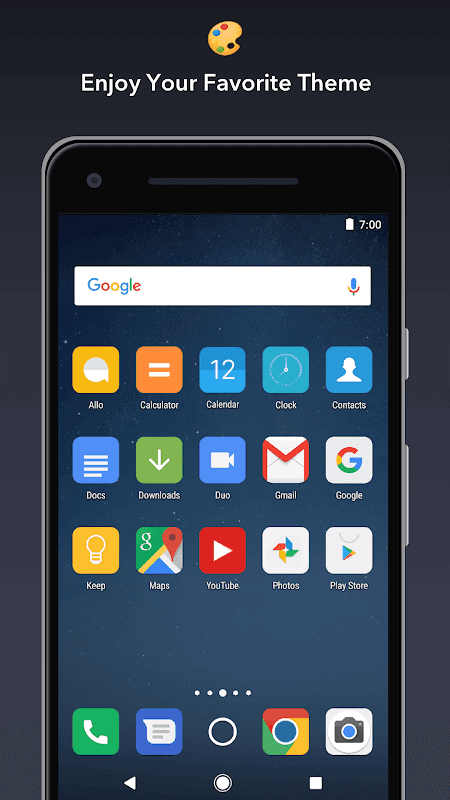
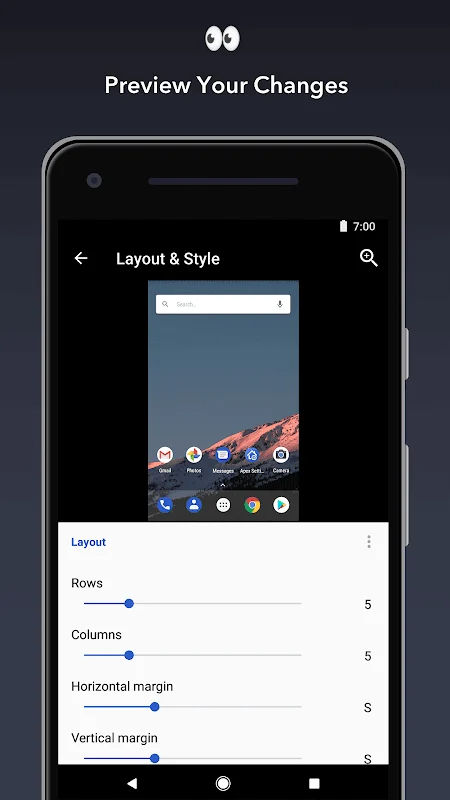
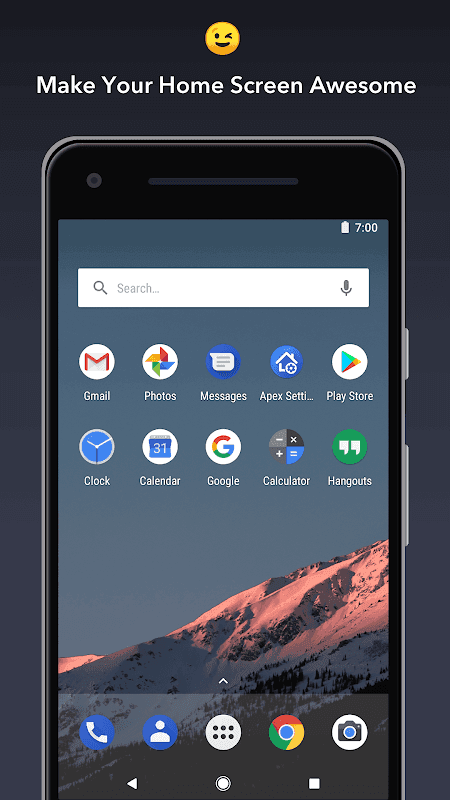
Customizable home screen and app drawer grid size. Custom icons, themes, and labels for shortcuts and folders
Efficiency
Scrollable dock with up to 10 icons per page and up to 5 pages
Easy to Use
Infinite & elastic scrolling (home screen, drawer and dock)
Effects
Fancy transition effects (tablet, cube, etc.)
Optimize
Hide elements as you want (status bar, dock, etc.)
Customization
Choose different folder preview styles and background
Manage with Ease
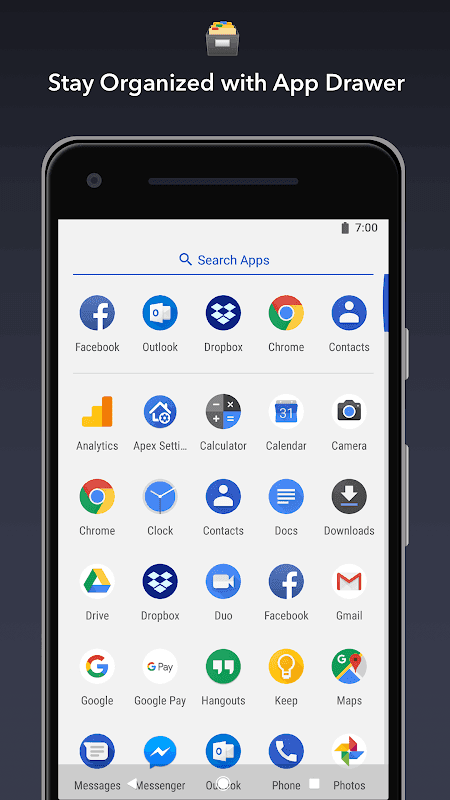
Drawer apps sorting (title, install date, mostly used)
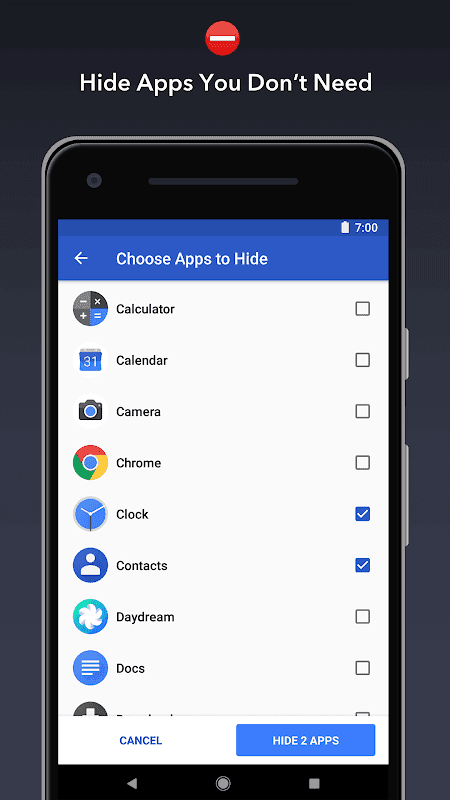
Hide Apps
Hide apps from the drawer
Locker
Lock your desktop to prevent accidental changes
Gesture Operation
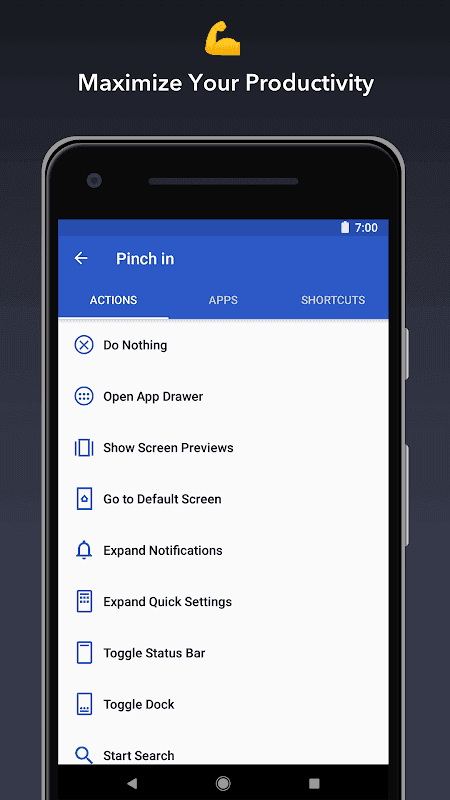
Convenient home screen gestures (pinch, swipe up/down, double tap)
Themes to Explore
Advanced theme engine (icon packs, skins, etc.)
Backup
Backup/restore settings and data
All Devices
Optimized for both phones and tablets
More to Find!
Lots of other customization options!
Ultimate Home Screen Control
Apex Launcher empowers you with unparalleled control over your home screen. You can customize grid size, icon spacing, and even scrollable docks with up to 7 icons per page. This level of personalization allows you to create a layout that maximizes screen real estate and optimizes for one-handed use.
Powerful Theme Engine Integration
The launcher boasts comprehensive theme support, compatible with thousands of themes available on the Google Play Store. Effortlessly change the look and feel of your device with a single tap, instantly transforming your icons, wallpapers, and overall aesthetic. Enjoy a fresh, new experience every day.
Hide Unwanted Applications
Declutter your app drawer by hiding applications you rarely use. This feature helps you maintain a clean and organized interface, reducing distractions and allowing you to quickly access the apps you need most. A streamlined app drawer contributes to a more efficient workflow.
Advanced Gesture Customization
Apex Launcher allows you to assign custom actions to various gestures, such as swiping up, down, or double-tapping the screen. This feature provides quick access to frequently used apps, shortcuts, or system settings, saving you valuable time and effort. Increase your productivity with intuitive gesture controls.
What kind of customization does Apex Launcher offer?
Apex Launcher provides extensive customization options for your home screen, including icon packs, themes, grid size, scroll effects, and gesture controls.
How does Apex Launcher improve device performance?
By optimizing resource usage and offering features like hidden apps, Apex Launcher helps to reduce clutter and improve overall device responsiveness.
Is Apex Launcher secure?
Apex Launcher respects user privacy and does not collect any personal data without explicit consent. It focuses on providing a personalized experience without compromising security.
Long press ? an icon and drag it over another icon to create a folder.
Long press icons/folders on the desktop and choose edit from the popup menu to customize icons and labels.
Set Apex Launcher as the default home screen app to create icon shortcuts from other apps (e.g., Chrome).
Pros
A free app to use
Fairly intuitive (for skilled users)
Updates regularly to work out the bugs
A lot of different options
Cons
Could be a steep learning curve if you have no knowledge
Can possibly mess things up on your device
Looking for a cleaner and newer home screen interface? Apex Launcher for Android phones offers just that with its clean design and easy app drawer access you are sure to get the new phone feel. This launcher for android phones offers clean 3D transition effects while browsing through your phone. If you are a big fan of customizing your home screen than Apex Launcher is recommended. Easily change icons for almost all the apps on your phone.
Size:17.02MB Version:4.9.36
Requirements:Android Votes:216
Package Name:com.anddoes.launcher Signature:b5fe56bcf573ff5ef2a00b8226603ce7
Looking for more newly added Android apps and games? BrowseAPKBA Latest Android APK Downloads for recently updated APK pages with version details, package names, safety notes, and download pages.
Stay updated with the latest and hottest apps in one place! Our carefully curated ranking features the most trending, high-rated, and must-have apps across various categories, including entertainment, productivity, social media, and more. Whether you're looking for new tools, fun games, or innovative utilities, this list ensures you never miss out on top-performing apps. Explore the most downloaded and highly recommended applications, all available for instant download. Discover, download, and enjoy the best apps today!
About us | Contact us | Privacy policy| DMCA
Copyright © 2026 Xiaohei All rights reserved.