SketchBook is a drawing app featuring a wide variety of brushes. When drawing on the canvas, the brushes respond fluidly to your touch. It also boasts a robust storage system and supports multiple blending modes. Designed specifically for artists, it features a clean interface that allows users to get started quickly and stay fully immersed in their work. Best of all, the app is completely free. It is an exceptional tool for anyone interested in drawing—a must-have if you enjoy sketching in your daily life.
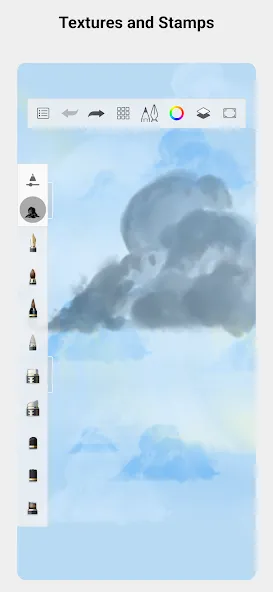
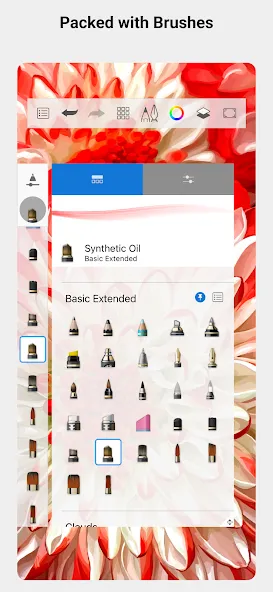
A comprehensive range of brushes—including pencils, felt-tip pens, airbrushes, and smudge tools—that look and feel exactly like their physical counterparts.
Highly customizable brushes that allow you to create exactly as you envision.
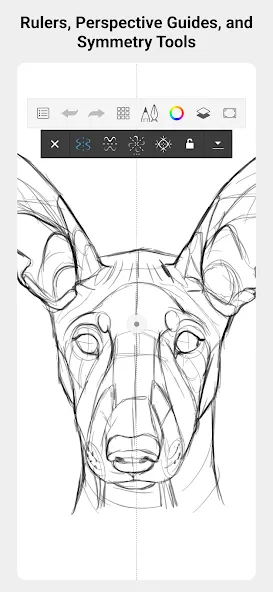
Guides, rulers, and stroke tools that provide precise assistance whenever you need it.
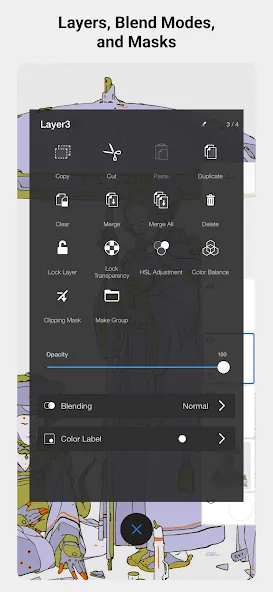
Full-featured layering capabilities and a wide array of blending modes, offering flexibility in how you build and explore your artwork and colors.
Designed specifically for sketching, with a clean, distraction-free interface that lets you focus entirely on drawing.
Distraction-Free Drawing – Sketchbook APK latest version comes with the unique distraction-free drawing feature. With this feature, you can remove or hide all of the toolsets and then start drawing on the blank canvas. You can customize the way this Distraction-free drawing will work. You can choose to hide or remove the toolbar and others. If you are feeling interrupted with the toolbar on the sides while drawing, then you should enable this mode. Most of the creative users opt-for this mode, and they get a lot of benefits from the same.
Simple Selection Tools – Having minimalism is quite important in such sketching apps. Sketchbook Pro APK comes with the simple selection tools. With tools like rectangle, oval, lasso, and magic wand, you can easily sketch or draw in this app. There are more tools available, but the simple tools will help you with the majority of the work. As we said earlier, the distraction-free drawing mode hides all the advanced tools and shows only the necessary ones like the selection tools. In short, the simple selection tools make it easier for the newbies and advance users to sketch on the app.
Unlimited Brushes – Sketchbook APK old version comes with the unlimited brushes. By default, the app comes with nearly 140 preset brushes. Along with the same, you can quickly import the available brush sets into the Sketchbook app for Android. You can switch between the default and imported brush sets anytime with ease. Also, you have the liberty of choosing the brush sets from the Basic and Legacy brushes. Sketchbook APK latest version comes with the updated brush sets, which are highly optimized for Android devices.
Work on Low-end Devices – Sketchbook for iOS works flawlessly on all of the Apple devices. Just like iOS, it works effortlessly on Android smartphones. It doesn’t matter if you have a low-end smartphone or tablet; it works great without any issues. The developers have made it lightweight, so it won’t consume a lot of storage space in your device. In short, it’s quite suitable for the low-end as well as high-end Android devices. We recommend you to use the tablets to use this app, as it works without any issues on the Android tablets, be it low-end or high-end.
Free Forever – has recently announced that the app is now made available for free. The individual users can get access to the Sketchbook APK free download. The individual users and the students can get free access to all of the features of Sketchbook Express APK. All they have to use is theID, which is free to create. After that, the users can enjoy the sketchbook PRO APK for Android. For enterprise users, there is a monthly subscription plan.
This is a great app for anyone who wants to draw! The premium option isn’t forced, so you can go free or premium without feeling like you need to pay anything. And there’s no ads (which is good for a drawing app or any app). It’s just a little glitchy, like when it fills multiple areas that you don’t tap. For example, let’s say you’re coloring in a cat. You use the fill option, tap on its body, and…it fills both the background and the cat’s body. You can obviously try to make the lines less thin and stuff, though. And then there was a weird glitch where I was drawing some Warriors (book series about cats, in case anyone who reads this is curious) fan art, I save it after being zoomed in, and it flips the art to being in a horizontal position when it’s saved after it was originally drawn vertically. Think of when you have a picture that was vertical but your phone is horizontal, that’s how it looks but when my phone is vertical it’s still like that. Basically, good drawing app but a little glitchy or something like that. Have a good day or night, sorry about my whole long paragraph :’)Edit: Found another weird glitch. I import an image and try to draw over it, but it doesn’t show what I drew despite it being in the layers, specifically when I use a different layer from the one that the imported image was in so I can remove the imported image and only have my little bit that I just traced over for fun. Hopefully that’ll be fixed at least, if the other issues aren’t.
Of the three drawing apps I use (Sketchbook, Procreate, and Adobe Fresco), Sketchbook is my favorite. My review is based on simple criteria: ease of use balanced against app size and features. Procreate and Fresco are the powerhouses; big, endless features, brushes for miles and miles, compatible with most file extensions, lots of options, all great to the point of being overwhelming. Sketchbook offers many of these features, but on an intuitive and easy to learn scale. First, it’s small by comparison; it doesn’t take over your phone/tablet like the other two. It has a decent library of brushes you can customize, and there’s a mega brush pack out there you can download. The layout of the workspace has limited customization, and this is probably the apps biggest drawback if you’re used to endless workspace customizing. Sketchbook’s best feature is its ease of use. Once you learn its capabilities AND limitations, you can settle in and develop a workflow rhythm. Sketchbook is good for casual drawing and conceptual ideas that you can work up to a decent level of finish, or you can export as a .psd/.png/.tif and take it into PS for greater refinement without loss of detail. I enjoy the premium features and options of the other two, but Sketchbook hits the right balance between app size, features, and ease of use/learning curve. Give it a try. If you like it, it costs $2 whole dollars to own it outright, and that’s a great deal.
Hi I have tried so many other ones but this one is by far the best out there let me explain when I was younger I am 13 rn but when I was younger I wanted to draw but I was terrible until I found out digital drawing but eveything was complicated or you had to pay real money liek what so I was starting to lose hope but my sister had this app and I saw her use it and was liek YESSSSS so I got it for free and the amount of stuff it gives is unreal I have recommended this app to several people and I am not able to do pro cause of rules but if I had it I would bet I’d love it but even though I don’t this app is amazing I can’t belive the things I’ve made and this go I didn’t even think I could do now yes sometimes I have experienced glitch’s with the eraser and a couple others but for me it is rare I get a glitch it is a well functioning app for me now this may be cause I have a good tablet but I used to have a really crummy one but it still worked great on it but anyway it app is epic I total suggest you get it because easy to use I’m self taught for this app and also it’s great and a glitch every now and then rarely and also it’s free plus if your fortune enough to use the premium it’s cheap which ah I wish I had it anyway don’t keep scrolling through reviews jsut download it already (I know this is why to long but it’s hard to stop when your telling of your favorite app) byeeeeeee ✌️
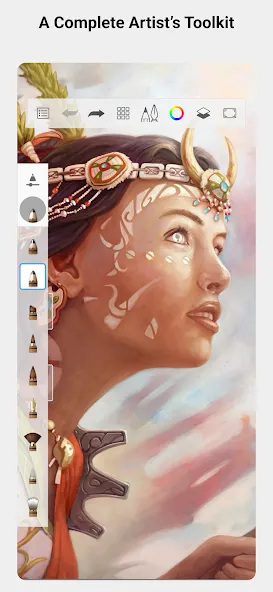
Sketchbook is a digital drawing app that transforms your Android device into a professional canvas with infinite possibilities. By leveraging a wide range of virtual materials, this tool will provide you with everything you need to unleash your imagination and capture your ideas in a virtual sketchbook. With an interface that's similar to that of Ibis Paint X, you will feel like you're in front of a physical sketchbook and will be able to appreciate the sensitivity of every stroke you make.
Size:78.64MB Version:6.2.6
Requirements:Android Votes:240
Package Name:com.adsk.sketchbook Signature:abc61410ab5d1575b72d401594141fbf
Welcome to our collection of drawing apps! Whether you're just starting out or are a seasoned artist, there's something here for you. Dive into a huge selection of brushes, colors, and layers to bring your ideas to life. You can create anything from realistic sketches in Procreate to precise vector graphics in Affinity Designer. Find the perfect tool for your style, download today, and start making amazing art.
About us | Contact us | Privacy policy| DMCA
Copyright © 2026 Xiaohei All rights reserved.