Glip Screen Recorder is a screen mirroring tool. It allows users to customize resolution and bitrate, control image quality, and vote. It can also share your screen with other live streaming apps, offer cloud storage and online video editing, and doesn't take up much device space. It can capture game audio and microphone input, supports 60FPS recording, and features a unique encrypted wallet with rewards. If you work in live streaming or video editing, this app is a great choice.
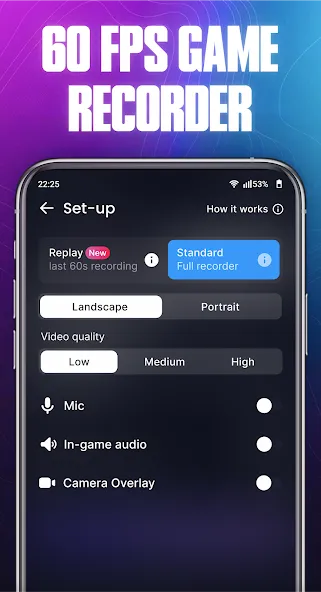
Glip Screen Recorder gives users control over resolution and bitrate, making it easier to balance video quality and file size. Higher settings work well for sharp gameplay footage, while lighter settings can help on phones with limited storage or weaker performance. The app also supports front camera recording, which is useful for reaction-style videos or commentary clips.
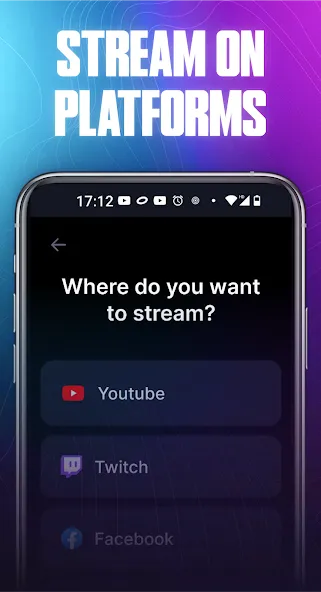
For streaming, Glip Screen Recorder supports live broadcasting to platforms such as YouTube, Twitch, Facebook, and other streaming apps. It can record game audio and microphone input together, which helps creators talk to teammates, explain gameplay, or interact with viewers during live sessions.
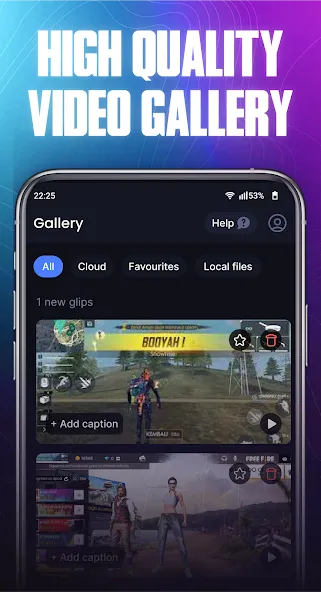
A useful part of Glip Screen Recorder is its cloud storage and clip editing support. Users can keep videos without filling up their device too quickly, then trim or polish clips before sharing. The app also aims to record without watermarks, giving videos a cleaner look for social media, gaming pages, or creator channels.
What is Glip Screen Recorder used for?
Glip Screen Recorder is used to record Android gameplay, capture in-game sound and microphone audio, create clips, and stream mobile games to supported platforms.
Can Glip Screen Recorder record game audio and voice together?
Yes. Glip Screen Recorder can capture game sound and microphone input together, which helps with commentary, team chat, tutorials, and live gameplay videos.
Does Glip Screen Recorder support 60fps recording?
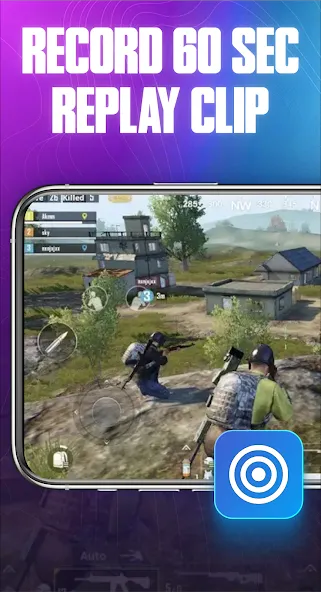
Yes. Glip Screen Recorder supports recording at up to 60fps, with different bitrate and resolution options so users can adjust quality based on their device.
Who should use Glip Screen Recorder?
Glip Screen Recorder is suitable for mobile gamers, streamers, tutorial creators, and anyone who wants to save clean gameplay clips from an Android device.
What are the main drawbacks of Glip Screen Recorder?
Some users may face audio sync issues, sound dropouts, or performance problems during long recording sessions, especially on older or heavily loaded devices.
Pros
Multiple recoding resolutions and up to 60fps
Records in-game sounds and voice input
Unique crypto wallet features that also offers rewards
Cons
Occasional audio delays
In-game sounds and voice don't always get captured
AMAZING APP! genuinely, this is the best screen recorder app that I ever used. I do not have a built in screen recorder on my Samsung galaxy 14 so I have to resort to using apps. I only download these types of apps to record gaming gameplay, more specifically Roblox. First app to actually NOT crash on me, and to not take up storage space on my phone? AMAZING app recommended for phones that dont have enough storage or phones that dont have a built in screen recorder and want to record gameplays!
this is a good screen recorder it's honestly a good app the problem was I wasn't getting the exact frames and resolution I wanted but it carried me a lot and for that I have to rate it 5stars had to stop using it cuz I got a better phone and a more efficient screen recorder
Honestly this app is incredible. I was expecting without reward but please I want this app for audio capture capability on some latest version. this app is powerful it provides a lot of permissions and accessibility
Recording videos with good quality on your Android device can sometimes be complicated, especially when you're looking to save the sound of both the game and your microphone. So, if you're looking for a good app that offers this and more, try Glip Screen Recorder.
Size:61.31MB Version:3.0.89
Requirements:Android Votes:598
Package Name:glip.gg Signature:354724f9e3222a10b3dbc8e940e0325b
Transform your smartphone into a powerful editing studio with the best video editing apps for Android! Whether you're a content creator, social media enthusiast, or just looking to polish personal videos, these apps offer professional-grade tools right at your fingertips. Enjoy intuitive interfaces, advanced features like multi-track editing and filters, and seamless exporting options - all optimized for mobile devices. Download now and start creating stunning videos anytime, anywhere!
Video Editor is a powerful software tool designed for crafting, refining, and enhancing video content. It enables users to transform raw footage into compelling visual narratives or effective communication platforms. As digital media continues to evolve, video editing has grown in significance - no longer just a professional necessity but also an accessible skill for everyday creators. Modern editing tools now offer intuitive interfaces, AI-powered features, and cross-platform compatibility, making high-quality video production achievable for both experts and casual users alike.
Mobile video editing tools are highly popular, with complete functions and professional tools that provide a strong atmosphere for various materials. Rich video templates can be operated with just one click, saving time and without too high a threshold. So what are the free versions of mobile video editing software? Editing software should have high popularity, but most of them require membership. Next, I recommend several platforms that can be used for free.
About us | Contact us | Privacy policy| DMCA
Copyright © 2026 Xiaohei All rights reserved.