VLLO is a powerful video editor. After uploading a video, users can easily add various filters, transitions, templates, music, and more with a few clicks. They can also add blur effects, create keyframes, and automatically generate synchronized subtitles using the latest AI technology. This helps users easily edit and produce videos and export them to their devices. Users can create their own unique video editing templates, add relevant materials, and share them in the community to gain popularity and usage among other users.
No watermark and unlimited exports: The VLLO app lets you export videos without a watermark, even on long projects. You can create as many exports as needed with no ads and no fees. This helps you finish multiple versions for different platforms without extra steps.
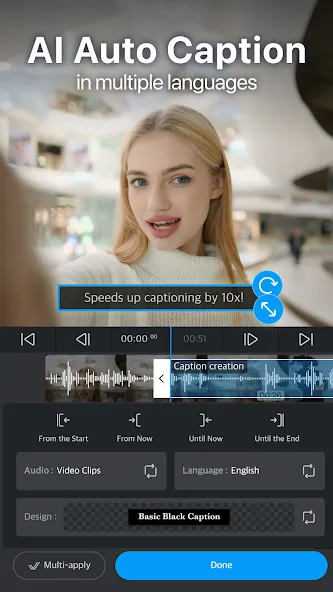
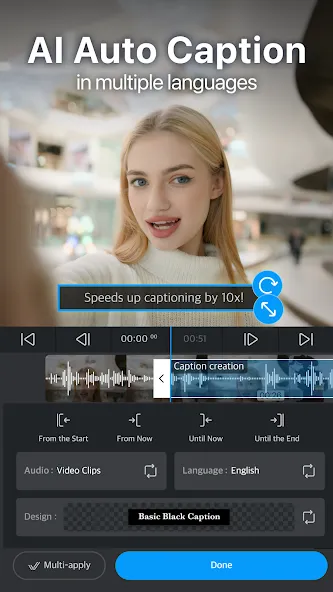
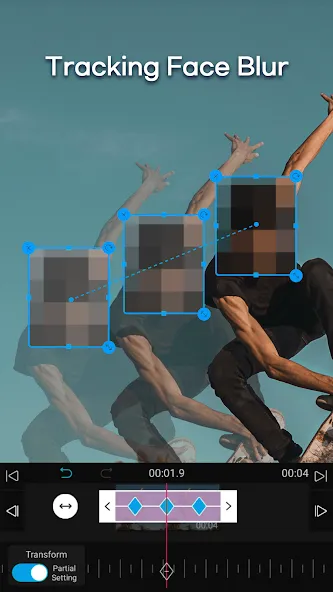
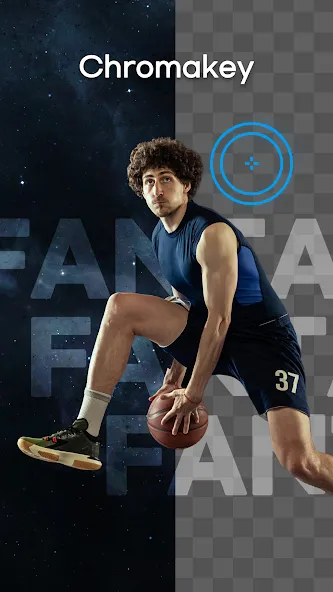
AI tools for captions, tracking, and narration: The app includes Auto Caption in multiple languages, which generates subtitles from spoken audio. You can also use AI face tracking to attach stickers, text, or blur to a moving subject. In addition, AI background removal helps isolate people or objects without manual masking. When narration is needed, AI Voice can produce a voice track directly inside the project.
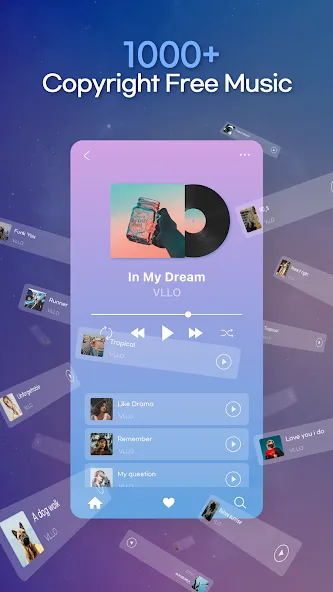
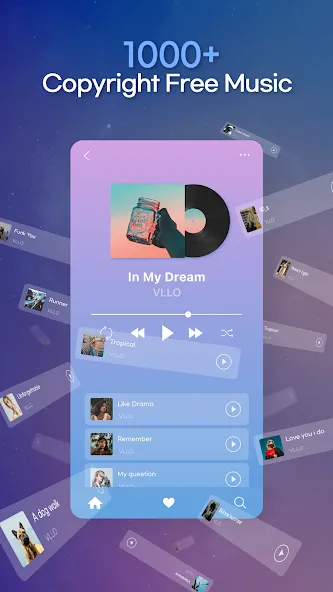
Templates and a large asset library: It provides one-tap templates you can customize for intros, outros, or full reels. You can also create and share your own templates to keep a consistent look across projects. The app includes more than eight thousand stickers, labels, and frames for quick decoration. A built-in library of copyright-free music tracks and sound effects is available for background audio.
Editing controls for precise changes: There are keyframes on all media for position, scale, and opacity adjustments over time. Picture-in-Picture layers let you stack clips, images, and text on multiple tracks. You can apply chroma key, blur, or mosaic, and then fine-tune brightness, contrast, saturation, and highlights for color correction. These controls help you match shots and add overlays without complex steps.
Audio tools and efficient workflow: You can record voiceovers, extract audio from video, and use fade-in and fade-out for smooth transitions. Pitch control, a voice changer, and automatic silence removal help clean and adjust speech clips. For faster editing, VLLO offers trim, split, speed, and reverse with magnetic alignment and grids. Projects auto-save with unlimited undo and redo, and final videos can be exported up to 4K for direct sharing to YouTube, Instagram, TikTok, or WhatsApp.
Audio editing capabilities in VLLO are designed to elevate the sound quality of video projects. Users can implement audio fade in and out effects to create seamless transitions in their soundtracks. The ability to record voice-overs directly within the app adds another layer of versatility, allowing creators to narrate their videos without needing separate software.
VLLO also prioritizes project management, automatically saving edited videos in a 'My Project' folder. This feature ensures that users can easily access their ongoing projects without the fear of losing their work. The app includes an unlimited undo and redo function, which enables users to make adjustments and corrections during the editing process effortlessly.
To assist users in achieving the desired video aspect ratio, VLLO incorporates a grid feature. This grid helps in aligning elements within the video, making it simpler to maintain a consistent look. Additionally, the magnetic function allows for automatic position settings according to the grid, further simplifying the editing process.
In terms of resolution, VLLO supports the creation of high-quality 4K videos. This capability appeals to users who wish to produce content suitable for various platforms, ensuring that their videos retain clarity and detail when viewed on larger screens. The app's emphasis on high-resolution output aligns with the growing demand for quality content in the digital landscape.
VLLO is continually updated with new features and assets to keep the editing experience fresh and engaging. Seasonal updates introduce new stickers and texts, ensuring that users have access to the latest trends in video editing. This commitment to providing updated content enhances the creative options available to users.
For a tenth of the price of the one we all know, this video app is incredible. Simple to use, great for short fast edits, has plenty of great tools, no unnecessary filler. Perfect for a tictoc or insta vid. Update 2026 I still use this app as my default video editor. its quick, easy to use and great for all my socials.
Phenomenal app. Im making a video for our family reunion and this app has been life changing (because the other apps I found was so limited)!
Since I'm out of school (long live student discounts) and on a low budget, I no longer have my trusted big brand video editing software and I missed it so much. I was looking for another option that might be good enough for editing shorts etc. And I loooooove this app!! I've been using it for 4 videos so far and it was a bit of a thing to get used to. But if you're a bit familiar with editing software it's supersupereasy to get a hang of this one. I highly recommend. No watermarks either.
VLLO is by far the best for me. You can do a lot of things with it for free. Adjustments are for paid accounts only, though. Other than that, there are some locked functions that can be used by watching ads. You can also export without a watermark by watching ads. I subscribed for a few times before, and it was worthed.
I used this app for over a year now, most of the time on my iPhone. On my iPhone it worked great and very fluently. I now use the app on my android, still works great but not as smoothly. I think the difference is related to my phone NOT the app. I recommend this to EVERYONE. It's simply fast and free. I have bought the extended version (paid version) for both. It's not necessary to have paid version cause free version is great but those extras from full versions are amazing. PLEASE USE THIS APP.
My projects aren't syncing, can't I sync them automatically?
VLLO only links premium purchases and does not automatically link (synchronize) in-app data, including projects.It has nothing to do with the store account where you purchased the premium.In addition, even if you synchronize using the synchronization program provided by the device itself (iOS - Migration Assistant / Android - Smart Switch), you will not be able to synchronize your.VLLO app installation history will be synchronized, but the data stored in the app will not be synchronized.
I deleted and reinstalled VLLO and all my projects are gone!
All in-app data, including projects, is stored in the VLLO app itself.Therefore, if you delete the VLLO app, all in-app data, including projects, will be deleted as well.To protect your privacy, VLLO does not store data on our servers.Therefore, it is not possible to restore deleted data.
I want to post videos to Youtube, social media!
After extraction, you can share it directly to social media, email, etc. via the [Share] function at the bottom of the [Save Complete] screen.Alternatively, after the extraction is complete, please upload the videos stored in the Photos/Gallery app directly to the platform of your choice.
Can I edit with other programs?
After editing, you can use the content provided by VLLO, such as stickers, frames, and BGM, to further edit the extracted video in other editing programs (secondary editing).However, please note that if you use the content provided by VLLO without permission by screen recording (screen capture) or extracting the background music separately and using it in other programs, you may be in violation of copyright laws and may face legal problems.
Are keyboard shortcuts available?
You can connect a Bluetooth keyboard to use keyboard shortcuts.On the editing screen, press and hold the Command or Window key on your keyboard to see the shortcut guide. Alternatively, you can tap the menu button (☰ button) at the top of the app's main screen and then tap [Help] - [Keyboard shortcuts].
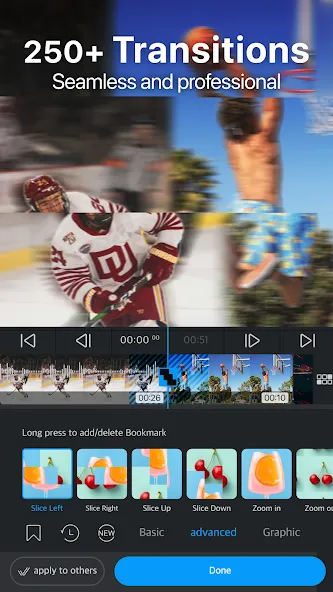
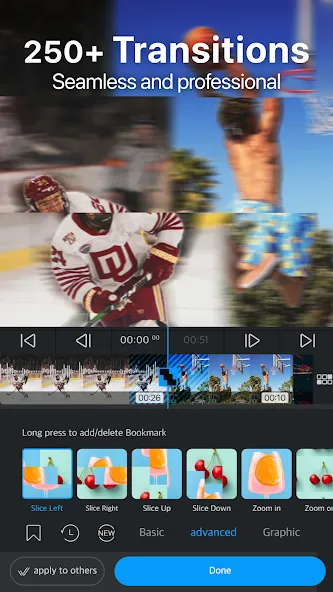
Enhance your videos with filters and color correction to give them a refined look. Adjust brightness, contrast, hue/saturation, and shadows to achieve the perfect visual aesthetic. VLLO also offers professional transitions, including dissolve, swipe, fade, and pop art-inspired graphics.
Size:358.11MB Version:13.6.0
Requirements:Android Votes:522
Package Name:com.darinsoft.vimo Signature:f011a17eaf9cc27efc242ff706a404d9
Transform your smartphone into a powerful editing studio with the best video editing apps for Android! Whether you're a content creator, social media enthusiast, or just looking to polish personal videos, these apps offer professional-grade tools right at your fingertips. Enjoy intuitive interfaces, advanced features like multi-track editing and filters, and seamless exporting options - all optimized for mobile devices. Download now and start creating stunning videos anytime, anywhere!
Video Editor is a powerful software tool designed for crafting, refining, and enhancing video content. It enables users to transform raw footage into compelling visual narratives or effective communication platforms. As digital media continues to evolve, video editing has grown in significance - no longer just a professional necessity but also an accessible skill for everyday creators. Modern editing tools now offer intuitive interfaces, AI-powered features, and cross-platform compatibility, making high-quality video production achievable for both experts and casual users alike.
Mobile video editing tools are highly popular, with complete functions and professional tools that provide a strong atmosphere for various materials. Rich video templates can be operated with just one click, saving time and without too high a threshold. So what are the free versions of mobile video editing software? Editing software should have high popularity, but most of them require membership. Next, I recommend several platforms that can be used for free.
About us | Contact us | Privacy policy| DMCA
Copyright © 2026 Xiaohei All rights reserved.