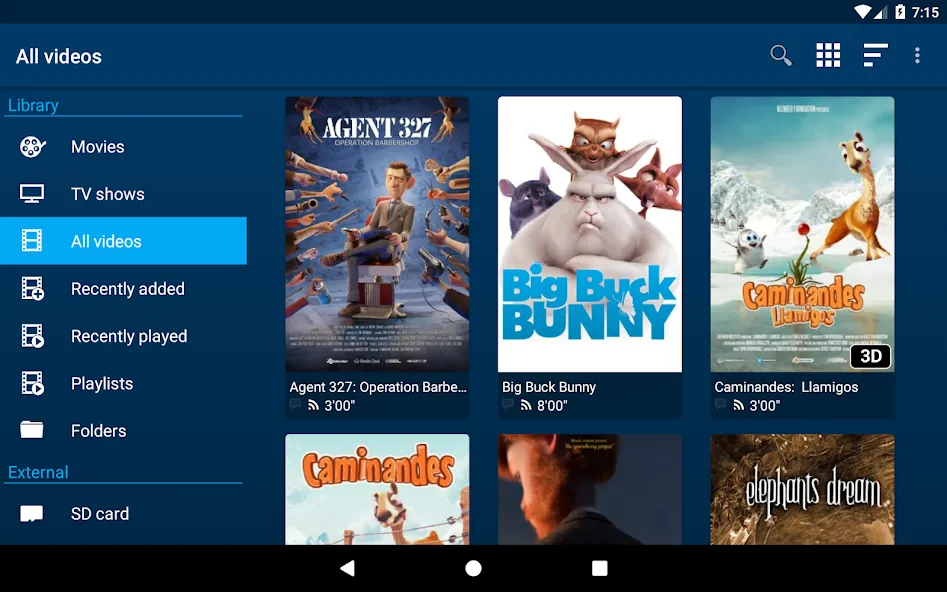
NOVA Video Player is a video player designed specifically for Android devices. Packed with features, the app supports a wide range of video formats and includes capabilities such as hardware-accelerated decoding, network share access, and subtitle support, allowing users to play videos from various sources. With NOVA Video Player, users can consolidate videos from different locations into a single media library for easy access and management. Additionally, the app automatically retrieves synopses, posters, and background images for movies and TV shows from the internet.
Preferred audio language.
Turn off Dolby Vision.
Hide subtitles by default.
Enable SMBv2 support.
Torrent download path.
Universal player:
Play videos from your computer, server (FTP, SFTP, WebDAV), NAS (SMB, UPnP)
Play videos from external USB storage
Videos from all sources integrated in a unified multimedia collection
Automatic online retrieval of movie and TV show descriptions with posters and backdrops
Integrated subtitle download
Best player:
Hardware accelerated video decoding for most devices and video formats
Multi-audio tracks and mutli-subtitles support
Supported file formats: MKV, MP4, AVI, WMV, FLV, etc.
Supported subtitle file types: SRT, SUB, ASS, SMI, etc.
TV friendly:
Dedicated “leanback” user interface for Android TV
AC3/DTS passthrough (HDMI or S/PDIF) on supported hardware
3D support with side-by-side and top-bottom formats playback for 3D TVs
Audio Boost mode to increase the volume level
Night Mode to dynamically adjust the volume level
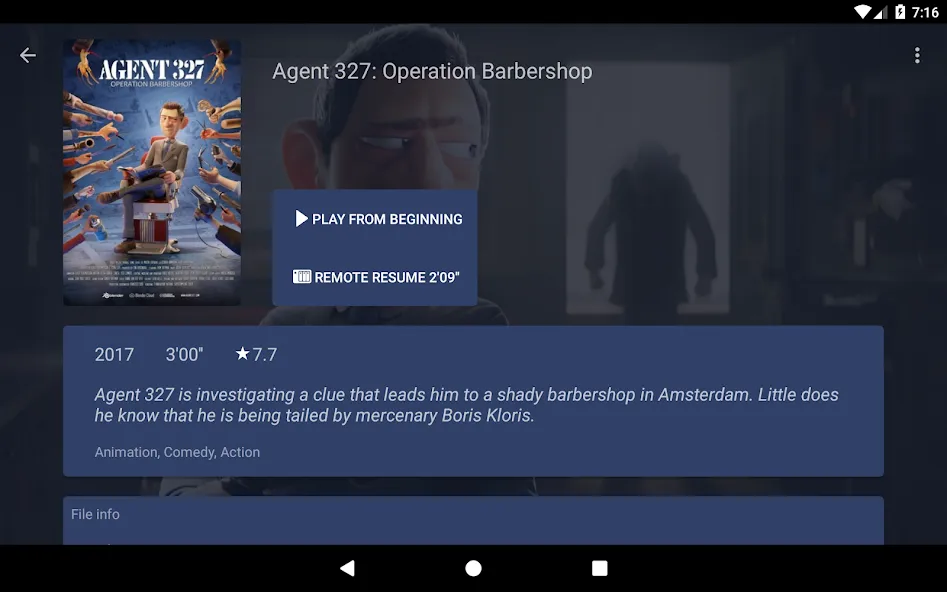
Utilize the automatic online retrieval feature to easily access movie and TV show descriptions and artwork.
Experiment with the different audio and subtitle options to enhance your viewing experience.
Take advantage of the TV-friendly features such as Audio Boost mode and Night Mode for a more immersive experience.
intro/outro autoskip
better lipsync, passthrough, downmix, seamless audio speed
AC3 universal audio passthrough
display cutout & projector/aspect ratio modes
faster trakt sync logic
faster media scraping & jcifs-ng SMB streaming
avoid USB rescans & medialib loss
subtitle fixes & custom background rendering
smart categories: new to watch & continue watching
dark theme & UI layout refinements with new gestures
media library backup/restore
spatial audio on supported devices
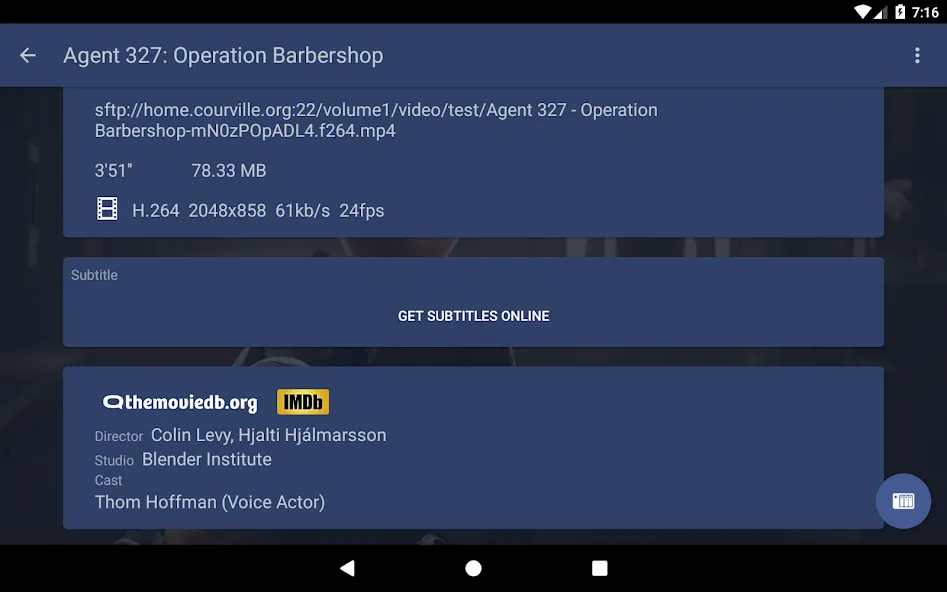
NOVA Video Player is a powerful video player that lets you convert any Android device (especially a TV) into a multimedia center capable of playing any movie, TV show, or documentary without a problem. Plus, it gives you the possibility to download subtitles automatically with just a tap, making the whole experience even more convenient.
Size:28.36MB Version:6.4.64
Requirements:Android 6.0+ Votes:481
Package Name:org.courville.nova Signature:38890e4cfb24932a73bc8eaeebe18284
Media player with multimedia capabilities is one of the important features in today’s smartphones. Most of the video content is consumed on smart devices and viewers continue their tasks like sending emails, surfing apps keeping the video playback on through Picture-in-Picture mode. Playing audio/video on an Android app has become a basic function with android video players becoming more and more customizable. Some of the best video players for Android offer multi format support, easy customizations, hardware acceleration, subtitle support and much more. In this blog, we have compared the best video player for Android based on speed, battery consumption, streaming capabilities, resource usage and more.
Video Player is a software application or hardware device designed to decode and display digital video content. Modern video players are highly versatile, capable of handling both locally stored files and real-time streaming media from online platforms. Over time, technological advancements have transformed video players from basic format-specific tools into sophisticated systems supporting a wide range of codecs, resolutions, and playback features. Today’s players offer enhanced functionality such as subtitle synchronization, playback customization, and adaptive streaming, ensuring a seamless and user-friendly viewing experience across various devices.
Free ad free binge watching software usually has a huge library of film and television resources, covering various types, styles, and themes of film and television works. From popular IP adaptations to original scripts, from movies and TV dramas to variety shows, anime and animation, everything is available. These software can keep up with the update pace of the film and television market, ensuring that users can watch the latest film and television works in the first time and not miss any exciting moments. The operation of free ad free drama following software is usually very convenient, and users only need a few simple steps to find and watch the movies and TV shows they are interested in.
About us | Contact us | Privacy policy| DMCA
Copyright © 2026 Xiaohei All rights reserved.