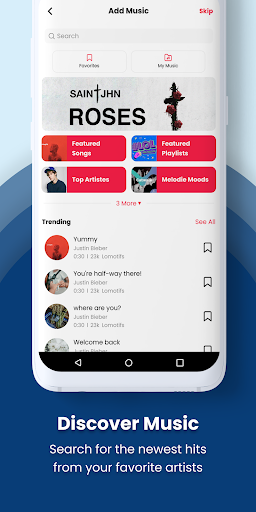
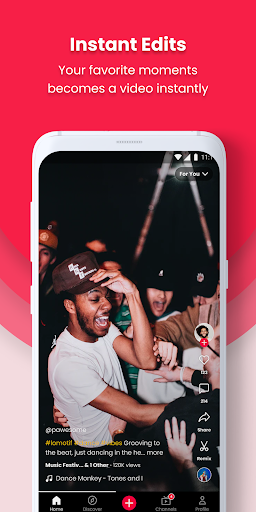
Lomotif is a user-friendly video editor that allows you to create impressive videos simply by uploading photos and clips and adding various filters, special effects, music, and subtitles. It features a built-in search function—simply enter keywords to find assets matching your desired style and apply them to your project with a single tap. The app also supports gesture controls; with the help of a tutorial, you can easily zoom, crop, and perform other edits using simple gestures, saving you time.
Instant Edits: Skip the complex editing! Lomotif automagically turns your gallery clips into stunning music videos.
Trim and Edit: Fine-tune your masterpiece with simple gestures—tweak, trim, and rearrange clips effortlessly.
Flexible Formats: Switch between square and landscape formats as your creativity demands.
Add Flavor with Text and Filters: Dab on titles, emojis, and explore 7 cool filters to add that extra flair.
And hey, don’t stress about the number of clips—Lomotif can handle your video frenzy! Any issues? Hit us up via “Send Feedback” and join the ongoing fun with our expanding community!
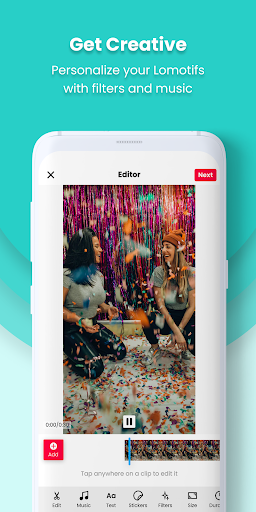
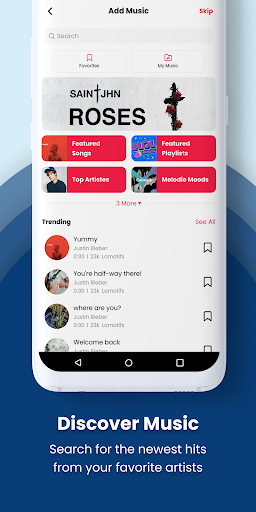
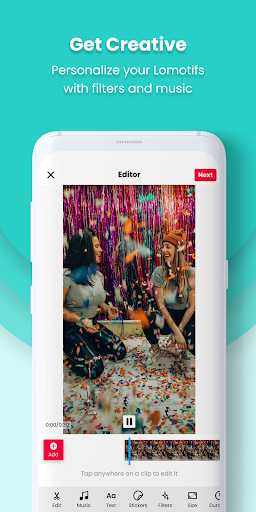
Editing toolkit and creative effects: Animated stickers, text overlays and colorful filters to change the look of your clips.A curated soundtrack library organized by genres and moods, plus trending tracks for quick discovery.GIF support and playful effects — including a “scratch” mode that mimics vinyl scratching for audio-style transitions.
Creative Freedom: With the built-in editor, you can easily trim and tweak your videos to perfection, allowing you to feature your best moments and tell your story in a unique way.
Importing, capturing and connecting accounts: Record video directly inside the app or pick files from your camera roll.Share your camera roll with friends for collaborative projects and allow others to use your media in their creations.Link external profiles such as TikTok, Facebook and Instagram in Settings to bring in additional content.
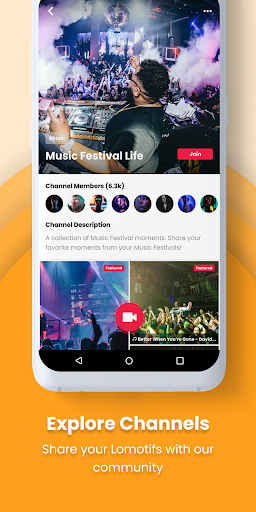
Saving, posting and discoverability: All projects are saved to your creator profile; you can export them to your device or publish them from the app.Mark a clip “For My Eyes Only” to keep it private, or leave it public so it appears in follower feeds and hashtag searches.Hashtags in descriptions influence where clips appear across the app’s streams and topic pages.
How do I change the sequence of the clips?
To reorder the sequence of your clips, simply tap and hold the thumbnail of the clip and drag it anywhere on the timeline.
How do I delete a clip?
To delete a clip, tap and hold it, then drag it towards the "-" symbol that appears.
What is the maximum number of clips I can use in a music video?
Lomotif's latest update allows you to include an unlimited number of clips. We've tested it with over a thousand clips and created some amazing videos!
Can I add/change filters?
Yes, you can! The Android version now includes seven filters to choose from.
Can I add a title to my video?
Absolutely! Simply type it in the "Enter a Title" section on the Create screen. You can customize the font and color to your liking.
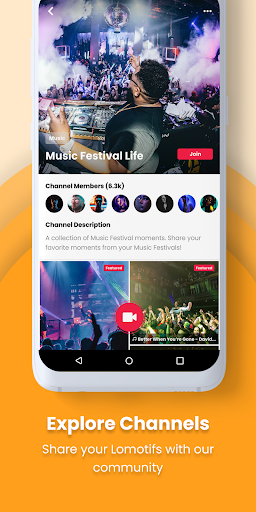
Lomotif gives you the ability to share your photo library with buddies so that they too can co-create content or their friends can use your material to create videos as it is an interactive forum where users are free to express themselves. Overall, Lomotif is a wonderful tool to create media and play with pictures and videos.
Size:63.07MB Version:2.37.0
Requirements:Android 5.0+ Votes:488
Package Name:com.lomotif.android Signature:bd7addff3e31817924618283bd759342
Transform your smartphone into a powerful editing studio with the best video editing apps for Android! Whether you're a content creator, social media enthusiast, or just looking to polish personal videos, these apps offer professional-grade tools right at your fingertips. Enjoy intuitive interfaces, advanced features like multi-track editing and filters, and seamless exporting options - all optimized for mobile devices. Download now and start creating stunning videos anytime, anywhere!
Video Editor is a powerful software tool designed for crafting, refining, and enhancing video content. It enables users to transform raw footage into compelling visual narratives or effective communication platforms. As digital media continues to evolve, video editing has grown in significance - no longer just a professional necessity but also an accessible skill for everyday creators. Modern editing tools now offer intuitive interfaces, AI-powered features, and cross-platform compatibility, making high-quality video production achievable for both experts and casual users alike.
Mobile video editing tools are highly popular, with complete functions and professional tools that provide a strong atmosphere for various materials. Rich video templates can be operated with just one click, saving time and without too high a threshold. So what are the free versions of mobile video editing software? Editing software should have high popularity, but most of them require membership. Next, I recommend several platforms that can be used for free.
About us | Contact us | Privacy policy| DMCA
Copyright © 2026 Xiaohei All rights reserved.