Flowframes is a media editing tool focused on media editing. This software utilizes graphical hardware to train editing drivers. It can read video in various formats and output sequences of other images. The interface is user-friendly, allowing both professionals and beginners to quickly get started. It's a lightweight application with a small file size. It performs AI frame interpolation, inserting extra video frames into video footage. Users can adjust video content or insert frames according to their needs. It also supports batch data processing.
Focused on the RIFE AI, but also supports DAIN and experimental FLAVR, XVFI
Also supports AMD GPUs via NCNN/Vulkan (for RIFE, DAIN)
Includes everything that's needed, no need to install additional software
Can read MP4, GIF, WEBM, MKV, MOV, BIK, and more video formats
Can also take image sequences as PNG, JPEG and more as input
Output as video (MP4/MKV/WEBM/MOV), GIF, or frames
Supports advanced video codecs such as H265/HEVC, VP9, AV1 for export
Preserve all audio and subtitles from the input video with no quality loss
Built-in Frame De-Duplication and speed compensation (for 2D animation, etc)
Scene Detection to avoid artifacts on scene cuts
...and more!
User-Friendly Interface: Both beginners and seasoned professionals will find the interface intuitive, allowing for effortless navigation and operation.
Lightweight Application: Despite its powerful capabilities, the app is optimized to be lightweight, ensuring smooth performance even on older Android devices.
AI-Powered Frame Interpolation: This core feature allows the app to seamlessly insert additional frames into video footage, which smooths out playback and improves the overall fluidity of videos. It's perfect for creating slow-motion effects or upgrading footage shot at lower frame rates.
Customizable Settings: Users can tailor the frame rate, interpolation strength, and other settings to fit their specific requirements, giving them complete control over the final output.
Batch Processing: For content creators who need to handle multiple videos at once, this feature saves invaluable time by allowing multiple files to be processed simultaneously.
Advanced Video Codecs
Step up your video quality game with support for advanced codecs like H265/HEVC, VP9, and AV1 for export, ensuring optimal visual fidelity.
Audio and Subtitle Preservation
It cares about the complete viewing experience. It retains all audio and subtitles from the input video, ensuring no loss in quality.
Frame De-Duplication and Speed Compensation
Ideal for 2D animation and similar content, this feature ensures smooth playback by eliminating duplicate frames and compensating for speed variations.
Scene Detection
It intelligently detects scene cuts and adjusts the interpolation to avoid any disruptions.
What is Flowframes by NMKD?
Flowframes by NMKD is a software tool used for creating fluid motion graphics and animations.
How does Flowframes work?
Flowframes uses advanced algorithms to analyze video footage and generate motion vectors. These motion vectors are then used to create smooth and realistic motion graphics.
What kind of motion graphics can be created with Flowframes?
Flowframes can be used to create various types of motion graphics, including fluid simulations, particle effects, and dynamic animations.
Is Flowframes easy to use?
Yes, Flowframes offers an intuitive user interface that makes it easy for both beginners and experts to create stunning motion graphics.
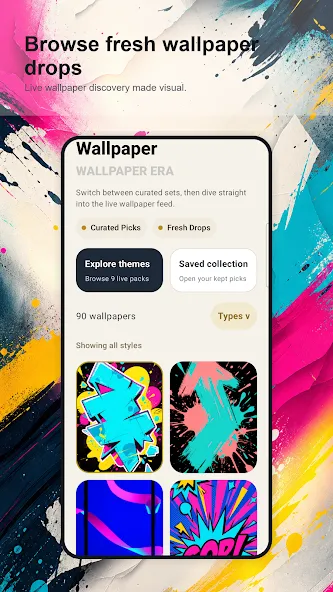
In conclusion, Flowframes APK stands out as a top choice among video editing apps on Android, thanks to its comprehensive feature set and user-friendly design. Whether you're a seasoned videographer or just starting out, Flowframes offers the tools you need to elevate your video content.
Size:102.81MB Version:1.0
Requirements:Android Votes:456
Package Name:com.flowframe.wallpapers.mobile.qnv Signature:2a879fa76a8ef44ac1ed48e3eb3bf2b7
Visuals serve as a primary gateway for players to engage with games, where distinctive art direction immediately captures attention and creates lasting impressions. An unconventional aesthetic not only stands out in crowded markets but also enhances immersion and emotional connection. When executed with creativity and polish, striking visuals elevate gameplay into a memorable artistic experience. That's why titles with truly exceptional art styles deserve recognition - they offer both visual delight and meaningful interactive expression that resonates with players long after the session ends.
AI Photo Editing Apps - encompassing both image generation and enhancement tools - utilize cutting-edge machine learning algorithms to produce, refine, or transform visuals using text prompts, uploaded images, or artistic preferences. These powerful applications are reshaping digital art, photography, and media production by streamlining sophisticated processes such as professional-grade retouching, artistic style replication, and completely AI-generated artwork. By combining automation with creative control, they empower users to achieve stunning results with unprecedented speed and precision.
Transform your smartphone into a powerful editing studio with the best video editing apps for Android! Whether you're a content creator, social media enthusiast, or just looking to polish personal videos, these apps offer professional-grade tools right at your fingertips. Enjoy intuitive interfaces, advanced features like multi-track editing and filters, and seamless exporting options - all optimized for mobile devices. Download now and start creating stunning videos anytime, anywhere!
About us | Contact us | Privacy policy| DMCA
Copyright © 2026 Xiaohei All rights reserved.