Opera Browser Beta with AI is a user-friendly browser that features a built-in VPN, allowing users to easily bypass geo-restrictions to access websites worldwide and download content of interest. It integrates AI capabilities, enabling users to ask questions and receive detailed responses, as well as issue AI commands to save time. The browser includes an ad-blocking function that automatically filters out intrusive content and pop-ups for a comfortable browsing experience, and it supports cross-device account logins, ensuring seamless continuity of browsing history. Over time, the app provides personalized recommendations based on user preferences, keeping the experience fresh and engaging.
Contextual Assistance: Opera Browser Beta with AI's AI provides contextual assistance within webpages, offering explanations, definitions, or related information with just a hover or tap. This feature enhances your understanding and productivity while browsing.
Voice Control & Assistants: Integrating with leading voice assistants, Opera Browser Beta with AI allows you to control your browsing experience with voice commands. From searching the web to navigating between tabs, everything is just a voice command away.
Optimized Performance: Opera Browser Beta with AI's AI-driven engine optimizes page loading speeds and resource allocation, ensuring a smooth and lag-free browsing experience. It even identifies and Blocks unnecessary ads and trackers, enhancing privacy and security.
Continuous Learning & Improvement: Opera Browser Beta with AI's AI is Designed to continuously learn and improve over time. As you use the browser, it gathers data to refine its algorithms and offer even more personalized and efficient browsing experiences in the future.
Privacy Protection: AWare of the importance of privacy, Opera Browser Beta with AI employs AI to detect and block potentially malicious websites, ads, and trackers. It also offers customizable privacy settings to give you complete control over your data.
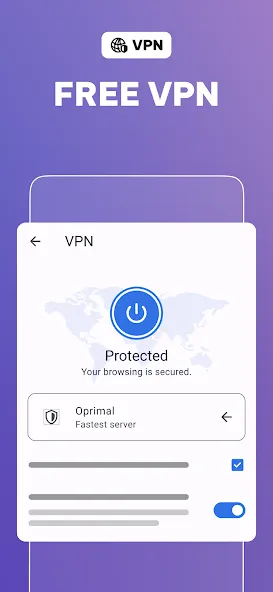
Protect your privacy with Free VPN: Opera’s no-log virtual private network protects your online privacy anywhere you go. Best of all - it’s free.
Secure your entire device with VPN Pro: VPN Pro protects your entire device with no matter which application you use. Secure up to 6 devices with one VPN Pro subscription.
Block ads and browse faster: Opera's built-in Ad Blocker delivers smoother browsing without distractions. It also protects your privacy and speeds up your browsing.
Customize your personal browser: Customize your Start Page, theme and wallpaper, and set any search engine as default. Don’t forget to dim the screen to protect eyes with Dark Mode!
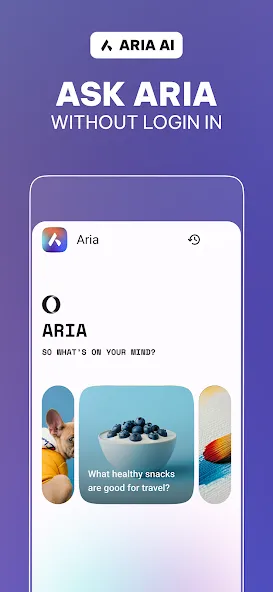
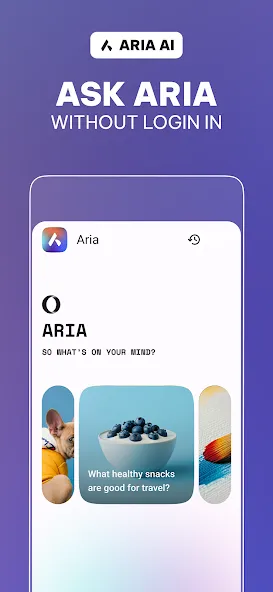
Meet Aria, Opera's browser AI: Chat and create with Aria. Opera’s free browser AI answers your questions and generates content with real-time access to the web.
Flow file-sharing: Securely share files, links and notes between all your devices with the Flow feature in Opera Browser.
Data-saving mode: Opera uses compression technology to bring you fast speeds and smooth page loading while saving your battery and data.
This app is honestly one of the most helpful apps I have ever used. It makes learning, asking questions, finding information, and getting help with different tasks much easier and more convenient. What I like most about this app is how simple it is to communicate with it. I can ask a question using my own words, even if my question is not perfectly written, and the app can still understand what I mean and give me a useful response. The app is especially helpful for students.
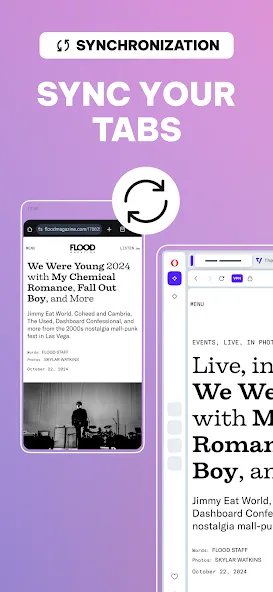
I tried to give it a serious test run before writing a review and yeah the sync feature (especially if you have a working OPERA ACCOUNT?) works flawlessly, now add that you can block Trackers, plus Ads, AND can use a well rounded VPN too? That was a no brainer for me. Became my immediate favorite on Mobile. Wonderful experience overall.
this is a great browser!. i love the free vpn and it has many free tools or settings and love the idea that you can put your own wallpaper in the browser, keep this up! this app deserves 5 stars.
I'm highly impressed by this beta software! It is amazingly more stable than, release candidates or stable software. it's an amazing piece of software this application is.
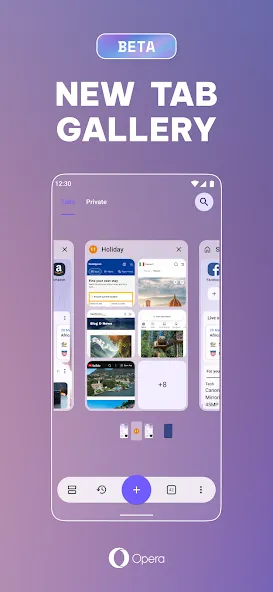
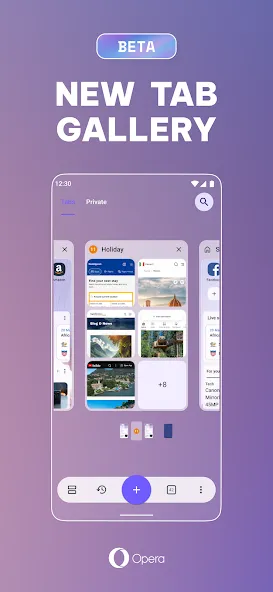
I was using opera touch, but then realised I needed to upgrade to a new browser. I like the carousel, or list view, and I can reorder the tabs. Reading mode is also very useful, and I can summarise an article. Really nice to use.

How do I disable push notifications?
Go to Settings > Privacy & Security > Site settings > Notifications. In the bottom, under Allowed to send notifications, delete the sites you don’t want to receive push notifications from.
How do I enable/disable Opera browser beta with AI offering to save my passwords?
Go to Settings > Privacy & Security. Under Autofill and passwords, choose Password Manager, and on the left side click Settings. Then turn on/off Offer to save passwords.
How do I save my passwords in Opera browser beta with AI?
Opera browser beta with AI will ask to save your passwords when you use them. If you don’t receive the offer, you may need to enable it by going to Settings > Privacy & Security. Under Autofill and passwords choose Password Manager, and on the left side click Settings. Now turn on Offer to save passwords.
How do I remove my saved passwords in Opera browser beta with AI?
To remove an individual password, go to Settings > Privacy & Security > Password Manager, click the interested website, and click Delete.To remove all passwords, go to Settings > Privacy & Security and click Clear browsing data. In the pop-up window, click Advanced, select the Passwords and other sign-in data box, and click Clear data.
How do I opt out of online behavioral tracking?
Go to Settings > Privacy & security > Third-party cookies and turn on Send a “Do Not Track” request with your browsing traffic.
Experience the future of web browsing with Opera browser beta with AI, the groundbreaking AI-powered browser. Bringing you a smarter and more intuitive browsing experience than ever before. With Opera browser beta with AI, the possibilities are endless as it adapts to browsing habits and preferences, making your online journey seamless and efficient.
Size:220.40MB Version:102.1.5206.90321
Requirements:Android Votes:435
Package Name:com.opera.browser.beta Signature:e91dc19c81bb68398024755104c3127d

Browser is a software application that enables users to access, render, and navigate information resources on the internet. These resources, identified by Uniform Resource Identifiers (URIs), include web pages, images, videos, and other multimedia content. Browsers facilitate seamless exploration of interconnected data through hyperlinks, allowing users to transition between related information effortlessly. Technically, browsers operate by sending HTTP/HTTPS requests to web servers, retrieving data, and processing it through rendering engines (such as Blink, Gecko, or WebKit) to display interactive, visually structured pages. Modern browsers also support advanced features like caching, scripting (JavaScript), and secure encryption (SSL/TLS), ensuring efficient and safe web interactions for users worldwide.
Which browsers on mobile phones are currently very convenient to use? Today, the editor will recommend ten similar mobile applications in detail based on the ranking of mobile browser apps. In these browser software, users can experience rich reading functions and also enjoy information content.
About us | Contact us | Privacy policy| DMCA
Copyright © 2026 Xiaohei All rights reserved.