
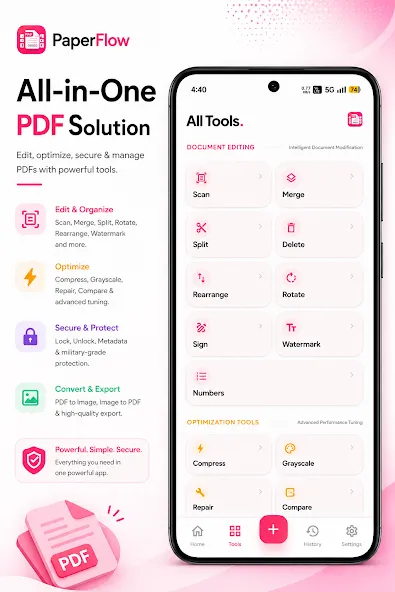
PaperFlow PDF Tools is a full-featured, all-in-one PDF office software. This application boasts a wealth of features, helping users manage, edit, and convert documents directly on their devices, enjoying a convenient office experience. With PaperFlow PDF Tools, you can easily manage, edit, and convert your PDF files, using various office tools to improve your work efficiency. Whether you're scanning pages, merging or splitting files, compressing large PDF files, or adding signatures and watermarks, this application integrates practical functions into a single interface, aiming to balance speed and privacy.
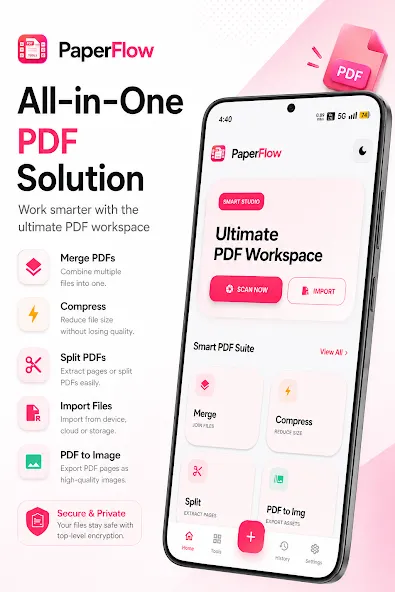
Merge & split: Combine multiple PDFs into a single file or extract selected pages to create new documents.
Convert: Create PDFs from images and common document types, or export PDFs to widely used formats for editing and sharing.
Compress: Reduce file size to make sharing and storage easier while keeping text and images readable.
Annotate & sign: Add highlights, comments, shapes and electronic signatures to review and approve documents.
Scan & OCR: Capture paper documents with your camera and use basic OCR to extract searchable text for copying and indexing.
Security: Protect files with passwords and manage basic permissions to control access.
Cloud & sharing: Import from and export to popular cloud services and share files using standard Android sharing options.
PDF tools is always and will always be free, there are no hidden costs or fees.
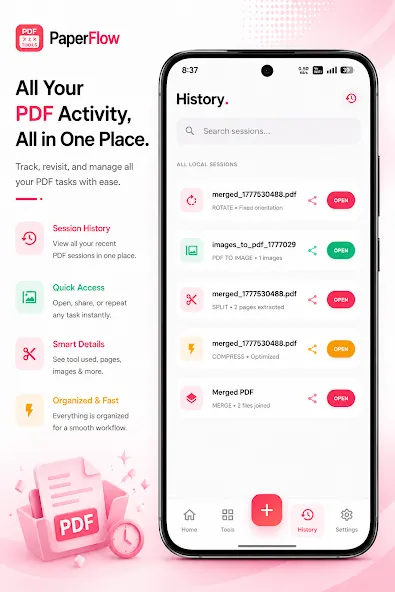
You can process your file with just a few button taps! This software is easy to use and has a clean user interface
You can choose multiples files at once, or if you prefer, you can choose a folder and add multiple files into it
Save the remaining PDF pages after removing any unwanted ones, single page deletion makes it easy to keep your work tidy!
You can combine unlimited PDF files into a single PDF file.
You can reduce the overall size of the PDF file by compressing the photos.
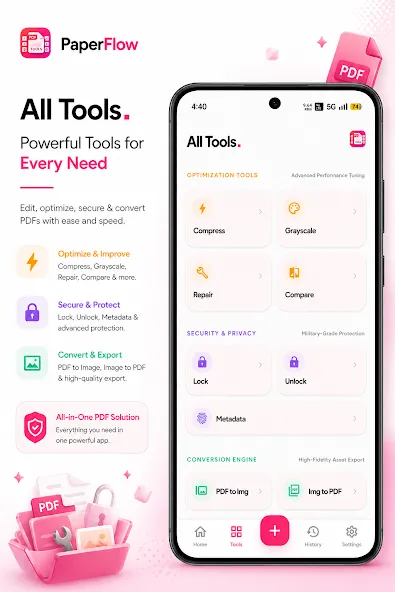
Passwords and other security measures can be used to protect PDF files! Keep your private files for the intended viewers only
Select a number of files or a folder and add every file to it. Remove all limitations and passwords for PDFs.
PDF pages can be rotated by 90, 180, or 270 degrees.
Invert the background, text, and image colors in the PDF document.
Pros
Simple, modern interface that makes common PDF tasks easy to find and use.
Fast local processing so you can work offline and keep documents private.
PaperFlow PDF Tools groups editing, optimization, security and conversion in a single app, reducing the need for multiple utilities.
Useful for students, office workers and anyone who handles PDFs regularly and values speed and privacy.
Cons
Not a full replacement for advanced desktop PDF suites when it comes to complex layout or prepress work.
Some specialized or professional-grade editing features may be limited compared with dedicated desktop applications.
While PaperFlow PDF Tools bundles a broad set of utilities, it does not provide built-in cloud synchronization or automatic online backups for multi-device syncing, so you should plan transfers if you work across multiple devices. Some advanced, desktop-level editing capabilities found in full professional suites are intentionally limited to keep the app lightweight and focused on core document workflows.
Size:14.60MB Version:1.5
Requirements:Android Votes:479
Feeling that there aren’t enough hours in the day? That you’re fighting a losing battle with your agenda? That each time you look up from your desk another year has rolled by? Well don’t worry, you’re not alone, and in today’s hyperconnected world, people are busier than ever before. On Android, there are countless productivity apps to help take control of your time and make your work more efficient. From a simple plugin for Chrome to a full-fledged app, picking the right productivity apps on Android can mean the difference between having a clear to-do list at the end of the day or having it overflowing with missed deadlines and projects that are off schedule. Productivity apps aren’t just about work, though. Using a productivity app in your personal life can keep you on top of deadlines for vacations, home repairs, and other family responsibilities.
Office Apps is a comprehensive and user - friendly platform that aggregates a wide array of office - related applications, catering to the diverse needs of modern professionals, students, and anyone who engages in office - based tasks. Whether you're working on a crucial business project, preparing academic papers, or handling daily administrative work, this aggregation page serves as your one - stop - shop.
About us | Contact us | Privacy policy| DMCA
Copyright © 2026 Xiaohei All rights reserved.

























