Home Design 3D is a house building software. It integrates professional-grade tools into an intuitive, touch-centric workflow, allowing users to start by drafting precise 2D floor plans and seamlessly transition to realistic 3D visualizations. With Home Design 3D, users can draw accurate layouts, add architectural elements, and furnish spaces using an extensive library of assets. Moreover, the app offers immense replay value; every redesign or seasonal style update creates a fresh look, and even minor adjustments to furniture, finishes, or lighting can transform the atmosphere of a space, inviting users to explore endlessly.
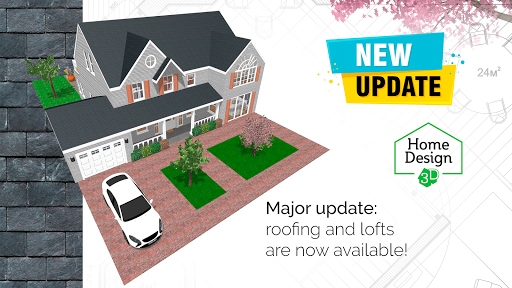
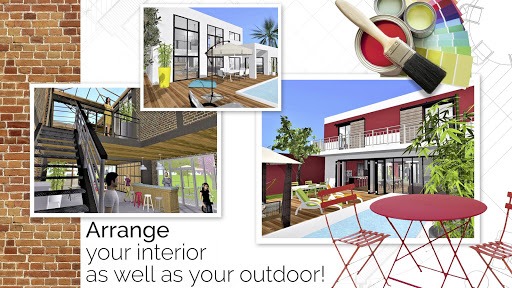
Design and decorate both the interior and outdoor of your home
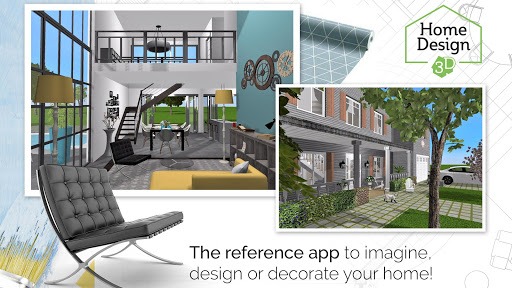
Make your choice from over a thousand of pieces of furniture and accessories, customize your decoration and express your style, from the most classical to the trendiest!
Edit any object, by changing its size, color, position and altitude on the walls
Duplicate your favorite items thanks to the copy/paste function
Use the undo/redo feature at anytime if you want to go back
Use the eye dropper to find an existing color in the plan
You can also import picture as texture and apply them everywhere
In essence, Home Design 3D is highly similar to apps like Smart Home Design Floor Plan or Nakshamart - Home and Interior Design. With its plethora of available assets, textures, and other features, you will be able to design the space of your dreams. Start from scratch by laying down the floor plan, setting up walls and dividers with modifiable thicknesses, and adding doors or windows.
Plans can be done in either 2D or 3D, allowing for style flexibility. After that, you will be free to furnish your space as much as you want, with assets for different pieces of furniture across a multitude of styles available to choose from. The size, position, and color of any object can be customized as well. Plus, you can also duplicate any item or undo and redo your actions.
While the free features of the app are enough to bring any user’s creativity to life, most of the textures and furniture are locked behind a paywall. On the other hand, saving one’s designs may be a frustrating process, as the app is prone to crashing after hours of continuous use — rendering hours’ worth of effort and careful designing useless and unsaved.
Pros
With a generous selection of house design assets and textures
Can be used offline
Comes with a tutorial
Cons
Quite dependent on the premium subscription for more features
Tends to crash when used for too long
What to test:
• Import an image (texture or blueprint) from the gallery: the system picker must open and the image must load. This build removes the READ_MEDIA_IMAGES permission, so this is the path that changed.
• Import a photo from the camera: must still ask for the camera permission and work.
• Launch: no picker should open by itself at startup.
Everything else is unchanged from 984.
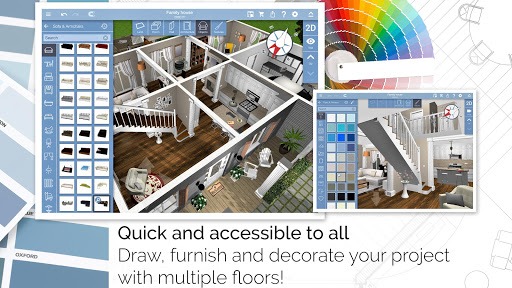
For homeowners, designers and hobbyists alike, Home Design 3D offers a flexible platform to visualize designs, test options and prepare clear plans for implementation. The combination of intuitive controls, precise measurement tools and realistic rendering makes it a practical choice for planning and presenting real‑world home projects.
Size:53.82MB Version:5.5.0
Requirements:Android Votes:548
Package Name:fr.anuman.HomeDesign3D Signature:937126dfaabbb80361bfa3fb8dcd4dd2
Feeling that there aren’t enough hours in the day? That you’re fighting a losing battle with your agenda? That each time you look up from your desk another year has rolled by? Well don’t worry, you’re not alone, and in today’s hyperconnected world, people are busier than ever before. On Android, there are countless productivity apps to help take control of your time and make your work more efficient. From a simple plugin for Chrome to a full-fledged app, picking the right productivity apps on Android can mean the difference between having a clear to-do list at the end of the day or having it overflowing with missed deadlines and projects that are off schedule. Productivity apps aren’t just about work, though. Using a productivity app in your personal life can keep you on top of deadlines for vacations, home repairs, and other family responsibilities.
Office Apps is a comprehensive and user - friendly platform that aggregates a wide array of office - related applications, catering to the diverse needs of modern professionals, students, and anyone who engages in office - based tasks. Whether you're working on a crucial business project, preparing academic papers, or handling daily administrative work, this aggregation page serves as your one - stop - shop.
About us | Contact us | Privacy policy| DMCA
Copyright © 2026 Xiaohei All rights reserved.