Sentio Desktop is a remote desktop tool that helps users quickly access remote hosts. It supports multi-window connections to mobile devices, allowing users to adjust window sizes and screen resolutions. It fully supports mouse and keyboard input, and its user-friendly interface makes it easy to use. It also supports some Windows applications, enabling faster office work. It provides quick file management and is completely free. Ultimately, it aims to increase efficiency for office users and other professionals.
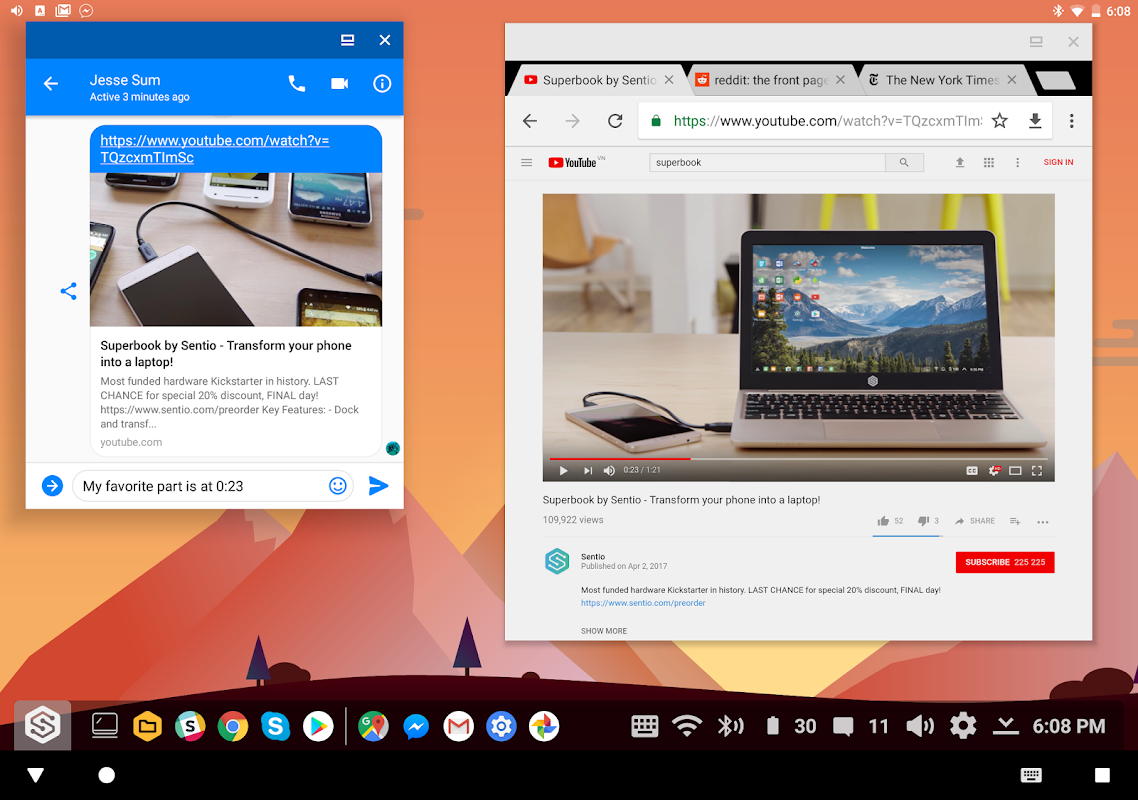
Multi-window apps
Resizable apps
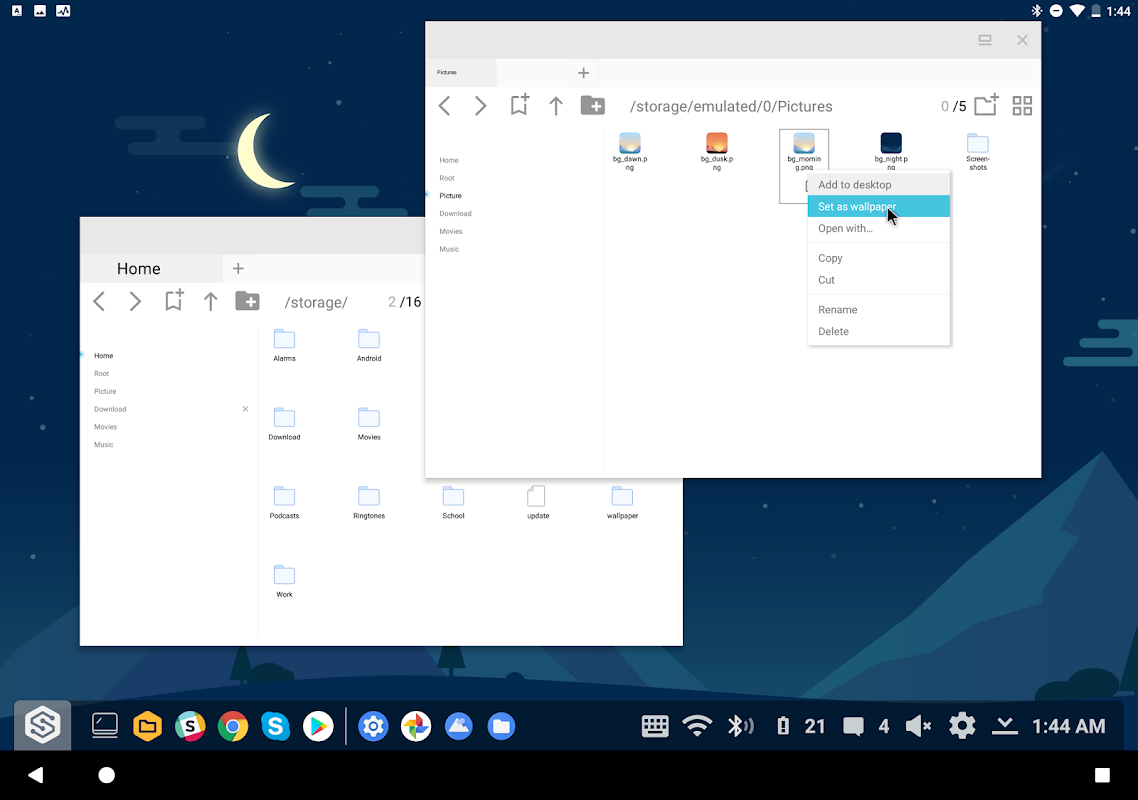
Files/Folders linked to your desktop
Ability to change your phone's resolution
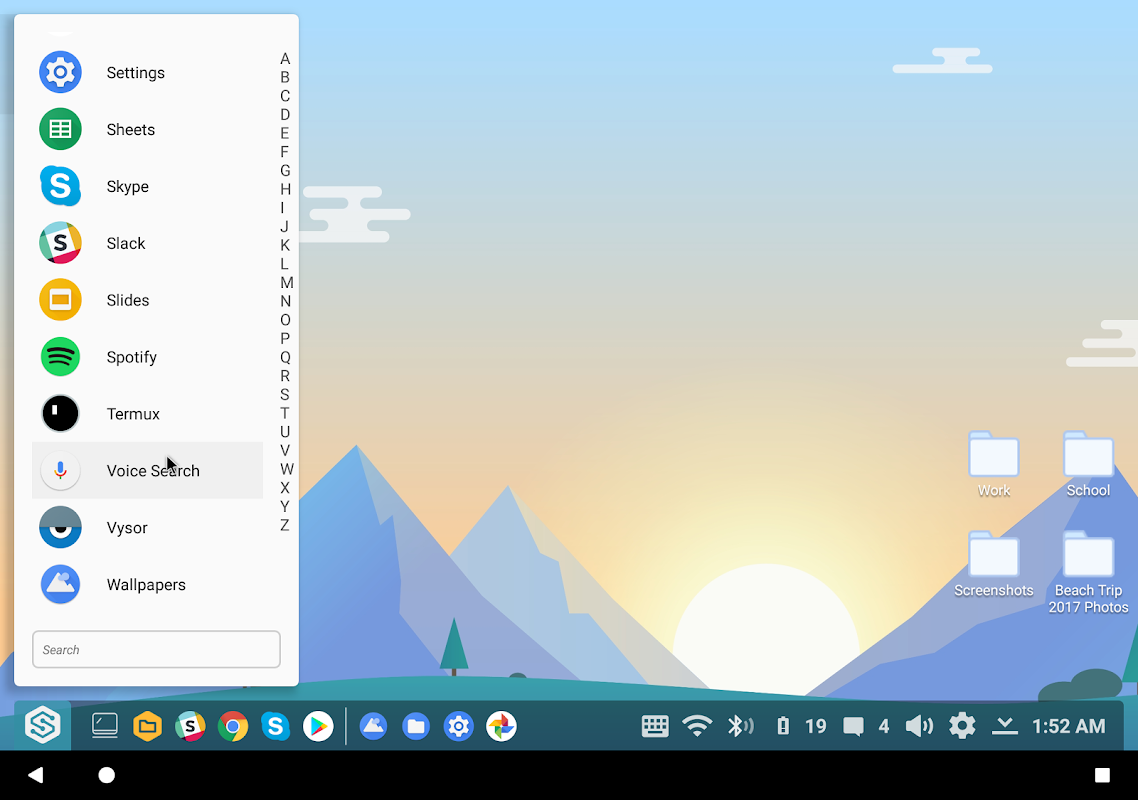
Smarter App Chooser
Auto launch after detecting monitor/keyboard
App shortcuts
Disable home button in the settings
Full Keyboard and Mouse Support
Beautiful, simple, elegant landscape UI
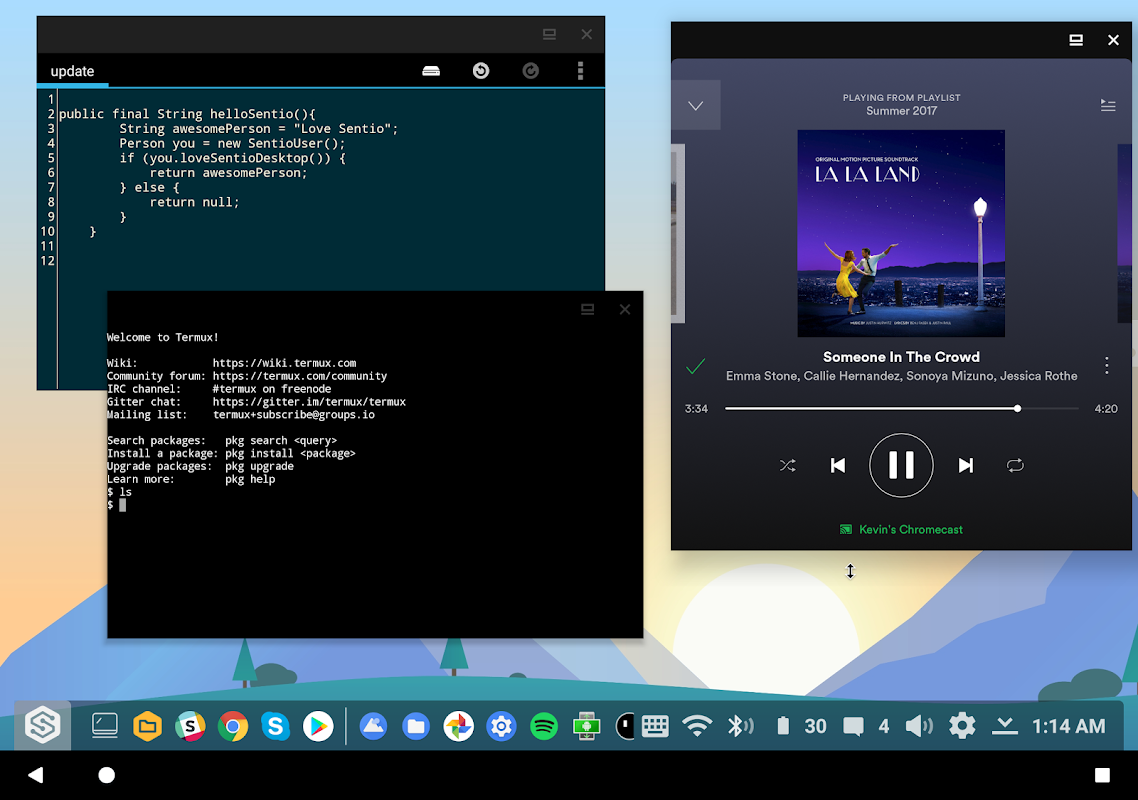
Interface of Desktop
Without any doubt, the highlighted feature of the app is the Desktop interface. It helps Android smartphone users to get the experience of a desktop with its landscape view and wider screen. Users can have a different display of settings, taskbar, menu, and apps.
Supports Windows Apps
There are different productivity applications for Windows PC that the app supports and allows users on Android to run them. A few of those applications include Microsoft Word, Excel, Google Docs, Sheets, Anti-Viruses, Windows Menu, Tool Bar, Task Bar, System Tray, and many more.
File Explorer
Just like the Windows PC or Tablets, you get a File Explorer in the Task Bar. So you can manage all the data from that Explorer as you used to do on desktop computers. Moreover, you can drag and drop items to add to any folder or remove them completely.
Lightweight App
Despite its comprehensive range of features, Sentio Desktop is a lightweight application and consumes less space on your device. Moreover, it consumes less battery and RAM that doesn't impact the performance of your device.
Free to Use
It offers so many exciting features, despite that it doesn't charge anything. The app is completely free to download and use. Even there are no hidden charges.
WiFi and Other Settings
If you want to modify the date, battery, or WiFi, you can find them in the System Tray. Tap or Press on the WiFi or other settings to modify.
Connect to Desktop
If you want to connect your desktop computer to your phone and use it remotely, then install a connector plugin. You cannot get its separate APK as it is not going to work for you. Therefore, you have to install that from the Play Store.
Enhanced Productivity Tools
With Sentio Desktop, productivity is elevated to a new level. The application boasts a range of built-in tools designed to facilitate efficient work. Access a comprehensive file manager that integrates cloud storage services, so you can easily manage documents from multiple sources. Use the improved multitasking capabilities to run multiple apps side-by-side, making it easier to reference information while working on projects or communicating with others.
Application Compatibility
Sentio Desktop supports a wide range of Android applications, allowing users to run their favorite productivity, entertainment, and social media apps in a desktop format. Common applications such as Microsoft Office, Google Drive, and various email clients are optimized for use in the Sentio environment, providing a smoother and more productive experience. The interface is designed to enhance touch-based interactions while maintaining the efficiency of desktop navigation.
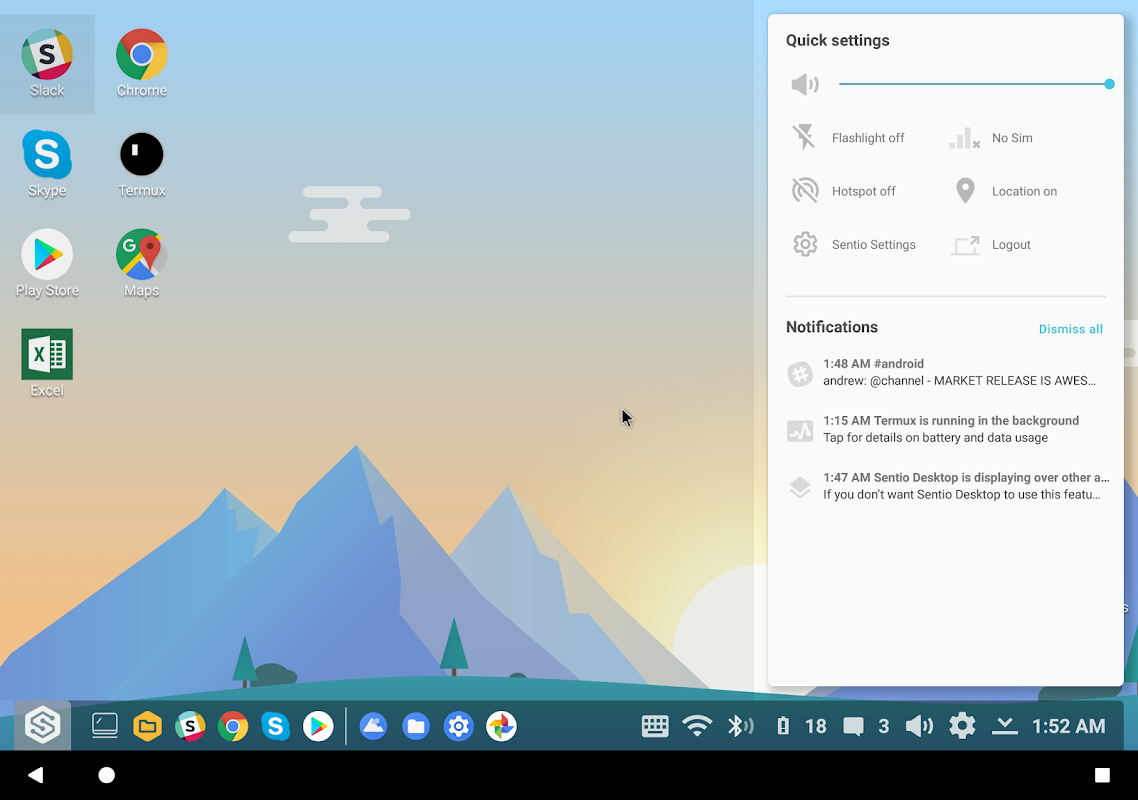
Efficient Notifications Hub
Stay organized and focused with the efficient notifications hub integrated into Sentio Desktop. This feature aggregates all your notifications in one place, enabling you to manage alerts without switching between apps. Stay on top of your tasks and updates without the distraction of constantly checking each application individually.
What is Sentio Desktop?
Sentio Desktop is an app that allows Android mobile phone users to turn their phone's interface into a Desktop.
Is Sentio Desktop safe to use?
Yes, it is safe to use.
Is it free to download Sentio Desktop and use it on my phone?
Yes, it is completely free to download and use.
Unlock the full potential of your Android device with Sentio Desktop. Its combination of a user-friendly interface, productivity-enhancing tools, and customizable features makes it an ideal choice for anyone looking to elevate their digital workspace. Download Sentio Desktop today and experience a new level of connectivity and productivity in the palm of your hand.
Size:19.08MB Version:0.16.1
Requirements:Android Votes:474
Package Name:com.sentio.desktop Signature:e65abd79036a7b8c30bba68a774431ec
Discover our File Management Apps hub! Here, you can explore essential tools like Google Drive for cloud storage, Dropbox for simple file sharing, and File Commander for managing files directly on your device. Easily organize and access your files across your phone, or tablet. Our platform is designed to help you quickly find reliable apps to streamline your digital file management.
Utility apps are indispensable in our lives, making our daily routines more convenient. To help you find these apps more easily, this site has created a collection. This collection brings together a series of practical tools covering various aspects of life, work, and education, meeting all your needs. What are you waiting for? Try these apps now and make your life easier!
Transform your mobile device into a powerhouse of efficiency with these handpicked essential tools. Whether you need professional-grade photo editing, seamless file organization, smart task management, or real-time weather updates, our curated selection of premium apps delivers unbeatable performance. Streamline your daily routine, automate repetitive tasks, and boost your productivity with intuitive interfaces and powerful features. Designed for both professionals and casual users, these editor-approved applications will revolutionize how you work and play. Don't settle for an ordinary phone - upgrade your digital experience today and unlock your device's full potential!
About us | Contact us | Privacy policy| DMCA
Copyright © 2026 Xiaohei All rights reserved.