
Google Slides is a powerful office suite. This application boasts rich presentation features, allowing users to create, collaborate, and present stunning PowerPoint presentations anytime, anywhere, whether working alone or in a team. With Google Slides, users can easily create and edit presentations directly on their phones, whether creating from scratch or modifying existing ones. Furthermore, you can share your presentations with others and collaborate in real time. This feature allows you to edit the same presentation simultaneously with others, making it ideal for team projects or group presentations.
Free presentation app with strong Google Drive integration and cloud access
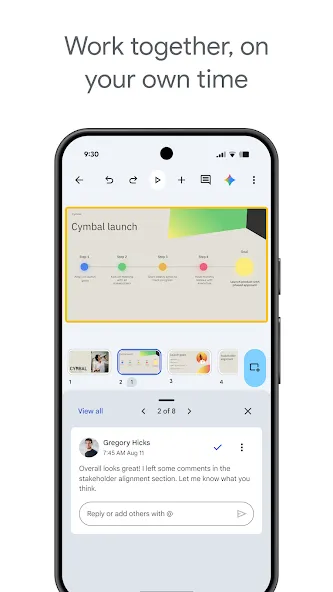
Real-time collaboration with automatic saving, comments, mentions, and version history
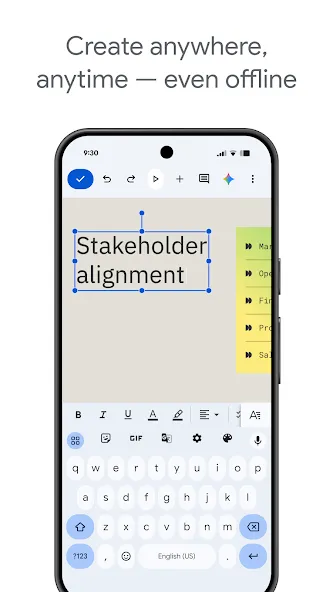
Offline access with later sync for working without a connection
Clean, easy-to-understand interface focused on core tasks
Good support for media: images, graphs, videos, and animated transitions
Custom fonts, color schemes, and pre-designed templates for professional-looking slides
Presentation mode with Chromecast and Google Meet support plus presenter notes
Opens and edits .PPTX files and exports to PDF, PNG, and JPG
Duet AI for generating custom images directly within your slides
Useful as a simple tool for creating and customizing visuals for social media
Using Google Slides for Windows is straightforward and efficient, allowing users to create professional presentations directly from their browser. To begin, open the productivity tool’s homepage and start a new presentation by selecting either a blank template or a pre-designed one. Once created, it is essential to add a clear, descriptive title by clicking the “Untitled presentation” label in the top-left corner. This helps you stay organized across devices.
After naming your presentation, you can enhance its visual appeal by selecting a theme. Click “Themes” in the top menu and browse the sidebar to choose a design that suits your content. Next, adjust the slide dimensions by going to “File” and selecting “Page setup,” where you can choose your preferred aspect ratio to ensure your slides display properly on different screens.
Adding content is the next critical step. Text forms the backbone of most presentations, so ensure it is properly aligned within slide margins. Start with the title slide by clicking on the text placeholders and entering your content. You can continue adding more slides by selecting “Slide” and then “New slide,” or duplicate existing slides to maintain consistent formatting throughout your presentation.
To make your slides more engaging, you can incorporate various media elements. Click “Insert” from the menu bar and choose from options such as images, videos, charts, or other visuals. After completing your slides, you can rearrange them by dragging them into your desired order or removing unnecessary ones, ensuring a smooth, logical presentation flow.
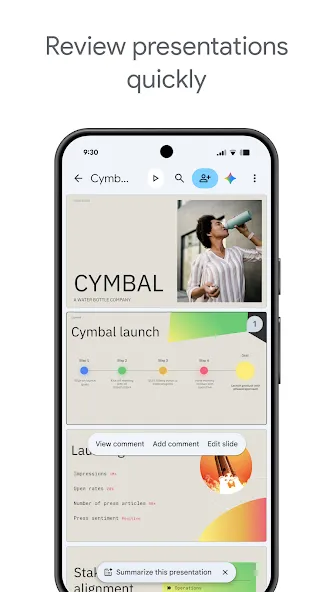
Collaborate in Real-Time: Google Slides allows users to share presentations and collaborate in real-time with others, making it easy to work together on projects regardless of location.
Access Anywhere, Anytime: Users can work on presentations from their Android phone or tablet, even offline, ensuring productivity no matter where they are.
Automatic Saving: Never worry about losing work as everything is saved automatically, giving users peace of mind while working on presentations.
Smart Suggestions: Google Slides offers smart suggestions for creating beautiful slides instantly, saving time and enhancing the overall look of presentations.
Pros
A cloud-based presentation platform
Seamlessly integrates with Google Workspace suite tools
Let teams collaborate on presentation projects
Let teams collaborate on presentation projects
Cons
Performance issues for large presentations or complex graphics
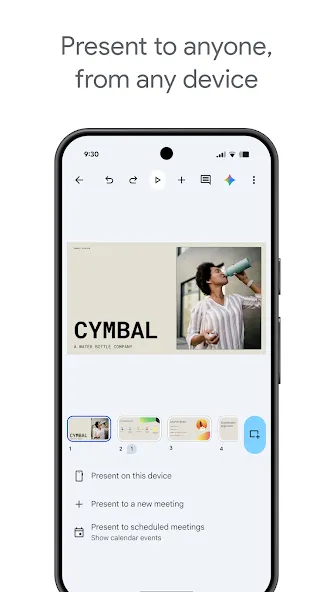
In conclusion, Google Slides offers a convenient and user-friendly way to create, edit, and share presentations on the go. With features like real-time collaboration, offline access, and smart suggestions, it is a must-have tool for anyone who needs to make professional and engaging presentations. Download the app now to enhance your presentation skills and boost productivity.
Size:99.5MB Version:1.26.311.00.90
Requirements:Android Votes:573
Package Name:com.google.android.apps.docs.editors.slides Signature:4ba713dfece93d47572dc5e845a7a82c4a891f2f
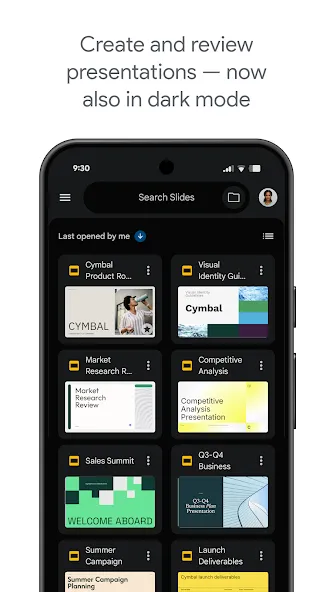
Feeling that there aren’t enough hours in the day? That you’re fighting a losing battle with your agenda? That each time you look up from your desk another year has rolled by? Well don’t worry, you’re not alone, and in today’s hyperconnected world, people are busier than ever before. On Android, there are countless productivity apps to help take control of your time and make your work more efficient. From a simple plugin for Chrome to a full-fledged app, picking the right productivity apps on Android can mean the difference between having a clear to-do list at the end of the day or having it overflowing with missed deadlines and projects that are off schedule. Productivity apps aren’t just about work, though. Using a productivity app in your personal life can keep you on top of deadlines for vacations, home repairs, and other family responsibilities.
The complete collection of office software is compiled based on user needs and referencing the popularity of major computer application stores. This collection selects various useful computer office software for users from multiple aspects such as office suite, communication and collaboration, email management, note management, cloud storage, download and decompression, etc. These software can meet your various document processing needs, making your team collaboration smoother, and conveniently managing your emails and keeping various meeting records. Download various materials and documents needed for office work. This collection of office software commonly used by professionals can meet all needs. Welcome to download and experience it!
About us | Contact us | Privacy policy| DMCA
Copyright © 2026 Xiaohei All rights reserved.

























