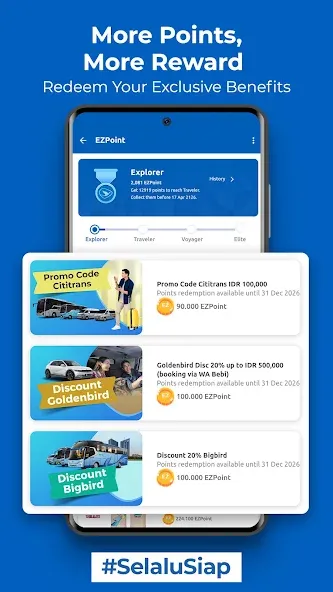
MyBluebird is a navigation and transport app designed to streamline travel. It allows users to easily book taxis, arrange airport transfers, and access various delivery services. With a wide range of vehicle options and payment methods available, the app ensures you can reach your destination quickly without unnecessary waiting. You can view fare estimates and cancel bookings at any time, while the app matches you with the nearest available driver based on your location to save you time. Additionally, frequent use allows you to earn points that can be redeemed for various offers and discounts, making your travel more cost-effective.
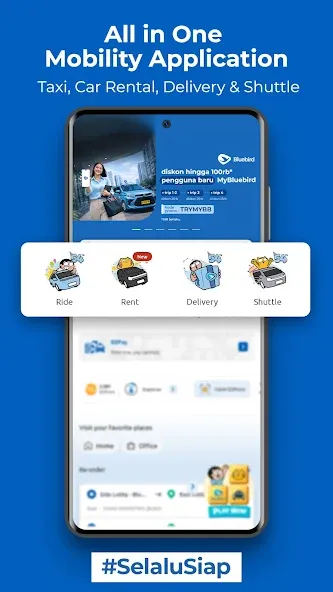
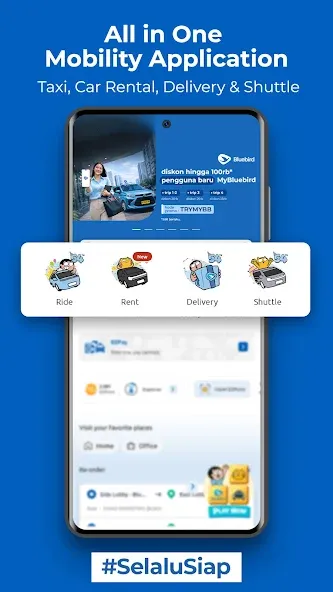
All-in-One Mobility Service: MyBluebird is your online taxi app for booking taxis, executive rides, car rentals, shuttle trips, airport transfers, and package delivery.
Faster Booking with Multi Select Fleet: Select multiple ride options at once and get matched with the nearest available driver more quickly.
Fixed Price: Know your fare upfront before booking, so your trip feels more transparent and worry-free.
Advance Booking: Schedule your ride ahead of time for airport trips, meetings, appointments, or other important plans.
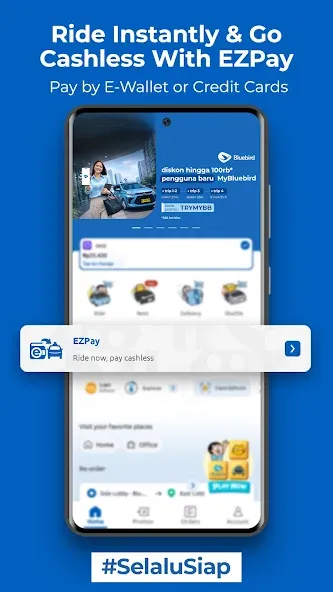
Multiple Payment Options: Pay with cash, QRIS, credit card, eVoucher, Trip Voucher, GoPay, ShopeePay, LinkAja, DANA, i.saku, OVO, and other available payment methods.
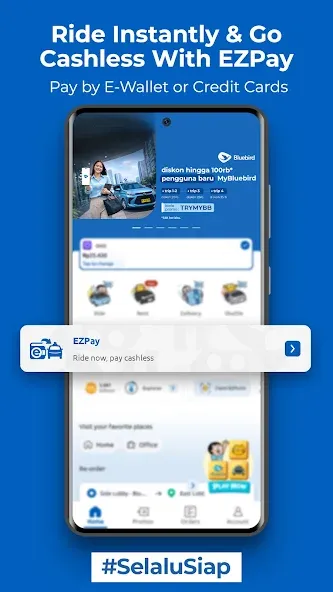
EZPay Cashless Payment: No cash? Don’t worry! Hop in our taxi, and pay cashless even when you are already inside the taxi. Simply enter your taxi number in the MyBluebird app and pay digitally using your preferred payment method.
Communication between passengers and drivers is facilitated through the chat feature in MyBluebird. This enables users to communicate directly with their drivers, making it easier to coordinate pick-up locations or provide specific instructions. Enhanced communication contributes to a smoother experience for both parties involved.
MyBluebird stands out through its focus on user convenience and accessibility. By offering a comprehensive suite of transportation options under one umbrella, it eliminates the need for multiple apps, streamlining the user experience. The combination of ride-hailing, vehicle rentals, and delivery services makes it a practical choice for individuals looking for efficient mobility solutions.
The app's design and functionality reflect a commitment to improving user satisfaction. By continuously updating its features and enhancing usability, MyBluebird aims to meet the evolving needs of its user base. This commitment to improvement is evident in the app's frequent updates and enhancements.
Security is also a priority in the MyBluebird app. Users can feel confident knowing that their payment information is handled securely, and the app incorporates measures to protect user data. This focus on security is essential in today's digital landscape, where users are increasingly concerned about their privacy and data protection.
In addition to its core services, MyBluebird offers a range of support options for users. Whether users have questions about their rides, need assistance with payments, or require help navigating the app, support is readily available to address concerns. This dedicated support ensures that users have a positive experience while using the app.
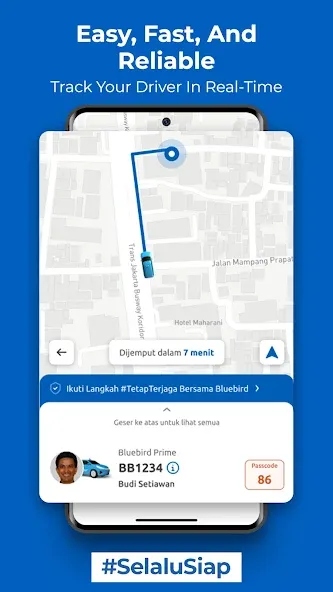
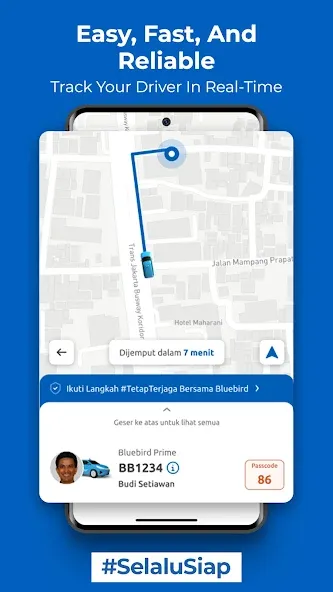
I used this App in Bali. It is up to you regarding credit card payment method. You can leave it blank and still use this App to book a Bluebird Car. It was easy to book a cab (taxi), see the cost, select fixed fare and select pay by cash. When you order a cab, you get the Taxi vehicle number to look for and you can track it. You can also continue to track your drive while you're in the car if you wanted to. These cabs are clean, with great air-conditioning and professional drivers.
Edited and changed rating following excellent customer service response from Bluebird. Having registered earlier, app did not appear to be functioning properly, it would not allow a password reset. This led me to believe my registration had failed, hence the attempt to re-register. In the end the password reset function finally worked and I was able to log in. Great service and thanks for persevering.
Great app to use if you need to find a trusted taxi service. However, please extend the time limit for tipping the driver. The current time limit (15 mins) is too short, since most user need more time - since usually passengers have to do something else after finishing the trip. I recommend 24-72 hours after ride is completed. Thanks.
Bluebird has seriously upped it's game. We avoided them for years, every trip involved standing on the side of a road being quoted 100k - $200k for a 5 min trip. This app is a game changer as now you can get a 'meter taxi' anywhere in Bali, haggle free. Very impressed! Used it all holiday, no more Grab needed. 10/10.
How do I purchase a subscription package?
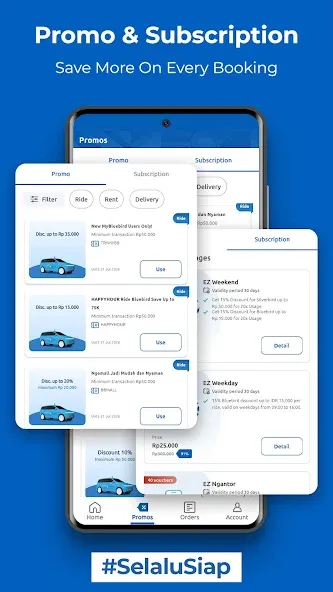
In the application Home section, click the Promo Menu.
In the Subscription section, Click on the available package.
View benefits and terms & conditions. Then click buy.
Select a payment method and click Pay.
View Billing Details for the package that has been purchased.
How do I use the subscription package?
Enter the pick up point and destination point, click continue.
If you have already subscribed, click Order Bluebird.
If you haven't subscribed yet, click the banner to purchase a package.
On the subscription tab in the Promo menu, click on the subscription package you want to purchase.
Can I renew my subscription package?
No, you cannot renew or extend your subscription package because the packages offered are based on purchase.
If you want to continue subscribing, please purchase another available subscription package on the Promo page then click Subscribe.
Can I cancel my subscription package?
No, you cannot cancel a subscription package that you have purchased.
How do I view the subscriptions I have purchased?
After you purchase a subscription package, the appropriate voucher will be immediately attached to the order confirmation page.
Or you can view the subscription package that you have purchased on the Subscriptions page then click My Subscriptions.
Meanwhile, for other subscription packages, you can check your Account then click My Subscriptions.
How do I see expired subscriptions?
You can view expired subscription packages on the History page via the "Account" menu on the MyBluebird Homepage, then selec.
"My Subscriptions" or via the "Promo" menu then select the "Subscriptions" tab and click the Play button.
Discover the MyBluebird App, your essential tool for convenient and efficient mobility. With a sleek, all-new design, MyBluebird grants you a seamless experience as you navigate through its expansive offerings, including Taxi services, Rentals, Delivery, and Shuttle Services, all integrated within one platform. You'll appreciate the flexibility of Multi-Payment options, allowing you to choose between cash or cashless transactions.
Size:117.53MB Version:6.27.1
Requirements:Android 6.0+ Votes:285
Package Name:com.seatech.bluebird Signature:eb5df6c7cac126695ba20cf732784308

These must-have travel apps bring global adventures to your phone, making trip planning effortless and budget-friendly. Compare flights and hotels in seconds, access offline maps and expert city guides, or master key phrases in foreign languages. Read authentic tips from locals to uncover hidden gems before you arrive. Whether you're dreaming up future journeys or navigating current travels, these tools transform wanderlust into reality. With exclusive free premium features, your digital passport to discovery is ready - download now and let your next unforgettable journey begin!
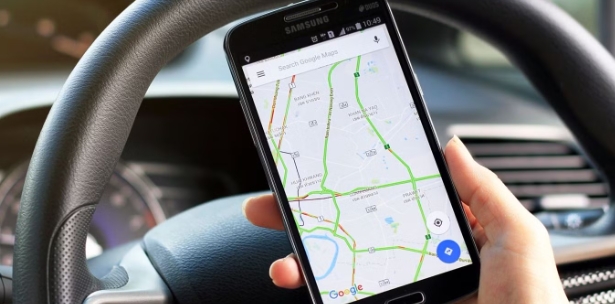
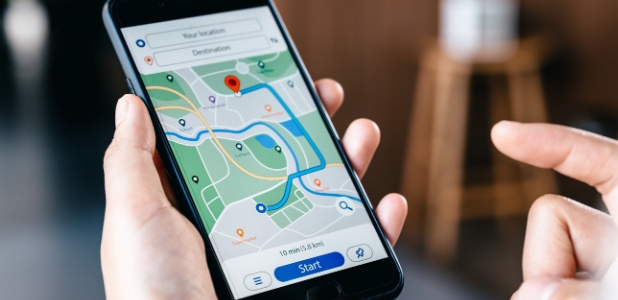
Nowadays, with the popularity of smartphones, navigation software has become an essential tool for people's travel. Among numerous Android mobile navigation software, some are highly regarded for providing users with convenient navigation services. These software not only have accurate positioning functions, but also can update road condition information in real time, providing users with the best driving route. At the same time, they also offer multiple travel options such as walking, public transportation, self driving, etc., and can intelligently plan routes based on user needs. In addition, these navigation software also have voice navigation function, making it convenient for users to obtain navigation guidance at any time while driving. In short, Android mobile navigation software can provide users with comprehensive route planning services, making travel more convenient and safe.
Accurate navigation software can not only help users quickly find their destination, but also assist customers in obtaining real-time traffic information and avoiding congested roads. So which navigation software is the most accurate? In order to help netizens better choose the most accurate navigation software, the editor has compiled a ranking list of navigation apps. Through these navigation apps, users can easily access practical information such as gas stations, restaurants, and parking around their destination, making it easier to plan their daily travel plans. At the same time, these navigation apps also provide accurate route planning and navigation services, allowing users to rely on them with confidence to complete accurate navigation.
About us | Contact us | Privacy policy| DMCA
Copyright © 2026 Xiaohei All rights reserved.