Blackboard is an educational tool designed for both students and teachers. For students, the software saves time by enabling them to submit assignments, check for recent course updates, and view exam results. For teachers, it offers a range of features—such as mass messaging, assignment grading, and group creation—that enhance communication and streamline lesson preparation. The software is continuously updated and optimized, with new practical features regularly introduced to further boost teaching efficiency.
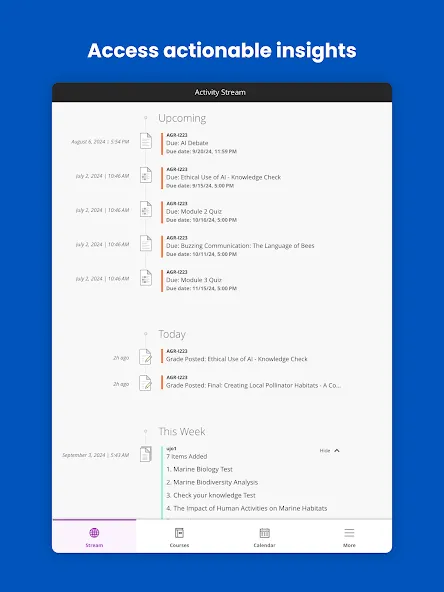
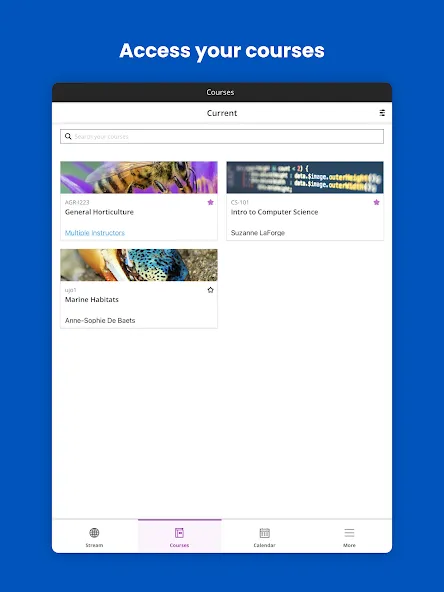
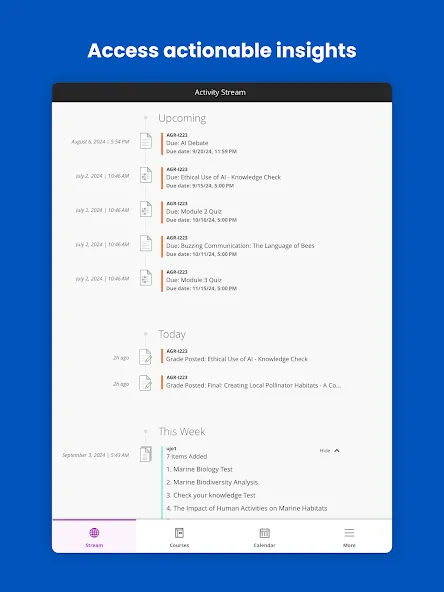
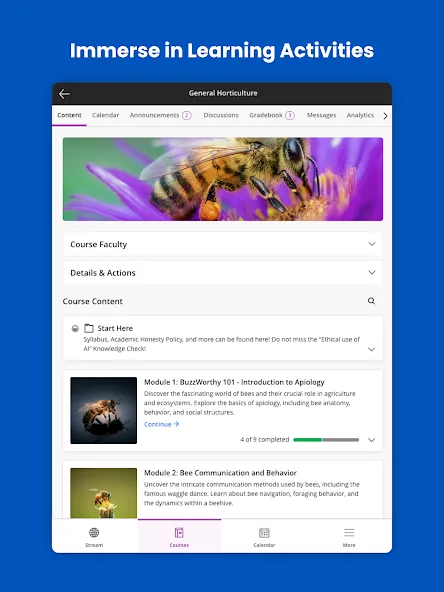
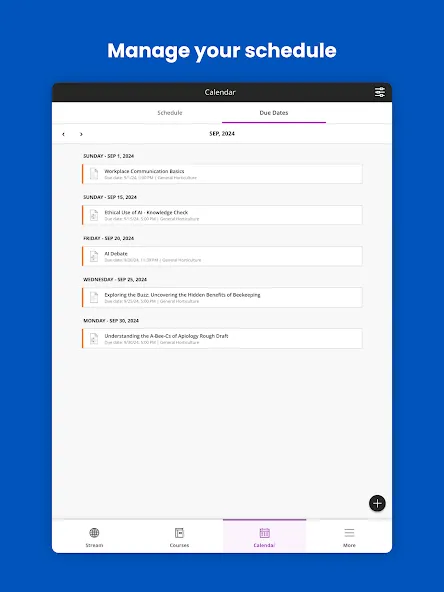
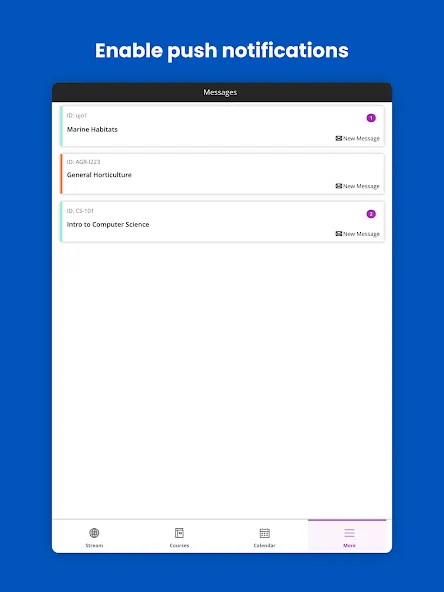
For students, the app offers a range of features designed to keep them informed about their courses. Users can instantly view updates and changes, ensuring they remain aware of any important announcements or modifications. Real-time alerts notify students about due dates and other essential information, helping them stay organized and on track. The app simplifies the process of managing coursework, enabling students to complete and submit assignments directly from their mobile devices. Additionally, students can take tests and track their progress in an accessible manner, making it easier to stay engaged with their studies.
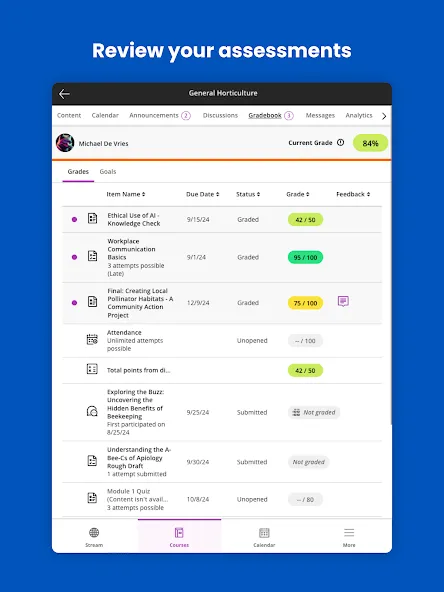
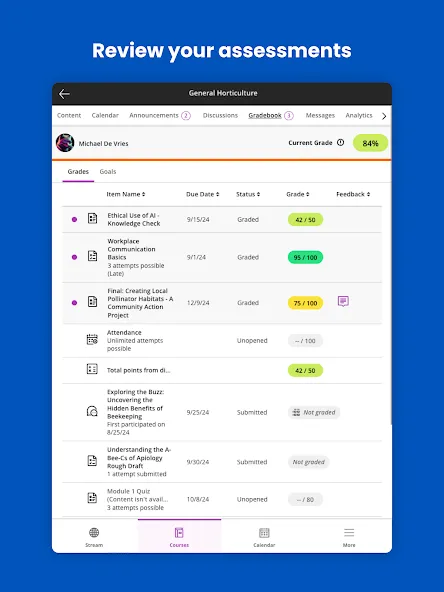
Checking grades is another important function of Blackboard. Students can access their grades for various courses, assignments, and tests with just a few taps on their devices. This feature allows for quick and easy monitoring of academic performance, fostering a sense of accountability in their educational journey. Beyond these essential functions, the app also includes additional features that enhance the overall educational experience.
Instructors benefit from using Blackboard as well. The app streamlines course management, allowing educators to upload and organize course materials and assessments with ease. Timely notifications can be set up to alert instructors when students submit assignments that are ready for grading or when they receive messages from students. This capability ensures that instructors can respond promptly, fostering better communication and engagement with their students.
Grading assignments and providing feedback is made more efficient through the app. Instructors can grade directly from their phones or tablets, making it convenient to manage their workload while on the go. This feature supports a more flexible approach to teaching, allowing educators to stay connected with their courses regardless of their location. Engaging with students is also simplified; instructors can send course announcements, create and manage discussion threads, and interact with student comments effortlessly.
The Blackboard app functions seamlessly in conjunction with an institution’s Blackboard platform, which means that access and features may vary based on the institution's specific settings and software updates. This integration ensures that users can utilize the app effectively without compromising their educational experience.
Another aspect of the app is its ability to support collaborative learning. Students can participate in discussion boards and group projects, facilitating interaction and teamwork among peers. This feature encourages a sense of community within the academic environment, allowing learners to share ideas and resources effectively.
it's a school app, probably depends on how your school sets it up but it works well, some notifications bug out but most apps do so anyways, (people complain too much) it works well, easier than having to use another format (laptop/school computer/website) to check grades.
Overall, this is a really good and useful app. Especially if you just want to check your grade in a class really quick. i was also really surprised at how easily you can take quizzes and tests through the app. The main thing that aggravates me about the app is how many notifications it sends when a professor changes or adds something to the class content or posts an announcement. I wouldn't mind as much if when a notification came through it would only tell you about it once.
I like being able to check my grades and participate in discussion boards from the app, as opposed to getting on my PC. It is convenient and well put together. I've been using it for almost 2 months with no glitches or crashes. I have only had to log in a couple times. Not sure what everyone below me is complaining about lol.
The app made it easier to keep track of due dates, view feedback, and check for announcements without having to get out my big laptop every time. It definitely helped me to be more efficient while working and going to school. I never had any technical issues with the app, it worked perfectly for me.
How do I self-enroll in a course?
If self-enrollment is enabled by your system administrator, an instructor can allow you to self-enroll in their course.An instructor needs to send you a URL link copied from the course. If you are not already enrolled in the course, select the link and it will open the self-enrollment page. All you need to do is select Submit.If an access code is required, your instructor needs to send that code with the link. Enter the access code before selecting Submit.
I can't find or open content in my course?
Contact your instructor. Your instructor controls the availability of tests, assignments, and other content. Sometimes your instructor has put conditions on the release of content. For example, you might have to mark a lecture as reviewed before you can access an assignment.
How do I find my course?
From the list where your name appears, you can view a list of your courses.On the Courses page, you can access all of your courses. You may be enrolled in some courses with the Ultra Course View and others with the Original Course View.Each course card lists the course ID, course title, and instructor. If your course has multiple instructors, select Multiple Instructors for a list. Select More info to see the description and schedule, if added.
Can I customize my course list?
No, you can't change the order of courses in the list. Courses are listed in alphabetical order and grouped by term.If you access a course frequently, you can select the star icon to add it to your favorites so it appears at the top of your course list. No more scrolling! You can select the star icon again to remove a course from your favorites when you're done working in it often.
What are alternative file formats?
Your institution controls which tools are available.If your institution uses Anthology Ally, instructors can use the tool to help ensure course content is accessible to every student.After your instructor attaches files to a course, Ally creates alternative formats of the file based on the original. For example, if the original file is a PDF, Ally creates audio, electronic braille, and ePub formats of the same content. These formats are made available with the original file so everything is in one convenient location.Find a file in your course. Select the Alternative Formats download icon. Choose the version that is best for your needs! Select Download to save the alternative format to your device.
Blackboard is an app that aims to help students enjoy a custom virtual profile at school. If your school uses this system and you want to enjoy all of its advantages, then download the app to easily check out all the information related to your academic profile.
Size:65.55MB Version:11.7.1
Requirements:Android Votes:160
Package Name:com.blackboard.android.bbstudent Signature:b77a5e43020054aee32d27fadccc2f2e
Educational software are emerging in an endless stream on the market, so which one can stand out? It should not only be simple and convenient to use but also helpful for our study. Below, Xiaohei.com brings you a very comprehensive and practical summary of educational software downloads. Come and download it, there is always one that suits you.
About us | Contact us | Privacy policy| DMCA
Copyright © 2026 Xiaohei All rights reserved.