MetaTrader 5 is a trading platform designed for financial enthusiasts. It provides users with real-time price updates and the latest news for a wide range of stocks and currencies, alongside financial analysis tools and reports to help them make well-informed financial decisions. The software’s tools enable precise analysis of price fluctuations across various timeframes and the evaluation of strategies based on different theoretical frameworks. Furthermore, a built-in demo account feature allows users to practice these techniques and apply them to their actual trading. Security is also a top priority; the platform rigorously protects users' trading records and private data, ensuring a secure and worry-free experience.
MetaTrader 5 is packed with features that help investors and traders make more informed decisions and improve their strategies. Whether you prefer manual trading, technical analysis, or automated trading, MetaTrader 5 has tools for every approach.
Flexible Trading System: MetaTrader 5 supports different trading strategies and objectives, from scalping small minor price movements to long-term investments. It offers two order accounting systems .netting (for exchange markets) and hedging (for forex). With market depth, multiple order types, and one-click trading, execution is smooth and efficient.
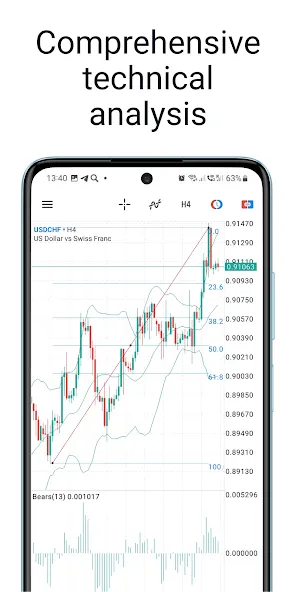
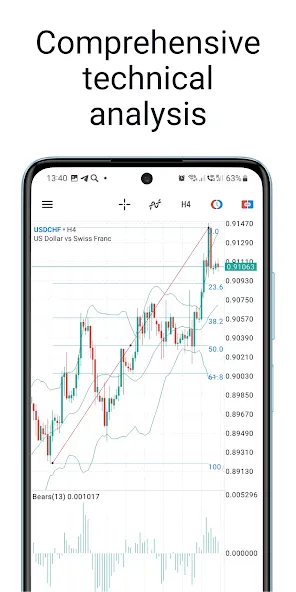
Professional Technical Analysis: MetaTrader 5 provides advanced analytical tools, including multiple timeframes, a great variety of built-in technical indicators, and customizable charting options. Traders can analyze trends, set up alerts, and use tools like Fibonacci retracements or Bollinger Bands to adjust and improve their strategy.
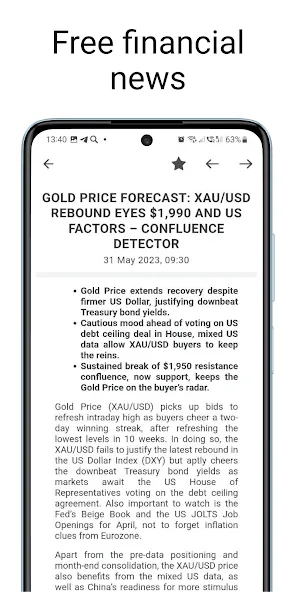
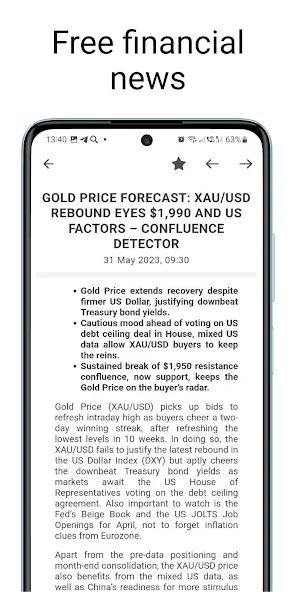
Fundamental Analysis: For those traders who base their strategies on real-world events, MetaTrader 5 integrates financial news, political events, and an overall economic calendar. These instruments help traders stay informed and anticipate market movements by tracking global events, interest rate decisions, and corporate reports.
Copy Trading: Want to follow expert traders? MetaTrader 5 allows signal subscription, letting you copy trading strategies from successful professionals. You simply need to subscribe to a signal, and your account will automatically replicate their trades, adjusting to your risk level.
Algorithmic Trading: MetaTrader 5 comes with automated trading capabilities using trading robots and trading algorithms. With the MQL5 language, traders can create custom scripts or choose from ready-made algorithmic trading applications to execute trades without manual input.
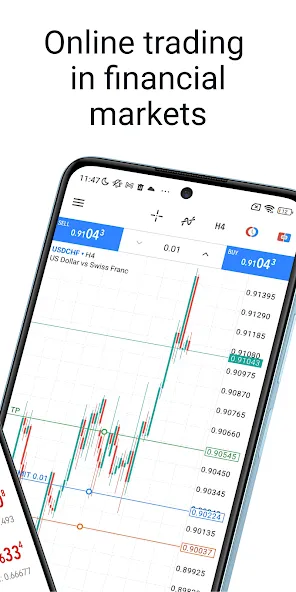
Algorithmic Trading Strategies: Algorithmic Trading Strategies have become one of the most popular ones, especially in the digital age. MetaTrader 5 also makes room for such trading via the use of Expert Advisors (EAs). Traders use these EAs based on a certain group of instructions regarding the placement of a trade. Such instructions are offered based on timing, quantity, price, or any other mathematical model.Traders need to make sure that these instructions and parameters are met, with MetaTrader 5 being the perfect tool for testing EAs with the help of its built-in Strategy Tester. It tests an EA’s efficiency and detects the ideal input parameters before traders can run the EA on their actual account. MetaTrader 5’s Strategy Tester operates on previous quotes regarding assets, stocks, and currencies.
Day Trading Strategies: It’s one of the most common strategies in this day and age, with both novice and professional traders using it. While it might seem challenging, you can easily learn the techniques to apply them until you master them. Traders need to choose the markets they wish to trade on, as well as the timeframe they’ll be focusing on. Choose a timeframe that works for your availability.You’ll also need to narrow down the indicators that’ll work best for you by focusing on mastering one or two Day Trading Strategies. Once that’s done, you can easily move on to the next one. Try not to overwhelm yourself by taking on more than you can manage. You can further break down Day Trading into different components, including Scalping, Daily Pivots, and Momentum.
Swing Trading Strategies: Compared to day trading strategies, swing trading strategies are simpler and use various technical indicators. MetaTrader 5 offers several built-in indicators, which can be accessed by downloading them from the Market, the Code Base, and the Freelance Service. Swing traders can also use an intermediate timeframe to identify different market trends and open positions.You can use this strategy to open a position or a trade once the trend “swings” upwards and sell or close it once it moves downwards. Some of the most common examples of swing trading strategies include Mean Reversion and Momentum Swing. The former allows players to take the swinging too far in any direction to determine the best time to either open or close positions.
it's the best platform for me only have some recommendations... it will be great if one can see the number of his running open trades display just like the profit/loss...also if option like close half the profit or quarter will be available in the close trade section will be cool... and also an interfsce that may allow one to set TP and SL to multiple positions at once...it automate things and made them easier just as u are correctly doing keep it up.
It comes with a feature to close all positions with one click and all profits with one click. However, does not show commissions on open positions, which compels a trader to look up commissions from closed orders. This is a slight downgrade from MT4. Many other useful features integrated.
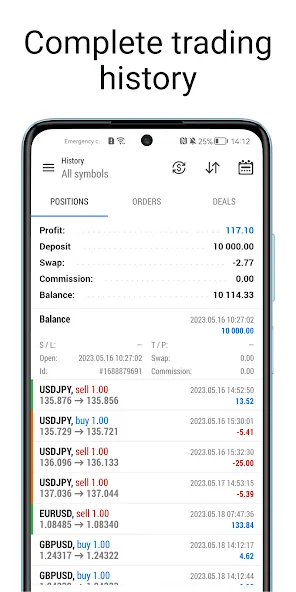
very good app. I must say it's one of the top leading trading apps. But I will strongly recommend you guys to have a section for detailed trade history and statistics just like the trendo trading app, so that traders can easily access their performance properly within the app, especially those testing a strategy . I would really like the app to have everything necessary for a trader to be equipped, both trading calendars , because I can't see them in the app on my android phone.
I'm rating you 5 stars because you're the best I have used so far, but a new feature was added, and I don't know if this was requested by users by I don't like the fact that my PNL is displayed on the trade icon, I don't like it. if my voice counts please remove it! By the way, I really love the app, it's great and everything is on point!!!! Kudos to the developers and team members!
Is MetaTrader 5 completely free?
MetaTrader 5 is generally free to download and use on desktop, web, and mobile. The core platform includes charts, technical indicators, demo accounts, order tools, algorithmic trading, and broker connectivity with no licence fee. When trading on a live account, normal trading costs may apply, depending on the broker and account type. These may include spreads, commissions, overnight financing charges (swaps), and other fees such as currency conversion or withdrawal charges.Additional third-party services and tools, including paid indicators, Expert Advisors (EAs), trading signals, and VPS hosting services, may also involve separate costs.
Can I buy XRP on MetaTrader 5?
MetaTrader 5 can provide access to XRP trading if it is offered by the broker connected to the platform. MetaTrader 5 is a multi-asset platform that trades through connected brokers, so XRP availability depends on the broker's product list, account type, and local regulations. In most cases you access XRP as a crypto CFD, which means you speculate on its price movement without owning or withdrawing actual XRP to a wallet.
How many demo accounts can you open in MetaTrader 5?
You can open multiple demo accounts in MetaTrader 5, though the practical limit depends on the broker, server rules, and your computer's performance. MetaTrader 5 stores several demo accounts in the Navigator window, and you switch between them by logging in with the right server, login ID, and password. A single MetaTrader 5 terminal runs one active account at a time, so to run several demos at once you need separate MetaTrader 5 installations or multiple terminal instances. Some brokers also cap how many demo accounts one email or profile can open.
How safe is MetaTrader 5?
MetaTrader 5 is generally safe as a platform, because it uses encrypted data transmission and is widely used by brokers for forex, CFD, and multi-asset trading. MetaTrader 5 is only the software, though, so your account safety depends mainly on the broker that holds your funds, provides market access, and executes your trades. Use MetaTrader 5 only through a regulated broker, avoid any platform promising guaranteed profits, and verify the broker's licence before you deposit.
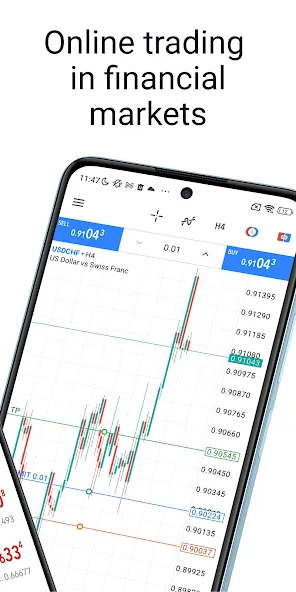
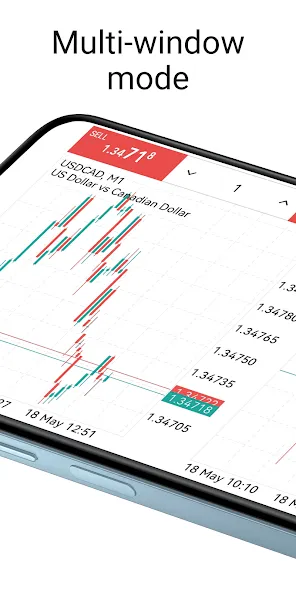
The MetaTrader 5 trading system offers an advanced Market Depth feature (with a tick chart and Time & Sales information), a separate accounting of orders and trades, the support of all types of trading orders and execution modes. With the One Click Trading function and the Market Depth option, users can buy and sell currency pairs, equities and futures with just one click. The Stop Loss and Take Profit options are designed to help secure profits and minimize losses.
Size:37.14MB Version:500.6002
Requirements:Android Votes:246
Package Name:net.metaquotes.metatrader5 Signature:cb66b4650b290ce460897a2cf7140239
This page brings together a variety of trusted real-money earning apps where users can participate in online betting and stand a chance to win cash rewards. Whether you're looking to place sports bets, try your luck with casino games, or join fantasy leagues, these platforms offer a seamless and engaging experience—all from your mobile device. Get started today and turn your predictions into profits!
We’ve done the research to bring you our list of the best crypto apps of 2024, including the best apps to buy crypto, trade, exchange, and store crypto. In the fast-evolving landscape of digital finance, cryptocurrency has emerged as a transformative force, reshaping the way we think about money and investment. As we venture into 2024, the world of cryptocurrencies continues to capture the imagination of investors, tech enthusiasts, and financial innovators alike. With an ever-expanding array of cryptocurrencies and blockchain technologies, staying informed and effectively managing your digital assets has never been more crucial. To help you navigate this dynamic space, we present a comprehensive guide to the best crypto apps and exchanges of 2024.
Money may not be everything, but it is undeniably crucial in life. This well-known saying resonates deeply with many, often striking a chord because of its painful truth. The reality is, in order to achieve our dreams and aspirations, financial stability often becomes a necessity. Whether it's pursuing a passion, starting a business, or simply living comfortably, money plays a pivotal role in making these goals attainable. So, what's the solution? The only path forward is to dedicate ourselves to hard work and earn the money needed to fulfill our dreams. Through perseverance, determination, and effort, we can overcome financial obstacles and pave the way toward a brighter future.
About us | Contact us | Privacy policy| DMCA
Copyright © 2026 Xiaohei All rights reserved.