Android System WebView Dev is a tool designed for mobile devices. By utilizing the same engine as Google’s own, it not only enhances device security but also improves overall system fluidity, ensuring a more comfortable user experience. The software includes built-in developer options, allowing users to customize various aspects of their device—such as browser settings and image rendering—to suit their specific needs. It boasts excellent compatibility, functioning on the vast majority of Android devices, and gives users full control to revoke permissions at any time, ensuring a secure and worry-free experience.
Enhanced Security Protocols: Security remains a top priority for this utility as it regularly receives updates to patch vulnerabilities and protect user data. By leveraging the same engine as Google Chrome, Android System WebView Dev robust defenses against malicious websites and phishing attempts during active sessions. These frequent background updates ensure that even older devices remain protected against modern web threats, maintaining a safe environment for handling sensitive information within various digital tools.
Optimized Memory Usage: Instead of running a full-scale browser for every web-related task, this engine shares resources efficiently to preserve system performance. It allows developers to implement complex web features without bloating their own software, which significantly reduces the overall footprint on the device storage. This resource management ensures that multitasking remains fluid and that the device battery is not drained by redundant background processes while browsing content inside other utilities.
Improved Rendering Speed: The underlying technology focuses on high-speed data processing to ensure that complex scripts and high-resolution images load without delay. Users benefit from hardware acceleration that makes scrolling through media-rich pages feel incredibly smooth and responsive. This efficiency is particularly noticeable in productivity suites and e-commerce platforms where quick access to web-based information is critical for a satisfactory and productive digital experience.
Developer Customization Options: This tool provides a flexible framework that allows creators to tailor how web content interacts with their unique software environment. They can modify headers, inject scripts, or even handle specific navigation requests to create a deeply integrated workflow. By using Android System WebView, developers can maintain full control over the browsing journey, ensuring that the embedded content aligns perfectly with their brand identity and functional requirements.

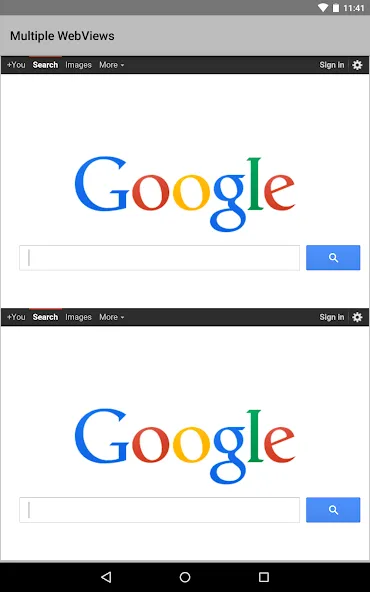
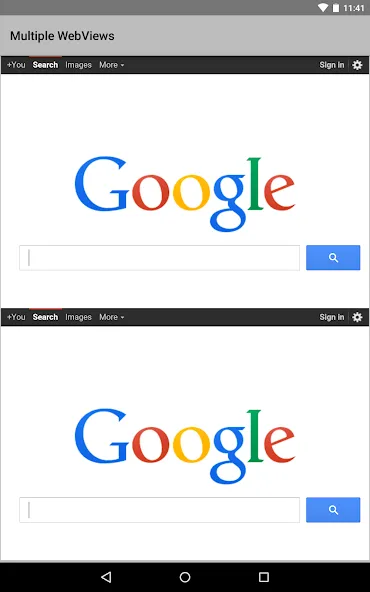
Enable Highlight WebViews: Toggle the highlight flag inside Android System WebView Dev settings to tint active web views yellow for easy visual verification.
Reset Experimental Flags: Tap the reset button whenever custom flags cause unexpected application crashes during testing sessions.
Monitor Memory Usage: Inspect real-time memory graphs frequently to identify memory leaks within embedded web pages.
Test Offline Rendering: Disconnect network access periodically to test how your web views handle lost internet connectivity.
Utilize Crash Reporting: Review diagnostic crash logs immediately after unexpected application closures to isolate broken script code.
Verify Active Provider: Check system settings after device reboots to confirm your chosen testing provider remains actively selected.
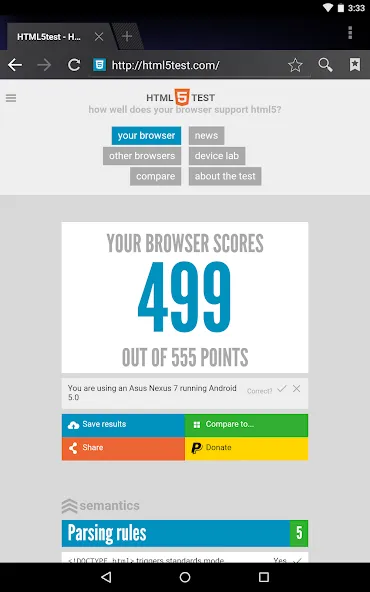
The browser engine is an essential, foundational component for the Android operating system. For users in China, it is generally not recommended to update it too frequently. Given the software development landscape in mainland China—where Android systems are often heavily customized by manufacturers—frequent updates can lead to compatibility issues. If software developers haven't optimized their apps for the latest version of this component, it may cause apps to crash, malfunction, or display content incorrectly. The primary purpose of this component is to allow apps to render web content internally, effectively embedding a browser so that users don't have to switch to an external, standalone browser app. This also helps keep app file sizes smaller and saves storage space. However, due to the specific nature of the software ecosystem in mainland China, many apps prefer to bundle their own browser engines; for instance, QQ and WeChat utilize Tencent’s "X5" engine.
While Google manages the "Google suite" (GMS) for stock Android, customized Android versions in China are managed by the respective device manufacturers. This often results in compatibility issues with apps released directly by Google—for example, the version of Chrome available on the Play Store might experience lag or freeze on these customized systems. As another example, ColorOS comes with Google services pre-installed (missing only the Play Store itself), meaning you only need to install the Play Store app to sign in and use everything normally. Conversely, some other devices—such as those from Nubia—are more restrictive; they have removed all Google services and modified the system in a way that prevents many apps from functioning, even if you manage to install them.
If you are a casual user living in China, it is best not to update this component unnecessarily. If you live abroad, however, you should go ahead and update it—even if you are using a Chinese-market version of the Android system. Furthermore, if you have spent time living overseas and rely on the Play Store for your apps, keeping it updated is even more important, as it ensures a smoother experience. That said, not updating it won't necessarily ruin your experience either.
I’m not sure what those leaving negative reviews are thinking. This component essentially serves as the web framework for the Android system, used by countless apps to display web content—it is a critical piece of software that absolutely needs to be updated. If you think you can do better, go ahead and build your own framework—or try gaining root access to uninstall it, and see how well your phone works afterward.
Android System WebView Dev is a system program that provides faster and easier web experience—without which, opening external links within an app will be so much hassle. It comes pre-installed and runs without user interaction. However, it requires frequent updates to avoid hackers from exploiting any vulnerabilities.
Size:251.24MB Version:157.0.8092.0
Requirements:Android Votes:340
Package Name:com.google.android.webview.dev Signature:29336c86468730b0bc00e970a42544c5

Utility apps are indispensable in our lives, making our daily routines more convenient. To help you find these apps more easily, this site has created a collection. This collection brings together a series of practical tools covering various aspects of life, work, and education, meeting all your needs. What are you waiting for? Try these apps now and make your life easier!
Transform your mobile device into a powerhouse of efficiency with these handpicked essential tools. Whether you need professional-grade photo editing, seamless file organization, smart task management, or real-time weather updates, our curated selection of premium apps delivers unbeatable performance. Streamline your daily routine, automate repetitive tasks, and boost your productivity with intuitive interfaces and powerful features. Designed for both professionals and casual users, these editor-approved applications will revolutionize how you work and play. Don't settle for an ordinary phone - upgrade your digital experience today and unlock your device's full potential!
About us | Contact us | Privacy policy| DMCA
Copyright © 2026 Xiaohei All rights reserved.