ApowerMirror is a highly effective screen-mirroring tool that allows users to cast the screens of various devices onto a TV, computer, or other displays. The software excels in its attention to visual detail, and users can opt for a wired (USB) connection to ensure even greater stability for both video and audio. Furthermore, the application supports game streaming to computers or TVs; by using a game controller, you can enjoy an immersive gaming experience on a large screen. ApowerMirror also supports the simultaneous mirroring of multiple devices, offering a comprehensive solution for a wide range of use cases.
High-Quality Mirroring with Audio
ApowerMirror enables you to mirror the screen of your Android or iOS device to a PC, Mac, or smart TV, with full support for audio output. You can connect via Wi-Fi or use a USB cable for a more stable connection. The software supports full-screen viewing and is optimized for videos, educational lessons, and app demonstrations, ensuring a smooth visual experience.
Control Android Devices from Your Computer
Once paired, you can use your computer’s keyboard and mouse to interact with Android apps. This is particularly useful for typing long messages, managing applications, or testing layouts. For gamers, the software’s virtual key-mapping feature allows you to assign controls, enabling you to play games without the need for an emulator—preserving the authentic experience of using your phone.
Cross-Network Sharing with AirCast
ApowerMirror facilitates screen mirroring even when devices are not on the same network. This is ideal for remote support, online presentations, or quick collaboration. As long as there is a stable internet connection, you can share your screen with clients or team members without requiring any changes to their local network settings.
Mirror Up to Four Devices Simultaneously
ApowerMirror allows you to display the screens of up to four phones or tablets on a single computer monitor at the same time. This is highly practical for educators, trainers, and presenters who need to compare applications or showcase multiple perspectives. You can arrange the screens to suit the needs of your class, meeting, or live stream, ensuring the focus remains on what matters most.
Built-in Tools and Convenient Streaming
The application includes features such as screen capture, desktop screen recording, and a whiteboard tool for quick annotations. You can also stream your mirrored screen to platforms like OBS Studio or Zoom, making it easy to create tutorials or host webinars. In addition, it supports screen mirroring between mobile phones and tablets, as well as casting your computer screen to your phone, allowing for quick viewing and access from anywhere.
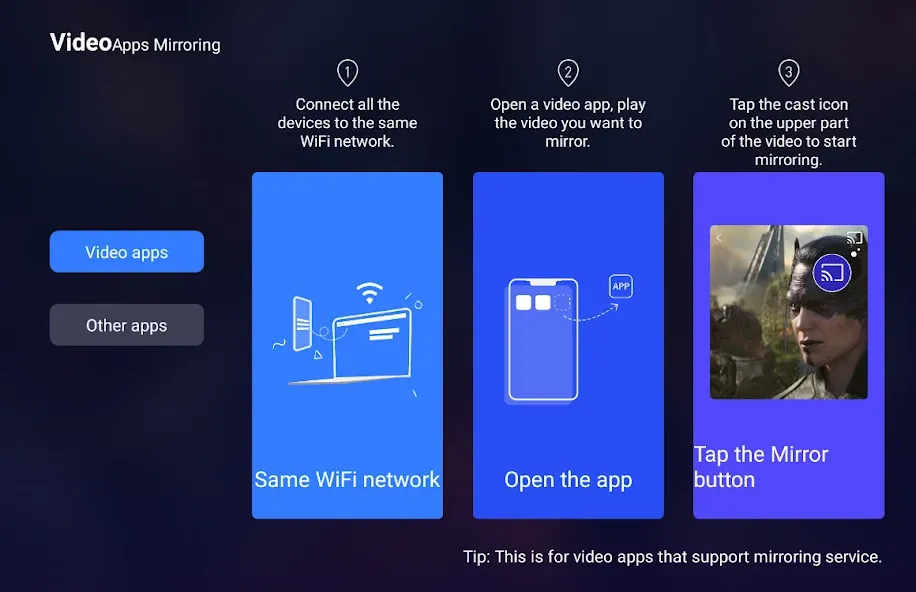
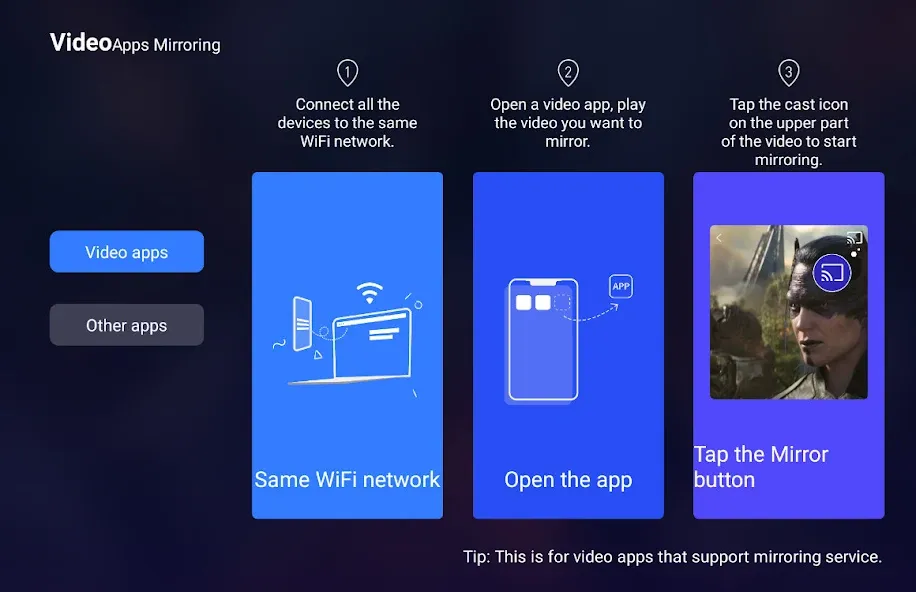
First, connect your phone and the target device to the same Wi-Fi network, or prepare a USB cable if you intend to use a wired connection.
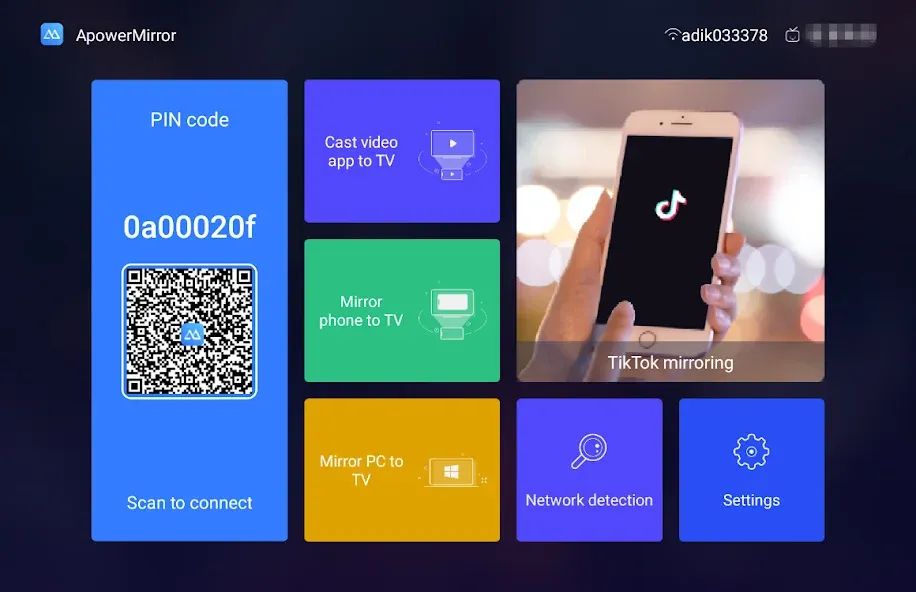
Next, open the ApowerMirror app on your phone. If you plan to mirror your screen to a computer, ensure the desktop application is running. If you plan to mirror to a TV, open the TV receiver app, or enable DLNA or AirPlay as needed.
Then, tap the mirroring button on your phone and select your computer, TV, or other target device from the list that appears.
Grant the necessary permissions for screen casting and notifications when prompted. If you wish to control your Android device from your computer, please enable the required accessibility permissions.
Finally, start the mirroring process and switch to full-screen mode on the target device. You can also record your screen from the desktop, launch live-streaming software, or configure key mapping for mobile games.
Pros:
Control Android devices from a PC or Mac using a mouse and keyboard.
Manage files, perform backups, handle notifications, and record your screen.
Cast your screen to computers, mobile devices, and compatible TVs.
Supports OBS Studio, Zoom, AirCast, and simultaneous mirroring for up to four devices.
Cons:
The trial version reportedly includes limitations such as watermarks and the inability to view content in full-screen mode.
Some users have reported unstable Wi-Fi pairing.
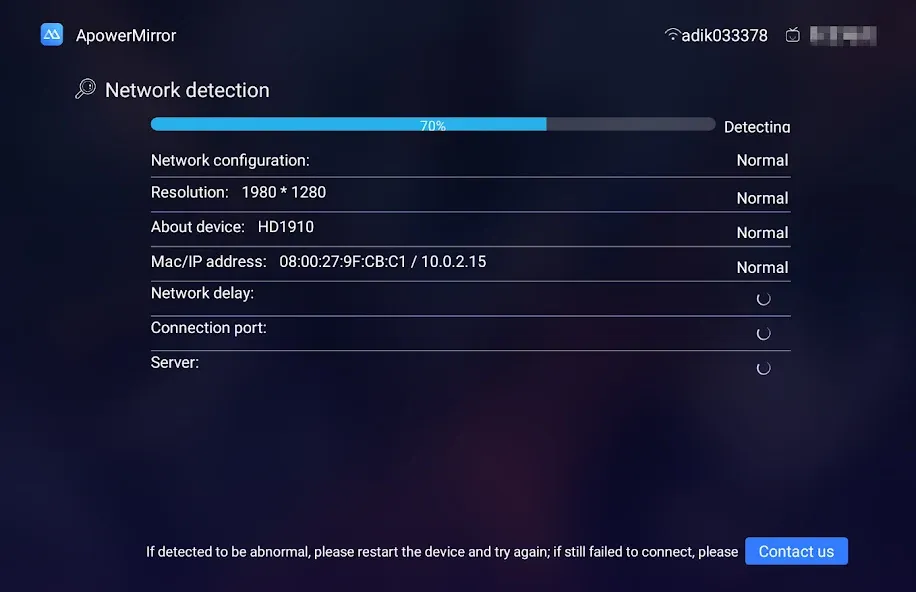
ApowerMirror is a comprehensive screen-mirroring application that enables seamless connectivity between devices. Its user-friendly interface makes operation simple and convenient, catering to users of all skill levels. With stable performance, it ensures that the screens of phones or tablets can be smoothly mirrored onto a computer or TV—perfect for sharing content or playing mobile games on a larger display. Additionally, the app includes screen recording and screenshot features, further enhancing its utility. Do note, however, that occasional lag or latency may occur depending on your network connection. Overall, ApowerMirror is a reliable tool that offers efficient device mirroring and an enhanced user experience.
It’s quite strange to see an app with only one-star or five-star reviews—it makes me think some people might just not know how to set it up properly. I got ApowerMirror working on my first try, with no issues at all. I use it to display scripture verses and notes during the sermon portion of our church’s live-streamed services. The whole process—from locating the app in OBS to configuring the settings—took less than ten minutes. My only complaint is that when using third-party software, multiple log entries with the same label appear, so you have to guess which one is the right one. That said, 99% of users probably won’t run into this, as they likely won’t be using it for live streaming. The latency is practically negligible, which is fantastic! It works really well!
Finally found an app that allows for screen mirroring via a hotspot connection!!! It even supports two-way mirroring—highly recommended!!!
ApowerMirror is a versatile mobile screen-sharing tool designed for users who want to mirror, record, control, or present content from their mobile devices onto a larger screen. With features like multi-device viewing, remote control for Android, AirCast, and built-in capture tools, it offers far more functionality than a basic screen-mirroring app.
Size:47.19MB Version:1.8.34
Requirements:Android Votes:410
Package Name:com.apowersoft.mirror Signature:1572eebdd729066b4a9229b0aacda044
Utility apps are indispensable in our lives, making our daily routines more convenient. To help you find these apps more easily, this site has created a collection. This collection brings together a series of practical tools covering various aspects of life, work, and education, meeting all your needs. What are you waiting for? Try these apps now and make your life easier!
Transform your mobile device into a powerhouse of efficiency with these handpicked essential tools. Whether you need professional-grade photo editing, seamless file organization, smart task management, or real-time weather updates, our curated selection of premium apps delivers unbeatable performance. Streamline your daily routine, automate repetitive tasks, and boost your productivity with intuitive interfaces and powerful features. Designed for both professionals and casual users, these editor-approved applications will revolutionize how you work and play. Don't settle for an ordinary phone - upgrade your digital experience today and unlock your device's full potential!
With the development of mobile hardware and software, many practical tool software have emerged, covering a wide range of aspects and becoming a good helper for everyone in work and life. Today, the editor provides you with a list of useful tool software downloads. These tools are not particularly complex types, and after reading them, everyone can quickly learn how to use them. Proper use can bring great convenience to life and work.
About us | Contact us | Privacy policy| DMCA
Copyright © 2026 Xiaohei All rights reserved.