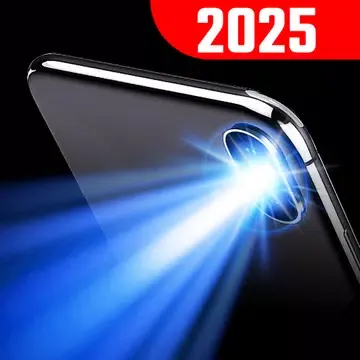
Flashlight is a convenient utility app designed specifically for Android devices. This app offers a simple and intuitive interface that instantly turns your smartphone into a powerful flashlight, making it a helpful assistant whether you're camping under the night sky or dealing with emergencies during a power outage. With Flashlight, users can instantly turn on the light source next to their phone's rear camera with a simple tap, providing powerful illumination in dark environments. In addition to bright white light, it also offers a variety of vibrant color options to create a unique and personalized lighting experience for you.
Bright LED Light: FLASHLIGHT PRO provides the brightest light to illuminate your surroundings in the darkest moments.
Multiple Light Modes: With 9 different light modes, you can customize the brightness and flashing speed according to your needs.
Compass & Map: In addition to being a flashlight, this app also includes a compass and map feature to help you navigate in unfamiliar surroundings.
SOS Mode: The app has an SOS mode that allows you to send Morse code signals in case of an emergency.
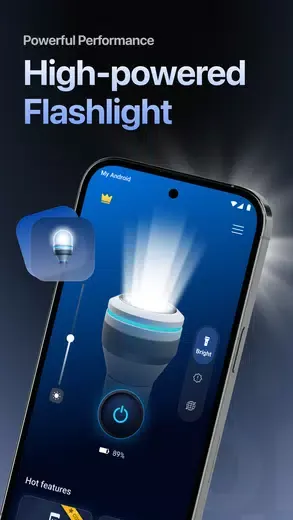
Ultra-Bright Flashlight Performance
Turn your phone into a powerful LED flashlight with just one tap. LumiTorch delivers bright, stable illumination instantly, helping you see clearly in dark environments. Whether you're indoors, outdoors, or facing a power outage, the flashlight is always ready when you need it.
Simple & Easy to Use
Designed with a clean and intuitive interface, LumiTorch lets anyone access the flashlight quickly. Turn the flashlight on or off effortlessly, switch between features in seconds, and enjoy a smooth experience without complicated settings.
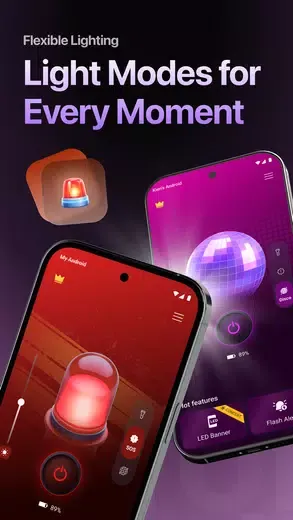
Multiple Lighting Modes
Choose the perfect mode for every situation. Switch between Bright Flashlight, SOS Mode, and Disco Mode instantly. Whether you need everyday lighting, emergency signaling, or fun party effects, LumiTorch adapts to your needs.
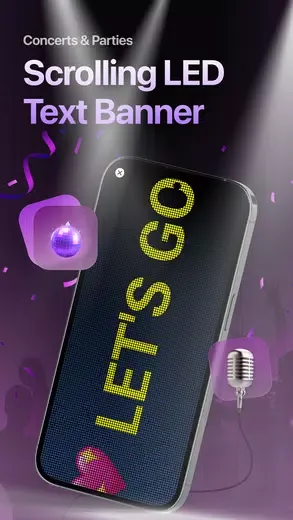
LED Text Banner
Create scrolling LED text messages directly on your screen. Customize text, colors, speed, and brightness to make your messages stand out. Perfect for concerts, parties, airports, sporting events, cheering, or expressing yourself in a fun and creative way.
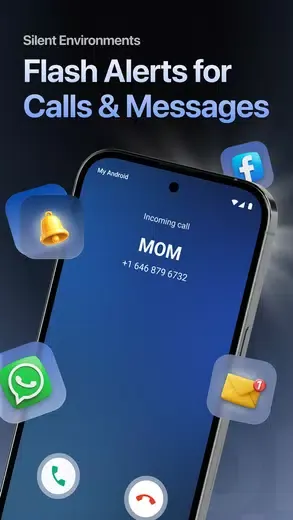
Flash Alert for Calls, Messages & Notifications
Never miss important calls, SMS, or app notifications. LumiTorch flashes your camera LED whenever calls or notifications arrive, making it ideal for meetings, classrooms, hospitals, libraries, or any environment where your phone stays silent.
Shake Flash
Turn on your flashlight with a simple shake. Advanced motion detection recognizes device movement and activates the flashlight instantly, delivering a fast, reliable, and effortless experience whenever you need light quickly.
Screen Light
No camera flash? No problem. Use Screen Light as an alternative light source on devices without LED flash, or as a soft light for reading, selfies, photography, or close-range illumination.
Custom Vibration & Sound
Personalize your flashlight with optional vibration and sound effects when turning it on or off. Adjust feedback settings to make operation easier to recognize, even without looking at your screen.
Customize Your Lighting: Experiment with the different lighting options available in the app to find the one that best suits your needs.
Use the Compass Feature: Take advantage of the compass and map feature to help you navigate your surroundings, especially when out in the wilderness.
Practice Morse Code: Familiarize yourself with Morse code so you can effectively use the SOS feature in case of an emergency.
Is Flashlight easy to use?
Yes, the app has an intuitive interface and can be activated with just one tap.
Can I customize the brightness of the flashlight?
Yes, you can choose from 9 different light modes to adjust the brightness and flashing speed.
Does Flashlight require an internet connection?
No, the app does not need internet access to function.
With Flashlight, you can enjoy the convenience of having a powerful and versatile flashlight right on your phone. Whether you need light in the dark, want to send SOS signals in emergencies, or simply want to adjust the brightness for different activities, Flashlight has you covered. With its user-friendly interface, energy-saving features, and compatibility with most mobile devices, Flashlight is the perfect app to light up your life whenever you need it.
Size:18.66MB Version:3.4.6
Requirements:Android 10.0+ Price:Free
Package Name:com.eco.flashlight Signature:df4f258e9eaeb5fe6043f0f4f29f4b7d
Utility apps are indispensable in our lives, making our daily routines more convenient. To help you find these apps more easily, this site has created a collection. This collection brings together a series of practical tools covering various aspects of life, work, and education, meeting all your needs. What are you waiting for? Try these apps now and make your life easier!
With the development of mobile hardware and software, many practical tool software have emerged, covering a wide range of aspects and becoming a good helper for everyone in work and life. Today, the editor provides you with a list of useful tool software downloads. These tools are not particularly complex types, and after reading them, everyone can quickly learn how to use them. Proper use can bring great convenience to life and work.
About us | Contact us | Privacy policy| DMCA
Copyright © 2026 Xiaohei All rights reserved.