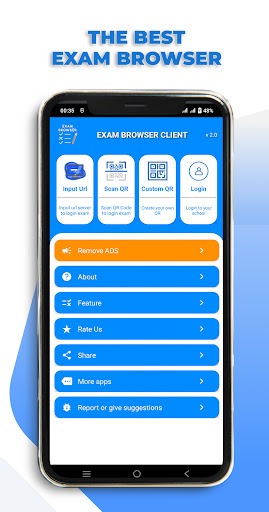
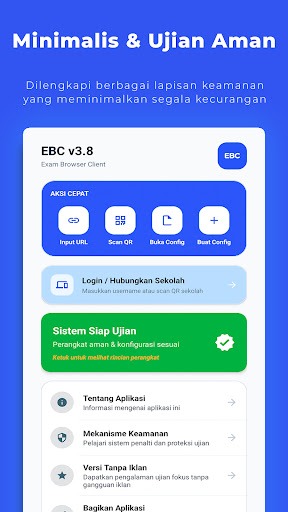
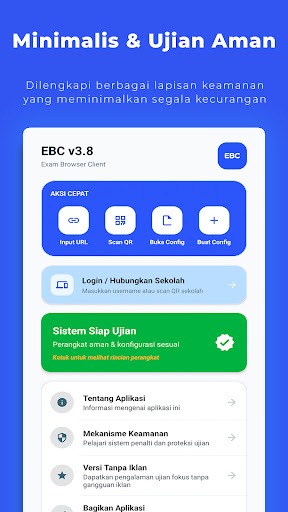
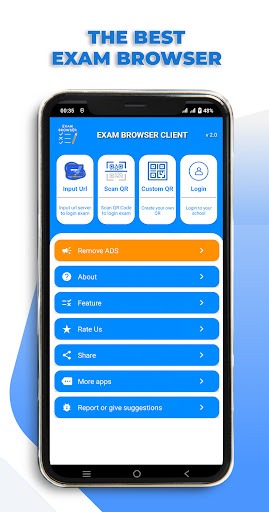
EXAM BROWSER CLIENT is an examination software designed for the Android operating system. It is highly suitable for use by educators, offering three distinct methods for students to access exams. Students can enter an exam by inputting a specific URL; the application restricts actions such as taking screenshots, screen recording, or exiting the app, ensuring the integrity and standardized conduct of the examination. Alternatively, teachers can provide a QR code, which students simply scan to enter the exam system—a method that streamlines the entire process. The software also allows users to generate exam-specific QR codes, with all embedded data encrypted. Furthermore, users can configure exam durations and define custom user-agent settings.
Enter URL
Through this feature, students can manually input an exam URL to access the test. The application restricts students from taking screenshots, recording the screen, exiting the app, or opening other applications during the exam. Additionally, features such as dual-screen or split-screen modes are disabled. The app provides a convenient navigation menu and ensures a seamless testing experience by eliminating all advertisements.
Scan QR Code
Students can easily log in to the exam system by scanning a QR code provided by their teacher. This scanning process is fast and accurate, saving time while minimizing the risk of login errors.
Custom QR Code
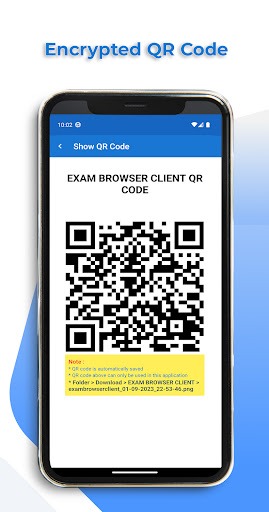
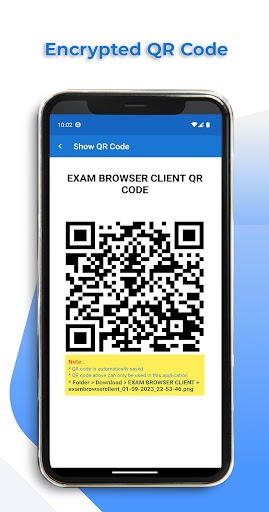
This feature enables users to create their own QR codes. The URL embedded within the QR code is automatically encrypted, ensuring it can only be opened via the EXAM BROWSER CLIENT application. Users can customize the exam duration, specify a custom user-agent, and include a prompt message that appears to students upon scanning the QR code. The application automatically saves generated QR codes, which are stored as small-sized files.
Blocks screenshots and screen recordings.
Prevents exiting the app or opening other applications during the exam.
Disables dual-screen and split-screen functionality.
Blocks floating or suspicious applications.
Provides an audible alert if the application is minimized.
Clears cache and cookies upon exiting.
Disables text selection to prevent copying and pasting
Completely ad-free during exams.
The latest version of EXAM BROWSER CLIENT includes an option to remove advertisements.
Generates codes locally within the application.
Encrypts exam links so they can only be opened within this application.
Allows for the configuration of exam duration (e.g., 120 minutes).
Supports custom user-agent settings.
Allows for the addition of a message to be displayed to students upon scanning.
Automatically saves codes; files are compact in size.
Can students open other applications while using this app?
No; access to other applications is restricted during an exam.
Can this app be used offline?
Online exams typically require an internet connection, though specific configurations may vary.
How secure is the EXAM BROWSER CLIENT app?
It includes various security features to prevent unauthorized access, making it highly secure for use during examinations.
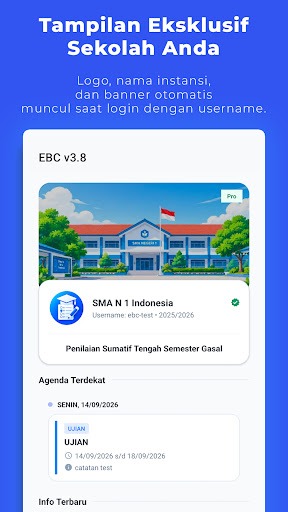
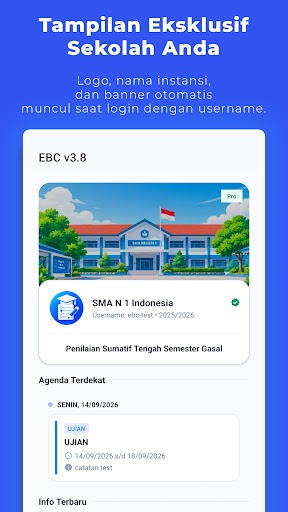
EXAM BROWSER CLIENT helps schools and training centers conduct distraction-free, computer-based exams. It provides a controlled browser environment, ensuring students can focus on their answers without being sidetracked. With its intuitive menus and broad device compatibility, setting up a classroom or computer lab is quick and efficient.
Size:29.94MB Version:4.1
Requirements:Android Price:Free
Package Name:com.exambrowser.client Signature:19195aa8537e9c487cd5ed5e265aaf4e
Educational software are emerging in an endless stream on the market, so which one can stand out? It should not only be simple and convenient to use but also helpful for our study. Below, Xiaohei.com brings you a very comprehensive and practical summary of educational software downloads. Come and download it, there is always one that suits you.
About us | Contact us | Privacy policy| DMCA
Copyright © 2026 Xiaohei All rights reserved.