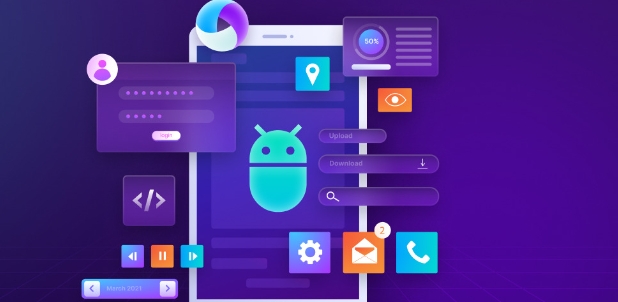
Miracast is a screen mirroring software designed for mobile devices. It boasts excellent compatibility and can be installed and run on numerous brands of mobile phones, smart TVs, and tablets. With a simple tutorial, users can project their screen onto different devices to enjoy the fun of a high-definition large screen or boost their work efficiency. The software has extremely low response latency; user operations on the mobile device are instantly reflected on the mirrored device. Using the software's built-in remote control, you can also easily adjust channels, volume, and other settings on your smart device for a comfortable viewing experience.
To begin using Miracast, users must first ensure that their Smart TV is compatible with Wireless Display or Miracast. Once compatibility is confirmed, it is essential that both the Android device and the TV are connected to the same Wi-Fi network. This step is crucial as it establishes the necessary connection for screen mirroring. After ensuring the devices are on the same network, users can simply click the connect button within the app and select their TV from the list of available devices.
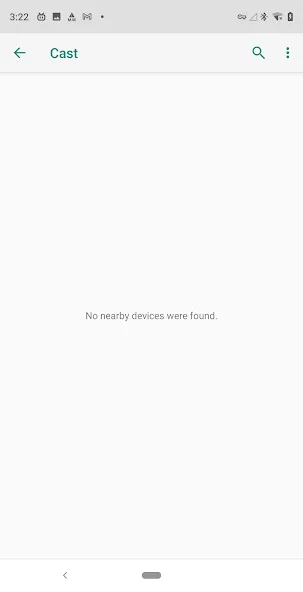
The app also includes a feature that allows users to find other devices within the current Wi-Fi network that support screen casting. This can be particularly useful in environments where multiple devices are available, enabling users to easily identify and connect to the desired display without extensive searching.
Miracast operates with a straightforward user interface, making it accessible for users of various technical skill levels. The design prioritizes ease of use, allowing users to navigate the app efficiently. By following the steps provided, users can quickly get their devices connected and begin casting their screens with minimal hassle.
In addition to its core functionality, the app is optimized for performance across a range of devices. It has been tested on various brands, including Samsung, HTC, and Sony, demonstrating its compatibility with multiple Android devices. However, it is important to note that certain devices may not support casting functionality, which could prevent the app from working effectively on those models. Users are encouraged to verify their device’s compatibility prior to attempting to use the app.
Moreover, the app offers a reliable solution for those looking to enhance their viewing experience. By casting content from their Android devices, users can enjoy a larger display while sharing their favorite media with friends and family. This functionality is especially beneficial for gatherings, presentations, or simply enjoying entertainment in a more communal setting.
This is a simple setup that works best when both devices share the same Wi‑Fi network. After installation, you can mirror the phone screen or cast media with basic controls where supported. To begin, users who plan ahead often choose to download Miracast in advance of a meeting or movie night.
Connect your phone and the target TV or adapter to the same Wi‑Fi network, then enable wireless display or Miracast on the TV.
Open Miracast on your phone, allow network and display permissions when prompted, and wait for device discovery to finish.
Select the TV, Chromecast, Roku, Mi TV, or adapter from the list, then confirm the connection on the TV if asked.
Start mirroring to show your screen, or choose a video or photo to cast, and use on screen controls for volume or navigation when available.
If the receiver does not appear, restart both devices, check the Wi‑Fi band, and try again from the device list.
This app is well built, it works great as long as your smart TV and smartphone are on the same network. It also has audio share!
It is one of the best mirror cast app I have ever seen but you can't connect a smartphone this app is only for TV.
amazing. I use it to live stream stuff I want to watch from my phone on YouTube. so far it works perfectly.
great app,in debt to this app,no need to pay for cable tv,when i have free cable on my phone,and mirror my phone to the tv.
It works greatly. it is simple and elegant. One of the best cast apps I've used (I downloaded like 20 apps).It doesn't connect but rarely like once in 10 times but if we exit and re-enter the issue settles down. Barely seen ads like twice a day only cuz I connect for like 15hrs a day.
Q: Do I need a Wi-Fi router for Miracast?
A: No. Miracast uses Wi-Fi Direct technology to establish a direct peer-to-peer connection between devices, operating independently of your existing Wi-Fi network.
Q: Can I use Miracast for casting while surfing the web via Wi-Fi?
A: Yes. Modern wireless adapters can simultaneously maintain a Wi-Fi connection to a router (for internet) and a Wi-Fi Direct connection to a display (for casting).
Q: Can Miracast extend my screen instead of just mirroring it?
A: Yes, on Windows. Once connected, press Win + P and select "Extend" mode. Your TV will then act as a second monitor. On Android, usually only screen mirroring (duplication) is supported.
Q: Why is there latency when playing games via Miracast?
A: Miracast requires real-time "Encoding -> Transmission -> Decoding," which inherently introduces latency (typically between 80-200ms). It is suitable for presentations and video playback but not ideal for competitive gaming that requires ultra-low latency.
Q: Do iPhone or Mac support Miracast?
A: No. Apple devices use their proprietary AirPlay protocol. You will need a receiver that supports AirPlay (like Apple TV) or certain third-party apps/receivers that bridge the protocols.
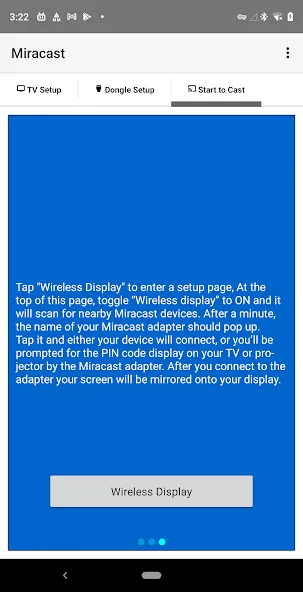
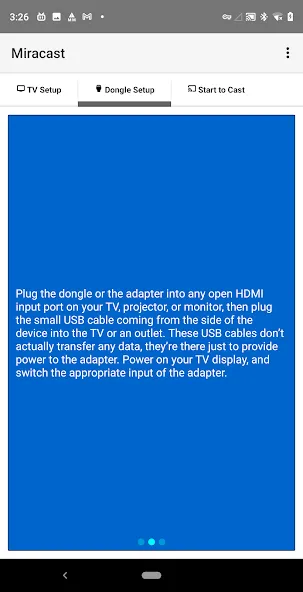
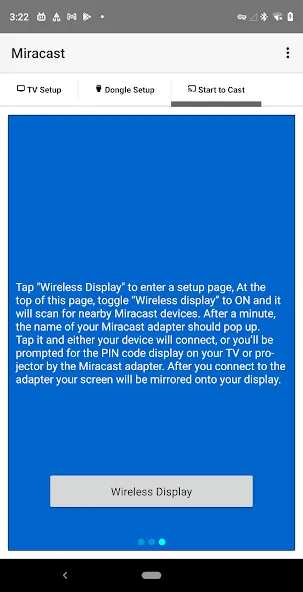
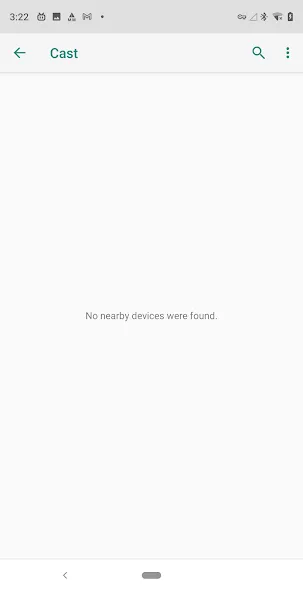
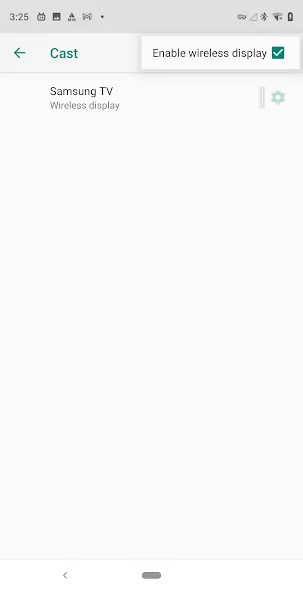
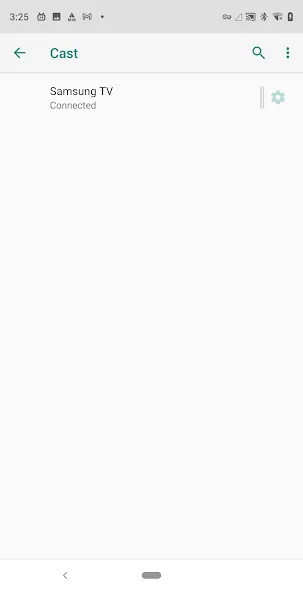
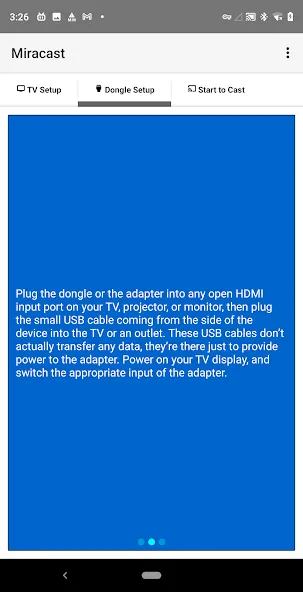
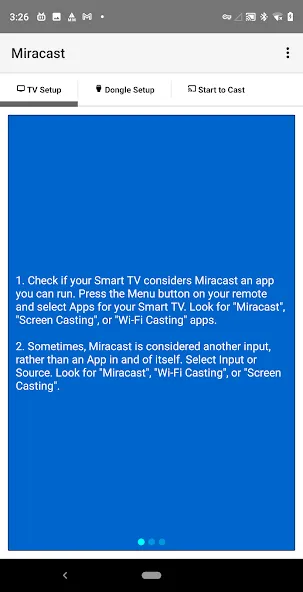
Miracast enables wireless screen mirroring from mobile devices to compatible Smart TVs. The setup involves enabling Wireless Display, scanning for Miracast devices, and entering a PIN if required. The initial setup may be complex, needing users to verify various TV settings and inputs for compatibility.
Size:34.23MB Version:3.2
Requirements:Android Price:Free
Package Name:com.phongphan.miracast Signature:bc33060f4e8cdb3ea366a2a86bc9b9a4
Utility apps are indispensable in our lives, making our daily routines more convenient. To help you find these apps more easily, this site has created a collection. This collection brings together a series of practical tools covering various aspects of life, work, and education, meeting all your needs. What are you waiting for? Try these apps now and make your life easier!
Transform your mobile device into a powerhouse of efficiency with these handpicked essential tools. Whether you need professional-grade photo editing, seamless file organization, smart task management, or real-time weather updates, our curated selection of premium apps delivers unbeatable performance. Streamline your daily routine, automate repetitive tasks, and boost your productivity with intuitive interfaces and powerful features. Designed for both professionals and casual users, these editor-approved applications will revolutionize how you work and play. Don't settle for an ordinary phone - upgrade your digital experience today and unlock your device's full potential!
About us | Contact us | Privacy policy| DMCA
Copyright © 2026 Xiaohei All rights reserved.