TurboCdroid is a programming tool designed specifically for Android devices. It provides a mobile environment that brings the classic Turbo C++ interface to your phone, allowing you to write, compile, and run C++ programs anytime, anywhere. With TurboCdroid, users can install and run embedded compilers with a single operation, opening, compiling, and executing small jobs without manually setting up the emulator. Furthermore, the app functions entirely offline; once installed, it requires no internet connection, making it perfect for study sessions and completing traditional programming coursework.
Easy to install.
Runs great on android phones only.
Preloaded useful examples for beginners.
It also supports graphics code.
Quick, Hassle-Free Setup
Just tap to install—no confusing setup steps or extra configuration needed. TurboCdroid gets you coding in no time.
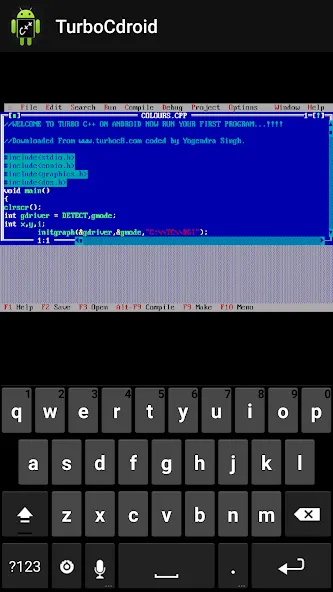
Classic Turbo C++ Experience
It’s the Turbo C++ interface you know, made for Android. Perfect if your school or class wants you to stick to the classic textbooks or assignments.
Beginner-Friendly Examples
New to C++? The app comes with handy sample programs that you can open, edit, and run while you learn the ropes.
Supports Graphics Programs
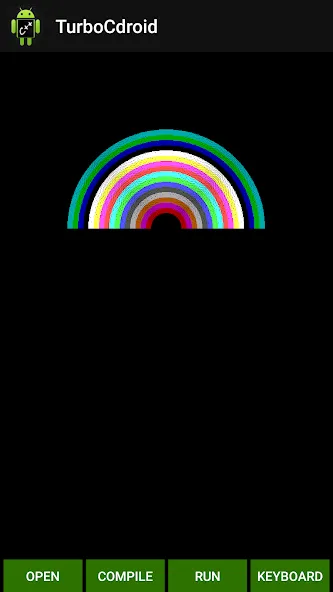
Need to work with graphics code for your class? TurboCdroid handles it, so you can practice drawing shapes or making visual projects—right on your phone.
Optimized for Phones
Designed specifically for Android phones for the smoothest experience. (Heads up—tablets aren’t supported.)
Pros
Runs Turbo C++ programs on Android phones
Includes beginner-oriented example code
Supports graphics programming
Avoids recurring mount commands and manual configuration
Cons
Mouse-style selection is awkward on a touchscreen
Does not support tablets
1.Improvements for reliability and speed
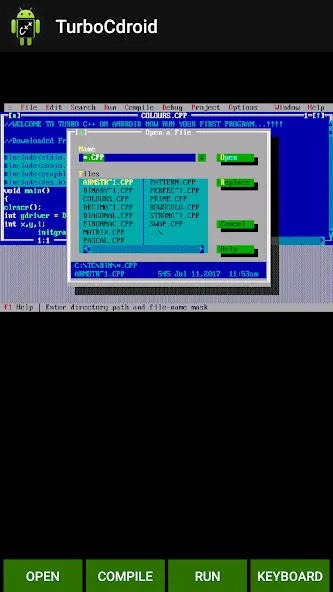
2.Now you can use shortcut buttons to OPEN, COMPILE & RUN your programs easily.
3.Optimize app size
4.Major Bug fixed
Albeit serving a rather niche purpose, TurboCdroid does it well without any fuss. Should you need a program with which to run and compile Turbo C++ programs on your smartphone, this is your best bet. Sadly, it's not compatible with devices with bigger screens.
Size:6.09MB Version:2.0
Requirements:Android 4.0.3+ Price:Free
Package Name:www.turboc8.com.turbocdroider Signature:4aaf644945f06b6e6dc83064d6bc3fba
Explore a handpicked selection of top mobile coding apps that transform your smartphone into a versatile programming hub. Whether you're a beginner diving into Python, Java, or JavaScript or a seasoned developer coding on the move, our platform offers offline-compatible tools, interactive lessons, and real-time compilers for smooth, on-the-go development. Discover apps like Termux (a Linux terminal emulator), AIDE (Android app development), and Pydroid 3 (Python coding), all optimized for touchscreen interfaces and cross-platform use. Utilize built-in debugging tools, version control systems, and cloud synchronization, alongside step-by-step tutorials and an engaged developer community. Ideal for web development, app creation, and scripting, these SEO-optimized coding apps ensure effortless discovery with keyword-rich descriptions and user-friendly interfaces. Start coding today and take your programming skills to the next level - anytime, anywhere!
About us | Contact us | Privacy policy| DMCA
Copyright © 2026 Xiaohei All rights reserved.