Sketchware Projects is an application development tool designed specifically for Android devices. It features a visual editor that supports drag-and-drop components, allowing users to build screens, define logic, and implement app functionality without the need to manually write source code. With Sketchware Projects, users can design layouts, link actions to buttons to manage user input, and handle project files in a more intuitive way than traditional variable-based methods. This helps beginners spend less time on setup-related issues, enabling them to focus more of their energy on learning how applications actually work.
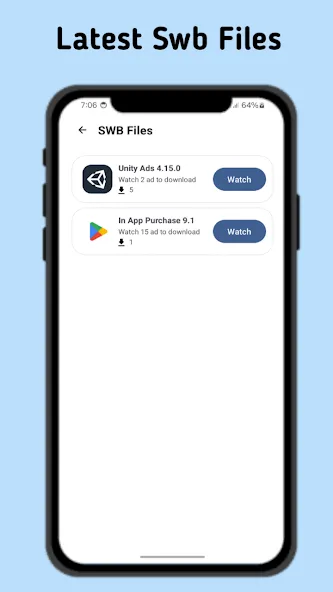
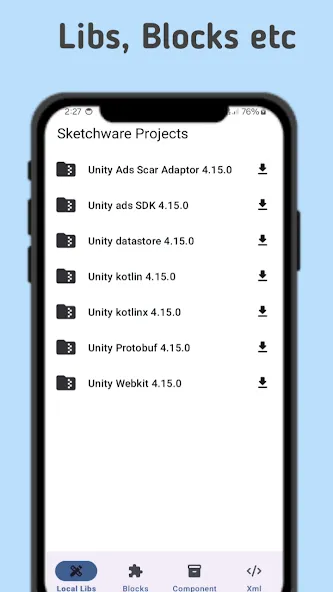
With Sketchware Projects, developers can easily access a wide range of project templates and examples. These resources serve as a starting point for creating new Android applications. The app provides a user-friendly interface that allows developers to browse and download projects directly to their Sketchware workspace.
One of the main features of Sketchware Projects is its extensive collection of templates. Developers can choose from various categories, such as games, utilities, social media, and more. Each template comes with a detailed description, screenshots, and instructions, making it easy for developers to understand and modify the code to suit their needs.
In addition to templates, the app also offers a collection of sample projects created by other developers. These samples serve as a valuable learning resource, allowing users to study and analyze different coding techniques. By exploring these projects, developers can enhance their skills and gain inspiration for their own creations.
Local Libraries
Custom Blocks
Components
XML Resources
Development Assets
Easy-to-use interface
Regular resource updates
Drag-and-drop blocks similar to Scratch, automatically generating Java and XML code.
Interactive UI designer for screens, widgets, and component properties in one place.
One-tap build to compile, install, and run your APK directly on device.
Export projects fully compatible with Android Studio for deeper customization later.
Open-source Sketchware Pro, with docs and active community support across channels.
The app now supports Material You - Google's design style for beautiful interfaces!
Removed Deprecated Libraries such as OneSignal, DynamicLinks, and Facebook ads.
Built-in libraries were updated to more recent versions!
Several crashes and bugs have been fixed!
And so much more!
This app fits students, hobby developers, beginner coders, and Android users who want a simpler way to build projects. It is most useful when the goal is to learn app structure, create basic tools, test ideas, or make lightweight apps without setting up a full desktop workflow. Users who plan to move into deeper Android development can also use it as an easier starting point before switching to more advanced tools.
Size:8.69MB Version:3.6
Requirements:Android Votes:439
Package Name:studio.sw.creation.sk.projects Signature:1f5ea62fd5e37c538d7702a7ec972b34
Utility apps are indispensable in our lives, making our daily routines more convenient. To help you find these apps more easily, this site has created a collection. This collection brings together a series of practical tools covering various aspects of life, work, and education, meeting all your needs. What are you waiting for? Try these apps now and make your life easier!
Explore a handpicked selection of top mobile coding apps that transform your smartphone into a versatile programming hub. Whether you're a beginner diving into Python, Java, or JavaScript or a seasoned developer coding on the move, our platform offers offline-compatible tools, interactive lessons, and real-time compilers for smooth, on-the-go development. Discover apps like Termux (a Linux terminal emulator), AIDE (Android app development), and Pydroid 3 (Python coding), all optimized for touchscreen interfaces and cross-platform use. Utilize built-in debugging tools, version control systems, and cloud synchronization, alongside step-by-step tutorials and an engaged developer community. Ideal for web development, app creation, and scripting, these SEO-optimized coding apps ensure effortless discovery with keyword-rich descriptions and user-friendly interfaces. Start coding today and take your programming skills to the next level - anytime, anywhere!
About us | Contact us | Privacy policy| DMCA
Copyright © 2026 Xiaohei All rights reserved.