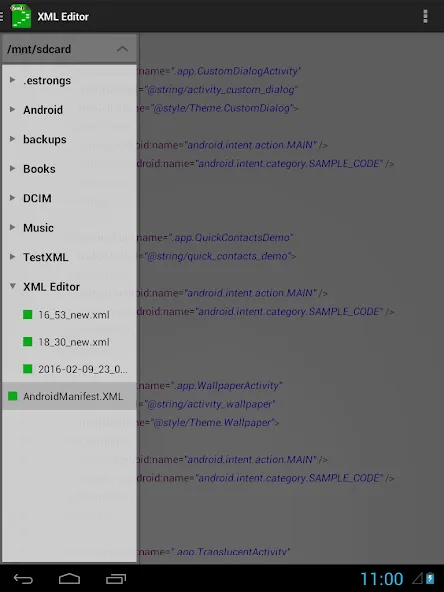
XML Editor is a powerful encoding tool. Designed specifically for Android users, this app allows you to seamlessly view and edit various text files, enjoying a smooth editing experience. With XML Editor, you can choose from two convenient editing methods: editing lines or pages, depending on your needs. Furthermore, this app supports multiple file formats, allowing you to easily open files with different encodings, and even enjoy the convenience of automatic encoding detection. In addition, you can save files using your preferred encoding format.
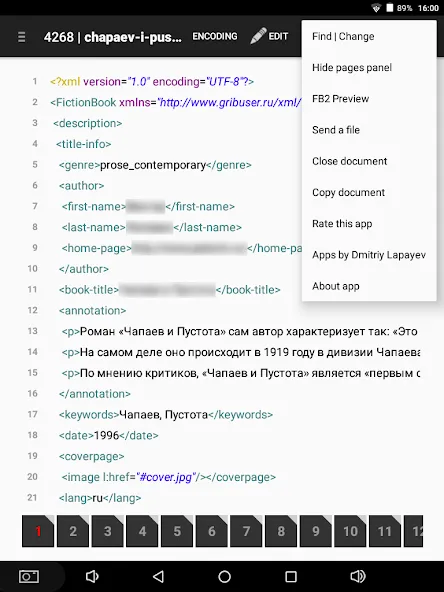
the ability to open files in different encodings;
saving file with selected encoding;
creation of the new ("buffer") document;
open a file from another application;
preview of the .FB2 file;
sending a file (with applications: Google drive, mail...);
copying document in the application folder "XML Editor" (for Android 4.4 or above);
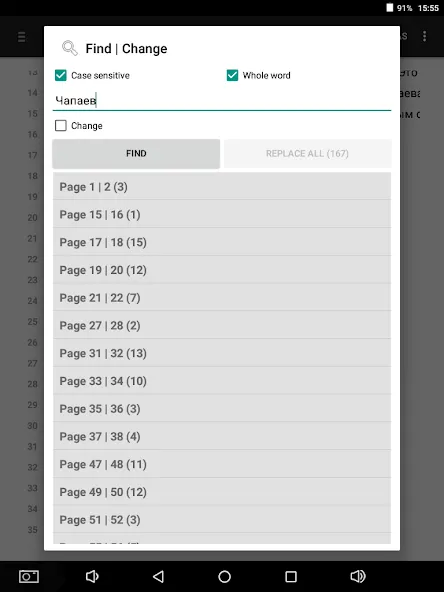
"find/change text" dialog (menu).
File Viewing and Editing: The App allows users to view and edit .xml, .html, and other text files.
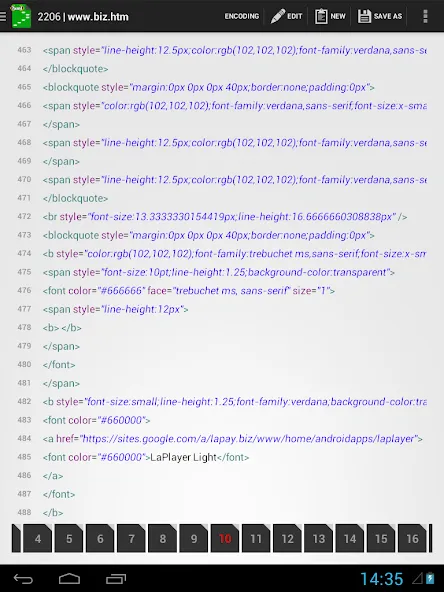
Multiple Editing Options: Users can edit files either by rows or page by page, giving them flexibility in editing their documents.
Wide Range of Encodings: The App supports various encodings such as KOI8-R, MACCYRILLIC, IBM- and more, ensuring compatibility with different file types.
Encoding Auto-Detection: The App automatically detects the encoding of files, making it easier for users to work with files without manually specifying the encoding.
Easy File Management: Users can create new documents within the App, open files from other applications, preview .FB2 files, and even send files through Google Drive or email.
Convenient Text Search and Replace: The App provides a "find/change text" dialog, enabling users to quickly search and replace text within their documents.
Implemented the ability to change the font size and typeface.
Added "find | change text" dialog.
Implemented the choice of the folder to save the file.
Added option to delete document in working directory (long press: context menu).
The app is ready for Android 16.
XML Editor provides a user-friendly interface for viewing and editing various text files. With features like different encoding options, auto-detection, and file preview, users can easily manage and modify their files. Whether it's editing files by rows or page by page, this App offers a convenient way to make changes. Additionally, the ability to open files from other applications and share them through Google Drive or email enhances the App's functionality and versatility. Users can also take advantage of the "find/change text" dialog, making it easier to locate and modify specific content. Click here to download now!
Size:2.9MB Version:4.3.5
Requirements:Android Votes:79
Package Name:com.lapay.xmleditor Signature:2ec9470295eef39a10415f5609dd95ec9b81298a
Utility apps are indispensable in our lives, making our daily routines more convenient. To help you find these apps more easily, this site has created a collection. This collection brings together a series of practical tools covering various aspects of life, work, and education, meeting all your needs. What are you waiting for? Try these apps now and make your life easier!
Explore a handpicked selection of top mobile coding apps that transform your smartphone into a versatile programming hub. Whether you're a beginner diving into Python, Java, or JavaScript or a seasoned developer coding on the move, our platform offers offline-compatible tools, interactive lessons, and real-time compilers for smooth, on-the-go development. Discover apps like Termux (a Linux terminal emulator), AIDE (Android app development), and Pydroid 3 (Python coding), all optimized for touchscreen interfaces and cross-platform use. Utilize built-in debugging tools, version control systems, and cloud synchronization, alongside step-by-step tutorials and an engaged developer community. Ideal for web development, app creation, and scripting, these SEO-optimized coding apps ensure effortless discovery with keyword-rich descriptions and user-friendly interfaces. Start coding today and take your programming skills to the next level - anytime, anywhere!
About us | Contact us | Privacy policy| DMCA
Copyright © 2026 Xiaohei All rights reserved.