DroidCam Webcam & OBS Camera is an excellent, high-quality webcam. This application offers multiple connection methods and basic image adjustment functions, suitable for video calls, live streaming, and recording, providing users with an affordable and convenient camera solution. With DroidCam Webcam & OBS Camera, users can input clean video and audio into mainstream recording tools such as OBS without complicated capture equipment. You can also switch between the front and rear cameras, lock the exposure, enable continuous autofocus on supported devices, and crop or rotate the image.
Simple & Efficient
DroidCam is designed with simplicity and efficiency in mind. What you see is what you get. The app is free to use at standard definition with no time limits. You can try HD video, but will need to purchase the pro upgrade to remove watermarks.
Pro Upgrade
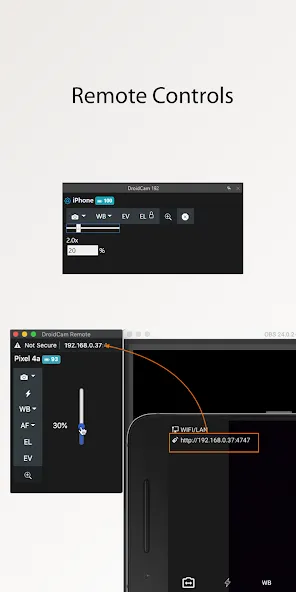
The pro upgrade includes more than just HD video. Unlock all options, manual camera controls and PC remote controls, remove advertising, and get the most from your phone camera. Check the in-app Upgrade and Settings pages for more.
A Bargain!
With optimized power usage and low-latency video transfer, DroidCam can replace webcams and capture cards saving you $100s. Use it for remote work, remote learning, teaching, and content creation.
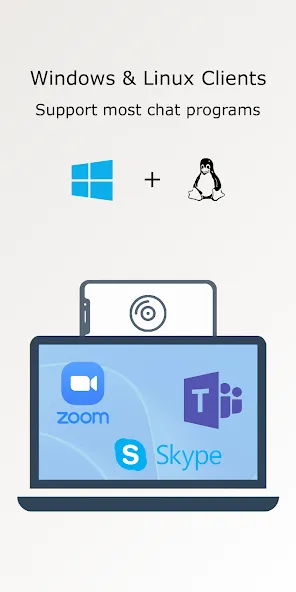
Chat using "DroidCam Webcam" on your computer, including Sound and Picture.
Low latency local p2p connection.
Free unlimited usage at standard definition with core features.
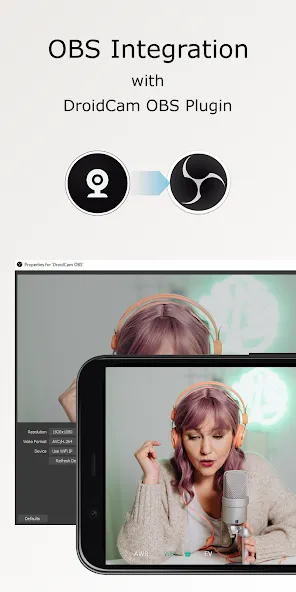
Direct OBS Studio integration via DroidCam OBS plugin for content creation.
Get Up to 1080p video as a webcam and up to 4K video with OBS integration.
Adjust exposure, focus, zoom, colors, etc.
Rotate, Flip, and Mirror the video to better match your setup.
Add custom overlays and lower-thirds using text, image, or even video based sources.
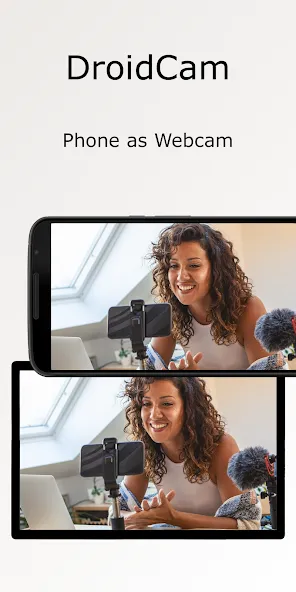
Use a tripod or phone clamp to stabilize the image—shaky footage looks unprofessional.
Prefer USB when low latency matters, such as interactive calls or live gaming streams.
If using Wi-Fi, place your router or phone close to the PC to reduce packet loss.
Adjust resolution to match your internet upload speed to prevent buffering.
Test audio routing before a live session to confirm whether the phone mic or computer mic is active.
The app includes settings for exposure and focus, supports portrait and landscape orientations, and can operate continuously for long sessions without dropping frames.
The app pairs your phone with a PC client or streaming software by establishing a local network link or a direct USB connection.
Video is streamed from the device’s camera to the desktop application, where it appears as a standard webcam source.
This makes it compatible with conferencing platforms, streaming suites, and recording utilities that accept webcam input.
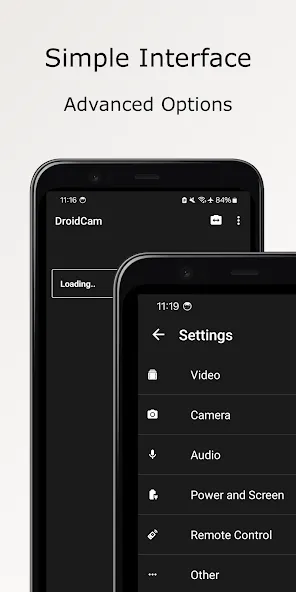
You can also use this app with your smartphone screen turned off and your device connected to your PC via USB, which avoids draining the battery so you can record longer videos without a problem. Record high-quality audio or video without a webcam. After all, who needs a webcam when you have an Android smartphone?
Size:15.90MB Version:10.0
Requirements:Android 6.0+ Price:Free
Package Name:com.dev47apps.obsdroidcam Signature:2d882127d6923097c5694012052de265
Transform your mobile device into a powerhouse of efficiency with these handpicked essential tools. Whether you need professional-grade photo editing, seamless file organization, smart task management, or real-time weather updates, our curated selection of premium apps delivers unbeatable performance. Streamline your daily routine, automate repetitive tasks, and boost your productivity with intuitive interfaces and powerful features. Designed for both professionals and casual users, these editor-approved applications will revolutionize how you work and play. Don't settle for an ordinary phone - upgrade your digital experience today and unlock your device's full potential!
With the development of mobile hardware and software, many practical tool software have emerged, covering a wide range of aspects and becoming a good helper for everyone in work and life. Today, the editor provides you with a list of useful tool software downloads. These tools are not particularly complex types, and after reading them, everyone can quickly learn how to use them. Proper use can bring great convenience to life and work.
About us | Contact us | Privacy policy| DMCA
Copyright © 2026 Xiaohei All rights reserved.