Easy Share is a data migration tool that allows users to quickly transfer various types of data—such as photos, videos, text messages, and contacts—from one mobile device to another, without requiring an internet connection. The app also includes built-in data backup and recovery features; transferred data is automatically backed up, making it easy to retrieve should any items be accidentally deleted. Completely free of advertisements and pop-ups, the software can be installed and run on any Android or Apple device, ensuring a worry-free experience when transferring your data.
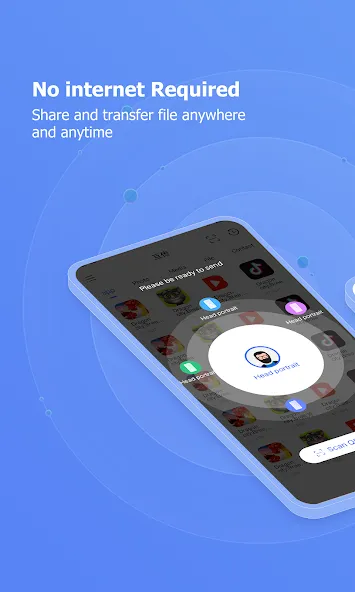
Blazing Fast File Transfers: Easy Share utilizes Wi-Fi Direct technology to create a direct connection between devices, bypassing the need for an internet connection. This results in transfer speeds up to 200 times faster than Bluetooth, allowing you to share large files in seconds. Say goodbye to waiting endlessly for your files to transfer.
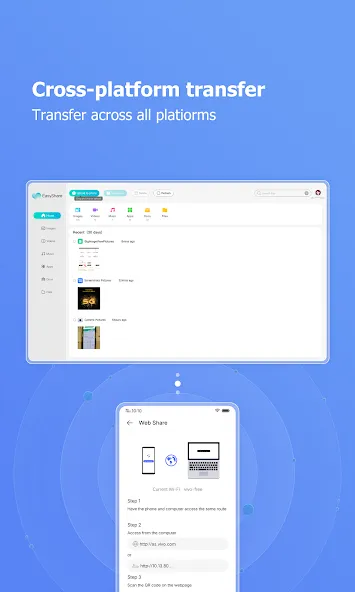
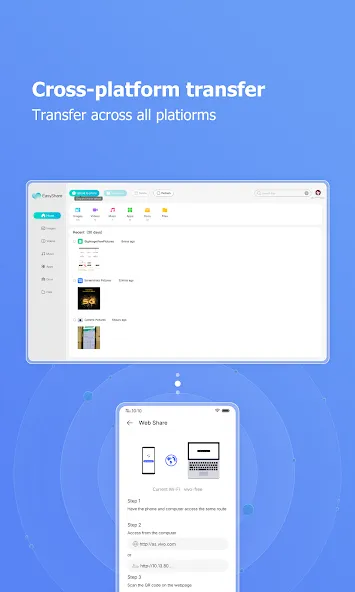
Share Anything, Anywhere, Anytime: Whether it’s photos from your latest vacation, important documents for work, or your favorite music playlist, Easy Share can handle it all. There are no file size limitations, so you can share even the largest videos without any hassle. It works seamlessly between Android phones, tablets, and even computers.
Intuitive and User-Friendly Interface: Easy Share boasts a clean and intuitive interface, making it incredibly easy to use, even for those who are not tech-savvy. The app guides you through the process step-by-step, ensuring a smooth and effortless file sharing experience. You’ll be sharing files like a pro in no time.
Offline Sharing, No Data Needed: One of the best features of Easy Share is its ability to transfer files without using any mobile data. This is perfect for situations where you have limited data or are in an area with poor connectivity. Share files freely without worrying about exceeding your data plan.
Secure and Private File Sharing: Your privacy is paramount. Easy Share ensures that your files are transferred securely and privately. The app uses encryption to protect your data during the transfer process, giving you peace of mind knowing that your information is safe.
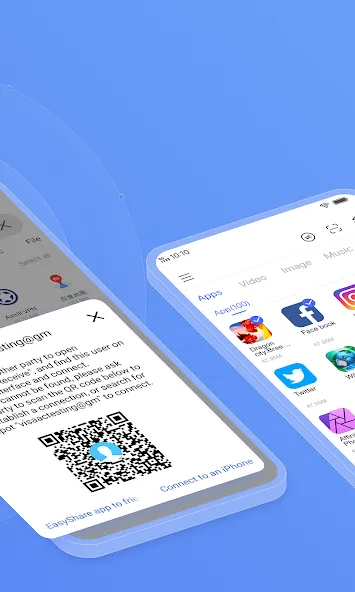
Easy Share keeps phone to phone transfers straightforward and local. Sessions run offline, which helps you save data and share reliably. To begin, download Easy Share and follow these steps.
Open Easy Share on both phones, then grant the requested permissions to allow nearby sharing and device discovery.
Tap Send on the sending phone and Receive on the receiving phone, then follow the prompts to connect through hotspot, local Wi Fi, or Bluetooth.
Select the files, photos, videos, apps, or documents you want to send. You can add multiple items and entire folders if needed.
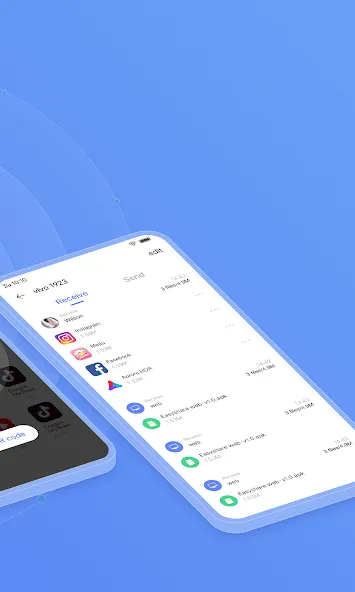
Confirm the incoming transfer on the receiving phone, then wait until the progress completes. Keep both devices nearby until the session finishes.
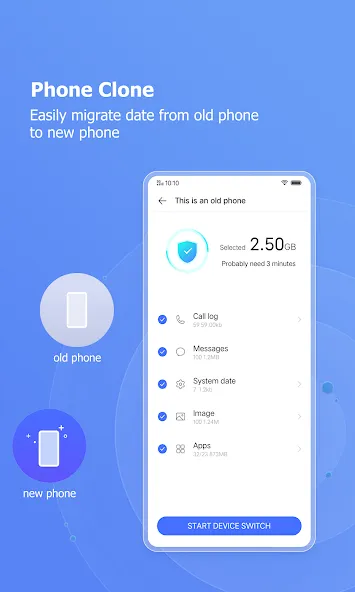
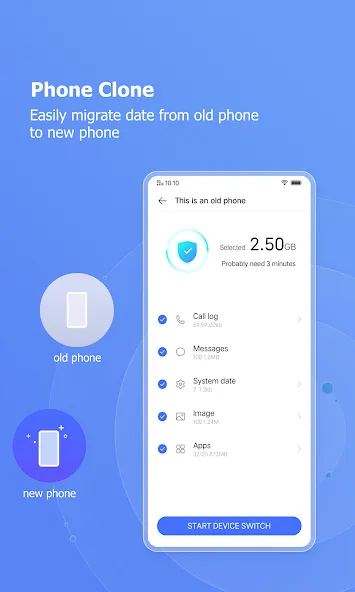
To clone a phone, choose Phone Clone on both devices, set one as the old phone and the other as the new phone, then start the migration. Note that app data may not move between different brands.
Great App. Better than Shareit. I transferred around 50 gb data but it didn't even break the connection for a second while running in foreground. In background, it also worked smoothly. Once it broke connection there but it resumed from the same state where it was disconnected. That's really great. Otherwise I had to go through again. It's really fast & better than shareit.
this app gives justice to its name itself. I tried to transfer files from other apps, I faced problems in file transfer and then uninstalled those apps. Then I installed Easy Share and file transferred within seconds. it's really amazing. Thank you so much.
Vivo Easy Share is a fast and reliable file-sharing app. It makes transferring photos, videos, apps, and documents between devices quick and effortless without using mobile data. The interface is simple, the connection is stable, and the transfer speed is impressive. It's a great tool for anyone who wants a convenient way to move files between phones. Highly recommended!
Easy Share is a reliable and user-friendly file-sharing application. The interface is clean and easy to navigate, and transferring photos, videos, documents, and other files is simple and convenient. The overall sharing experience is smooth and efficient. A useful app for anyone who regularly needs to transfer files between devices.
Surprisingly good app for file transfer and cloning data over to a new phone WIRELESSLY, it seems to use Wifi Direct to connect the 2 phones. places the files the same place they came from and preserves the dates of files.
Can Easy Share transfer data and accounts of third-party apps?
If both mobile phones are vivo phones, Easy Share can transfer data and accounts of some third-party apps by Phone Clone. If the other mobile phone is not a vivo phone, Easy Share can only transfer apps, and cannot transfer data and accounts of third-party apps by Phone Clone.
Can I use Easy Share to transfer app data between my vivo phone and other brands of phones?
No, if one of the phones is another brand, Easy Share can only transfer the apps themselves, instead of data in the apps.
What data can be transferred by Easy Share?
Easy Share can transfer contacts, call records, messages, schedules, notes, system data, apps, app data and files (including pictures, music, videos, documents, etc.).
Where can I find the files that transferred via Easy Share?
Enter Easy Share--click clock icon at the top right corner--click “View storage location”,then you can check the detailed storage location of the transferred files.
Will the data be merged when using Easy Share Phone Clone?
App and system data will be overwritten when using Easy Share Phone Clone. It is recommended to apply Phone Clone on new mobile phones or mobile phones that have been restored to factory defaults (Erase all data) to import files and data. Files transferred separately are stored separately and will not be overwritten.
Easy Share is a handy cross-platform application that lords over the file-sharing market with the first-rate transferring features and functions that it grants to its users. Furthermore, it is totally free and does not have ads that interrupt the process. Seamlessly send or receive data in the lighting fast speed with or without connection no matter what its file size and format type.
Size:66.29MB Version:7.4.2.15_ex_gp
Requirements:Android Price:Free
Package Name:com.vivo.easyshare Signature:def694761ab7659d5192ac7be3f313ae
Utility apps are indispensable in our lives, making our daily routines more convenient. To help you find these apps more easily, this site has created a collection. This collection brings together a series of practical tools covering various aspects of life, work, and education, meeting all your needs. What are you waiting for? Try these apps now and make your life easier!
With the development of mobile hardware and software, many practical tool software have emerged, covering a wide range of aspects and becoming a good helper for everyone in work and life. Today, the editor provides you with a list of useful tool software downloads. These tools are not particularly complex types, and after reading them, everyone can quickly learn how to use them. Proper use can bring great convenience to life and work.
About us | Contact us | Privacy policy| DMCA
Copyright © 2026 Xiaohei All rights reserved.