The PlayStation App is a social tool designed specifically for gaming enthusiasts. Beyond staying in touch with friends, you can use the app to access the latest news and special offers from various game stores, allowing you to purchase your favorite titles at better prices. The app automatically displays the online status of your friends; with a simple tap, you can view their profiles and gaming achievements, or invite them directly to a game session. Furthermore, the app keeps you updated with the latest news from the gaming community, enables you to purchase or pre-order games, and lets you take advantage of store-specific promotions. You can also manage your console directly through the app, allowing you to download, move, or delete games.
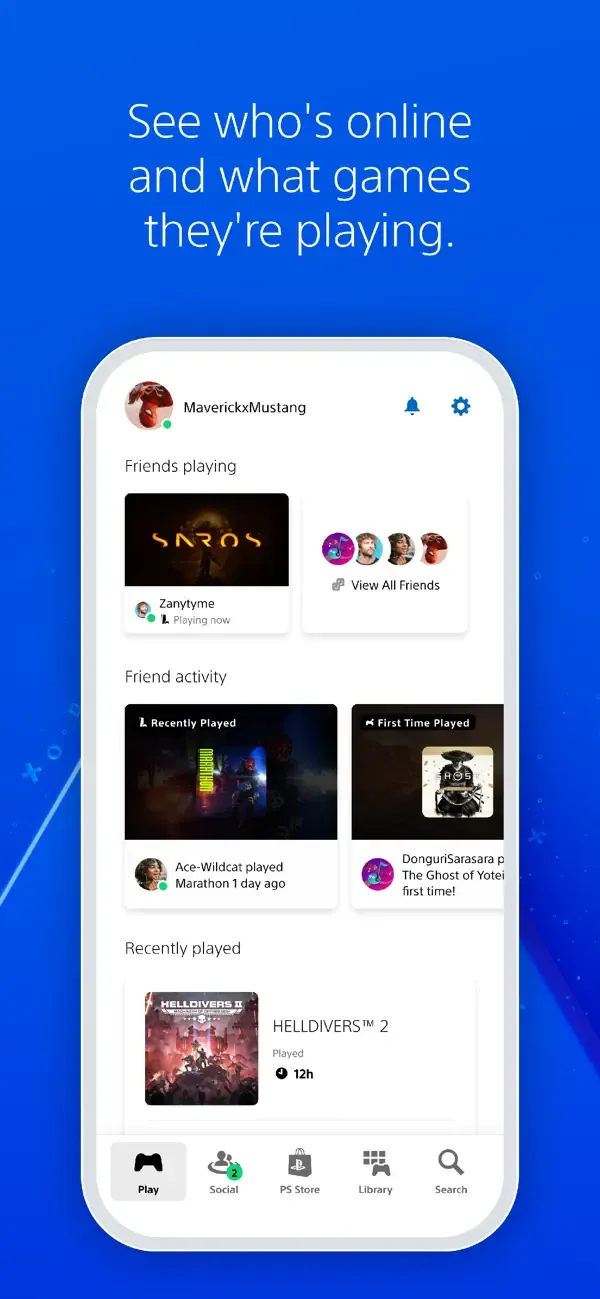
Friends at a glance: Check who’s online, what they’re playing, and jump into conversations without missing a beat.
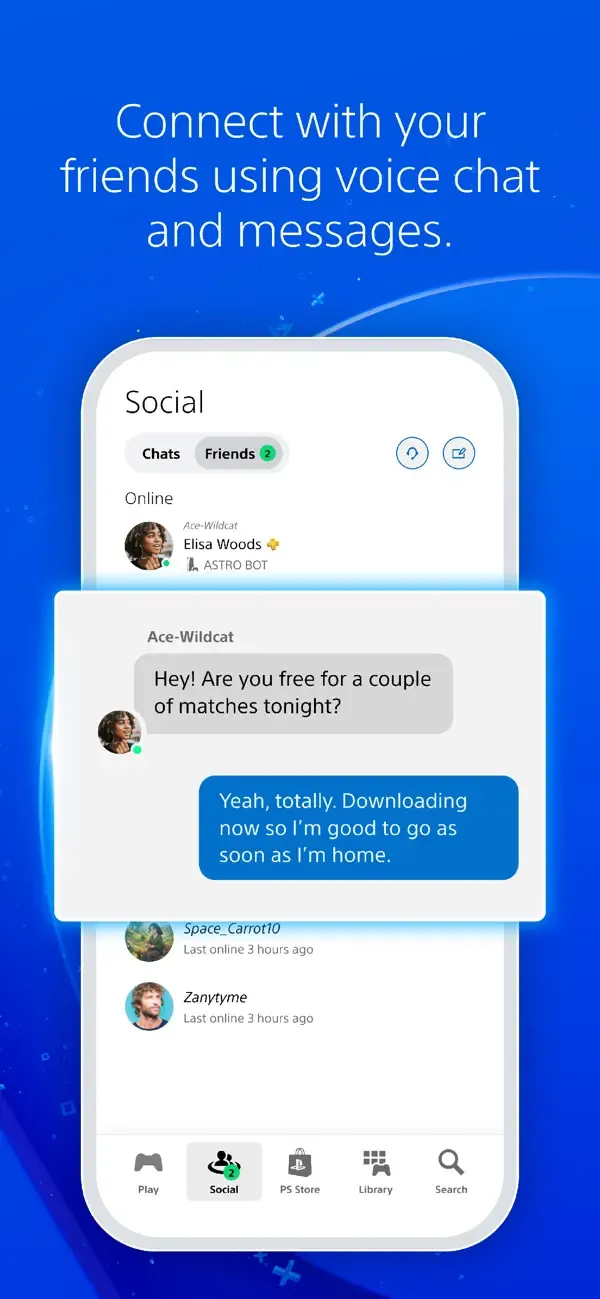
Party voice chat & messages: Start or join party voice chat, send DMs, and coordinate your next multiplayer night with the crew.
Profiles and trophies: Browse friends’ profiles, compare trophy progress, and cheer on new achievements.
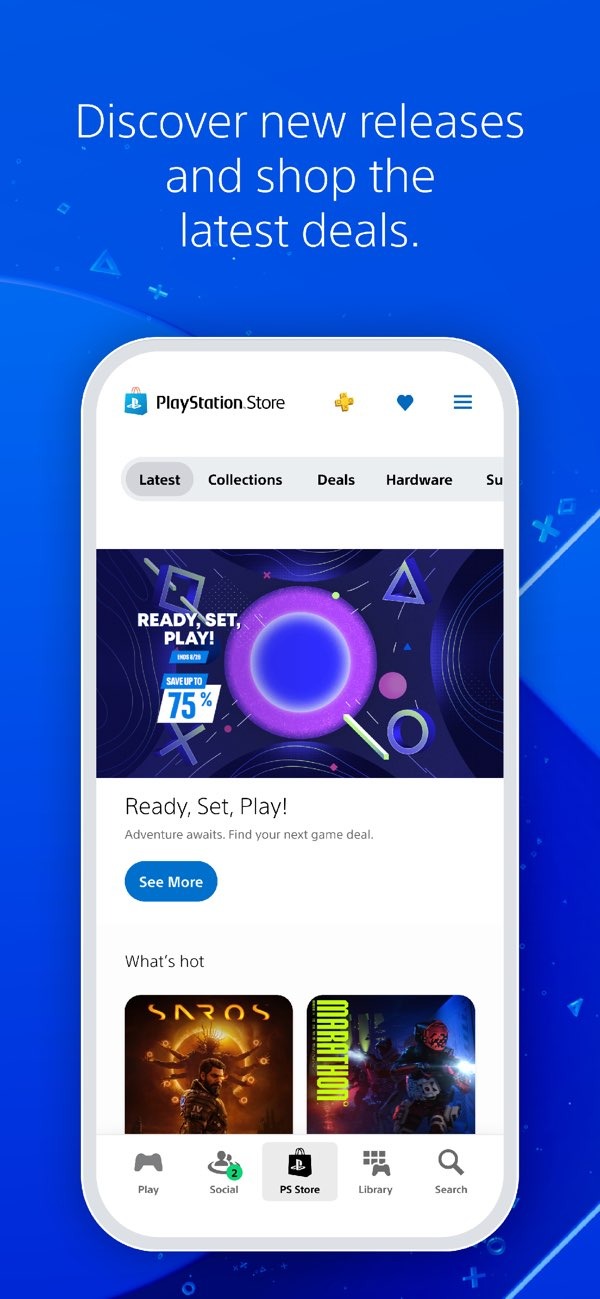
PlayStation Store access: Explore new releases and add-ons, place preorders, and spot deals on PlayStation Store and PS Store without turning on your console.
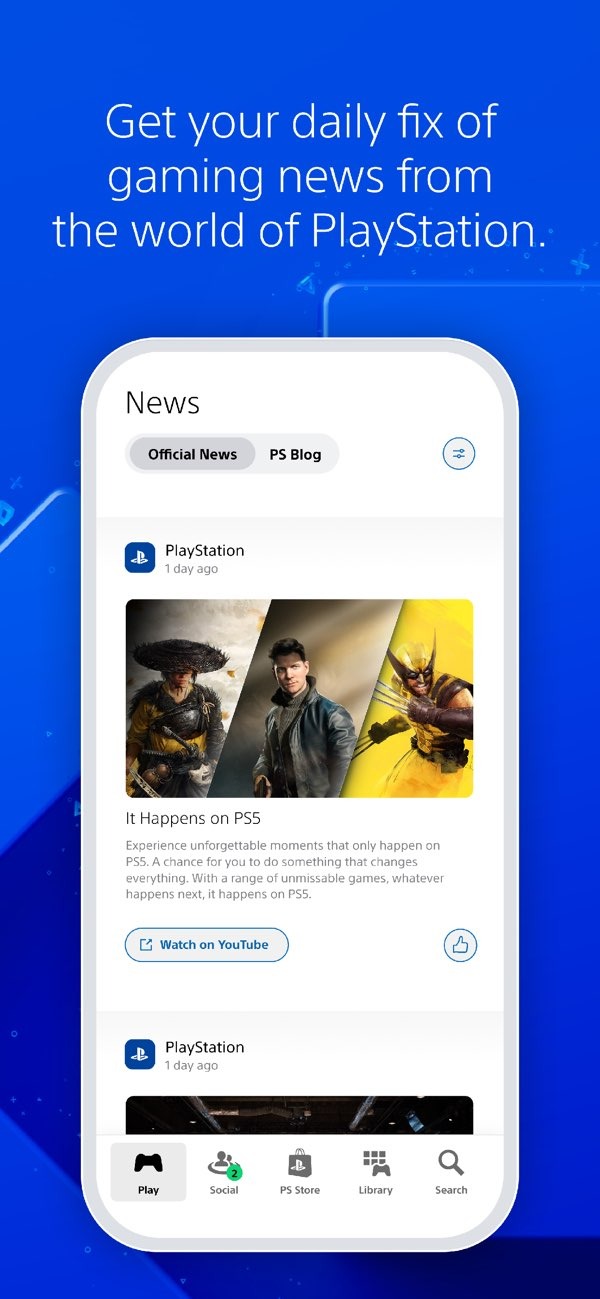
News and alerts: Catch the latest updates from the world of PlayStation and get invitations and notifications right on your lock screen.
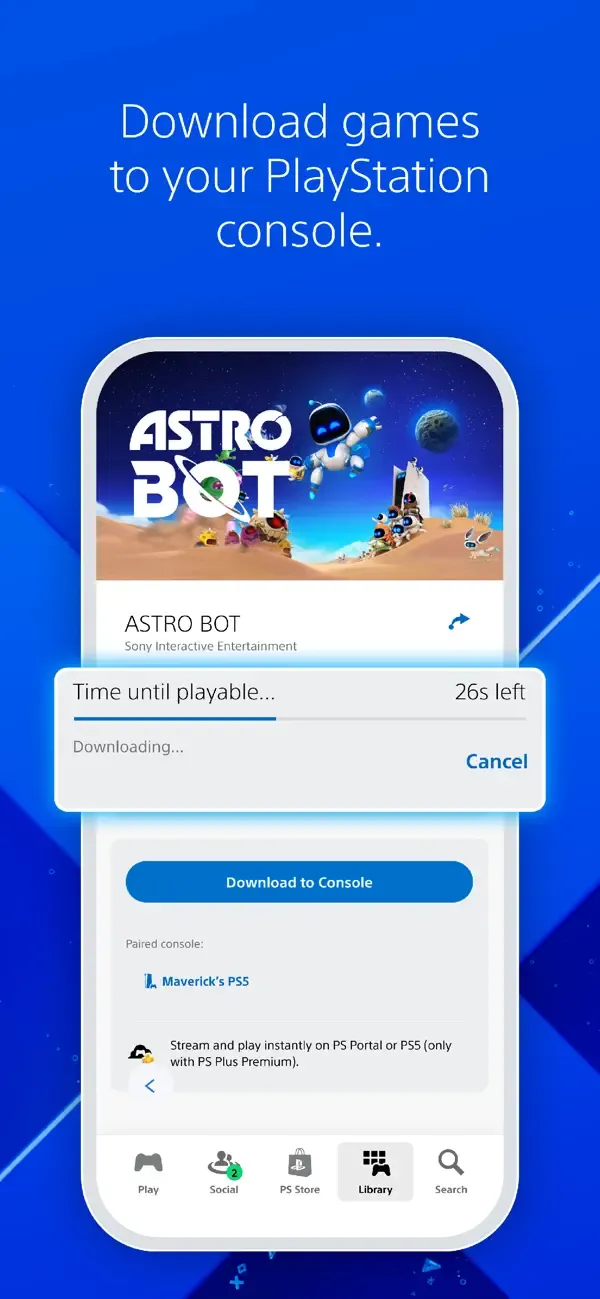
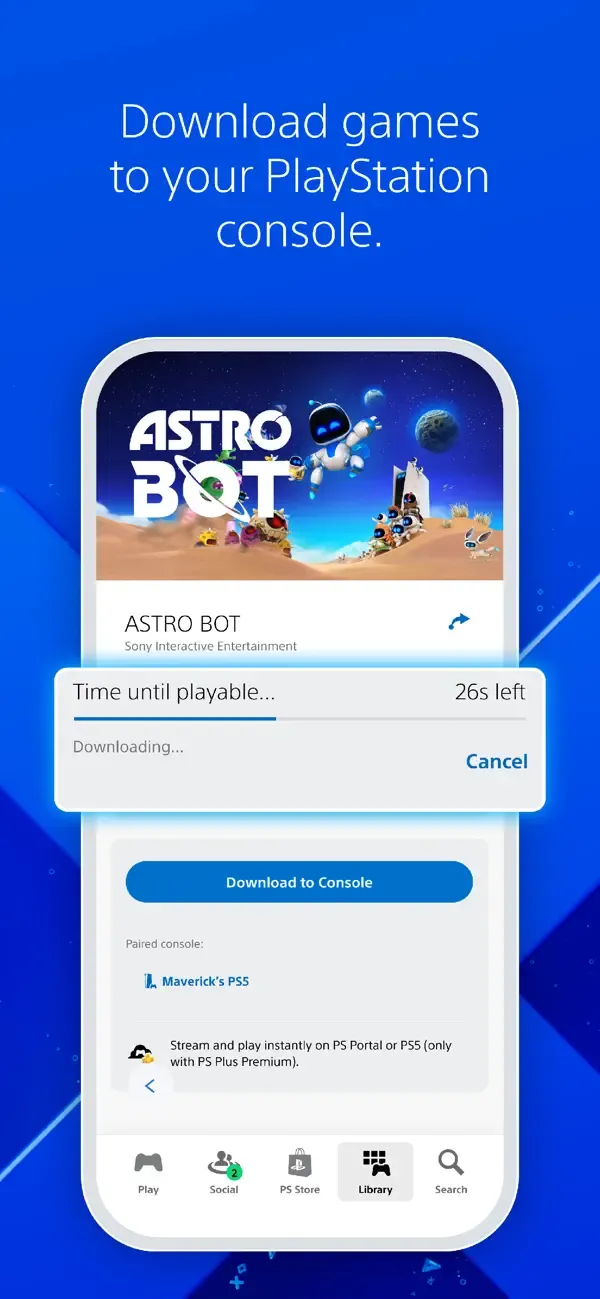
Remote downloads: Buy a game or add-on and send it straight to your console so it’s ready when you are.
Storage control on PS5: Free up space on your PS5 while downloads are in progress—manage storage in a few quick taps.
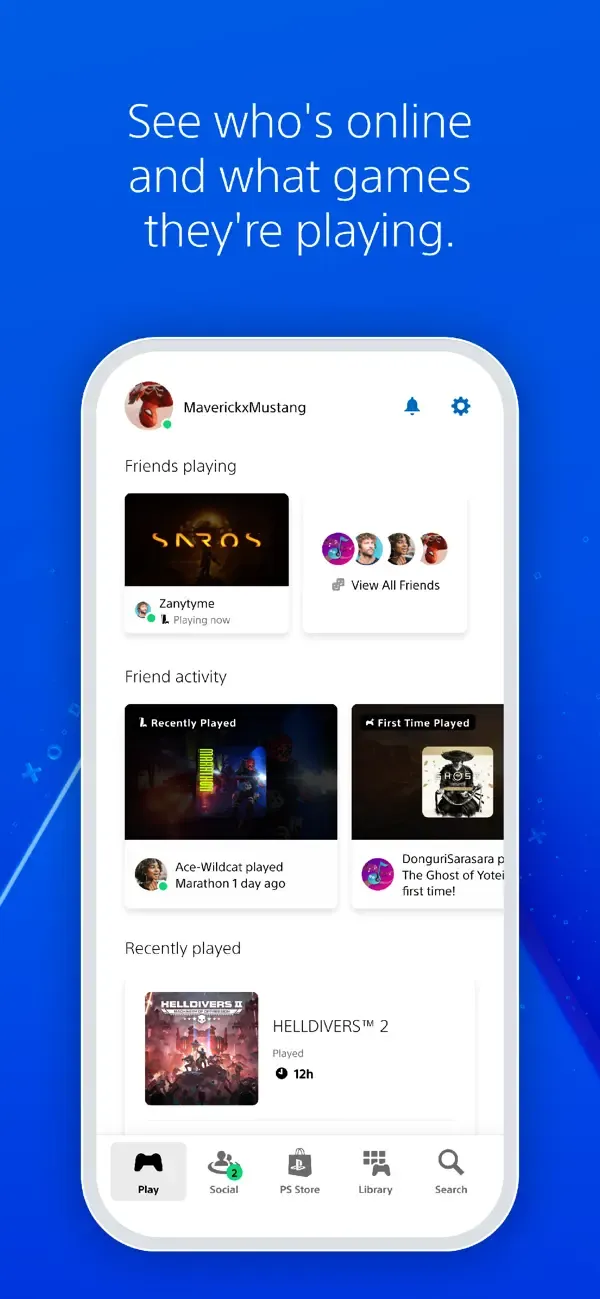
Follow these steps to get started after you install the PlayStation App. You only need your PlayStation Network account and a connected PS4 or PS5.
Open PlayStation App, sign in with your PlayStation Network account, and allow the requested permissions for notifications and media.
Link your PS4 or PS5 by following the prompts. Ensure the console is on or in rest mode and signed in to the same account.
Open the social section to view friends, send messages, and start or join a voice chat party. You can also check profiles and trophy progress.
Browse the Store tab to add games to your Wishlist, pre-order titles, and receive price alerts. Then, manage your Library to see owned games and add-ons.
Go to console management to start remote downloads, launch games, and manage storage. After that, open captures to view and share your PS5 screenshots and clips.
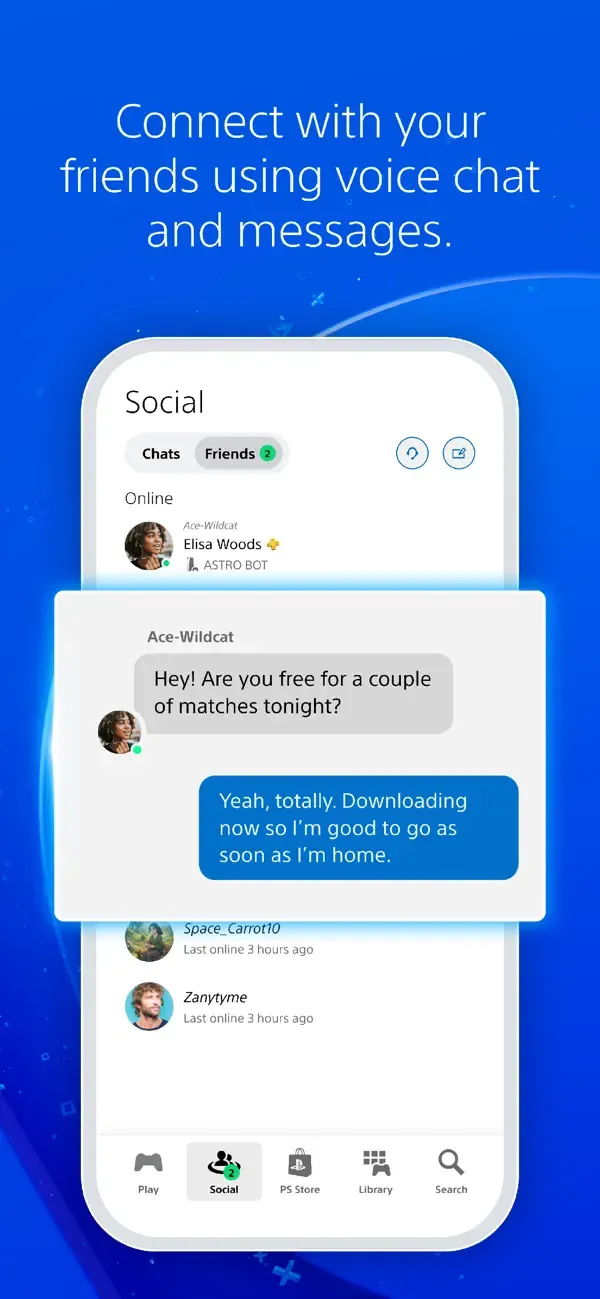
PlayStation App's interface has been redesigned to match the PlayStation 4's aesthetic. Across the top are icons that notify you when you have new friend requests, game alerts, and more. In fact, PlayStation App has an increased focus on social content. For example, there's a messaging system that lets you fire off not only text-based messages, but images and audio recordings as well. It's an effective way to set up Madden NFL 25 sessions with the brahs.
Gamers can use PlayStation App to tap the PlayStation Store for game and movie purchases. In fact, app users can purchase their entertainment on the go and have it pushed to the console—very cool. If you have a credit card tied to your Sony account, it can become very tempting (and easy) to impulse-spend.
I’m not sure what happened to cause it, but the automatic uploading of screenshots has been restored as of today! I didn’t have to update the app to get it back. The auto upload of screenshots is the primary reason I use this app, and it works wonderfully. I love how easy it is to open this app, download a screenshot or 15 second clip, and upload to Discord or Bluesky to share with my friends.The only thing I don’t like is when my video clips are stuck “processing”, which makes sense if they’re a few minutes long but not when they’re 15 seconds or less. Sometimes it’ll gum up the works and make it impossible for me to download my screenshots too, but that’s nothing waiting 15 minutes won’t solve. All in all, great (but not perfect) app for sharing my game pictures with friends.Old review: Suddenly, last week, the primary functionality that I downloaded this app for has disappeared. Why can’t I download my screenshots anymore? What is the purpose of this app now? It’s not as if I can upload them through Twitter now, so what am I supposed to do, buy a USB stick and take them off my PS5 to transfer to a laptop, then email them to my phone? More work than it’s worth if you ask me.
One of PlayStation App's more intriguing features, second screen functionality, is pretty much a no-go at the moment. I tested several launch games—Madden NFL 25, Assassin's Creed IV: Black Flag, Knack, and Injustice: Gods Among Us Ultimate Edition. The second-screen feature is designed to bring maps, dialog windows, guides, and extra options to your smartphone. We'll update this review when we find a game that actually supports second-screen functionality.You can also use PlayStation App to navigate PlayStation 4, which comes in handy when gaming or simply firing up a Blu-ray flick. Additionally, PlayStation app users can input text into dialog boxes such as username and password areas. Using my phone to input text was far, far more intuitive than hunting and clicking using the PlayStation 4 controller and onscreen keyboard.
How to pair PS5 consoles and PS4 consoles to PlayStation App?
To pair your PS5 console or your primary PS4 console, open PlayStation App, and then select Settings > Pair Console to App.
Follow the on-screen instructions to pair your console.
Pairing your PS5 console allows you to start game downloads to your console, manage PS5 console storage, and launch PS5 games and compatible PS4 games from your mobile device.
Pairing your primary PS4 console to PlayStation App will allow you to start game downloads to your console from your mobile device.
Not seeing your console?
Make sure you’ve signed in on the console with the same account that you’re using on PlayStation App. To pair your PS4 console, make sure it’s activated as your primary PS4 console.
How to purchase and download games using PlayStation App?
To start a remote download from PlayStation App, your paired PS5 console or PS4 console must have Stay Connected to the Internet switched on and be in rest mode.
Open PlayStation App and select PS Store.
Search for a title and select Add to Cart.
Confirm your purchase and payment method.
From the PlayStation App home screen, select Game Library > Purchased.
Select the game and select Download.
You receive a notification when the download is complete.
How to manage PS5 console storage from PlayStation App?
You can check your storage space and delete games from your PS5 console storage and USB extended storage using PlayStation App. Moving and copying games isn’t supported on PlayStation App.
On PlayStation App, select Settings > PS5 Storage to reveal your available PS5 console storage and USB extended storage (if connected).
Select the games you want to delete from the list to clear storage space.
Please note, if you’ve installed an M.2 SSD on your PS5 console and set it as your default location for installed games and apps, you can choose to download games to the M.2 SSD from PlayStation App. If there isn’t enough storage space on your M.2 SSD, you can choose to delete games before the download starts.
The PlayStation App enhances the gaming experience by keeping players connected to their console and community on the go. Its sleek interface, remote play capability, and convenient store access make it invaluable for managing downloads, chatting with friends, and staying updated. However, its performance may occasionally suffer from lag during remote play, especially when used on weaker Wi-Fi connections.
Size:79.37MB Version:26.11.1
Requirements:Android Price:Free
Package Name:com.scee.psxandroid Signature:ead70ef65e6f2cace2c2f523af5373ca
Transform your mobile device into a powerhouse of efficiency with these handpicked essential tools. Whether you need professional-grade photo editing, seamless file organization, smart task management, or real-time weather updates, our curated selection of premium apps delivers unbeatable performance. Streamline your daily routine, automate repetitive tasks, and boost your productivity with intuitive interfaces and powerful features. Designed for both professionals and casual users, these editor-approved applications will revolutionize how you work and play. Don't settle for an ordinary phone - upgrade your digital experience today and unlock your device's full potential!
With the development of mobile hardware and software, many practical tool software have emerged, covering a wide range of aspects and becoming a good helper for everyone in work and life. Today, the editor provides you with a list of useful tool software downloads. These tools are not particularly complex types, and after reading them, everyone can quickly learn how to use them. Proper use can bring great convenience to life and work.
About us | Contact us | Privacy policy| DMCA
Copyright © 2026 Xiaohei All rights reserved.