Mi Wi-Fi is a smart assistant application designed for mobile devices. It not only helps users manage their network and data usage but also scans for available nearby networks in real time, allowing users to check their performance and speed. Through the app, users can grant access to friends and family, enabling them to connect to the Wi-Fi without needing a password. Throughout this process, the accounts, data usage, and personal information of both the user and their family remain strictly protected, ensuring a secure experience. Furthermore, users can upload important files, photos, videos, and other content to the app, where they are backed up to the cloud. This allows users to access and download these files from other devices, saving time and effort.
Guest Wi-Fi: WeChat friends and their friends can connect to Wi-Fi without password.
Share Mi Wi-Fi: Share the router with your family.
Mi Wi-Fi info: Share your router stats with friends.
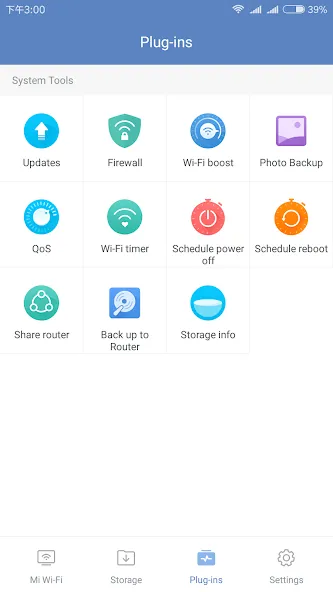
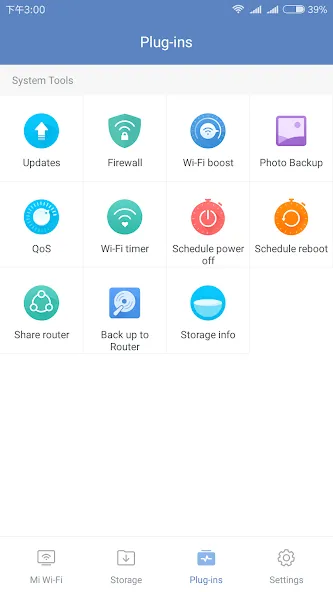
Security: Protect home network from unknown devices, hacking, malicious websites, and downloads…
Router status: You can view CPU performance and network speed of all parts.
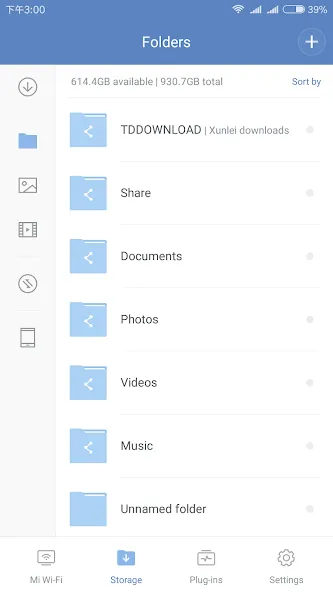
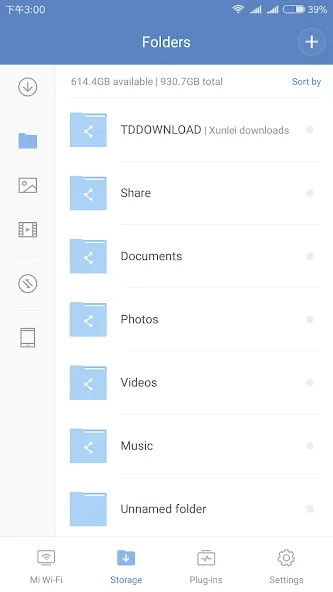
Back up photos & hard drive files: You can almost back up everything you want on Mi Wi-Fi.
Tencent VIP: Exchange your idle bandwidth for Tencent VIP easily (only hard disk router is supported).
Mi Cloud: Backups for photos and videos will be synced automatically and safely to Mi Cloud (only hard disk router is supported).
Broadband speed: Telecom Tianyi can accelerate the Wi-Fi speed for its users.
Doesn't connect to the router. Edit: The problem was in app settings. For some reason you have to select Chinese mainland for country setting. After that you can connect to app and configure it add devices etc.
To everyone, there is no bug in router 3c. While selecting sign in to existing router there will be a new page where your name and account will be shown. Under that there will be a box where your region will set as "others". Change it to "Europe" then you can pair your app with router.
Was perfect until the last update to 4.0.1. Now I can't even access the router anymore. I can see it through the Mi Home App though, and there everything is fine. But functionality is far less. Please fix ASAP!
Love how i can manage the router when away from home while not connected to it and also see which devices are connected to it when im away from home. App needs a feature to schedule LEDS, this is the worst possible router to use in a bedroom, it has blue lights flickering everywhere How can i remove a repeater from the app after having added it, i disconnected my repeater router (also a mi router) but it still shows on the app , though I obviously can't connect to it because its disconnected.
What should I do if I forget my administrative password?
You can resolve this by resetting the router.
How do I reset the router? Will a reset erase the data on the hard drive?
Use a thin object to press and hold the "Reset" button on the back of the router for 8 seconds. Resetting the router will clear all configuration settings, but it will not erase any personal data stored on the hard drive.
What do the different indicator light colors mean?
You can determine the status of the router based on the color of the indicator light and whether it is flashing:
Solid blue: The system is running normally; U-Boot flashing was successful.
Flashing blue: A new system version is available for update.
Solid yellow: The system is booting (during the bootloader phase) or the router is being reset.
Flashing yellow: The hard drive is being formatted, repaired, or is undergoing a U-Boot flash process.
Solid red: System crash or U-Boot flashing failure.
Flashing red: The device has entered "mini-system" mode or system recovery mode.
Why do I sometimes get a "File path too deep; cannot open or copy" error when copying or opening files from a USB drive or network-attached storage?
This issue can occur when performing batch operations on a large number of files via the mobile app. We have already implemented optimizations to allow for larger batch operations; however, if the error persists, please try processing the files in smaller batches. We are working on further optimizations to remove these limitations entirely.
What should I do if the USB drive I plugged into the router is not recognized?
Xiaomi routers currently support a variety of file systems, including FAT, FAT32, exFAT, ext3, ext4, and NTFS. Once the USB drive is successfully mounted, you can manage its files using the mobile app or the PC/Mac client.
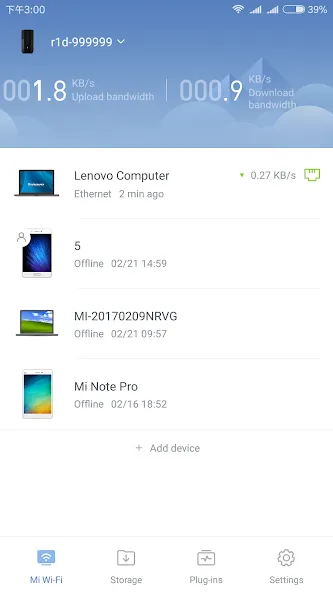
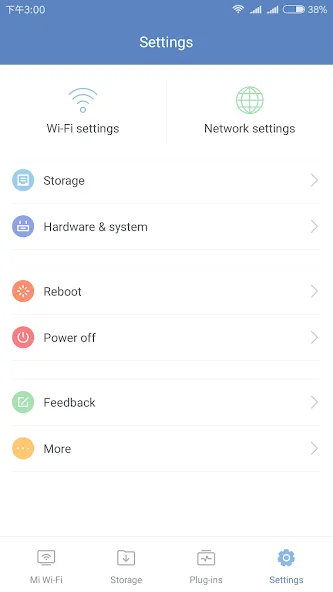
With Mi Wi-Fi, effortlessly monitor and manage the devices on your network. You have direct access to a device list allowing oversight of connected gadgets, with the capability to grant or restrict network and data access, allocate bandwidth via Quality of Service (QoS) controls, and personalize device names for easier identification.
Size:20.21MB Version:3.0.10
Requirements:Android Price:Free
Package Name:com.xiaomi.router Signature:40299986b70f8ac3821b96f1109b0958
Utility apps are indispensable in our lives, making our daily routines more convenient. To help you find these apps more easily, this site has created a collection. This collection brings together a series of practical tools covering various aspects of life, work, and education, meeting all your needs. What are you waiting for? Try these apps now and make your life easier!
Transform your mobile device into a powerhouse of efficiency with these handpicked essential tools. Whether you need professional-grade photo editing, seamless file organization, smart task management, or real-time weather updates, our curated selection of premium apps delivers unbeatable performance. Streamline your daily routine, automate repetitive tasks, and boost your productivity with intuitive interfaces and powerful features. Designed for both professionals and casual users, these editor-approved applications will revolutionize how you work and play. Don't settle for an ordinary phone - upgrade your digital experience today and unlock your device's full potential!
About us | Contact us | Privacy policy| DMCA
Copyright © 2026 Xiaohei All rights reserved.