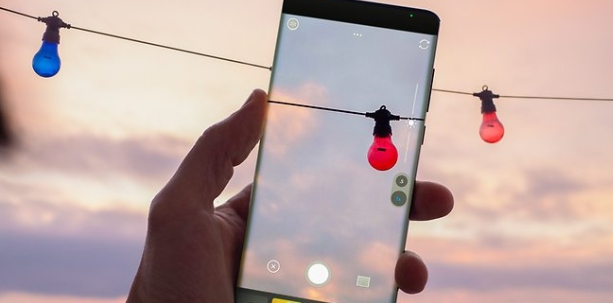
XGallery is a simple and efficient image management application. It provides a reliable alternative to default photo and video viewing apps for Android devices, offering numerous additional features. With XGallery, you can sort content by date, size, or name using the dropdown menu on the left, and create new folders to organize photos into different albums. Furthermore, the application includes an excellent filter library that can give each photo a professional and unique style. You can blur images, crop images, use brushes to create mosaics, and more.

Photo Editor & Video Editor
XGallery allows you to crop, rotate, adjust, make collages, resize pictures, add filters, text, blur, draw on photos, and compress videos. Editing made ease with this photo editor app.
Private Photo Vault & Gallery Lock
Hide pictures, protect private videos and photos via PIN code & fingerprint. XGallery is your secure photo vault app for sensitive files, letting you share your phone hassle-free.
Quickly Find Your Favorite Moments
Difficult to find the photo you need in a bunch of photos? XGallery supports to sort by multiple types, filter and search photos, helping you find what you need faster.
Recover Deleted Photos and Videos
Accidentally deleted precious photography or videos? Don't worry, XGallery keeps your deleted photos and videos in the recycle bin so you can easily restore them anytime.
Clean Up Useless Files
Too many similar old pictures? XGallery's deep clean feature identifies similar photos, screenshots, and large videos to help you quickly free up storage space.
Magic Story Album
AI-powered Story album automatically groups your photos by themes (travel, family, friends, etc.), creating eye-catching story videos and vivid family album to share and relive.

Crop Photos: The basic feature that users use the most is the feature that makes their photos shrink and flip horizontally without destroying the image quality.
Apply Effects: And most importantly, the application also needs to add many interesting filters so that users can choose according to their preferences.
Compress Videos: The point that many people consider to be the superiority of the application is that it can shrink or enlarge your photo without destroying its original quality.
Auto-Recycle Bin: Photos that users delete are automatically placed in the trash folder, and their photos are not just stored temporarily until they empty the trash.
Restore Photos: The way to restore them in bulk is also very simple; users just need to access the trash and take them out again. The red book photo will be returned to the exact place where it was before, saving users the trouble of searching.
Prevent Permanent Loss: This feature exists to help users avoid accidentally losing their favorite photos. As long as they still use this application, their photos will still be safe.

Edit photos with a range of popular tools
Although it is a photo storage application, XGallery is integrated with many photo customization tools like a real photography application. Specifically, users can crop photos, apply dozens of filters, blur photos and perform many other advanced customizations. For videos, they also easily trim and compress videos to reduce video size, convenient for sharing. Therefore, they do not need to use another third-party application, everything is fully integrated here.
In addition, after taking a photo or recording a video, the photos and videos are automatically added to XGallery’s library. So users do not need to spend time converting photos from the default library to this application for storage and management. However, it only supports viewing certain formats, like JPEG, GIF, PNG, SVG, Panorama, MP4, MKV, RAW, and more. These are the most common formats for photos and videos so users are not limited by anything.
Organize and manage photo archives
If you are a fan of neatness, this application will satisfy you. Organizing photos will not take up much of your time and is also very convenient with a few taps. Photos and videos will be organized into pre-made folders, such as Selfie, Family, Food, Videos, and more. Users can manually name the folder and add the corresponding content. Thanks to that, finding photos later will become faster. Besides, this application also supports searching photos through filters.
Deleting photos in XGallery is also more optimal than usual. Because it will automatically detect similar photos to delete them, helping to free up the phone memory. Users can also do it manually by selecting batches of photos and deleting them at the same time. If you accidentally delete unwanted photos, don’t worry too much. Go to the junk folder and recover your deleted photos or videos.
Photo and gallery security
Everything in this application can be secured at the user’s discretion. They can use a PIN to lock an image, a video, or an entire folder of photos. Now you don’t have to worry about someone peeking at your personal photo and sharing it. Only you can see the encrypted image, so feel free to take a photo and store it in any folder you want. Just a few basic steps to lock and hide photos on XGallery.
Easy to use, intuitive interface
This application looks quite similar to the default gallery on the phone. So anyone can easily access it from the first use. The photo editor is also quite familiar, not much different from popular photo editing applications on phones. The arrangement of the photo library is also very simple, just touch and swipe on the screen. Most features are intuitive, with instructions for quick search and use.

In summary, XGallery is a versatile and powerful photo and video management app that helps you keep everything organized. It is ideal for those who want to protect their sensitive files, recover accidentally deleted photos and videos, and clear out similar photos to free up space. Download XGallery now and enjoy a seamless experience of managing your photos and videos.
Size:49.86MB Version:2.0.8
Requirements:Android Votes:121
Package Name:gallery.hidepictures.photovault.lockgallery Signature:723c9bd90f87dca24feafd077012230c


Discover our File Management Apps hub! Here, you can explore essential tools like Google Drive for cloud storage, Dropbox for simple file sharing, and File Commander for managing files directly on your device. Easily organize and access your files across your phone, or tablet. Our platform is designed to help you quickly find reliable apps to streamline your digital file management.
Recently, I have noticed that many friends are asking about the photography skills of their mobile phones. In fact, even the best skills cannot compare to an excellent mobile phone photography app. Nowadays, the mobile phone selfie tool can automatically beautify the photos while taking pictures, and the photos taken are beautiful and particularly natural. Which mobile camera app is good? The editor has carefully compiled the ranking of popular photo apps for mobile phones. The editor recommends several excellent mobile photography apps for those who love taking photos. Let's start taking more beautiful photos now.
About us | Contact us | Privacy policy| DMCA
Copyright © 2026 Xiaohei All rights reserved.