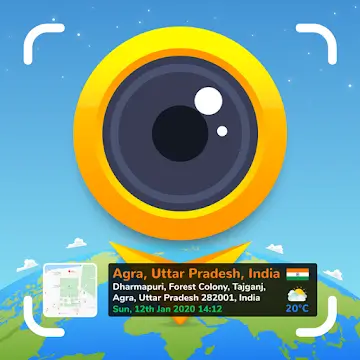
GPS Map Camera is a photography app that breaks down the traditional limitations of photos. Normal photos only provide information captured by the lens, lacking details about the location. Every photo you take displays much more detailed geographical information, including longitude, latitude, country, and even weather and altitude, meticulously recorded on the photo so viewers can immediately identify the location. In addition, it offers numerous stamp templates, allowing you to choose your preferred display methods and modes for a richer photography experience!
1. Map Options: Change the map type for your photos, including Normal, Satellite, Terrain, and Mixed modes;
2. Short Address: Automatically add short location information to photos;
3. Address: Add your chosen manual/automatic location information to the image;
4. Latitude and Longitude: Set GPS coordinates, supporting DMS/decimal formats;
5. Coordinate Code: Precise or concise coordinate codes;
6. Date and Time: Add date and time stamps as image tags in various formats;
7. Time Zone: GMT and UTC time zones;
8. Logo: Upload your brand logo;
9. Notes: Add relevant notes;
10. Tags: Add tags to photos using this GPS app;
11. Weather: Display temperature in Fahrenheit or Celsius;

Location, Date, and Timestamps
GPS Map Camera adds latitude and longitude, short or full address, date, time, and time zone information to each photo. You can choose coordinates in decimal or degrees, minutes, and seconds format, and switch between automatic and manual address input. If shooting indoors, wait for the signal to stabilize before taking important photos to ensure accuracy and weather data are updated correctly.
Map Overlays on Photos
You can overlay live map tiles onto images for quick contextual understanding. Choose from "Normal," "Satellite," "Terrain," or "Blended" views to match the scene. If the layout appears cluttered, simplify the fields, retaining only essential information like coordinates and time to maintain image clarity.
Flexible Templates and Rich Context
Classic templates automatically acquire core location and time.
Advanced templates allow you to add Plus codes, notes, tags, and logos.
Set weather units to Celsius or Fahrenheit and switch between sensors such as compass, magnetic field, wind, humidity, barometric pressure, altitude, and accuracy.
For optimal new options and sensor operation, ensure you are using the latest version of your GPS map camera before fieldwork.
Camera Tools and Organized Gallery
It offers grid lines, aspect ratio, front or rear camera settings, flash, focus, mirror, timer, shooting sounds, scene modes, and filters for easy capture of stable photos. A map gallery allows you to tag photos to their corresponding locations, automatic file naming keeps photos organized, and a built-in QR code scanner is convenient for use while traveling.

This app also provides additional information that may be relevant to the user. For example, it can display weather conditions in Fahrenheit or Celsius, adding more detail to photos. Information such as magnetic field, wind speed, humidity, air pressure, and altitude can also be measured and added to photos. This rich information enhances the narrative of the photos.
Users can further personalize their photos by adding dates and timestamps in various formats. This feature not only adds timestamps to photos but also helps organize and recall memories based on when they were taken. The app supports multiple time zones, including Greenwich Mean Time (GMT) and Coordinated Universal Time (UTC), ensuring users can accurately record their experiences no matter where they are.
In addition to the features mentioned above, the GPS Map Camera app allows users to upload brand logos, making it ideal for businesses looking to project a professional image in their photos. Users can also add captions and hashtags to increase photo visibility on social media platforms.

What is GPS Map Camera?
GPS Map Camera is a mobile application for Android that automatically adds GPS coordinates, date, time, and other environmental data to your photos.
How does GPS Map Camera work?
The app uses your phone's GPS and sensor data to embed real-time information such as latitude, longitude, weather, and compass direction into each photo.
Can I customize the GPS markers on my photos?
Yes, you can change the font, color, stamp position, and choose the data to include, such as maps, timestamps, or custom logos.
Is GPS Map Camera useful for professionals?
Absolutely. It is widely used by real estate agents, site engineers, site inspectors, and others who need photographic evidence with verified locations.
Does GPS Map Camera require an internet connection?
It works best with GPS and data enabled, especially for real-time weather or map functions, but it can still mark locations using cached data even offline.
GPS map cameras are best suited for those who value the accuracy and reliability of their photographic documentation. Whether you're a travel blogger documenting every stop or a project manager needing photo documents, this app can easily integrate into your personal and work routine.
Size:14.9MB Version:1.4.8
Requirements:Android Votes:124


Photography is an art form that has been around for over a century and has evolved greatly over the years. With the advent of technology, photography has become more accessible and convenient, especially with the rise of mobile photography. Mobile photography has revolutionized the field of photography, making it possible to capture and edit high-quality photos right from your smartphone. As mobile photography continues to grow in popularity, there is an abundance of mobile apps available for photography enthusiasts. However, with so many options available, it can be difficult to determine which apps are worth your time and investment. In this article, we’ll take a look at the top mobile apps for photography and provide you with a comprehensive guide to help you choose the best app for your needs.
Transform your smartphone into a powerful creative tool with these top-rated camera apps. Packed with professional-grade editing features, stunning filters, and advanced effects, they help you capture and refine every shot like never before. Perfect for landscapes, portraits, or spontaneous selfies, these apps offer intuitive controls and AI-powered enhancements-all for free. Download today and unlock your full artistic potential. With these apps, your photos will stand out with polished, professional quality, making every moment picture-perfect!
About us | Contact us | Privacy policy| DMCA
Copyright © 2026 Xiaohei All rights reserved.