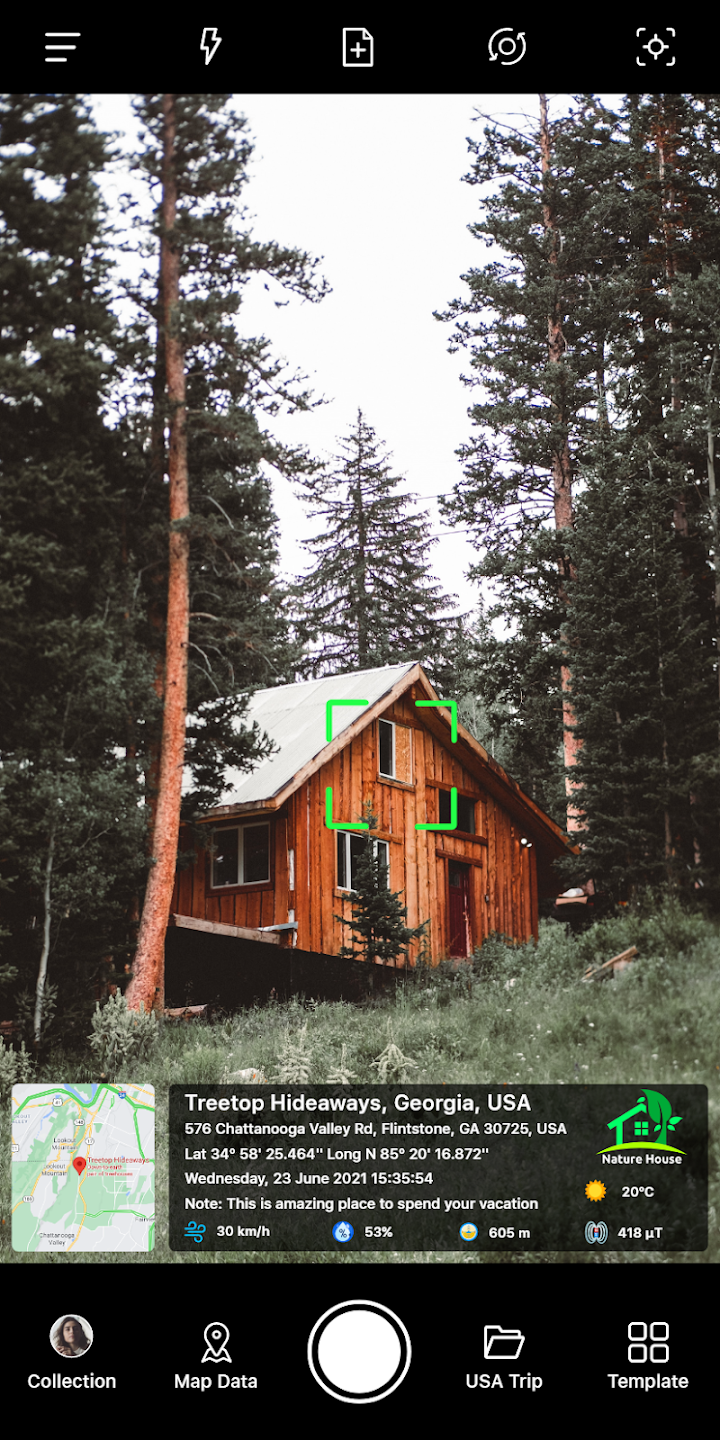
GPS Map Stamp Camera is a fun and engaging camera app. It helps users easily add GPS geotagging and important information, allowing you to easily understand the location and time of the photo when reviewing it later. With GPS Map Stamp Camera, you can explore a range of GPS geotagging templates for your photos, including local temperature units, location details, GPS maps, and date and time stamps. Furthermore, the app offers a rich selection of templates; you can choose one and customize the necessary details to efficiently personalize your GPS icon.
GPS Location with customizable time stamp and location features.
Add gps coordinates, latitude longitude, and compass data to photos and videos.
Real-time gps location and location sharing for easy connectivity.
Multiple map views including gps maps and satellite templates.
Convenient tools like coordinates locator, location app, and gps location tracker for seamless tracking and monitoring.
Add location data to photos in your library
When you go to any interesting tourist destination, you want to take pictures as souvenirs. But there is a problem that everyone encounters: taking too many photos, not remembering all the time and location of the photos. However, GPS Map Stamp Camera has brought you optimal solutions to solve the above problem. Your job is to provide complete important information of the photo such as time, location, weather… the application will help you note that data on the photo. You can use photos from the photo library to edit information or you can choose the photo mode, the application provides you with detailed information.
Create and edit personal photo stamps
Discover the collection of geo-tagging stamps that GPS Map Stamp Camera Unlocked Pro brings for you to use. Each photo can be attached to many different types of stamps such as: GPS Data, Map Type, Date & Time Format, Temperature. Users can use the available stamp templates on the application or can create many other personal stamps such as: Map Type, Date & Time Type, My Collection. There will be no limit to the number of stamps, just choose which template you like and you can choose to add those templates to display on the photo in just a moment. In addition, when moving the stamp on the photo, you can edit the content, details, customize the stamp size to suit, change the font size and search for many different fonts.
Change data format
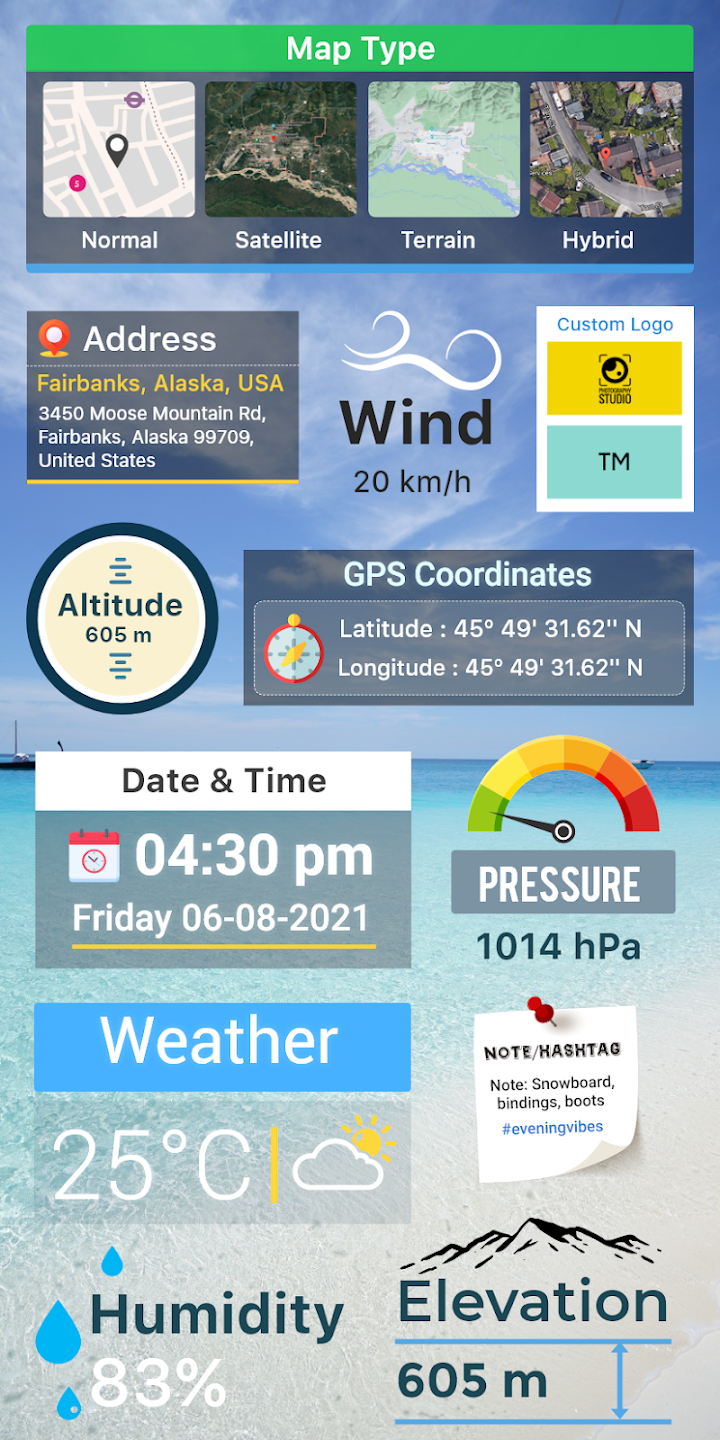
GPS Map Stamp Camera is very flexible in changing the format of the data on the stamps according to the way you want to stamp on the photo. For example, with the temperature unit being degrees Celsius or degrees Fahrenheit, GPS map data will be divided into four forms: Normal, Satellite, Terrain, Hybrid. The time format can be 12 hours or 24 hours, and finally the date and time format, you can choose arrangements such as d/mm/yyyy, mm/dd/yyyy or year/month/day. Quickly edit the stamp details, choose the formats you like, and create a stamp style for each photo.
Select the photo location on the GPS map
When selecting the location of the photos on the map in GPS Map Stamp Camera, there are two options that you can refer to: automatic or manual selection. With the manual feature, you will have to manually enter all the detailed information related to the location where the photo was taken. Then you will have to drag and drop the location on the map, the application will help you get detailed data about latitude and longitude, from here users can use the information obtained manually and customize it as they like. To save time in the process of selecting a location, you should not ignore the automatic location tagging feature. You just need to enter detailed information about the location, GPS Map Stamp Camera will support users to find the most accurate location on the GPS map, you just need to wait for the results and use the location data for the photo.
Photo shooting modes
In addition to the ability to provide location data for photos in the photo library, GPS Map Stamp Camera also offers the ability to take photos using a GPS camera. To reduce editing time and search for details, you can refer to the automatic shooting ability. You just need to take a photo with all the necessary information, the application will automatically find your current GPS location and then add it to the photo you took. In case you have time to edit and want more detailed photo information, you can use the manual GPS camera feature. With this feature, users must add stamps related to time, address and customize as they like.
Diverse stamp templates
If you don’t want to spend time creating personal stamps but still want beautiful stamps that match the style of the photo, GPS Map Stamp Camera has helped you design classy stamps. With available stamps, users just need to choose and apply them to their photos, you can also edit them to best suit. Some stamps such as: Celebration, Summer, Monsoon, Workout, Traveling… Depending on the stamp, the displayed content will be different, for example, with travel stamps, there will be weather, location, date and time, holiday stamps will be designed in a different style.
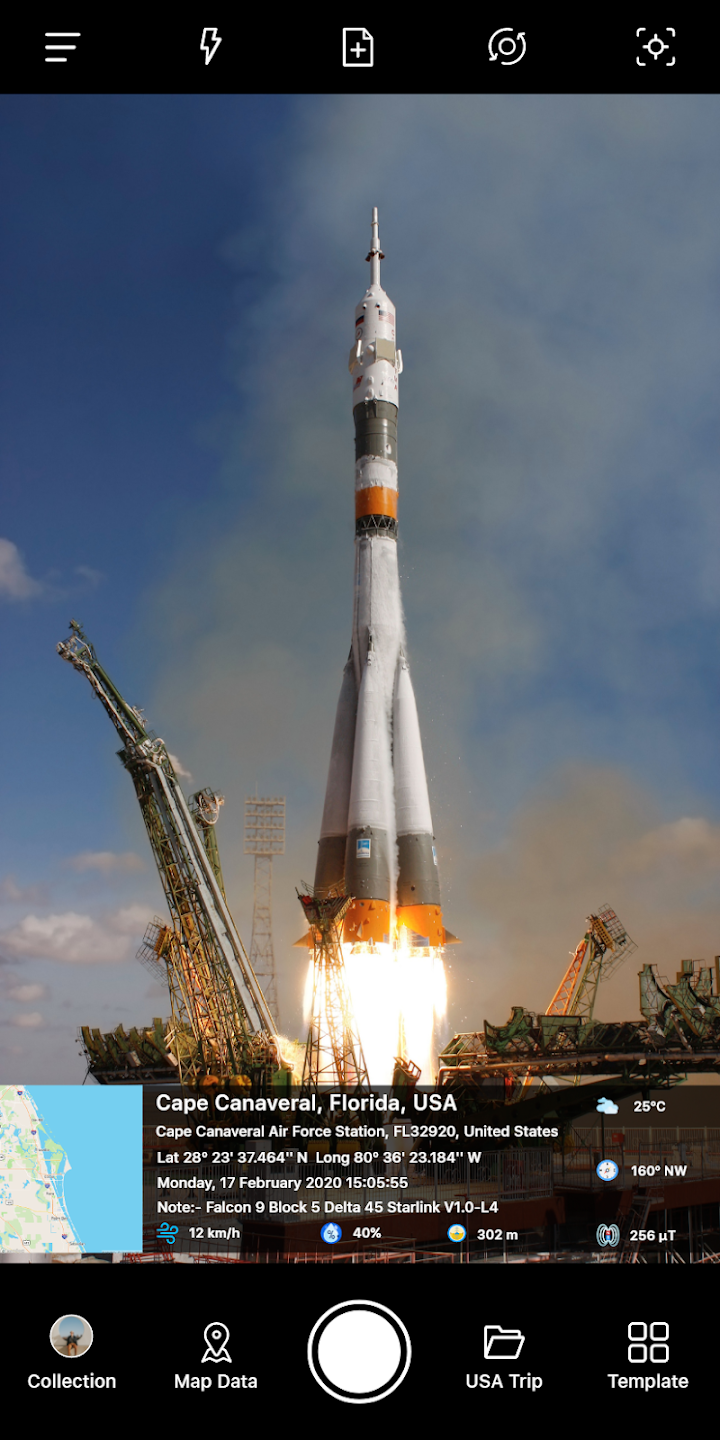
GPS Stamp Templates: Choose from a variety of templates to add detailed location information to your images.
Automatic and Manual Tagging: Easily add GPS stamps to photos using automatic or manual tagging options.
Multiple Map Types: Select from Standard, Satellite, Terrain, or Hybrid maps to display on your images.
Customizable Date and Time Formats: Customize the date and time stamp format according to your preferences.
Experiment with Different Templates: Try out different GPS stamp templates to find the one that best suits your photo.
Wide Selection: The app provides many design templates and layouts from which you can choose.
Customizable Elements: Users can customize the template by adding or removing elements such as date, time, address, temperature, etc.
Personalized Design: The app allows you to adjust the font, size, color, and even the position of the elements in your photo.
Unique Stamp Styles: Users can design unique stamps to suit their photography style and needs.
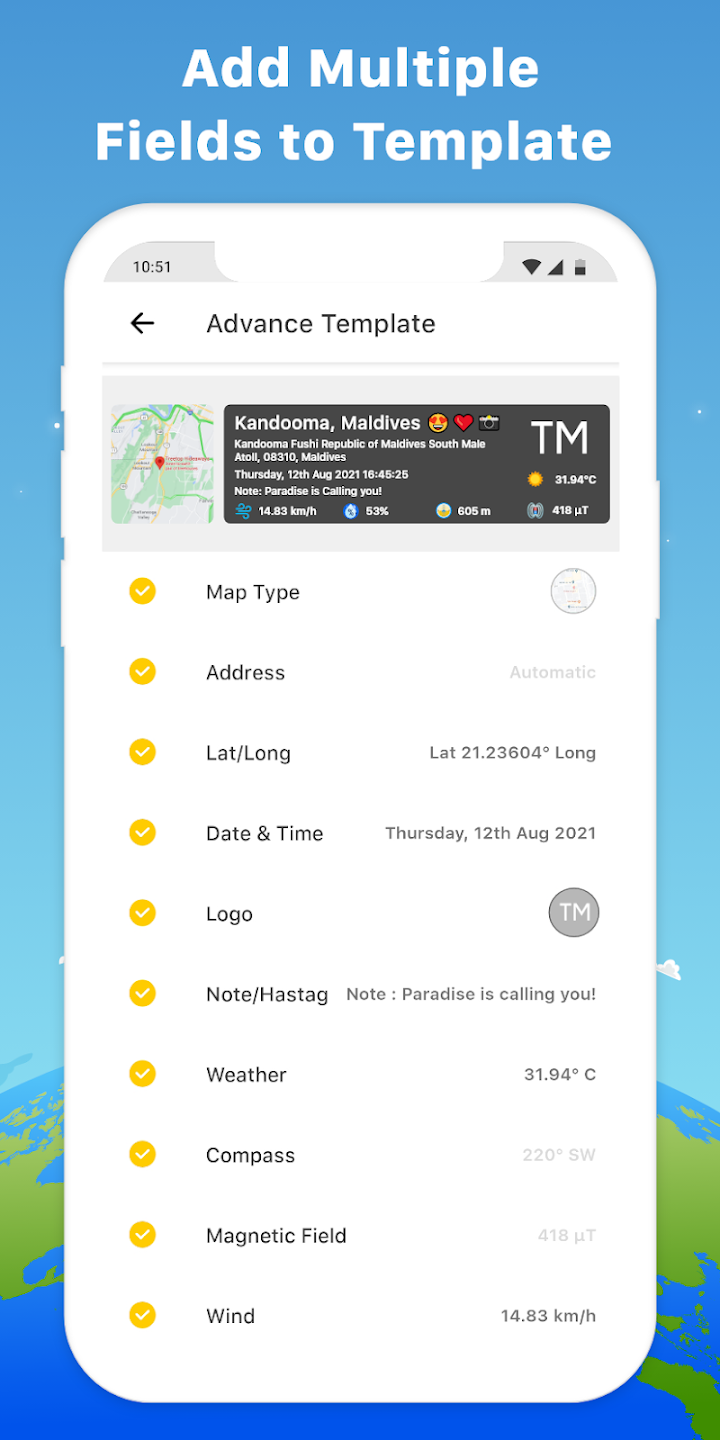
GPS Map Stamp Camera is a must-have application for adventure enthusiasts, onsite professionals, event coordinators, and anyone looking to add a personal touch to their gallery photos. With its user-friendly interface, versatile templates, and unique geotagging options, this app offers a seamless way to relive your journeys and enhance your photography collection. Download GPS Map Camera now to start building an impressive gallery with personalized GPS stamps and date timestamps!
Size:32.5MB Version:1.9.9
Requirements:Android Votes:375
Package Name:com.photolocationstamp.gpsmapgeotagongalleryphotos Signature:3e08236a2fabb7b6e80038c55e06bf0546e51071
Photography is an art form that has been around for over a century and has evolved greatly over the years. With the advent of technology, photography has become more accessible and convenient, especially with the rise of mobile photography. Mobile photography has revolutionized the field of photography, making it possible to capture and edit high-quality photos right from your smartphone. As mobile photography continues to grow in popularity, there is an abundance of mobile apps available for photography enthusiasts. However, with so many options available, it can be difficult to determine which apps are worth your time and investment. In this article, we’ll take a look at the top mobile apps for photography and provide you with a comprehensive guide to help you choose the best app for your needs.
Visuals serve as a primary gateway for players to engage with games, where distinctive art direction immediately captures attention and creates lasting impressions. An unconventional aesthetic not only stands out in crowded markets but also enhances immersion and emotional connection. When executed with creativity and polish, striking visuals elevate gameplay into a memorable artistic experience. That's why titles with truly exceptional art styles deserve recognition - they offer both visual delight and meaningful interactive expression that resonates with players long after the session ends.
Transform your smartphone into a powerful creative tool with these top-rated camera apps. Packed with professional-grade editing features, stunning filters, and advanced effects, they help you capture and refine every shot like never before. Perfect for landscapes, portraits, or spontaneous selfies, these apps offer intuitive controls and AI-powered enhancements-all for free. Download today and unlock your full artistic potential. With these apps, your photos will stand out with polished, professional quality, making every moment picture-perfect!
About us | Contact us | Privacy policy| DMCA
Copyright © 2026 Xiaohei All rights reserved.