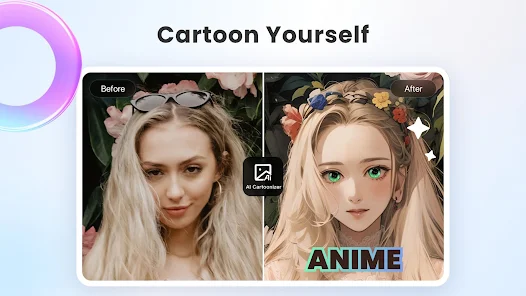
Lightroom is an image editing tool that allows users to quickly edit images to achieve desired effects. It supports format conversion and can quickly create presentations. It also features AI functionality, enabling users to generate desired effects and filters with a single click. A community forum is also available, providing editing inspiration from the community. The software includes a built-in filter library that can be used directly, allowing users to bring old photos to life with beautiful results.
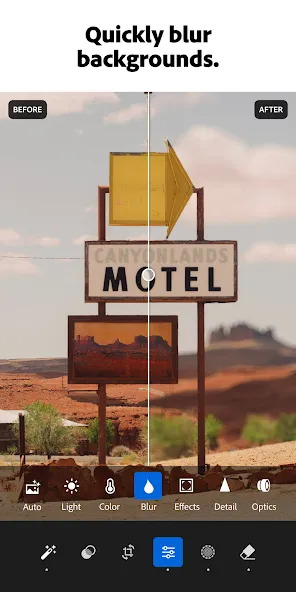
Image Editing- Lightroom provides all the necessary tools to edit your image, adjusting its exposure, contrast, sharpness, saturation, white balance, etc.
Non-destructive Editing- Any edits you make with Lightroom will not affect the original file, so you never have to worry about losing a photo due to an unexpected change or error.
RAW Edition- Lightroom allows you to edit your RAW images without the need to convert their format.
Library Module and Organization- Import and organize all your images and photos using its metadata, tags, and keywords system.
Creating Presentations- Create professional-looking slideshows and digital albums in seconds.
Integration with Photoshop- Since it is included in the Creative Cloud suite, you can use Photoshop when needed and take advantage of its advanced editing tools.
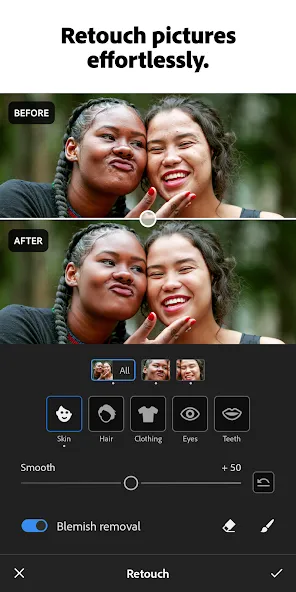
AI PHOTO EDITOR & NEW FILM FILTER PRESETS THAT SET YOUR PICTURE APART
Want brighter colors? Softer, blurry backgrounds? A quick touch-up to crop and resize a photo? Lightroom’s one-tap features like Quick Actions and Adaptive Presets let you enhance photo quality in seconds. Try our new film filter presets to match your vintage aesthetic. Our AI photo editor tools suggest the best edits for your images. Perfect for quick fixes or adding a unique vibe, no experience required. Use it as your go-to picture editor.
EDIT PHOTOS, REMOVE DISTRACTIONS, & BLUR BACKGROUND
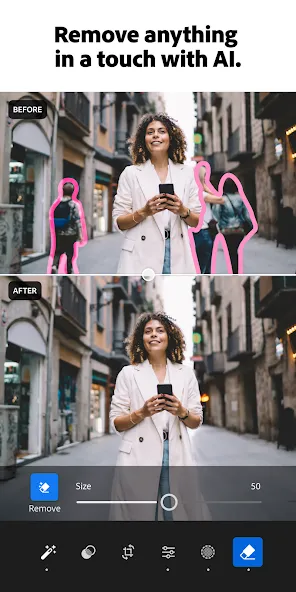
Lightroom photo editor gives you access to tools that feel professional but stay approachable. Blur the photo background for a polished look, adjust the finer details, or use Generative Remove as an AI photo editor to erase objects within your photos.
POWERFUL EDITS WITH ZERO HASSLE
Edit photos easily by tweaking exposure, highlights, and shadows. Fix photos with new film filter presets, unique photo effects, color grading, hue, saturation, or add a blurry bokeh effect to nail the perfect vibe. Edit photos with your creative control while keeping it simple.
GET INSPIRATION FROM THE COMMUNITY
Not sure where to start? Browse photo presets shared by creators around the world. From vintage film filter photo effects to applying a retro photo filter,Lightroom has the presets to match your aesthetic. Whether you’re looking to make bold edits with AI photo editor tools or subtle tweaks for polished portrait edits, find a look that matches your style — or create your own. Save your favorites and make every photo feel like
you.
Pros:
Easy to use and intuitive user interface.
Ability to quickly sync photos with Lightroom on the desktop.
Powerful photo editing tools for adjusting exposure, colour balance, sharpness etc.
A variety of filters are available for enhancing images in a single click.
Support for RAW image files from DSLR cameras.
Cons:
Limited editing features compared to the desktop version.
No support for plugins or third-party extensions.
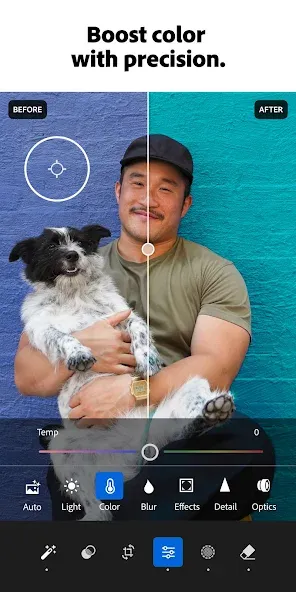
As a professional photographer, I find this to be an excellent option for on-the-go photo editing. I encounter very few issues with its functionality. The ability to apply my preferred settings and camera profiles, capture an image, and then promptly edit and dispatch it significantly streamlines my workflow. This is particularly advantageous when I am away from my complete studio setup.
I like light room even though if you are using the free mode version you cannot access many things . I like it because it's cheaper to subscribe in it . it makes my pictures look very nice and nicer than they ever were .
This app is good. but, I am having a problem. i have a monthly premium subscription but everytime a open and while using the app. the Notice for Yearly and Monthly subcription keeps on popping. I want you to help me to resolve this issue, Thank you.
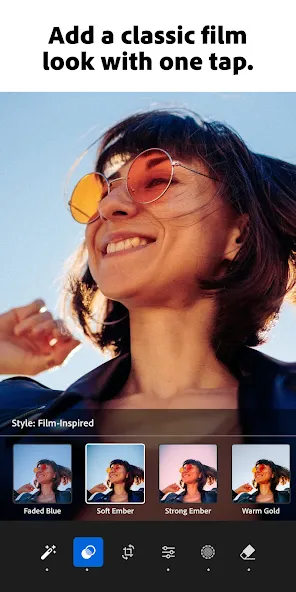
Lightroom is a versatile photo and video editing software that offers professional-quality editing right from Android devices. It reliably converts your ordinary snapshots into awesome visuals, and the availability of multiple editing tools helps to improve the quality of visuals while fixing imperfections.
Size:134.40MB Version:8.2.3
Requirements:Android Votes:180
Package Name:com.adobe.lrmobile Signature:2c8c2194378db161c7f44d7813cbebf3
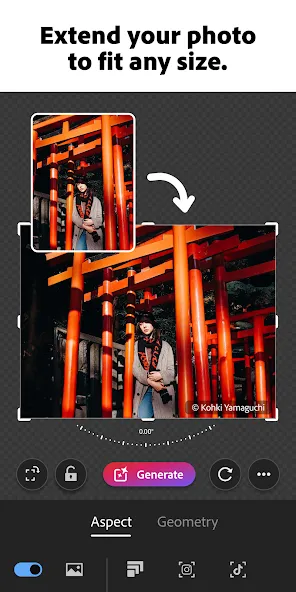
Welcome to our image editing apps! Perfect for beginners and pros alike, they make photo enhancement easy. Use PicsArt to crop, adjust colors, and apply filters. Remove backgrounds instantly with Remove.bg. Get creative with layers and advanced tools on Adobe Photoshop Express. Start transforming your images today!
Visuals serve as a primary gateway for players to engage with games, where distinctive art direction immediately captures attention and creates lasting impressions. An unconventional aesthetic not only stands out in crowded markets but also enhances immersion and emotional connection. When executed with creativity and polish, striking visuals elevate gameplay into a memorable artistic experience. That's why titles with truly exceptional art styles deserve recognition - they offer both visual delight and meaningful interactive expression that resonates with players long after the session ends.
AI Photo Editing Apps - encompassing both image generation and enhancement tools - utilize cutting-edge machine learning algorithms to produce, refine, or transform visuals using text prompts, uploaded images, or artistic preferences. These powerful applications are reshaping digital art, photography, and media production by streamlining sophisticated processes such as professional-grade retouching, artistic style replication, and completely AI-generated artwork. By combining automation with creative control, they empower users to achieve stunning results with unprecedented speed and precision.
About us | Contact us | Privacy policy| DMCA
Copyright © 2026 Xiaohei All rights reserved.