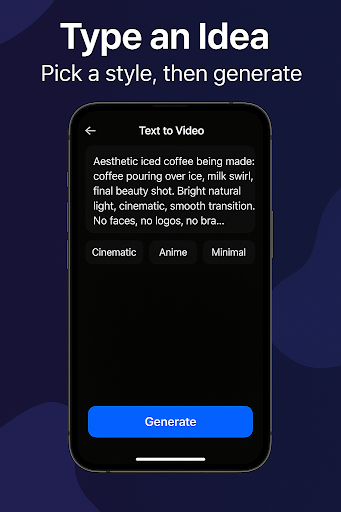
AI Video Maker: Text to Video is a full-featured AI video maker. Utilizing advanced AI capabilities, this app allows users to simply input their desired content, select a style, and generate short videos that can then be published to various short video platforms. With AI Video Maker: Text to Video, you can quickly and easily edit, trim, and add effects to videos with just a few taps. The app offers a vast library of customizable video templates, catering to all your needs, whether you want to create eye-catching promotional videos, enhance your social media content, or simply enjoy the fun of video.
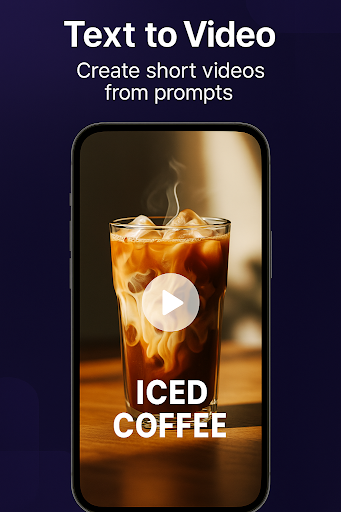
Text to video: turn prompts into short videos
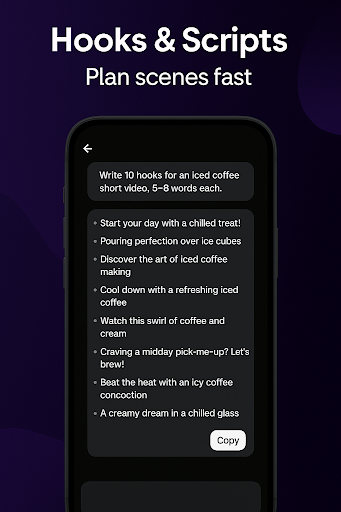
Script & hook writer: ideas, outlines, scenes, rewrites
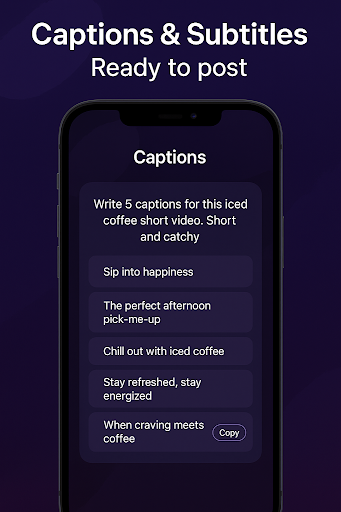
Captions/subtitles: generate captions for your videos
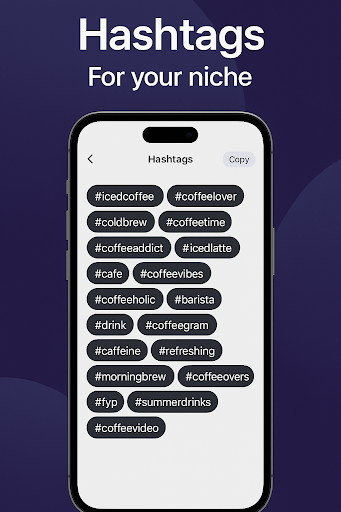
Hashtags & post ideas: help with discovery and consistency
Thumbnail/cover maker: create eye‑catching cover images
Creator chat assistant: captions, titles, CTAs, content plans
Explore the template library to find the perfect design for your video.
Use the intuitive editor to easily add music, effects, and text animations.
Customize your video by adding your branding elements and personal touch.
Experiment with different styles of intros and outros to give your videos a professional look.
Merge images and videos seamlessly with the slideshow maker for captivating presentations.
Is there a free trial available for the app?
Yes, the app offers a free trial so users can explore its features before committing to a subscription.
Can I use my own music in the videos created with the app?
Yes, users can easily add their own music to their videos to personalize them further.
Are there tutorials available to help me get started with the app?
Yes, the app offers tutorials and tips to help users make the most of its features and create stunning videos.
- Fixed crashes on first open and video creation
- Faster HTML/CSS game previews
- Smoother Python playground saves/exports
- More reliable transcripts and voice commands
- General stability and UI polish
Enhance your videos with AI Video Maker: Text to Video – the all-in-one video creation app that allows you to bring your creative vision to life in just a few taps. With an intuitive editor, extensive template library, and customization options, anyone can create stunning videos for any purpose. Download today and start creating!
Size:144.85MB Version:10.1
Requirements:Android Votes:586
Package Name:com.playstudio.aiteacher Signature:8a957fb868274fd8def177fdde39278e
Transform your smartphone into a powerful editing studio with the best video editing apps for Android! Whether you're a content creator, social media enthusiast, or just looking to polish personal videos, these apps offer professional-grade tools right at your fingertips. Enjoy intuitive interfaces, advanced features like multi-track editing and filters, and seamless exporting options - all optimized for mobile devices. Download now and start creating stunning videos anytime, anywhere!
Welcome to Your One-Stop Hub for AI Solutions! This powerful aggregation platform offers a seamless and intuitive gateway to the world of artificial intelligence. Designed for both beginners and experts, it provides easy access to a wide range of AI tools, applications, and resources-all in one convenient place. Whether you're exploring cutting-edge innovations or practical AI solutions, our platform connects you with the latest advancements in this fast-evolving field. Discover, learn, and leverage AI like never before!
About us | Contact us | Privacy policy| DMCA
Copyright © 2026 Xiaohei All rights reserved.