Flud is a torrent downloader that can quickly parse and download torrent links. It supports SD card path transfer, allows you to move files at any time during the download process, and lets you switch themes at will. Its biggest feature is that there are no download speed limits. It can accurately identify whether you are using mobile data or Wi-Fi and can also adjust the download priority. Its minimalist user interface allows users to quickly get started and easily master its uses!
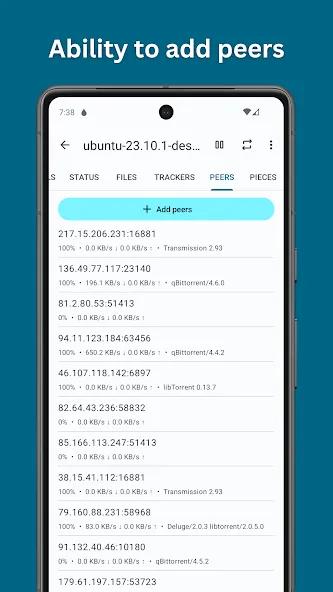
No download/upload speed limits
Ability to select files to download
Ability to specify file/folder priorities
Automatic download support for RSS feeds
Magnet link support
NAT-PMP, DHT, UPnP (Universal Plug and Play) support
µTP (µTorrent Transfer Protocol), PeX (Peer Exchange) support
Sequential download capability
Ability to move files during download
Support for torrents containing large numbers of files
Support for torrents with large files (Note: FAT32 formatted SD cards have a maximum size of 4GB)
Recognizes magnet links from browsers
Encryption support, IP filtering support. Tracker and peer proxy support.
Option to download only via WiFi
Ability to change themes (light and dark)
Material Design interface
Tablet-optimized user interface
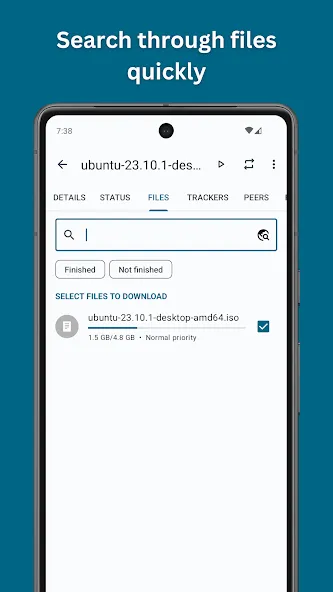
Allows us to choose which files to download if the link is bundled.
No speed limits, neither uploading or downloading.
Allows us to give a priority range to our current downloads.
Compatible with magnet links, uTorrent Transport Protocol and Peer Exchange.
Recognizes links straight from the browser.
We can choose to download only using a WiFi connection.
Simple and modern interface design, optimized for both smartphones and tablets.
Includes both a dark and a light theme.
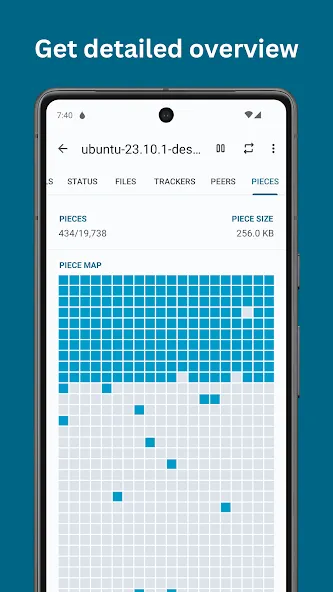
A simple look with advanced features
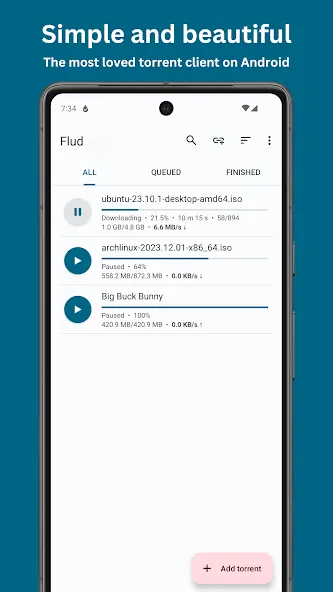
Although Flud may seem like an extremely simple app for downloading torrents, you can discover all kinds of advanced features by exploring the app's settings. By simply tapping on the "+" button, you can add torrents or magnet links to carry out each download in seconds, without any complications. Of course, compatibility with the µTP and PeX protocols also increases the ability to find more peers and maintain high and stable download speeds.
Control every aspect of your downloads
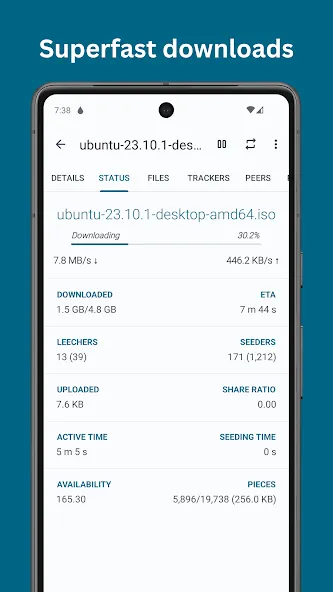
Within Flud, you will have a wide range of settings with which you can prioritize certain files when downloading in batches. This way, for example, if you're downloading the entire season of a series, you can prioritize earlier episodes and download the first episode before the rest. Likewise, you will have no problem controlling the networks from which you download each file, so you can save data by using only Wi-Fi connections.
It works well, and aside from the ads, there are no functional limitations. Plus, the ad-free version is only NT$49, which is quite cheap. I'll buy it after I claim my rewards on the 12th!
Some files download very quickly, but others remain stuck at a slow speed and cannot be downloaded successfully. I hope this can be improved!
The ad placement is reasonable and the interface is user-friendly. However, I would appreciate the addition of a feature to block leech-like clients.
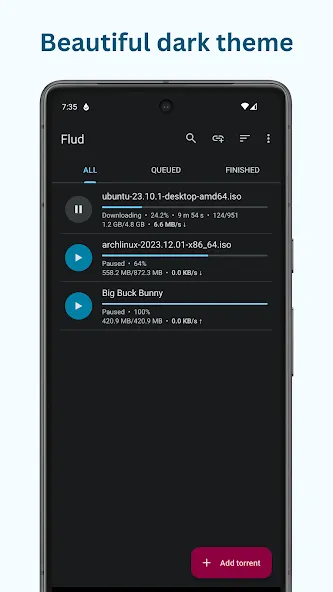
Flud is a BitTorrent client for Android that allows you to download countless files with maximum simplicity. This is achieved thanks in large part to a well-organized and minimalist interface that displays only the most necessary functions for carrying out each download.
Size:21.76MB Version:2.0.13
Requirements:Android Votes:464
Package Name:com.delphicoder.flud Signature:d8139defffe9c1e06755a40ba2a4f6ae
Discover our File Management Apps hub! Here, you can explore essential tools like Google Drive for cloud storage, Dropbox for simple file sharing, and File Commander for managing files directly on your device. Easily organize and access your files across your phone, or tablet. Our platform is designed to help you quickly find reliable apps to streamline your digital file management.
File Manager offers both graphical and command-line interfaces, allowing users to efficiently organize and control files and directories on their phone. With a file manager, users can perform a wide range of tasks, including creating, renaming, moving, copying, and deleting files and folders. Additionally, it enables users to view file properties, access content, and modify file permissions as needed. Advanced features may also include cloud storage integration, file compression, and secure encryption, enhancing file accessibility and management on mobile devices.
About us | Contact us | Privacy policy| DMCA
Copyright © 2026 Xiaohei All rights reserved.