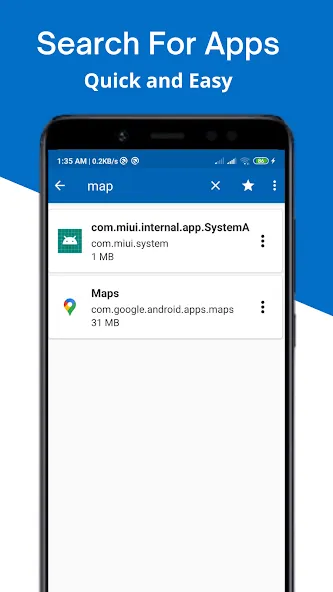
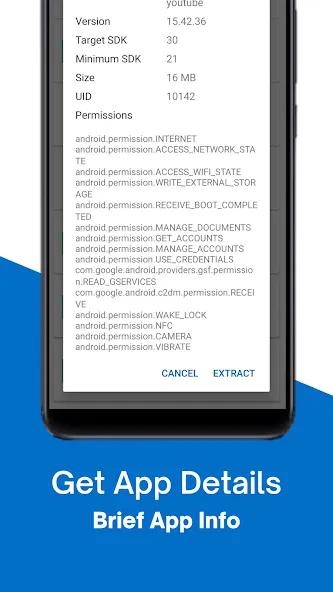
APK Extractor is an installation package management tool. It allows for the quick extraction of app installation packages—covering almost all apps, including system applications—without requiring root access. Users can designate the SD card as the destination directory to save files directly to it. The app features a powerful search function for easy app location and includes capabilities for security analysis. It also facilitates the recovery of source code from APKs, a feature intended solely for educational and informational purposes. Overall, it offers great convenience for users managing their mobile devices.
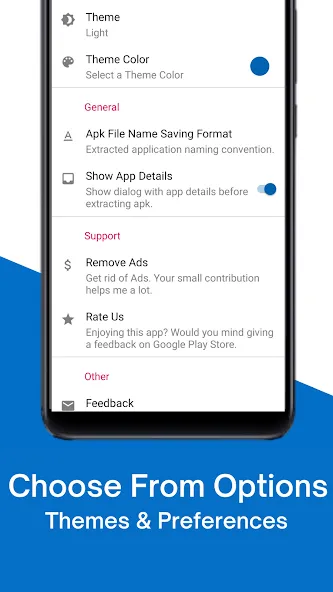
Fast and easy to use.
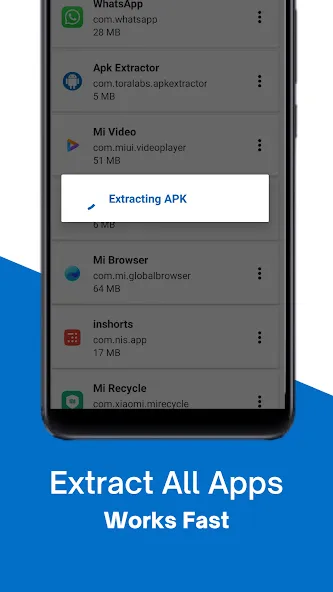
Extracts almost all application,including system applications.
No ROOT access required.
By Default Apk's will be saved in /sdcard/ExtractedApks/.
Provided Search option to search applications.
Compatible with latest version of Android 7.0
Saved apk format AppName_AppPackage_AppVersionName_AppVersionCode.apk.
Can extract multiple/all APK's by holding long click on any item.
Security analysis — review an app's behavior, check for malware, audit permissions usage
Learning — study how popular apps implement specific features or patterns
Recover lost source code — if you lost the source code for your own app, decompilation can help recover it
Debugging — investigate crashes or unexpected behavior in third-party libraries
Interoperability — understand undocumented APIs or data formats used by other applications
What is an APK file?
An APK (Android Package Kit) file is the file format used by Android to distribute and install mobile applications. It is essentially a ZIP archive containing compiled code (DEX files), resources, assets, certificates, and the AndroidManifest.xml.
How does APK decompilation work?
APK decompilation reverses the compilation process. The tool extracts DEX (Dalvik Executable) files from the APK, converts Dalvik bytecode back to Java source code, and decodes binary XML resources into readable format.
Is it legal to decompile APK files?
Decompilation for personal learning, security research, interoperability, or analyzing your own applications is generally permitted under fair use and laws like the EU Software Directive. However, redistributing decompiled code or using it to create competing products may violate copyright. Always respect software licenses.
How does the decompiler handle complex code?
The decompiler converts Dalvik bytecode back to readable Java source code and handles complex features like lambda expressions, generics, inner classes, and multi-catch blocks.
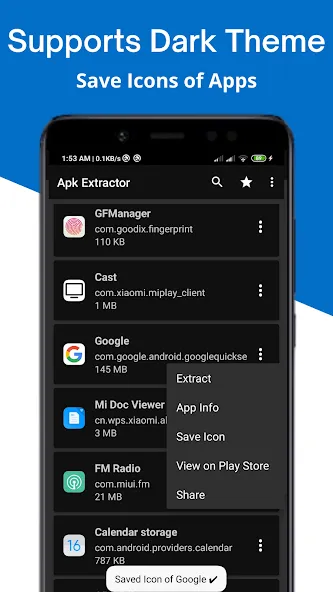
APK Extractor is a useful tool that you can use to extract any APK from all of the apps that you have installed on your device, using just a few simple steps.The tool is very simple: you just have to open the interface in order to access the list of apps you have installed on your mobile device's memory, or on a micro SD, and keep your finger pressed on the app from which you want to extract the APK.
Size:2.48MB Version:4.21.08
Requirements:Android Votes:555
Package Name:com.ext.ui Signature:7584dcfd0a78e0e5caa6d5b72e4cfb07
Discover our File Management Apps hub! Here, you can explore essential tools like Google Drive for cloud storage, Dropbox for simple file sharing, and File Commander for managing files directly on your device. Easily organize and access your files across your phone, or tablet. Our platform is designed to help you quickly find reliable apps to streamline your digital file management.
File Manager offers both graphical and command-line interfaces, allowing users to efficiently organize and control files and directories on their phone. With a file manager, users can perform a wide range of tasks, including creating, renaming, moving, copying, and deleting files and folders. Additionally, it enables users to view file properties, access content, and modify file permissions as needed. Advanced features may also include cloud storage integration, file compression, and secure encryption, enhancing file accessibility and management on mobile devices.
About us | Contact us | Privacy policy| DMCA
Copyright © 2026 Xiaohei All rights reserved.