Zapya is a file transfer assistant application. It allows you to expand your phone's storage using its USB drive, or share files to other devices via USB cable. It enhances app sharing, supports switching between old and new format versions, and enables efficient and secure sending and receiving of files. It allows you to instantly back up data from your old phone and transfer it to a new device. It supports wireless transfer; simply pair your devices. Connections are easy, and mobile data is not consumed during file transfers. It supports multiple file formats and enables cross-platform transfer.
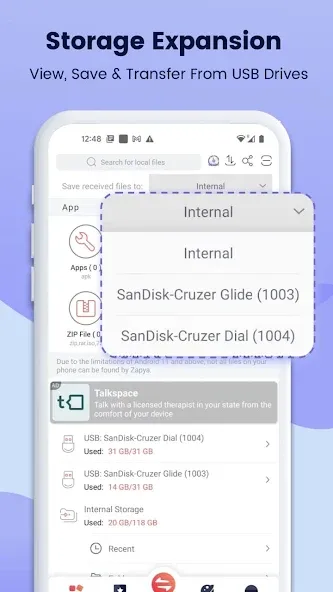
Expand Storage with USB drives
Zapya provides a new feature of USB storage and transfer. You can connect a single USB drive or multiple USB drives through a hub to your device, so you can view files on, save files to and send files from the USB drives!
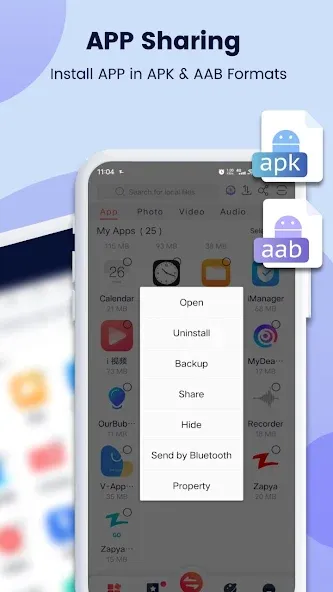
Enhanced APP Sharing
Now Zapya helps you to share and install apps (an action called side-loading) in the old .apk format and new .aab format to friends nearby or on social media.
Improved Android Support
Zapya supports the scoped storage so that users of Android 11 or higher can safely send and receive files. Additionally, Zapya continues to support devices that run Android 5 through Android 13.
Upgraded iOS to Android Sharing
Connecting your iOS to an Android device just got easier! Now you can search for a Zapya group created on an Android device and connect with a single click on Zapya.
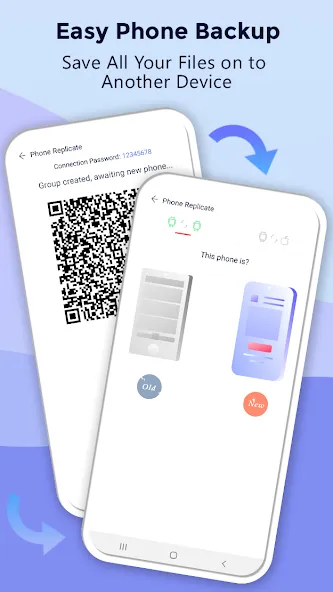
Phone Replication
Instantly back up and easily transfer all the content and data from your old device to a new one.
Bulk File Transfer
Share entire folders or multiple large files at once with just one click!
“Install All”
Simultaneously download all the apps you want onto your device with the “Install All” feature.
Wireless Transfer
You don’t have to connect both devices physically; pair the device using wireless methods. This app will let you connect your devices and transfer the files wirelessly.
Easy Connection
You can connect both devices within seconds, open the app, select receive on the first device, and send in the other.
Shake to Share
The sending process is fun because all you have to do is select the files and shake the phone a little. It will start transferring the files to your connected device.
Create Backup
You can create backups of your system and install apps. If you don’t have to apk package of any file, you can make the clone apk file from this app.
Fast Transfer
The estimated transfer speed is 100x more than the Bluetooth speed. You can transfer big files without worrying about bandwidth limits or low-speed issues.
Does Zapya consume mobile data?
No, Zapya operates using Wi-Fi Direct and does not require an internet connection or mobile data for file sharing.
What types of files can I share with Zapya?
Zapya supports the transfer of virtually any file type, including documents, photos, videos, music, and applications.
Is Zapya safe to use?
Zapya establishes a direct connection between devices, ensuring that files are transferred securely without passing through external servers. However, it’s always recommended to only share files with trusted individuals.
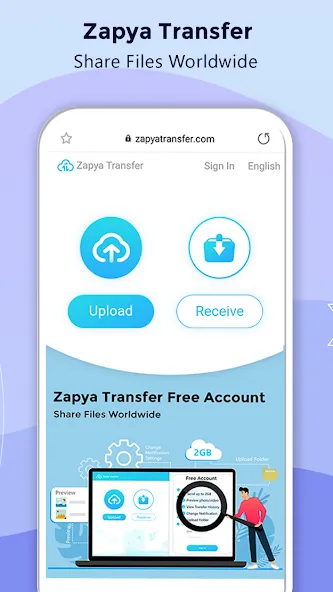
Loving this app so far!! I got my first IPhone last year, and until now I couldn't find a way to transfer my music and photos without buying a new cable! I have well over 500 music files alone!!!This app makes it so easy, and fast!! I also love that I can chose to put them in my ICloud or on my phone. The music playlist makes it easy to sort into separate lists and play in my car with an aux. cable when there's no internet signal!
I really like this app and in our community we always use it to download or copy things from other peoples friends such as apps or games and or any
Files transferred successfully. Great start for free app. Thanks a lot. Tried using other apps but I always seem to come back to this one. The Bluetooth connection is right on! The Android to Android connection works great! Just transferred two gigabytes of music from one to one phone to another. Apps like this one almost makes me not want to go back to Windows. Thanks Zapya!
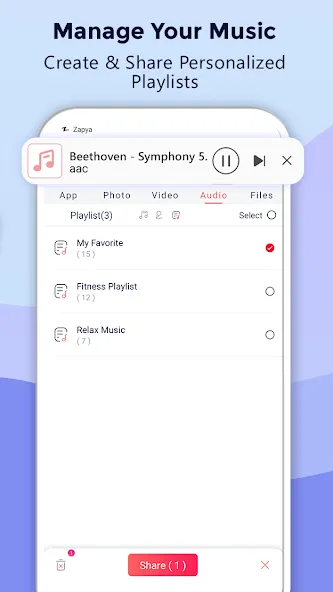
Zapya is a cross-platform file-sharing application designed for seamless data transfer between various devices without relying on internet connectivity. It empowers users to share files of any size and format quickly and efficiently, enhancing productivity and convenience in scenarios where internet access is limited or unavailable. This makes it an invaluable tool for students, professionals, and anyone who frequently needs to exchange files with others.
Size:24.46MB Version:6.6 (US)
Requirements:Android Votes:328
Package Name:com.dewmobile.kuaiya.play Signature:ecf8bbbc55644f8dc9995f6f869ccc20
Discover our File Management Apps hub! Here, you can explore essential tools like Google Drive for cloud storage, Dropbox for simple file sharing, and File Commander for managing files directly on your device. Easily organize and access your files across your phone, or tablet. Our platform is designed to help you quickly find reliable apps to streamline your digital file management.
File Manager offers both graphical and command-line interfaces, allowing users to efficiently organize and control files and directories on their phone. With a file manager, users can perform a wide range of tasks, including creating, renaming, moving, copying, and deleting files and folders. Additionally, it enables users to view file properties, access content, and modify file permissions as needed. Advanced features may also include cloud storage integration, file compression, and secure encryption, enhancing file accessibility and management on mobile devices.
About us | Contact us | Privacy policy| DMCA
Copyright © 2026 Xiaohei All rights reserved.