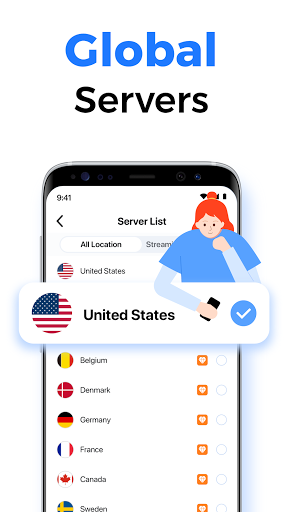
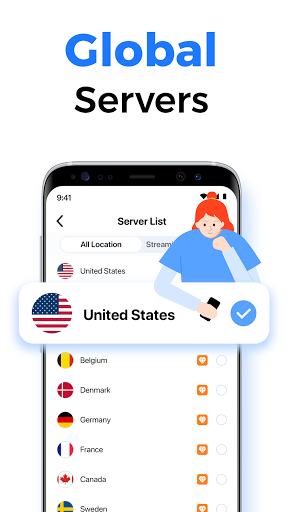
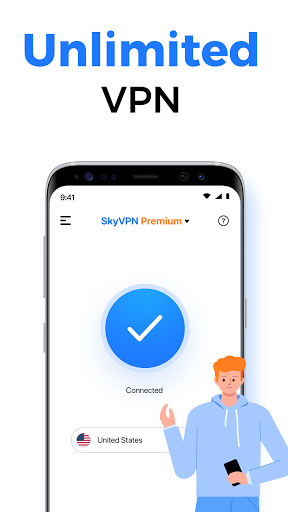
SkyVPN is a user-friendly and convenient internet proxy software. It boasts servers and nodes worldwide, providing users with a stable network environment, and offers unlimited bandwidth. Users can freely browse the web, download software and games, watch movies and videos, and more, meeting diverse user needs. The software automatically switches to faster network nodes to maintain a stable network connection. Regarding privacy protection, the software strictly adheres to a no-logs policy and encrypts users' personal information and browsing history in real time, ensuring safe and secure use.
The primary function of SkyVPN is to allow users to access websites and applications that may be blocked on certain networks, such as school Wi-Fi or workplace firewalls. With just a single tap, users can initiate a secure connection to the internet, granting them the ability to explore content freely without limitations. This feature is particularly useful for students and professionals who require access to specific resources while connected to restrictive networks.
SkyVPN offers protection for users’ Wi-Fi hotspot security, ensuring that their online activities remain private even when connected to public Wi-Fi. The app employs bank-grade encryption protocols to safeguard users’ data, making it difficult for third parties to intercept or access sensitive information. This level of security is essential for those who frequently use public networks, as it helps to protect against potential data breaches.
A notable aspect of SkyVPN is its strict no-log policy, which means that the app does not track or store any user data or activity logs. This commitment to user privacy ensures that individuals can browse the internet anonymously and securely without the worry of their information being recorded or shared. As a result, users can have peace of mind while utilizing the app for both personal and professional purposes.
The application is optimized for Android, making it compatible with a wide range of devices. Users can connect multiple devices simultaneously, with the ability to connect up to five devices under a single account. This feature allows individuals to protect their smartphones, tablets, and other devices without needing to purchase additional subscriptions.
SkyVPN is equipped with a simple and intuitive interface, facilitating easy navigation for users of all technical backgrounds. The app automatically connects users to the nearest and fastest server, ensuring a seamless browsing experience. The speed and stability of the connection are important, as they enable users to stream content, engage in online gaming, and participate in other activities that require a reliable internet connection.
Invite friends: Invite your friends to use SkyVPN, and you will get 1 GB premium traffic reward for each installed user. Share SkyVPN on Facebook, Instagram or Twitter, you will earn 200 MB of premium traffic. Sharing is earning! Invite your friends to enjoy a world without WiFi restrictions together!
Daily Check-in: If you remember to open the SkyVPN every day, you will earn at least 25 MB each day from daily check-in. After you have reached the level of star user (above 2 stars), you will earn even more traffic from daily check-in.
Completing offers: Completing offers is the fastest way to earn unlimited free traffic. When you download sponsored apps or take a survey, you will earn several hundred MB. What’s more, there is no limit of offers you can complete in a day.
Watching videos: You can watch a short video to earn some free traffic every time. SkyVPN will reward each short video you watch. The more advertising videos you watch, the more traffic you will earn.
No real issues hear. Ads for basic service is annoying and not connecting to other countries without premium is another personal issue, but this day an age, you gotta do what you gotta do. And it’s really simple to use. Don’t know anything like me? (No, really, in so dumb I wasn’t sure what would happen when I hit “connect” the first time) No problem! It’s easy to figure it out! The ads are predictable, so there’s no tapping on a button right after an unexpected ad pops up and going to some random anti-bullying site. Simple, predictable, and effective. Just how it should be what was I talking about again I just wrote an essay.
The vpn works great. The only problem I have with it is it’s always trying to get me to use premium and doesn’t let me use basic vpn. Anytime I get below 50mb and try to switch to basic it won’t let me. It’s very annoying. Please fix this. What’s the point in having a button that is clearly a premium/basic switcher when all it does is bring up a notification? At this point it just seems like it’s an intentional ploy to strong arm the user into buying premium.
this von works perfectly fine for me and I have had no problems with it for now and another thing tus I don’t get how other reviews saying that the ads bother them when all they do in the app is just connect and disconnect like your not staying in the app the entire time while your connected to the vpn. so yeah u can play anything in school, places that have certain websites or games anywhere you want and it has decent internet speed for a free vpn.
This works perfectly at my school and it makes the service great but sometimes when I'm home it causes my wifi network to stop working. The wifi network won't work until I delete the app (which I've been doing, and then redownloading it later). Right now my wifi AND my data isn't working. Even after I deleted the app, I had no internet access. I managed to download it again (with xfinity wifi, which only lasts an hour) and only when I connected it to my wifi again did it work. Long story short, without the app connected to my wifi, I have no internet connection on my phone at all (along with not having data since this app can't connect to data). Any way I can fix this??
How Can I Earn Free Data?
SkyVPN offers unlimited free data for all users. You could always earn Premium data by signing up an account, watching videos, daily check-in, and inviting friends to SkyVPN. Some special offers are also provided so that you’re allowed to have opportunities to earn huge data.
How to Register on SkyVPN for Free Application?
SkyVPN can be used for free.Luckily, it’s never too late to know about that.SkyVPN is the best free VPN, secure and fast, and the only VPN whose premium data can be even used free of charge.As long as an account is successfully registered, SkyVPN will be able to be used for free.
How Long Can I Stay Connected with SkyVPN?
Infinitely.Whether you’re in basic mode or a premium user, you can unconditionally enjoy a fast, stable, and seamless VPN connection without disconnecting.
If There’s an Issue When I Use SkyVPN, How Should I Quickly Connect Customer Service to Get My Issue Solved?
To quickly connect with the customer service of SkyVPN, you can submit your issue within the SkyVPN app. Here’s a step-by-step guide:Step#1, open SkyVPN and tap the icon of a question mark at the right upper corner of the interface.Step#2, Select “Question type” and add a detailed description in the blank.Step#3, click the “Submit” button at the right upper corner.After successful submission, customer service will reply to you with an email telling you how to do to continue your secure online surfing.
Can I Use SkyVPN for Free? How to Do That?
Of course, you can.Everyone is equal to share the same Internet resources and everyone connected to the internet should have the opportunity to be protected by a secure VPN. You can use our VPN service for free as long as you want. You can earn premium traffic that can be consumed as online minutes as you get SkyVPN connected. The traffic can be got through Daily Check-in, Feeling Lucky, Watching Videos, Inviting Friends to use SkyVPN, or getting special offers by completing questionnaires, etc. The earned premium traffic will be stored in your account and it will be consumed as online minutes when VPN is connected. For more information about how to use SkyVPN free of charge, here is a guide.
Overall, SkyVPN is an excellent choice for anyone looking for a reliable and secure VPN service on their Android devices. With its wide range of features, robust security measures, and easy setup process, this app is sure to meet all your needs when it comes to protecting your online privacy and unblocking restricted content.
Size:26.68MB Version:2.4.7
Requirements:Android Votes:590
Package Name:me.skyvpn.app Signature:b8be4e78c6b8a214ee890dbda883ab48
With more and more of our lives happening online, smartphones have become an essential component of our daily routines. Whether you’re shopping, banking, or socializing – everything can be tracked online, even on Androids. This information can then be used by third-parties profiting off your data or your ISP to slow down your internet speed. An easy way to increase online privacy and security of your Android smartphone is to start using a VPN. At Cybernews, we have over 5 years of experience testing VPN services, so we know what makes a great VPN app. To make your search for a reliable VPN easier, together with our research team, I tested both free and paid Android VPN apps, and summarized the results of our research below.
Enjoy unrestricted internet access anywhere in the world with these top-rated free VPNs for Android. Securely browse in private, bypass geo-blocks, and unlock censored websites in just a few taps. These powerful apps encrypt your connection, mask your IP address, and protect your data-especially on risky public Wi-Fi. Whether you're streaming global content, accessing restricted platforms, or simply safeguarding your privacy, these trusted VPNs deliver fast, reliable performance. Discover the most popular free VPN downloads and experience true online freedom today-no limits, no compromises!
In 2024, privacy and security on mobile devices are more important than ever, and a reliable VPN can help protect your data while browsing. The best free VPNs for Android offer a solid balance of speed, security, and user-friendly features without costing a dime. These VPNs allow you to browse anonymously, bypass geo-restrictions, and safeguard your personal information on public Wi-Fi networks. While free options may have certain limitations, such as data caps or fewer server locations, they still provide essential privacy protection. With strong encryption, zero-logging policies, and a simple setup, these free VPNs ensure your online activities remain private and secure while using your Android device.
About us | Contact us | Privacy policy| DMCA
Copyright © 2026 Xiaohei All rights reserved.