Contact+ is a contact management tool for Android devices that supports cross-platform data backup, eliminating concerns about data loss when switching phones. It allows you to categorize contacts by account, making it quick and easy to find phone numbers. The app offers practical suggestions and options to clean up duplicates, while also allowing you to restore items deleted within the last 30 days from the trash. You can designate frequently contacted individuals, and the app automatically clears out excessive redundant information. Despite its compact size, the app is powerful and intuitive, allowing users to quickly get up to speed with its features.
Back up and sync across devices
Contacts stores your address book to your Google Account so it is available anywhere you are signed in. This helps when moving to a new phone because your names and numbers appear automatically after you sign in. You stay focused on communication while your list stays intact.
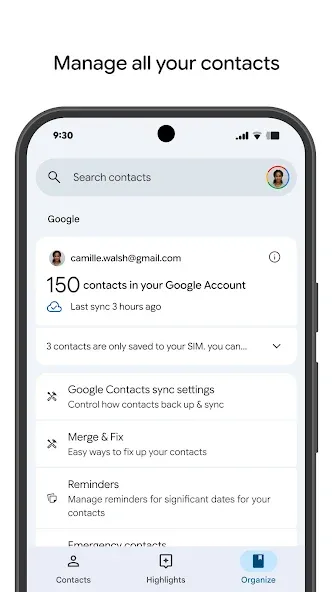
Organize by account and keep details current
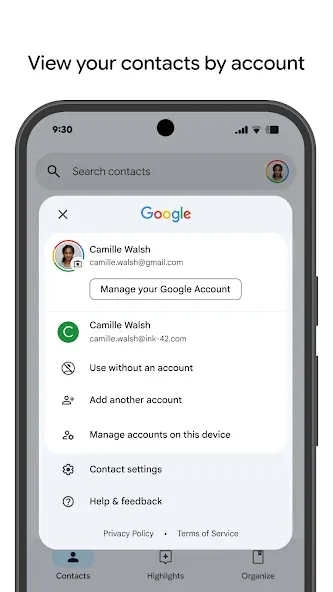
You can view work and personal entries by account for a clear separation. Contacts makes it straightforward to add or edit phone numbers, emails, and photos so each person’s card stays up to date. As you maintain details, finding the right info becomes faster.
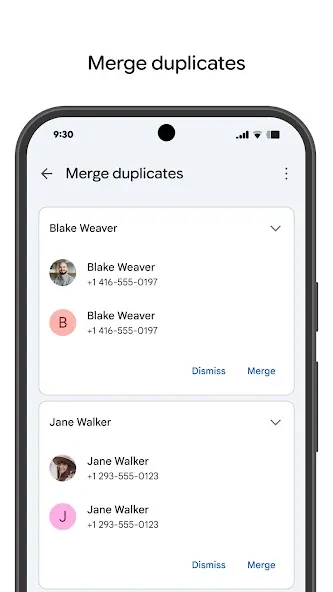
Clean up duplicates with helpful suggestions
Contacts helps you identify duplicate entries and merge them into a single, complete card. You review suggestions and confirm merges so your list remains accurate without repeated names. This keeps your address book tidy and easier to browse.
Restore recently deleted entries from Trash
If something is removed by mistake, Contacts lets you recover it from Trash within 30 days. You select what to bring back and restore it to your list. This safety net reduces the risk of losing important numbers and emails.
Wear OS quick access from your wrist
Contacts supports Wear OS with a favorite contacts tile, an individual contact tile, and a complication for your watch face. You can open a contact or start communication directly on your smartwatch. This adds fast access when your phone is not at hand.
Can we create favorite contacts on this app?
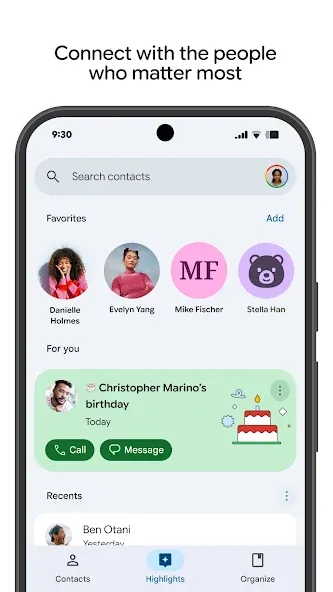
Star your favorite contacts, and the app will provide you with an auto-generated list of the people you contact most frequently. Which is listed below the stared contacts list.
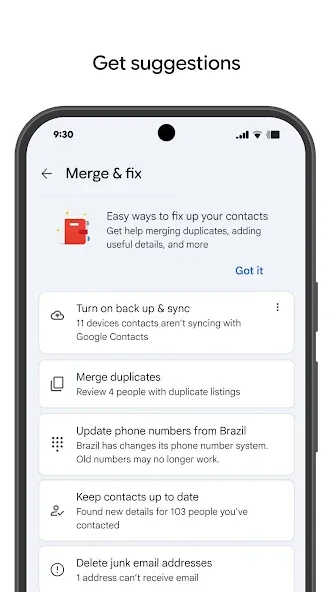
How can we sort duplicate entries for all the contacts?
You also don’t have to worry about contacts that have multiple entries and are not merged. Google Contacts will find them automatically and offer to merge them. This way a lot of clutter is cleared and you are left with a neat and sorted contact list.
Can we customize a contact photo and details?
And if your contact changes their email and shares the new address in their profile. You’ll automatically have it updated in your address book. And via the directory feature, you can sync contacts with your company colleagues.
am.a regular user of your applications, and while I find the overall experience very good, I am currently facing a major issue regarding the call recording feature. I recently switched from a OnePlus 7T to a Motorola Edge 70 Fusion. On my previous device, I relied heavily on the automatic call recording feature for my daily work and record-keeping. However, on my new phone, which uses the Google Dialer / Phone application, the option for automatic call recording is missing.
I must say the contact app is a really good one and it's developed over the years I wish they had logos for the email addresses before the email address you could have a logo attached to the email that would show before the email attachment and stuff like that before you send any emails you could just have your own personal logo name
Google Contacts should improve “Merge duplicates” by detecting contacts with the exact same phone number, even when their names are different. For example, if “Anu” and “Anuradha Bharath” have the same number, both should be shown as possible duplicates. Before merging, ask the user which name they regularly use and want to keep. Keep the selected name as the final contact name and remove the other duplicate contact after merging. This would make duplicate detection more accurate and useful.
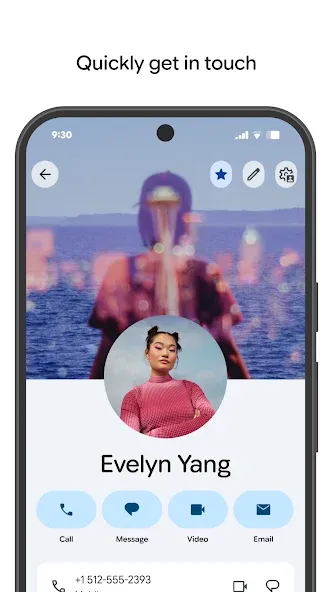
Download the Contact + APK if you're looking for a good tool to manage your address book. Thanks to this app, you can have all your contacts well organized and synced, ensuring you never lose a phone number again. This is one of the most useful apps that you can have installed on your Android device.
Size:22.08MB Version:4.87.27.97416489
Requirements:Android 2.3+ Votes:370
Package Name:com.google.android.contacts Signature:247a50a05142de33e1aad6ad7bff2961
Utility apps are indispensable in our lives, making our daily routines more convenient. To help you find these apps more easily, this site has created a collection. This collection brings together a series of practical tools covering various aspects of life, work, and education, meeting all your needs. What are you waiting for? Try these apps now and make your life easier!
Transform your mobile device into a powerhouse of efficiency with these handpicked essential tools. Whether you need professional-grade photo editing, seamless file organization, smart task management, or real-time weather updates, our curated selection of premium apps delivers unbeatable performance. Streamline your daily routine, automate repetitive tasks, and boost your productivity with intuitive interfaces and powerful features. Designed for both professionals and casual users, these editor-approved applications will revolutionize how you work and play. Don't settle for an ordinary phone - upgrade your digital experience today and unlock your device's full potential!
With the development of mobile hardware and software, many practical tool software have emerged, covering a wide range of aspects and becoming a good helper for everyone in work and life. Today, the editor provides you with a list of useful tool software downloads. These tools are not particularly complex types, and after reading them, everyone can quickly learn how to use them. Proper use can bring great convenience to life and work.
About us | Contact us | Privacy policy| DMCA
Copyright © 2026 Xiaohei All rights reserved.