Trace Anything is a drawing app designed for mobile devices. Users can upload a photo they wish to trace and adjust its size; the app then sets the image as the drawing background, making the tracing process easy. You can unleash your imagination by using the app's wide variety of brush types and colors to create original artwork based on the reference image, and then share your creations on social media. The app also features built-in photo editing tools, allowing you to freely adjust background transparency and positioning, as well as fine-tune the colors of your drawing to achieve the perfect result. Best of all, the app is completely free to use.
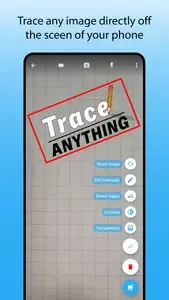
Trace Anything is a drawing app designed for anyone looking to improve their skills.
Whether you're a professional artist looking to master the art of portrait sketches or a beginner just trying to draw a heart that isn't lopsided, Trace Anything will guide your hand with an image overlaid on top of your work.
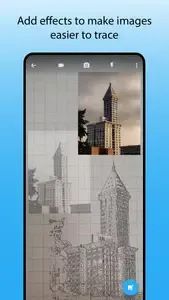
Simply upload an photo or line drawing that you would like to trace (or browse for one off the web for practice), adjust the image until it is easy to see, and position your phone above the page with a tripod, cup, or stack of books. Trace Anything will keep everything aligned while you trace the contours of the image. You can get set up in minutes, and there is no printer, tracing paper, or lightbox needed!
Because it doesn't rely on transparency, Trace Anything works with any art medium and any size: Pencil on paper, oil on canvas, hot iron on wood, and paint on a wall can all be traced from a reference photo on your screen.
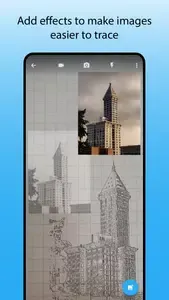
Color in and finish off your artwork with a wide palette.
From shapes to animals, multiple templates are available for sketching & tracing anything.
Choose from genres like Nature, Food, or Fantasy for endless inspiration.
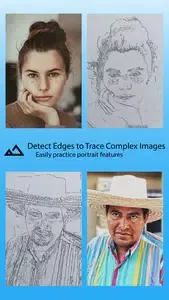
Easily convert your pictures into traceable sketches with our Trace, Paint and Sketch Art app.
Designed for both beginners and seasoned artists with an easy-to-use interface.
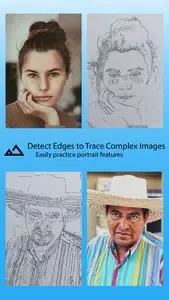
Awesome app! I love it! it taught me how to draw better! Now anytime I draw everyone loves my drawings! Thank you so much Trace and Sketch!
It is the best app for doing any projects work , students who are learning most of the time, it is specially useful for the students who do not spend time anymore except learning like they giving board exam etc.
I used this app from long time but the new update is mess evrything the photo of trace become wider when we upload for tracing and many of the option is missing from the previous version please fix.
This app is so good that it is free and offline. But yes there is ads. I checked another app but you have to give cash for that. So this is so good and I have been using this for so much time. And so useful.
If you want to get drawing, just load a photo from your library and adjust it as you see fit.Adjusting the line thickness is important, so draw as much or as little as you want, and adjust the line thickness when it’s easy to see.When you have finished drawing, you can add the line thickness and adjust it to your desired effect.
Size:4.40MB Version:2.4
Requirements:Android 5.0+ Votes:98
Package Name:com.trace.main Signature:6b69e533480433d2da95767f6cb0c874
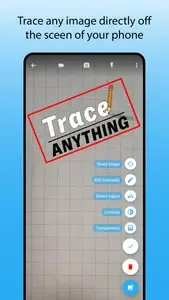
Transform your mobile device into a powerhouse of efficiency with these handpicked essential tools. Whether you need professional-grade photo editing, seamless file organization, smart task management, or real-time weather updates, our curated selection of premium apps delivers unbeatable performance. Streamline your daily routine, automate repetitive tasks, and boost your productivity with intuitive interfaces and powerful features. Designed for both professionals and casual users, these editor-approved applications will revolutionize how you work and play. Don't settle for an ordinary phone - upgrade your digital experience today and unlock your device's full potential!
With the development of mobile hardware and software, many practical tool software have emerged, covering a wide range of aspects and becoming a good helper for everyone in work and life. Today, the editor provides you with a list of useful tool software downloads. These tools are not particularly complex types, and after reading them, everyone can quickly learn how to use them. Proper use can bring great convenience to life and work.
About us | Contact us | Privacy policy| DMCA
Copyright © 2026 Xiaohei All rights reserved.