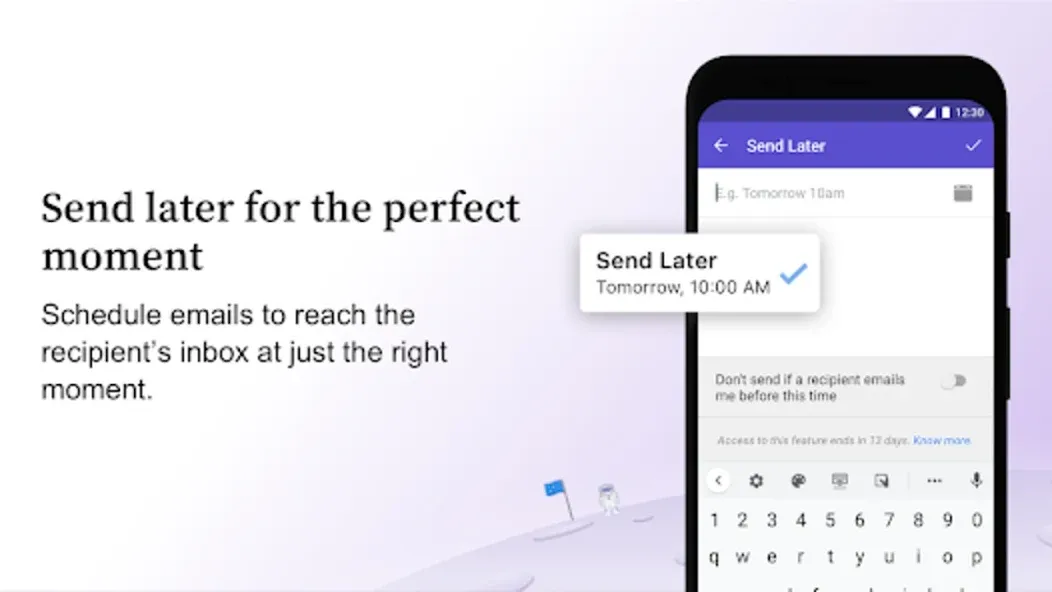
Newton Mail is an email application designed for mobile devices. It not only enables users to send emails to friends and family but also helps manage the inbox by allowing for the one-tap deletion of spam and unwanted messages, as well as the saving of important emails for easy future reference. Once registered, users can log in to their accounts across multiple devices simultaneously; the app automatically synchronizes email records, thereby saving time. Additionally, the app supports scheduled sending, allowing users to set emails to be sent after a specific interval—such as a few hours or days.
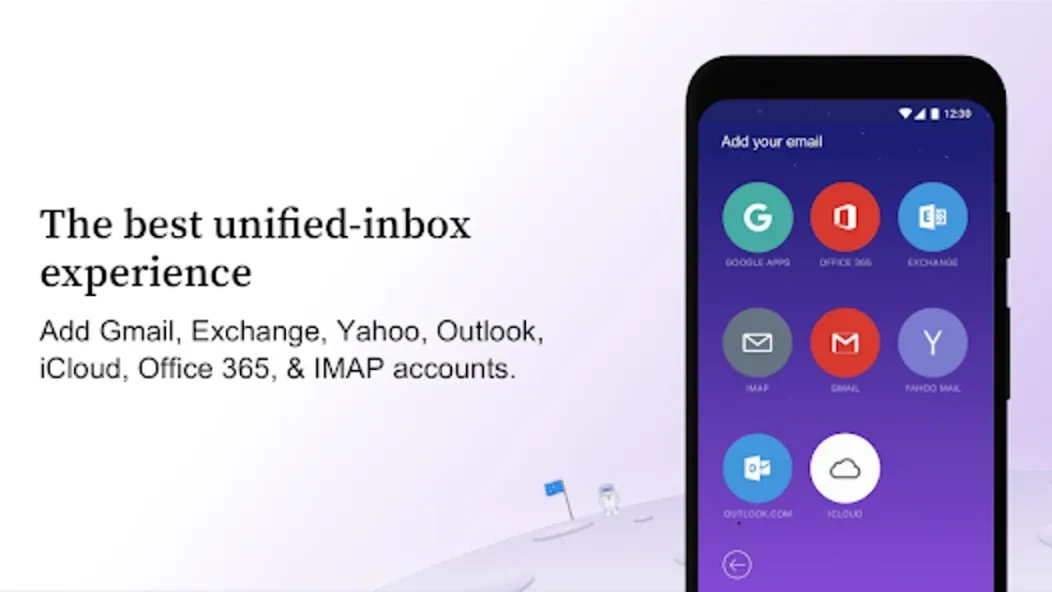
Declutter your busy-inbox. Unleash Speed. Communicate Better: Newton Mail helps busy professionals and teams go through their email twice as fast. Cutting down complexity with a minimal interface helps professionals manage emails with a smile.Works with Gmail, Exchange, Yahoo Mail, Hotmail/Outlook, iCloud, Google Apps, Office 365 and all IMAP accounts.
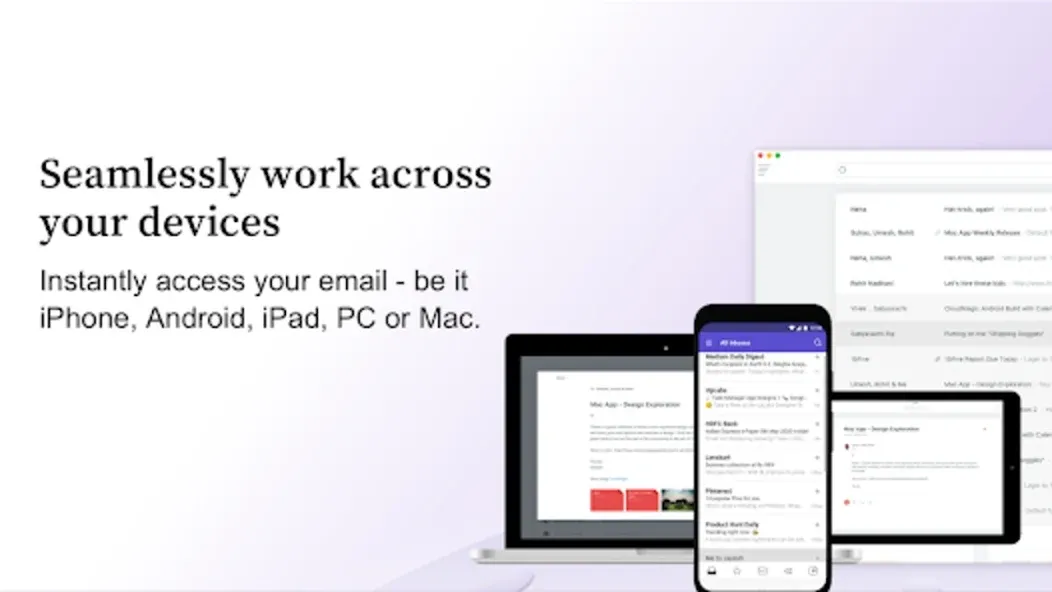
Sign Up Once, Use Everywhere: Use your Newton Mail account to instantly access your email anytime, across ALL your devices - be it iPhone, iPad, PC or Mac. Email preferences & settings are synced magically on every device, without having to set up your account all over again.
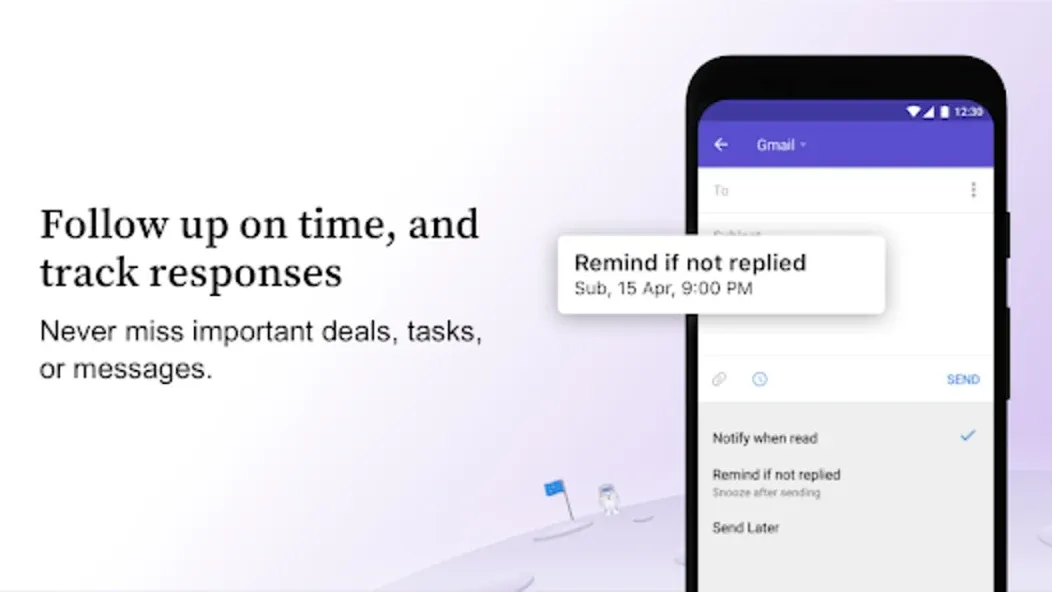
Why Newton Mail is the only email app you need: Read Receipts: Email tracking to get read-status for every email you send. Also, get notified as soon as the email is read. Know exactly who read your email with individual mail tracking.
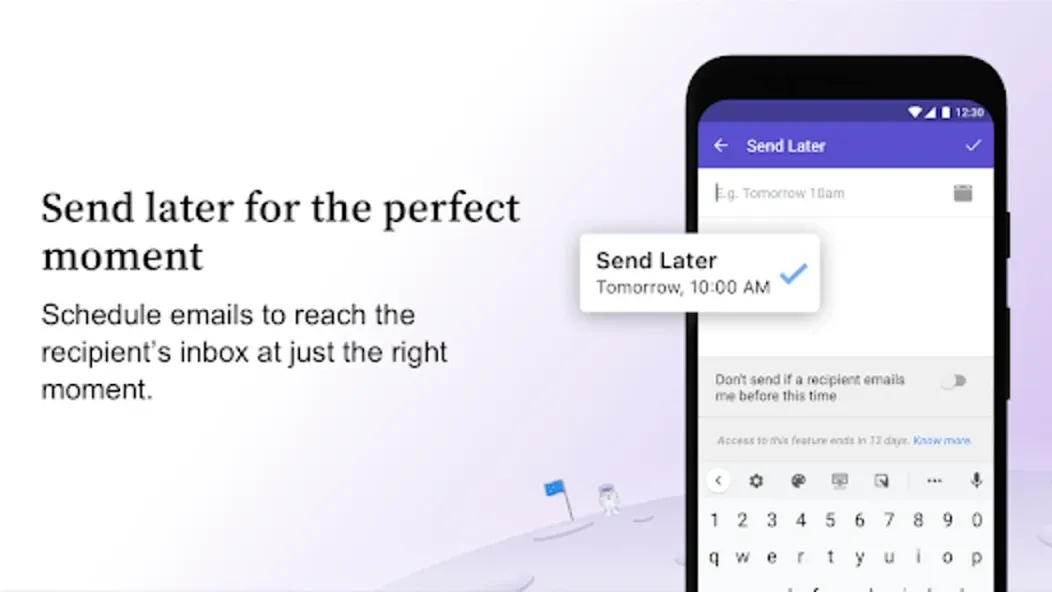
Send Later: Schedule emails to be sent later and have them delivered to the recipient’s inbox at just the right moment.
Tidy Inbox: Focus on emails that matter. Weed out newsletters and social medi: emails to another folder and make your inbox distraction-free. Think Gmail tabs for all email accounts.
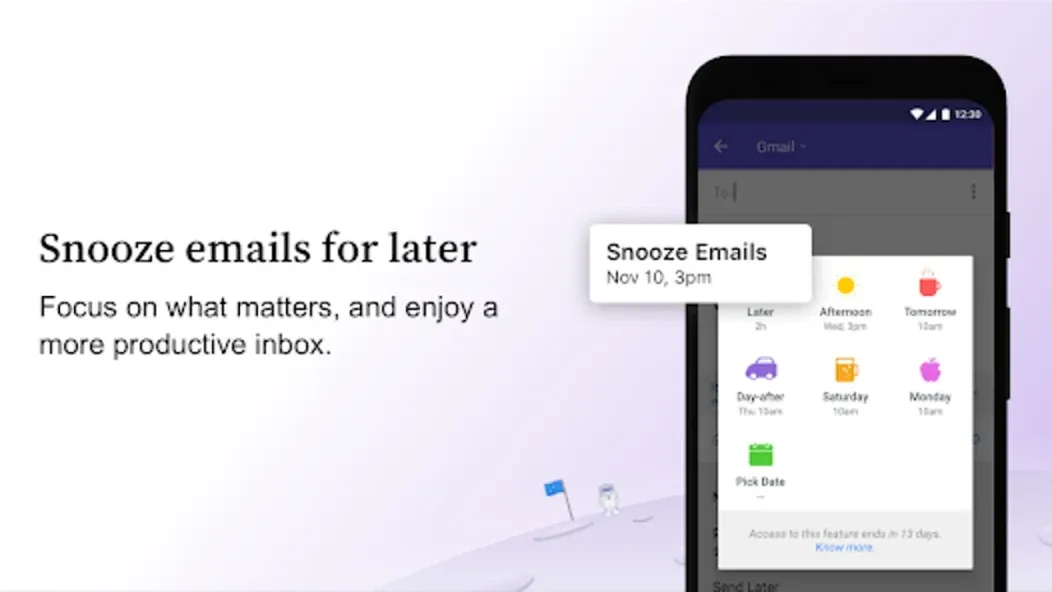
Customize your timings: To start you off the suggested timings for later, work day start times, afternoons, weekends and weekend starts are pre-determined. You can customize this if you wish to personalize it to your schedules.On your iPhone/Android, go to the Settings tab, hit “Superchargers” then “Snooze”. Within this tab, you’ll be able to adapt those timings for a more effective work week and weekend.
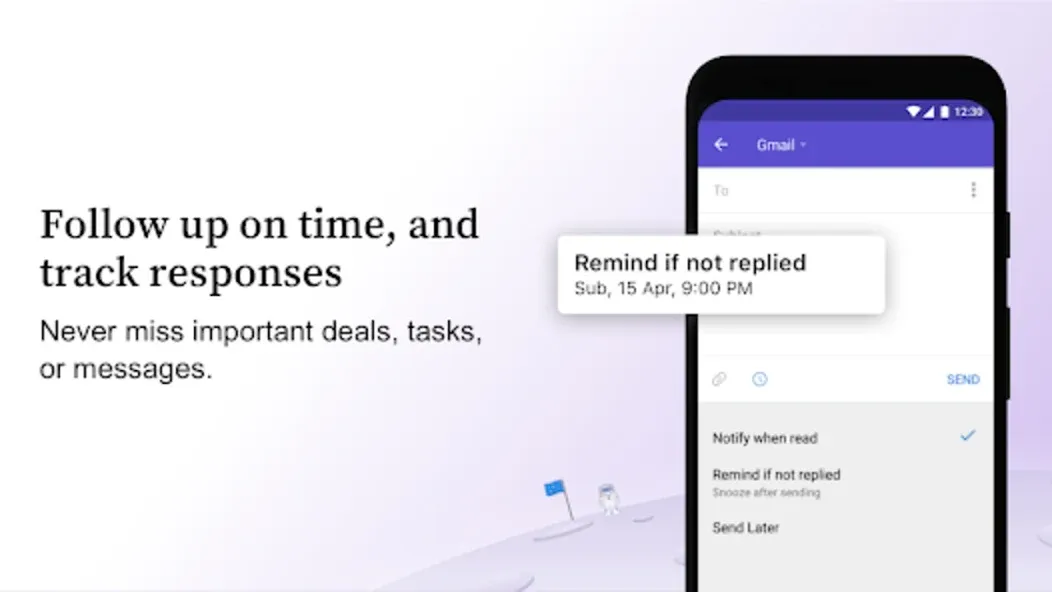
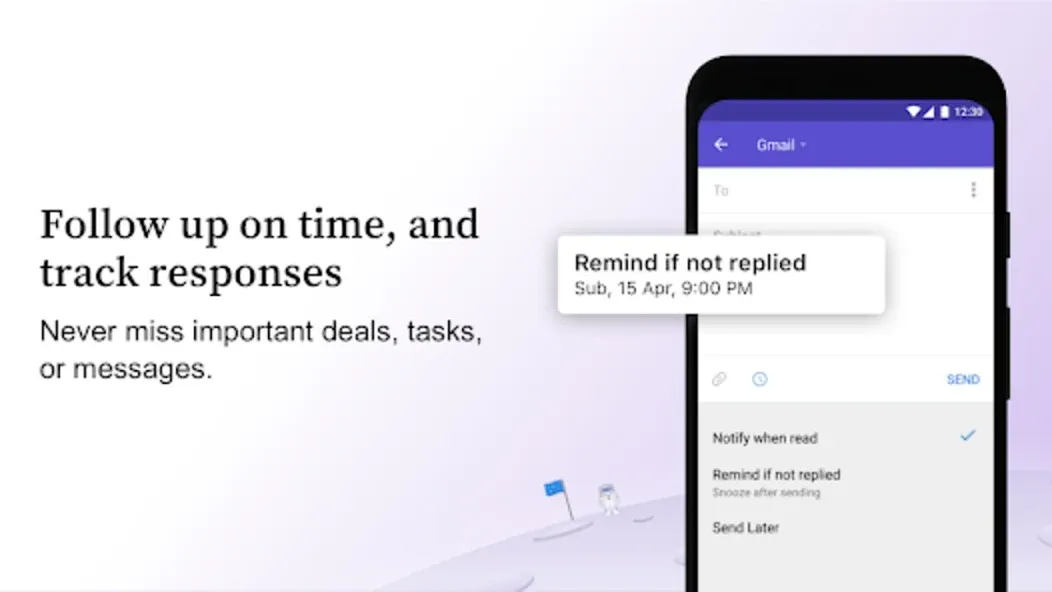
Snooze after sending: his is a feature built into the email compose window in Newton. Before sending your email, you can choose a multitude of options. If you hit “follow-up” you’ll see “Remind if not replied”. This option essentially snoozes that email after being sent to appear if there is no communication.This is perfect for those who forget to follow-up. Combining this with the Read Receipts features, you’ll know if they opened this and didn’t follow-up, giving you full context to make a well-crafted follow-up.
Snooze to desktop: cn your iPhone/Android phone or tablet and on the go? Want to answer that one email on your desktop (Mac) later on? Easy, just use the “Snooze to Desktop” feature. The email will appear on your desktop, giving you peace of mind with the right emails being sent to your desktop. Perfect for designers and editors with briefs and creative work, and anyone who’s constantly on the move.
Star the snoozed email: Once a snoozed email returns, it’ll appear in your main email feed.Sometimes your inbox will be messier when the message returns. Many of our users take advantage of the ‘Starred’ feature to pick out the most relevant or timely emails. This feature will highlight emails that return so that you can focus on acting on them.Simply go to Settings > Superchargers > Snooze > hit the tick box at the bottom for “Star the emails that return from Snooze.”
I really love this app; I've long since made it my preferred client for email, yet the app still has problems. I've seen good reviews covering some of the app's other deficiencies (integration, card loading speed and size, etc.), but I'm also bothered by 1. The app badge. For some reason, the developers neglected to allow the badge to register the total number of emails, which means I can't tell whether I need to prioritize my email or save checking it for later. This actually does have an impact on how efficient I can be in checking my email. Additionally, CloudMagic should consider adding counts on the account labels within the app.2. Emails not showing up. This is one thing the stock app got right: I could access all my emails, including those marked as spam, within the app, and correct any of the mistakes made by the filters. I can't do that with CloudMagic, which is a big inconvenience. 3. Archiving is a mess. Where do all those archived emails go anyway? It seems inordinately difficult to locate any of them unless I starred them first (and then they are located under "starred", not "archived"), which is very disconcerting since to archive is one of the chief email operations CloudMagic offers. These problems are not crippling in any respect, but they are annoying examples of bad form by CloudMagic, which a team this good can no doubt easily rectify.
So, 5-stars.. For what, you may wonder. Well, 5-stars because the app is simply one of the most fantastic, fast, functional, feature-rich multi-purpose email clients for iOS. 5-stars because after almost a year without my coveted "Mailbox" app (which Dropbox acquired, then killed), I finally found the best replacement app. Using it is a breeze, the unified Inbox works perfectly. Everything was simply amazing... for about a month.Low and behold, my 2nd worst nightmare came to fruition. No, they did not kill the app. No, they did not destroy it's amazingness. No no no... What they did was put a price tag on it. $49/year to use it, and all of its glory. Now, I have no problem with companies wanting to monetize their product, however, I also have no problem finding another email client to use although I'd rather not.So why 5-stars? Because I am rating the app itself, not the decision to charge for it. You see why above. However, that being said, I feel like CloudMagic, Inc. could have made a more wise decision to help them retain their client usage base, by either offering a stripped down less-featured version to use for free (Unified Inbox, Multi-Accounts, some swiping functions), and/or, offered tiered versions of the platform. You see, most people use email for "personal" use, and you can't write-off a subscription fee on your taxes for personal use. But losing client-base because you only offer one, and only one way to keep using such an amazing product is not worth it, in my opinion, but suddenly, and without warning, asking people to fork over $50 for a subscription.
How to delete my Newton Mai account ?
You can easily delete your account with us whenever you desire and all your data will get permanently erased from our servers , to delete your account :Go to "My Newton Mai Account" after clicking on your user Avatar.Select "Delete Newton Mai Account".
How do I set a signature for my email accounts?
Newton Mai lets you set a signature for each of your email accounts. Here’s how:
Go to Newton Mai Settings
Tap on ‘Email Accounts’
Select the account for which you wish to set signature for.
Tap on ‘Email Signature’ to set a signature.
PS: Newton Mai also supports HTML signatures!
Can’t find what you are looking for?
Why should I create a Newton Mai account?
If you create a Newton Mai account, you will enjoy the following benefits:
Log in to multiple devices without having to setup your email accounts all over again.
Sync preferences like signature, account colors etc across devices
Ability to remote wipe your data if you lose your phone/tablet.
What is an App-Specific Password?
App-specific password allows you to sign in to iCloud with third party apps. Once you enable two-step verification for your iCloud account, you have to generate an app-specific password to add your account to Newton Mai. Here is how it’s d
Sign in to your Apple ID account page.
In the Security section, click Generate Password below App-Specific Passwords.
Follow the steps on your screen.
After you generate your app-specific password, enter or paste it into the password field of Newton Mai as you would normally.
Newton Mail helps busy professionals and teams manage their emails quickly and efficiently, thanks to its minimal interface. It works seamlessly with popular email providers like Gmail, Exchange, Yahoo Mail, Hotmail/Outlook, iCloud, Google Apps, Office 365, and all IMAP accounts.
Size:101.19MB Version:10.0.77
Requirements:Android 5.0+ Votes:382
Package Name:io.pixer.newton Signature:150039990e1323bd5a87402268fbf9ed
Office Apps is a comprehensive and user - friendly platform that aggregates a wide array of office - related applications, catering to the diverse needs of modern professionals, students, and anyone who engages in office - based tasks. Whether you're working on a crucial business project, preparing academic papers, or handling daily administrative work, this aggregation page serves as your one - stop - shop.
The complete collection of office software is compiled based on user needs and referencing the popularity of major computer application stores. This collection selects various useful computer office software for users from multiple aspects such as office suite, communication and collaboration, email management, note management, cloud storage, download and decompression, etc. These software can meet your various document processing needs, making your team collaboration smoother, and conveniently managing your emails and keeping various meeting records. Download various materials and documents needed for office work. This collection of office software commonly used by professionals can meet all needs. Welcome to download and experience it!
About us | Contact us | Privacy policy| DMCA
Copyright © 2026 Xiaohei All rights reserved.