Stellarium Plus is an educational tool designed specifically for astronomy enthusiasts. It features a wealth of precise astronomical data—including information on the International Space Station—and allows users to view the night sky as it appears from any location at any given time, enabling them to explore the vastness of space. The software provides a detailed simulation of the Milky Way; with a simple tap, users can access information about individual star systems, including data on their stars, planets, and moons. An offline mode is also available, allowing users to conduct observations using a streamlined dataset anytime, anywhere. Furthermore, the software is continuously updated with new celestial bodies and accurate data, providing users with an ever-expanding wealth of astronomical knowledge.
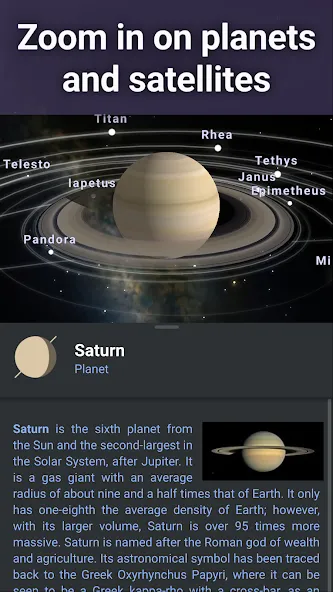
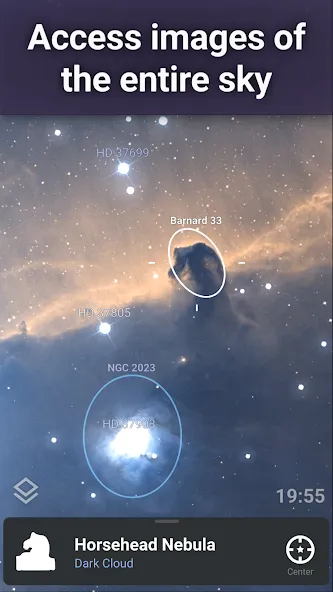
Get detailed information: With its zoom feature that allows you to view realistic Milky Way and deep sky object images, this app provides an immersive experience that lets you explore the wonders of space from the comfort of your own home.What makes Stellarium Plus stand out is its attention to detail. The app shows not only basic information about each celestial object but also includes detailed descriptions and historical information as well. This means that not only can you appreciate the beauty of these objects, but you can also learn about their characteristics and significance in astronomy.
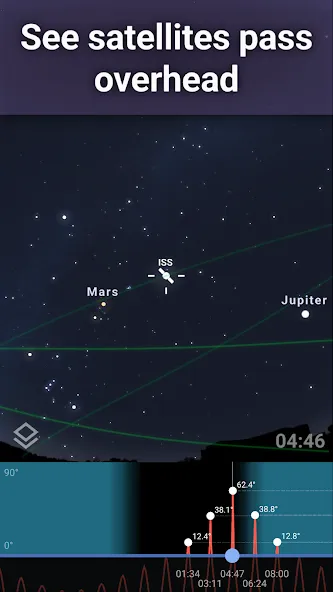
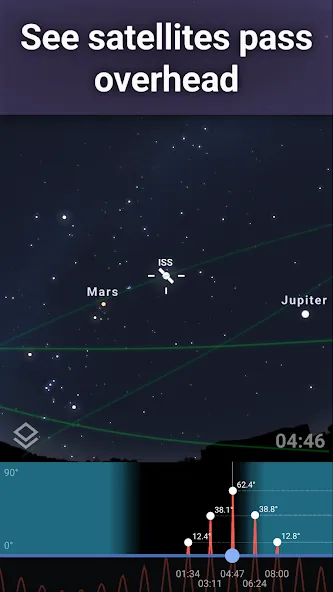
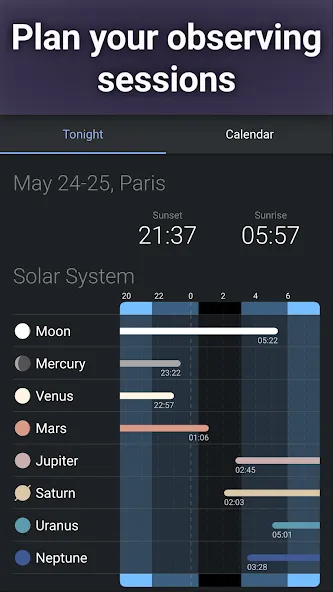
Track artificial satellites: Did you know that Stellarium Plus has more than just stars and planets? One of its most exciting features is the ability to track artificial satellites.With this feature, you can view the location of various satellites around the world in real-time. You can also see their trajectory, how fast they are moving, and even get information about their purpose. This is especially useful for those interested in space exploration or satellite communication as it gives a better understanding of how these man-made objects operate.Using this information can help you plan your own observations or even predict satellite passes overhead. I was surprised when I tracked the International Space Station directly from my smartphone.
Simulate landscape and atmosphere: Watching the sunrise or sunset is a beautiful and peaceful experience that many of us enjoy. However, not everyone has the luxury of being able to go outside and watch as the colors of the sky change with each passing moment. Enter Stellarium Plus, an application designed to help simulate landscapes and atmospheres so you can experience sunrises and sunsets from anywhere in the world.Using this application, you can recreate this natural event in stunning detail. The application also simulates atmosphere refraction, which is responsible for creating those pink and orange hues we see during these times of day. With this feature, you can witness how light bends through Earth’s atmosphere to produce such thrilling views.
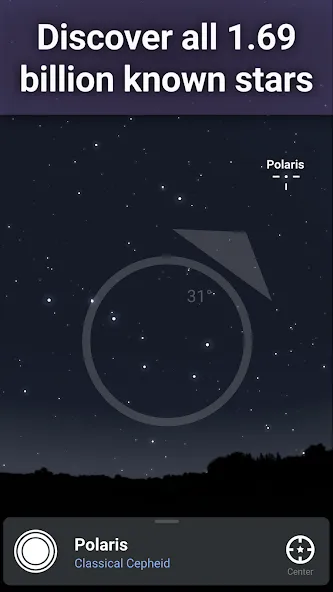
Once you know the main features of Stellarium Plus, then you will take the time to learn all that this application has to offer. Specifically, the application’s huge collection can reach billions of stars, countless planets, and millions of scientifically recorded galaxies that you can find. You are free to zoom in to see the true shape of the things you see, and of course, their quality is high and helps to satisfy your exploration.
You can adjust yourself to different views in Stellarium Plus to have a look that is right for the place you are in. Specifically, the first factor is the sensor when you are the one who decides whether your observation position changes when you move the device or not. If you are a night user, then night mode is a mode you should turn on because it will turn the color red and help you see the sky and protect your eyes.
If you are a science enthusiast and want to find important information in Stellarium Plus, then, of course, seeing the starry sky is not enough. You can choose to add some elements to discover what you don’t know quickly. You can easily add equatorial, meridian, and constellation display lines so you know which stars make up a constellation. At the same time, you can also choose the corresponding landscape to observe the sky in different places.
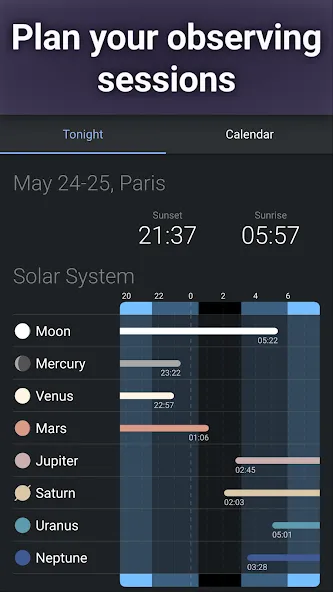
The application is already in a multi-object viewable state, but it can still be edited with different elements. Light pollution determines the bold of the sky, and you can adjust it with a slider or by clicking the atmosphere. Also, the labels of stars and planets can be displayed from small to bold, and if all sliders are in the top position, the sky will be filled with information and look quite confusing. The limit magnitude will help you decide how often to see the sky relative to the other factors.
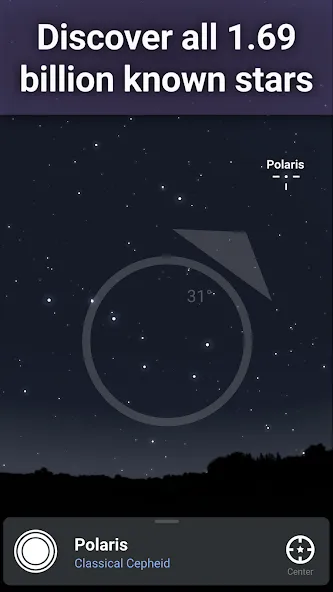
Very nice app!! you can choose from different landscapes,turn off constellations,see the names of glaxies, and more! there are basically TONS of settings! for me it never lags or makes my phone hot. also it adds blue circles or ovals around galaxies,star clusters, and magnetic clouds! (i hope i got that last one right) There is a plus subscription,but this is not one of the apps where it forces you to buy the subscription. there's no ads also!!! 1000/10 app!!
it's a pretty great app. sometimes the compass doesn't work well, but i guess that's more a hardware problem than a software one? also, I like the difference culture constellations and how they overlap in the night sky. there's always room for improvement, but it's a great app overall. you can use it for free, but I bought the lifetime access for a very low fee to gain access to some extra features that make the experience better.
I downloaded this app on a whim to look at the stars while hanging out outside at night and was pleasantly surprised at how easy it was to locate and see all the constellations and even the passing by satellites. I was even more surprised to zoom in on the milky way and see the details and information that you can explore and learn about. Definitely worth downloading and enjoying your night!
This is not just an app—it is a gateway to the universe. I used the free version for a long time, but upgrading to Plus completely changed my experience. Seeing millions of stars, detailed nebulae, galaxies, satellites, and deep-sky objects made me realize how vast the universe truly is. Every zoom reveals something new, and every night feels like an exploration. Thank you to the developers for creating a tool that inspires curiosity, learning, and wonder. Every rupee was worth it.
The screen does not move with my phone?
The Sensor Mode feature should work on your device as long as your device has a magnetometer sensor or compass included in it. To check whether your device has a compass, and look under Features > Sensors.Once you confirm that your device has a compass included in your device, please ensure that Sensor Mode is set to ‘Auto’ in the app.This can be done by pressing the mini-compass button on the bottom center of the screen or by going to Menu > Settings > Sensors.Once set to ‘Auto’, point the device (back portion) to the sky to activate the Sensor Mode.
How to adjust date and time? Can Stellarium Plus simulate the sky in the past or in the future?
Date and time can be adjusted by pressing the time in the lower right corner of the screen, then swiping up.Then you can adjust date and time by pressing the arrow buttons or by typing in your desired date and time.For B.C. dates, affix a (-) sign in the year. For example for 30 BC, type in ‘-30’ in the year.
How to change the language in the app?
Right now, the language used in the app is the same as the one in your phone’s settings.In a future release, we plan on adding an option to change it in the app’s settings so please keep updated.Where are the usual home, back buttons? Your app hides these buttons. I cannot exit the app.To view the usual Android buttons, please swipe up from the bottom of the screen and you will be able to exit as usual. Please note that this is standard android behavior.We have also added an Exit button in the App’s Menu and you can exit that way as well.
Stellarium Plus brings you a collection of the most beautiful images of the night sky captured with precision and detail. It differs from the sky in your area because sometimes some areas will not be able to see a starry sky so this feature is absolutely necessary. In particular, throughout the experience, users will be able to find many stars and their exact locations because modern science has now developed and found many stars and their journeys. Therefore, you can rest assured that the images you see are the most genuine images.
Size:277.90MB Version:1.16.7
Requirements:Android Votes:538
Package Name:com.noctuasoftware.stellarium_free Signature:72af42f03e8ed6a9e6f4282ecb715002
Educational software are emerging in an endless stream on the market, so which one can stand out? It should not only be simple and convenient to use but also helpful for our study. Below, Xiaohei.com brings you a very comprehensive and practical summary of educational software downloads. Come and download it, there is always one that suits you.
About us | Contact us | Privacy policy| DMCA
Copyright © 2026 Xiaohei All rights reserved.